
Why Do Proxies Get Blocked? Causes, Fixes, and Prevention Checklist
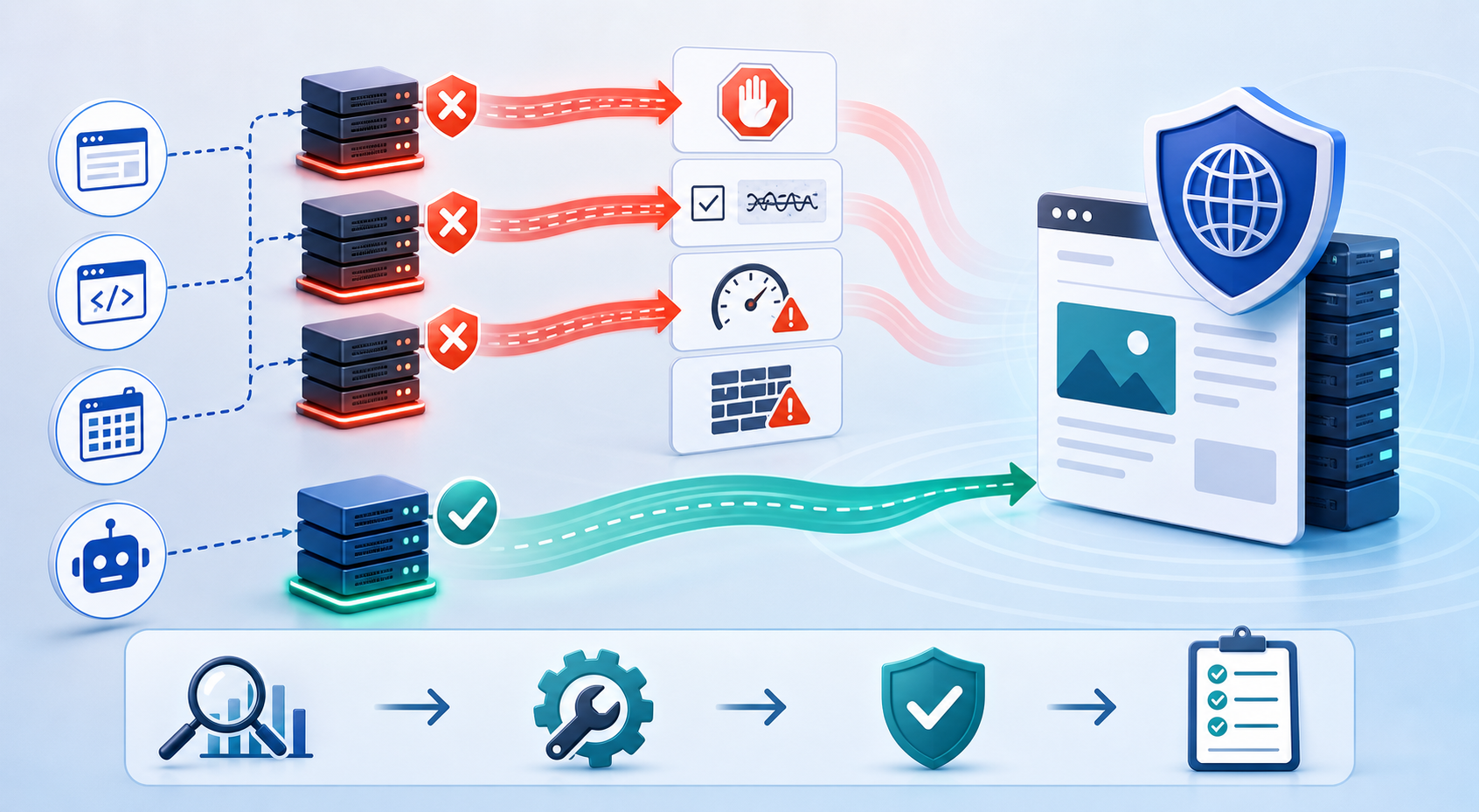
This guide helps you diagnose the real cause before you waste money buying more proxies.
If you are wondering why proxies get blocked, the answer is usually not one thing. Proxies get blocked because of IP reputation, traffic patterns, fingerprint mismatches, authentication problems, target-site rules, or abusive usage.
A blocked proxy does not always mean the proxy IP is bad. Sometimes the issue is your setup. Sometimes the proxy type does not match the target. Sometimes the script sends requests too quickly. Sometimes the browser fingerprint, cookies, headers, or login pattern looks inconsistent.
You will learn:
- Why proxies get blocked
- How to know whether the IP or setup is the problem
- What common errors usually mean
- How to reduce CAPTCHA triggers
- When to switch proxy type
- How to build a proxy testing workflow
- What not to do when proxies start failing
For the LycheeIP implementation details behind this step, review static residential proxies.
For the official technical reference behind this point, see MDN HTTP overview.
Why do proxies get blocked?
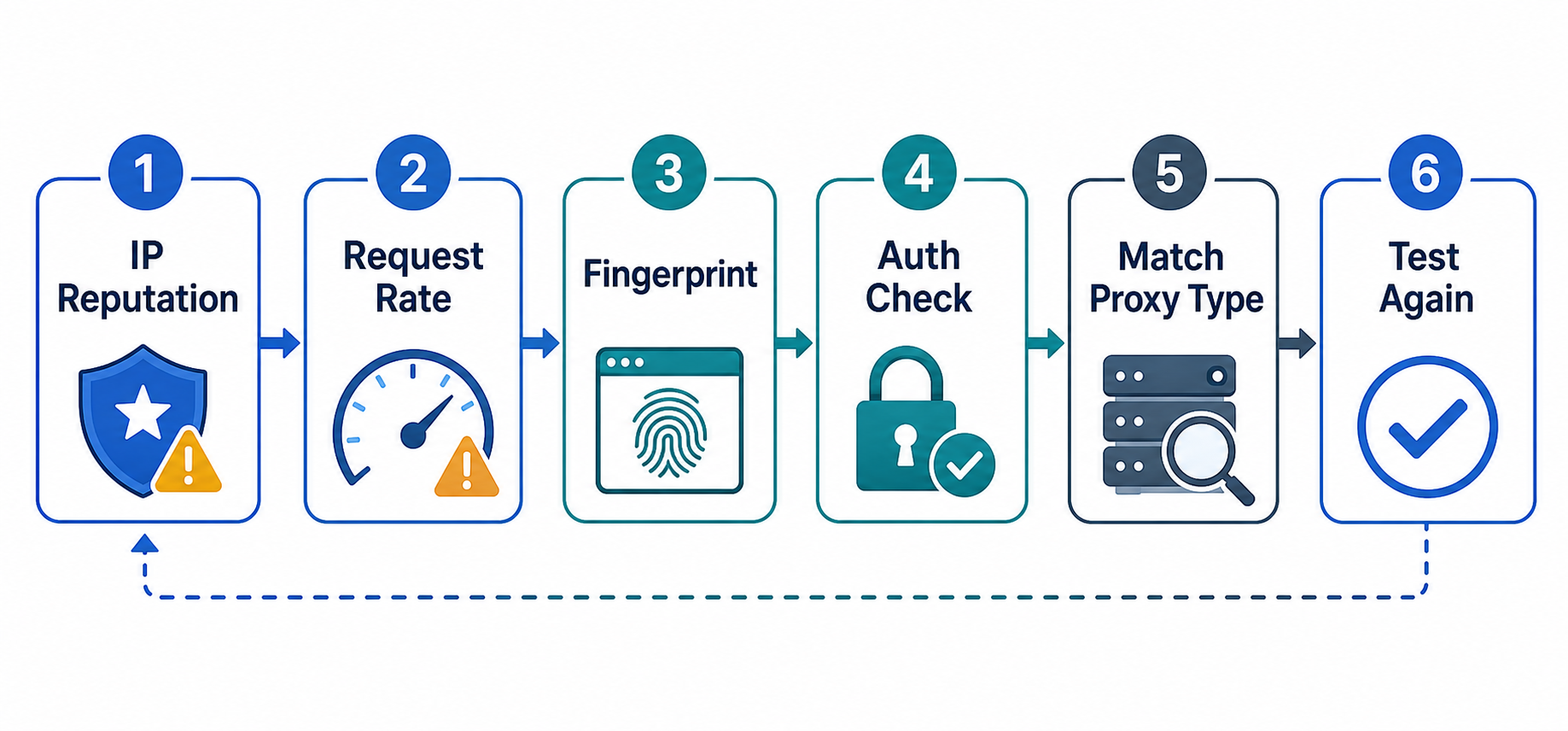
Proxies get blocked when a website or platform decides that the request looks risky, unwanted, unauthorized, automated, or inconsistent with normal user behavior.
The proxy IP is only one signal. Modern websites may evaluate many signals at once, including:
- IP reputation
- IP origin
- Request frequency
- Session history
- Browser fingerprint
- Cookies
- Headers
- JavaScript behavior
- Account login history
- Location consistency
- ASN or network type
- Repeated paths
- Error patterns
- Known automation signatures
This is why two teams can use the same proxy type and get different results. One team may have a clean request pattern, stable sessions, and careful pacing. Another team may send too many requests, rotate IPs too aggressively, or use a script that looks unnatural.
A proxy helps route traffic through another IP. It does not automatically fix poor automation design.
For the LycheeIP implementation details behind this step, review rotating residential proxies.
Is the proxy IP the problem or is your setup the problem?
The first step is to separate IP quality problems from setup and behavior problems.
If you skip this step, you may replace proxies that are not actually the issue. That leads to wasted budget, more instability, and the same failures repeating on fresh IPs.
Signs the IP is the issue
The proxy IP may be the problem when the block happens immediately, even under careful conditions.
For the LycheeIP implementation details behind this step, review LycheeIP proxy infrastructure.
Common signs include:
- Instant blocks on first request
- Known bad ASN or hosting network
- Reused burned IP
- Location mismatch
- Proxy works on some targets but is blocked on one sensitive target
- Same IP fails in browser and script
- Multiple clean setups fail only with one proxy IP
In this case, test a fresh proxy from the same provider, then test another proxy type if needed. If the issue follows the IP but not the workflow, the proxy IP or IP class may be the bottleneck.
Signs your setup is the issue
Your setup may be the issue when fresh proxies fail the same way.
Common signs include:
- Same block across different proxy IPs
- Same block across different proxy types
- Browser fingerprint mismatch
- Too many requests too fast
- Bad headers or missing cookies
- Login from too many IPs
- Script fails but manual browsing works
- CAPTCHA appears only during automation
- Sessions reset too often
- Requests follow the same path too perfectly
In this case, buying more proxies will not solve the root problem. You need to inspect request behavior, session design, browser consistency, and target-site rules.
What are the most common proxy block signals?
The most common proxy block signals are request rate, repeated behavior, IP reputation, weak session history, inconsistent location, and automation fingerprints.
Here are the signals to review first:
Request rate
Too many requests in a short period can trigger rate limits, CAPTCHAs, or blocks. This is especially common in web scraping proxies when concurrency is too high or delays are too short.
Repeated paths
If every request follows the same sequence, same page depth, same timing, and same pattern, the workflow may look automated.
No session history
A brand-new session that jumps directly into sensitive actions can look suspicious. Some platforms expect cookies, page history, and gradual navigation.
Inconsistent location
If the IP location, account history, browser language, time zone, and activity region do not match, the session may look risky.
Datacenter ASN on sensitive targets
Some sensitive websites treat hosting or cloud networks differently from residential or ISP-associated IPs. This does not make datacenter proxies bad, but it may make them a poor fit for certain targets.
Login from too many IPs
A login-heavy workflow can trigger checks if the same account appears from unrelated proxy IPs too often.
Automation fingerprints
Automation tools can leak signals through browser properties, headers, TLS behavior, JavaScript execution, timing, or missing human-like navigation.
The key lesson is simple: do not diagnose proxy blocks by IP alone.
What does each error usually mean?
Each error gives a clue, but the same symptom can have multiple causes. Use the table below as a first-pass diagnosis, not a final verdict.
A 403 proxy error may mean the target refused the request. It does not always mean the proxy is dead. A timeout may mean the proxy endpoint, network, firewall, or port is wrong. A CAPTCHA proxy issue often points to risk scoring, not only IP origin.
How do you reduce CAPTCHA triggers?
You reduce CAPTCHA triggers by making the workflow more consistent, less aggressive, and better matched to the target.
Start with these steps:
Slow down request frequency
Reduce concurrency, add realistic delays, and avoid sudden bursts. If you receive rate-limit errors, retrying faster usually makes the problem worse.
Use consistent sessions
Keep cookies, sessions, IPs, and user context stable where the workflow requires continuity. This matters especially for account logins and long-running browser sessions.
Match IP type to target sensitivity
If a sensitive target rejects datacenter IPs repeatedly, test residential or ISP proxies. If a workflow needs a stable identity, test ISP or static residential proxies before rotating aggressively.
Avoid mixing accounts and scraping tasks
Do not run unrelated workflows through the same proxy IP without a clear plan. Mixing account logins, scraping, QA tests, and experimental scripts can damage your own proxy reputation.
Improve browser behavior where allowed
If browser automation is permitted for your workflow, make sure the environment behaves consistently. Check headers, cookies, JavaScript support, viewport, language, time zone, and navigation behavior.
Respect access rules
Some blocks happen because the request is not allowed. Review robots instructions, platform policies, terms, authentication requirements, and internal compliance rules before scaling.
A good CAPTCHA reduction plan is not “use more proxies.” It is “reduce risk signals.”
When should you switch proxy type?
Switch proxy type when testing shows that the proxy IP origin is the bottleneck, not your code or behavior.
Here are common switching points:
Do not switch proxy type blindly. Test one change at a time.
If a datacenter proxy fails because the script is too aggressive, residential proxies may also fail. If an account gets challenged because the browser profile is inconsistent, a cleaner proxy IP may not fix it. If a website disallows the activity, changing proxy type does not create permission.
How do you build a proxy testing workflow?
A good proxy testing workflow isolates variables, logs failures, and measures real outcomes.
Test one variable at a time
Do not change proxy type, request rate, headers, browser profile, and session strategy all at once. If results improve, you will not know which change helped.
For the LycheeIP implementation details behind this step, review scaling lead scraping with n8n.
Test in this order:
- Same setup, fresh proxy
- Same proxy, slower pacing
- Same proxy, improved session handling
- Same workflow, different proxy type
- Same workflow, different provider or location
- Same workflow, different browser or tool setup
Log response codes
Track response codes such as 200, 301, 302, 403, 407, 429, 500, and timeouts. These codes help you separate authentication errors, rate limits, forbidden requests, redirects, and server issues.
Compare proxy types
Run the same small workflow across datacenter, residential, and ISP proxies where possible. Compare success rate, CAPTCHA rate, latency, cost, and consistency.
Separate IP failures from code failures
If the same proxy works manually but fails in the script, the issue may be automation behavior. If the same script works through one proxy but fails through another, the IP may be the issue.
Measure cost per successful request
Do not measure only proxy price. Measure the actual cost of successful outcomes after blocks, retries, CAPTCHAs, failures, and manual fixes.
Use this simple testing scorecard:
The best proxy setup is not the one with the most IPs. It is the one with the cleanest success pattern for your task.
What should you not do when proxies start failing?
When proxies start failing, do not panic-buy more IPs or rotate faster without diagnosis.
For the official technical reference behind this point, see Anthropic documentation.
Avoid these mistakes:
Do not instantly buy more IPs
More IPs can hide the problem temporarily, but they can also multiply waste. Diagnose first.
Do not rotate faster without understanding the block
Aggressive rotation can make some workflows look less trustworthy, especially account-based workflows that need consistency.
Do not reuse the same IP across unrelated workflows
One proxy IP should not carry every experiment, scraper, login, and test. Separate workflows so reputation damage does not spread.
Do not ignore platform policies
If the activity is not allowed, a proxy change is not the right solution. Review access rules and compliance requirements.
Do not assume CAPTCHA means only the proxy is bad
CAPTCHA can come from IP origin, request rate, session history, browser fingerprint, or suspicious behavior. Treat it as a risk signal, not a single-cause diagnosis.
Do not forget authentication errors
Sometimes the issue is not detection. It is a wrong password, wrong port, expired plan, or IP whitelist mismatch.
Why LycheeIP fits this troubleshooting stage
LycheeIP is useful for teams that need to move from guessing to structured proxy diagnosis.
When proxies fail, the answer is not always “buy more.” Sometimes the right move is to test a different IP type, separate workflows, use more stable sessions, fix authentication, or improve request pacing.
A proxy provider should help you match infrastructure to the job. For example, teams may need datacenter proxies for speed, residential proxies for local realism, ISP proxies for stable sessions, or private proxy access for cleaner reputation control.
The strongest setup is the one you can test, monitor, and improve.
Reduce Proxy Blocks with LycheeIP Infrastructure
##
Frequently Asked Questions
Why do proxies get blocked so quickly?
Proxies may get blocked quickly because the IP has poor reputation, the target rejects that IP type, or the request pattern looks automated. Fast blocks can also happen when headers, cookies, browser behavior, or session history look inconsistent.
What does a 403 proxy error mean?
A 403 error usually means the target server understood the request but refused to process it. In a proxy workflow, that can happen because of target rules, IP reputation, request behavior, location mismatch, or access restrictions.
Why do I keep getting CAPTCHA when using proxies?
CAPTCHAs usually mean the website sees the session as risky. The cause may be proxy IP reputation, request frequency, browser fingerprinting, weak session history, or suspicious automation behavior.
Does changing proxies fix CAPTCHA problems?
Sometimes, but not always. If the IP is the problem, changing proxy type or location may help. If the issue is browser fingerprinting, request pacing, or account behavior, changing proxies alone may not solve it.
How do I know if my proxy IP is banned?
A proxy IP may be banned if it gets instant blocks across clean setups, fails manually and in scripts, or receives repeated 403 responses from the same target even at low volume. Test a fresh proxy and compare results before deciding.
Why does my proxy work in a browser but fail in my script?
This often means the script behaves differently from the browser. Check headers, cookies, JavaScript behavior, redirects, TLS support, proxy format, and request timing.
Can datacenter proxies get blocked more easily?
Yes, on some sensitive targets. Datacenter proxies can be fast and useful, but some websites treat hosting or cloud-based IPs as higher risk than residential or ISP-associated IPs.
Should I rotate proxies faster to avoid blocks?
Not automatically. Faster rotation can help some scraping workflows, but it can hurt account-based workflows that need stable sessions. Diagnose the cause before increasing rotation.
Why do I get the wrong region when using a proxy?
Wrong region content usually means the exit location does not match what you expected, or the website is using additional signals beyond IP location. Check the proxy endpoint, country or city parameter, DNS behavior, and account settings.
What should I test before replacing my proxy provider?
Test authentication, response codes, latency, geo accuracy, CAPTCHA rate, request frequency, browser behavior, and the same workflow on another proxy type. Replace the provider only after you confirm the issue is not your setup.
Related LycheeIP Guides and Resources

Recommended Articles

DataDome Bypass for Web Scraping
DataDome Bypass for Web Scraping
View Details
Web Scraping Rate Limiting: How to Handle 429s, Backoff, and Concurrency
Web scraping rate limiting is the engineering discipline of keeping an authorized collection workload inside a target service's acceptable request envelope. When that envelope is exceeded, a server may respond with HTTP 429 Too Many Requests, delay responses, or apply other controls.
View Details
reCAPTCHA vs hCaptcha vs Cloudflare Turnstile: What Scraping Teams Need to Know
If an authorized data-collection workflow suddenly stops at a verification screen, identifying the protection system matters before you change code, browser settings, or proxy infrastructure. reCAPTCHA vs hCaptcha vs Turnstile is not simply a branding comparison. The three systems can expose different browser flows, token models, risk decisions, and failure symptoms.
View Details
Browser Automation Proxies: IPs, Geo-Targeting, Sessions, and AI Agents
A browser automation proxy belongs to the network layer of Playwright, Selenium, cloud-browser, and AI-agent workflows. It changes how browser traffic is routed and can affect the source IP address, geographic egress, and session continuity seen by a destination site. It does not improve an AI model's reasoning, repair browser logic, or guarantee that a website will accept the session.
View Details
SERP Scraping: Methods, APIs, Workflows, and Best Practices
SERP scraping is the automated collection of information from search engine results pages. A SERP scraper can capture organic rankings, advertisements, featured snippets, People Also Ask questions, local results, shopping listings, images, and other search features, then convert them into structured data for analysis.
View Details