
Datacenter Proxies Unlimited Bandwidth: A Practical Buyer Checklist
Datacenter Proxies Unlimited Bandwidth: A Practical Buyer Checklist
Datacenter Proxies Unlimited Bandwidth: A Practical Buyer Checklist
**Datacenter Proxies Unlimited Bandwidth: A Practical Buyer Checklist**
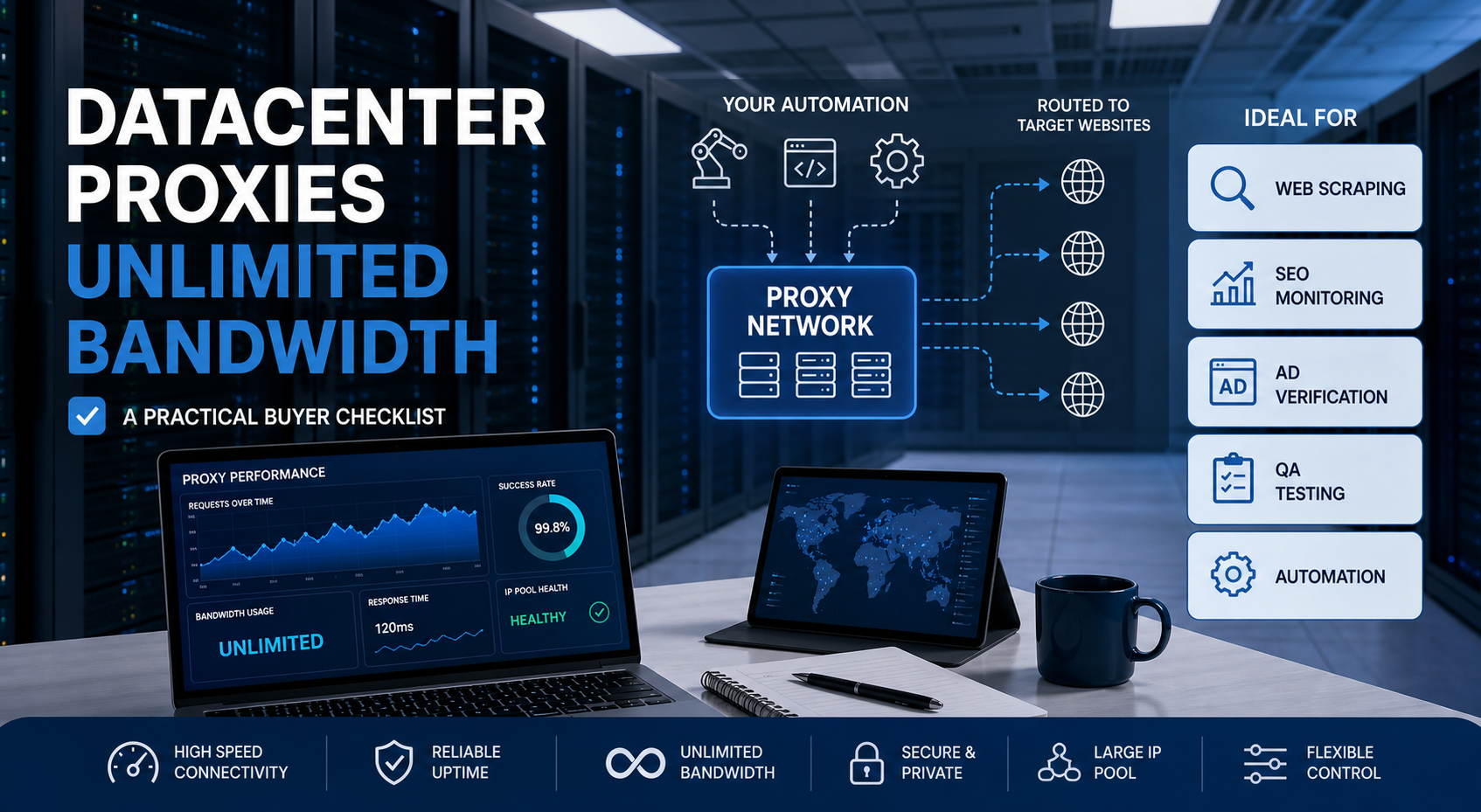
If you are searching for datacenter proxies unlimited bandwidth, you probably want fast proxy traffic without worrying about per-GB billing. The right setup can work well for web scraping, SEO monitoring, ad verification, QA testing, and automation, but “unlimited” does not remove every limit.
For the LycheeIP implementation details behind this step, review LycheeIP proxy infrastructure.
For the LycheeIP implementation details behind this step, review static residential proxies.
For the official technical reference behind this point, see OWASP automated threats guidance.
What you’ll get in this guide:
- A clear explanation of what unlimited bandwidth really means
- A decision matrix for datacenter, residential, and ISP proxies
- A quick-start SOP for testing providers before buying
- A troubleshooting table for blocks, CAPTCHAs, throttling, and poor success rates
- Practical notes on where LycheeIP can fit in a proxy stack
What are datacenter proxies unlimited bandwidth?
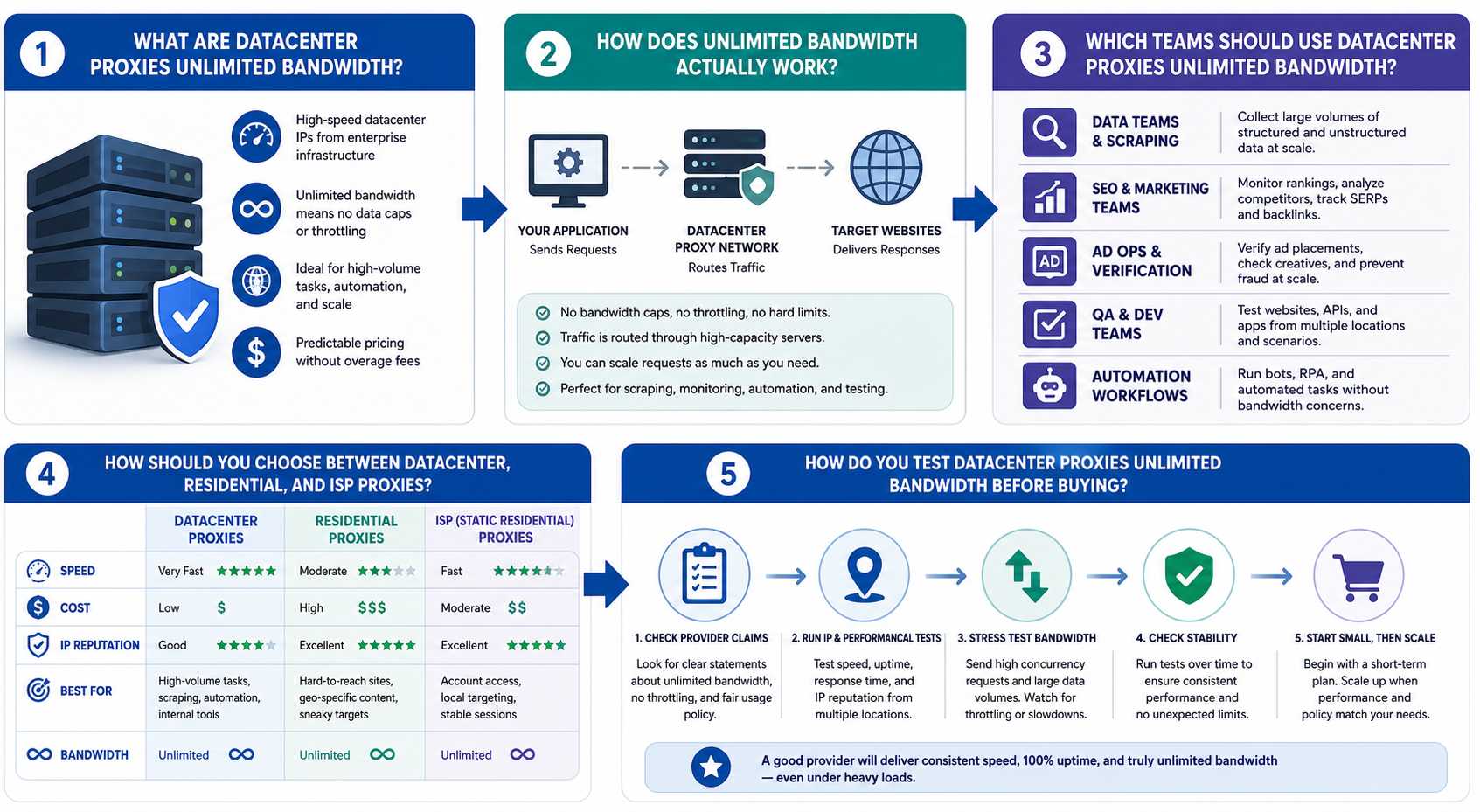
Datacenter proxies unlimited bandwidth are proxy IPs hosted on data center infrastructure and sold with no fixed per-GB traffic cap, subject to the provider’s actual usage rules.
They are usually chosen for speed, cost control, and scale. A datacenter proxy routes requests through an IP address that belongs to hosted infrastructure rather than a home internet connection. That makes it faster and easier to deploy in bulk, but also easier for some targets to classify as data center traffic.
Unlimited bandwidth sounds simple, but buyers should read it carefully. It may mean unlimited traffic on a fixed number of IPs. It may mean no per-GB billing but limits on speed, ports, threads, or fair use. It may also mean unlimited within a specific plan, location, or protocol.
The best buying question is not “Is bandwidth unlimited?” The better question is: “How many successful requests can this proxy setup deliver on my target without throttling, blocks, or hidden operational limits?”
How does unlimited bandwidth actually work?
Unlimited bandwidth usually means traffic is not billed by the gigabyte, but your workload may still face practical limits.
Before buying, verify these points:
Use this simple formula when comparing providers:
**Real proxy value \= successful requests ÷ total proxy cost and setup effort**
A cheaper unlimited plan can become expensive if half your traffic returns errors, CAPTCHAs, or unusable pages.
For the official technical reference behind this point, see MDN HTTP overview.
Which teams should use datacenter proxies unlimited bandwidth?
Datacenter proxies unlimited bandwidth are best for teams that need speed, repeatability, and predictable traffic costs on targets that do not require strong residential trust.
They often fit:
- Web-scraping teams collecting public pages from low to moderate protection targets
- SEO teams checking rankings, indexation, SERP changes, and localized search pages
- Ad verification teams checking placements, landing pages, and regional display behavior
- Growth teams testing pages, funnels, and competitor visibility
- Data engineers running scheduled extraction jobs and monitoring scripts
- Security and fraud ops testing exposure, regional access, and abuse signals within approved workflows
- Multi-account agencies when each account needs isolated, consistent IP assignment and the platform allows that use
They are less ideal when the target heavily scores residential reputation, browser fingerprint quality, device identity, account history, or behavioral trust.
How should you choose between datacenter, residential, and ISP proxies?
Choose datacenter proxies when speed and cost matter most, residential proxies when trust signals matter most, and ISP proxies when you need a middle ground between stability and residential-like reputation.
For the LycheeIP implementation details behind this step, review rotating residential proxies.
Use the **BAND Fit Framework**:
Practical examples:
- Use HTTP datacenter proxies for simple page checks, SEO crawling, and high-volume public data collection.
- Use rotating residential proxies when the target reacts aggressively to hosting IPs.
- Use static residential proxies unlimited bandwidth or rotating ISP proxies when session stability and trust matter more than the lowest cost.
- Use a web scraping API when proxy management, browser rendering, retries, and anti-bot handling would cost too much to build internally.
How do you test datacenter proxies unlimited bandwidth before buying?
Test unlimited bandwidth datacenter proxies with a small, controlled workload before you commit to production.
Use this 8-step quick-start SOP:
- Define the target set: Pick 3 to 5 representative URLs or workflows.
- Set a clean baseline: Test without proxies where allowed so you know normal response behavior.
- Run a small proxy test: Send a limited number of requests across different IPs.
- Measure success rate: Track status codes, timeouts, redirects, CAPTCHAs, and incomplete pages.
- Increase concurrency slowly: Move from low threads to your expected production level.
- Test rotation and sticky sessions: Confirm whether IP changes help or hurt the workflow.
- Check bandwidth behavior: Watch for speed drops, throttling, or unexpected errors after sustained traffic.
- Calculate real cost: Compare the plan cost against successful, usable responses.
Pass criteria should be clear before testing. For example, a team may require stable response times, acceptable block rates, clean page content, working geo-location, and predictable behavior under normal concurrency.
Do not test only on easy pages. A proxy that works on a basic IP-check page may still fail on your real target.
Why do unlimited bandwidth proxy projects fail?
Unlimited bandwidth proxy projects fail when teams treat bandwidth as the only constraint.
For the LycheeIP implementation details behind this step, review AI-powered browser automation hub.
Use this troubleshooting table:
The key lesson is simple: IPs are only one part of delivery. Request rate, headers, cookies, device fingerprint, retries, target rules, and content rendering all affect success.
When should you not use datacenter proxies unlimited bandwidth?
Do not use datacenter proxies unlimited bandwidth when the workflow needs strong residential trust, sensitive account actions, or compliance review that your team has not completed.
Avoid this setup when:
- The platform clearly forbids automated access or multi-account automation
- The target blocks most data center IP ranges
- You need long-lived logged-in sessions tied to a stable identity
- You are handling regulated data without legal or compliance approval
- Your team cannot monitor errors, retries, and data quality
- You need guaranteed access rather than a best-effort routing layer
Also avoid free or unknown proxy websites for production. They may be unstable, slow, abused, or unsafe for sensitive traffic. If the project matters, use a provider with clear authentication, support, replacement rules, and documentation.
How does LycheeIP fit into the proxy evaluation stack?
LycheeIP can fit as a proxy provider to evaluate when you need a mixed stack across datacenter, residential, and static proxy needs.
For a practical setup, use datacenter proxies for high-speed, lower-risk tasks and keep residential or ISP options available for workflows that need stronger trust signals. This is often better than forcing one proxy type to solve every problem.
A buyer evaluating LycheeIP should verify:
- Current datacenter proxy plan details
- Whether bandwidth is unlimited, metered, or governed by fair-use terms
- Available US and global locations
- Supported protocols such as HTTP, HTTPS, and SOCKS5
- Authentication options
- IP replacement process
- Rotation or sticky-session behavior
- Usage restrictions and refund policy
The best approach is to test LycheeIP against your actual target set, not a generic benchmark. If the test workload performs well, you can scale gradually and keep residential fallback for harder targets.
Which visuals should support this page?
The page should include visuals that help readers make a decision quickly.
- Proxy Type Decision Matrix
Caption: Choose datacenter, residential, or ISP proxies by target difficulty and session needs. Alt text: Datacenter proxies unlimited bandwidth decision matrix comparing datacenter, residential, and ISP proxy use cases.
- Unlimited Bandwidth Verification Checklist
Caption: What to confirm before buying an unlimited proxy plan. Alt text: Checklist for evaluating unlimited bandwidth datacenter proxies before purchase.
- Proxy Testing Workflow Diagram
Caption: A step-by-step flow from baseline testing to production rollout. Alt text: Proxy testing workflow for datacenter proxies used in web scraping and SEO monitoring.
- Failure Modes Table Graphic
Caption: Common proxy problems and how to diagnose them. Alt text: Troubleshooting table for blocked datacenter proxies, CAPTCHAs, throttling, and IP bans.
- Cost Per Successful Request Formula Card
Caption: The metric that matters more than advertised bandwidth. Alt text: Formula for calculating real cost of unlimited bandwidth proxy plans.
What assumptions and limitations should buyers remember?
This guide assumes you are evaluating proxies for legitimate business workflows such as public web data collection, SEO monitoring, ad verification, QA, or approved security testing.
Explore LycheeIP Datacenter Proxy Plans
Important limitations:
- “Unlimited bandwidth” depends on each provider’s current terms.
- Target-site behavior changes often, so test results can change.
- A proxy cannot fix bad scraping logic, poor headers, abusive request rates, or weak browser fingerprints.
- Legal and platform policy requirements vary by region, target, and use case.
- Exact provider specs, prices, locations, and refund policies should be verified before purchase.
The safest buying path is to shortlist providers, test with your real workload, compare success rate, and choose the setup with the best balance of cost, speed, compliance, and reliability.
Frequently Asked Questions
What are 3 examples of proxy data?
Three examples are the proxy IP address, the proxy location, and the protocol type such as HTTP, HTTPS, or SOCKS5. For operations teams, useful proxy data can also include response time, success rate, ASN, session duration, and block rate.
What is the difference between proxy and direct data?
Direct data is collected from your own IP connection without an intermediary. Proxy-routed data passes through a proxy IP, which can help with location testing, traffic distribution, and separating workloads.
What is the difference between proxy and CDN?
A proxy routes a client’s request through an intermediary IP. A CDN distributes website content across edge servers to improve delivery speed, availability, and performance for users.
What is a datacenter IP address?
A datacenter IP address is an IP hosted on infrastructure owned or operated by a data center, hosting company, or cloud network. It is usually fast and stable, but many target sites can identify it as non-residential traffic.
What is the difference between a VPN and a proxy service?
A VPN usually routes most device traffic through an encrypted tunnel for privacy or network access. A proxy service is often configured at the app, browser, script, or request level, making it more flexible for scraping, SEO tools, testing, and automation.
How much do datacenter proxies unlimited bandwidth cost?
N/A as a fixed answer. Pricing changes by provider, number of IPs, location, dedicated vs shared access, rotation, support level, and fair-use terms, so buyers should verify the current pricing page and calculate cost per successful request.
Can websites detect datacenter proxies?
Yes, many websites can detect signs that an IP belongs to hosted infrastructure. Detection can also involve request rate, browser fingerprint, headers, cookies, account behavior, and session patterns.
Are unlimited bandwidth datacenter proxies good for web scraping?
They can be good for web scraping when the target has low to moderate protection and your scraper uses responsible request rates. For harder targets, rotating residential proxies, ISP proxies, or a managed web scraping API may perform better.
Do proxies bypass firewalls?
A proxy may route traffic differently, but it should not be treated as a guaranteed firewall bypass tool. Whether traffic is allowed depends on the network rules, destination rules, authentication, and applicable policies.
Can proxies steal your data?
A malicious or poorly managed proxy could expose sensitive traffic or credentials, especially if you send unencrypted data through it. Use reputable providers, avoid free unknown proxies for sensitive workflows, and never send secrets through a proxy you do not trust.
Related LycheeIP Guides and Resources

Recommended Articles

DataDome Bypass for Web Scraping
DataDome Bypass for Web Scraping
View Details
Web Scraping Rate Limiting: How to Handle 429s, Backoff, and Concurrency
Web scraping rate limiting is the engineering discipline of keeping an authorized collection workload inside a target service's acceptable request envelope. When that envelope is exceeded, a server may respond with HTTP 429 Too Many Requests, delay responses, or apply other controls.
View Details
reCAPTCHA vs hCaptcha vs Cloudflare Turnstile: What Scraping Teams Need to Know
If an authorized data-collection workflow suddenly stops at a verification screen, identifying the protection system matters before you change code, browser settings, or proxy infrastructure. reCAPTCHA vs hCaptcha vs Turnstile is not simply a branding comparison. The three systems can expose different browser flows, token models, risk decisions, and failure symptoms.
View Details
Browser Automation Proxies: IPs, Geo-Targeting, Sessions, and AI Agents
A browser automation proxy belongs to the network layer of Playwright, Selenium, cloud-browser, and AI-agent workflows. It changes how browser traffic is routed and can affect the source IP address, geographic egress, and session continuity seen by a destination site. It does not improve an AI model's reasoning, repair browser logic, or guarantee that a website will accept the session.
View Details
SERP Scraping: Methods, APIs, Workflows, and Best Practices
SERP scraping is the automated collection of information from search engine results pages. A SERP scraper can capture organic rankings, advertisements, featured snippets, People Also Ask questions, local results, shopping listings, images, and other search features, then convert them into structured data for analysis.
View Details