
reCAPTCHA vs hCaptcha vs Cloudflare Turnstile: What Scraping Teams Need to Know

If an authorized data-collection workflow suddenly stops at a verification screen, identifying the protection system matters before you change code, browser settings, or proxy infrastructure. reCAPTCHA vs hCaptcha vs Turnstile is not simply a branding comparison. The three systems can expose different browser flows, token models, risk decisions, and failure symptoms.
For scraping and browser-automation teams, the practical goal is diagnosis. You need to know whether you are looking at an embedded verification widget, an invisible risk assessment, a full-page challenge, a rate limit, or a separate application failure. Treating every interruption as the same CAPTCHA problem often leads to unnecessary retries and poor troubleshooting decisions.
This guide compares the three systems from that operational perspective. It does not provide instructions for defeating access controls. Instead, it explains what each technology is, what a scraper can legitimately observe, how to distinguish similar failures, and when the right answer is to slow down, use an official API, request access, or change the collection architecture.
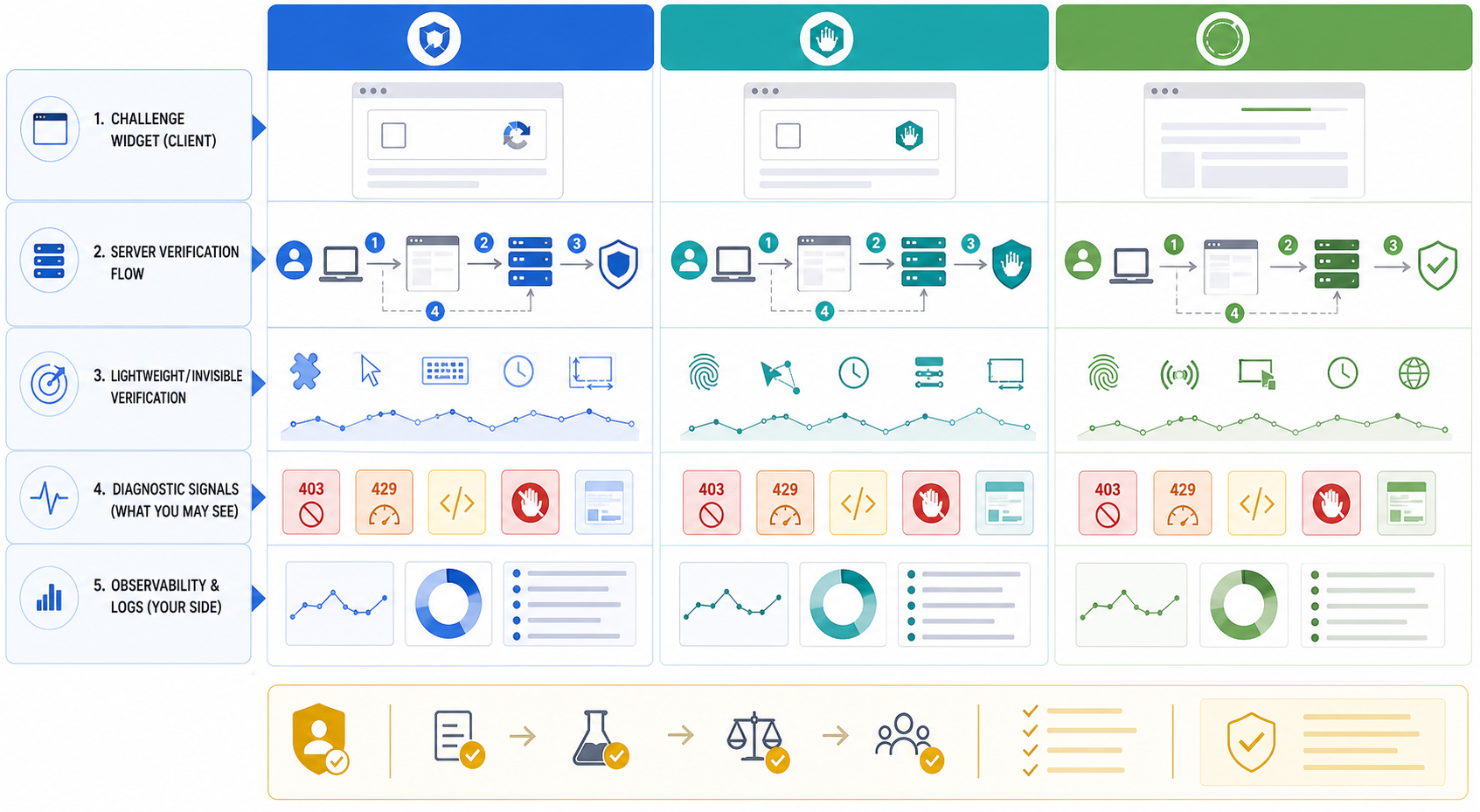
reCAPTCHA vs hCaptcha vs Turnstile at a Glance
For scraping teams, the most important difference is not which logo appears. It is where the control sits in the request flow and what evidence your pipeline can observe.
For the LycheeIP implementation details behind this step, review static residential proxies.
How Google reCAPTCHA Works
reCAPTCHA v2 and interactive challenges
reCAPTCHA v2 is the version many users associate with an "I'm not a robot" checkbox and image-selection tasks. A website can place this verification around sensitive actions such as registration, login, password reset, or form submission.
From an automation perspective, the visible widget is only one part of the workflow. The site also validates a response token on the server. A scraper that sees a normal page but cannot complete a protected action may therefore be encountering application-level verification rather than a page-level block.
reCAPTCHA v3 changes the diagnostic model
The official Google reCAPTCHA v3 documentation describes v3 as score based and designed to evaluate interactions without interrupting the user. That means there may be no checkbox, image grid, or obvious verification page at all.
For data teams, this creates an important diagnostic lesson: the absence of a visible CAPTCHA does not prove that anti-automation controls are absent. A protected action may be limited, rejected, or escalated based on a risk decision that happens behind the scenes.
What a scraping pipeline may observe
- A visible checkbox or challenge on a form.
- A page that loads normally while a protected action fails.
- A redirect or additional verification step after form submission.
- A risk decision that is invisible to the HTML parser.
- A token or action validation failure in an authorized integration or test environment.
For the LycheeIP implementation details behind this step, review LycheeIP proxy infrastructure.
For the LycheeIP implementation details behind this step, review rotating residential proxies.
For the LycheeIP implementation details behind this step, review scaling lead scraping with n8n.
For the official technical reference behind this point, see MDN HTTP overview.
How hCaptcha Works
Widget and server-verification flow
The hCaptcha developer guide documents a client-side widget that submits an h-captcha-response value and a server-side verification step. For scraping teams, this matters because a page can be reachable while a specific form or action remains gated.
Passive and interactive experiences
hCaptcha can be configured in ways that reduce or increase user interaction. Two websites using hCaptcha therefore may not present the same visual experience. The practical conclusion is to identify the actual implementation rather than assume that every hCaptcha deployment will show an image grid immediately.
Testing authorized hCaptcha workflows
hCaptcha publishes dedicated test keys for automated integration testing. These keys let developers test success and failure behavior without depending on random production challenges. If you own or are authorized to test the application, deterministic provider-supported test mechanisms are preferable to using live production CAPTCHA events as a test harness.
How Cloudflare Turnstile Works
Cloudflare describes Turnstile as a CAPTCHA alternative that can be embedded on any website. It runs browser-side checks and the site validates the resulting token on the server.
Managed, Non-interactive, and Invisible modes
- Managed: Cloudflare decides whether the visitor needs an interaction such as a checkbox.
- Non-interactive: the widget is visible, but no interaction is required.
- Invisible: the challenge runs without a visible widget.
Why Turnstile is not the same as a Cloudflare Challenge Page
Cloudflare's Turnstile challenge documentation distinguishes embedded Turnstile widgets from interstitial Challenge Pages. A Turnstile widget appears inside the destination page and can gate a specific action. A Challenge Page intercepts the request before the normal destination is reached.
That difference changes what your scraper should monitor. An embedded widget is an application-flow event. An interstitial page replacement is a response-classification event that can break normal parsers before application logic even runs.
CAPTCHA Widget vs Full-Page Challenge
What Each System Can Look Like Inside a Data Pipeline
Normal page, protected action fails
This is common when verification protects a form or sensitive action rather than page access. Investigate the application workflow, session state, and whether an approved interface exists.
Full HTML page replaces expected content
This indicates a page-level interception or challenge. Do not feed the response directly into a product, pricing, or JSON parser. Classify it first.
No visible CAPTCHA, but behavior changes
Risk scoring or other anti-automation controls may operate without a visible puzzle. Compare successful and failed sessions rather than looking only for challenge text.
HTTP 429 appears
Treat this primarily as rate limiting. RFC 6585 defines 429 as Too Many Requests and allows the server to indicate how long to wait before a new request. Slow down before you conclude that a CAPTCHA system is the root problem.
HTTP 403 appears
A 403 response means the server refused the request, but it does not identify the exact cause. Permissions, WAF rules, application policy, bot controls, or other restrictions can all produce 403. Inspect the response before assigning a cause.
A Practical CAPTCHA Identification Framework
- Confirm what resource you expected. Record whether the request should return HTML, JSON, an image, or another format.
- Capture the response before parsing. Save status, content type, final URL, relevant headers, a body fingerprint, and timestamp.
- Determine whether the destination page actually loaded. A blocked action and a replaced page are different failure classes.
- Look for provider-specific evidence in an environment you are authorized to inspect. Implementation libraries and markup can help classify the system.
- Separate challenge signals from rate limiting, authentication failures, parser failures, and generic access denials.
- Decide whether the workflow should continue. If the challenge represents a deliberate access boundary, review permission, terms, available APIs, and data licensing before proceeding.
Why Changing the Proxy Is Not a Universal Fix
A proxy changes the network route and source IP. Depending on configuration, it can also provide geographic targeting or session-routing behavior. It does not control the scraper's selectors, browser JavaScript execution, account state, cookies, application tokens, or data parser.
This layer distinction is critical. A broken selector is not repaired by a new IP. An expired authenticated session is not renewed by a different network route. A workload receiving HTTP 429 still needs rate-control logic even if the team has access to many proxy IPs.
If the workflow genuinely requires a different network profile or geographic route for an authorized use case, LycheeIP dynamic residential proxies can support rotating or sticky residential sessions, while LycheeIP static residential proxies provide stable residential routing and LycheeIP static datacenter proxies provide dedicated datacenter routing. Choose the network model only after confirming that the problem is actually in the network layer.
Common Misdiagnoses to Avoid
Scraper Logging Checklist for CAPTCHA-Related Failures
- Requested URL and expected resource type.
- Timestamp and workflow identifier.
- HTTP status code and Content-Type.
- Final URL and redirect history.
- Relevant challenge or rate-limit headers.
- Browser or HTTP-client mode.
- Session identifier and network route identifier.
- Page title or response fingerprint.
- Screenshot when a browser is involved.
- Parser result, retry count, and final classification.
Avoid logging secrets, authentication tokens, or personal data unless they are genuinely required and appropriately protected.
For the official technical reference behind this point, see MDN selector reference.
When to Use an API Instead of Scraping
CAPTCHA troubleshooting should not become an automatic escalation contest. An official API, data export, feed, or licensed source is often the better option when the website deliberately requires human verification for the requested action, the data is already available through a supported interface, or challenge handling would dominate the operating cost of the workflow.
Teams should also consider site terms, applicable robots directives, published rate limits, copyright, privacy obligations, data licensing, contractual restrictions, and relevant laws. This article is technical guidance, not legal advice.
How the Three Systems Fit Into a Broader Scraping Architecture
A reliable architecture diagnoses these layers independently. That prevents an application-level challenge from being misdiagnosed as a network failure and prevents a parser bug from being mistaken for anti-bot blocking.
Choose the right LycheeIP proxy routing for authorized collection workflows
Key Takeaways
- reCAPTCHA, hCaptcha, and Turnstile are not interchangeable implementations.
- reCAPTCHA v3 can score interactions without presenting a visible puzzle.
- hCaptcha uses client-side challenge generation plus server-side verification and provides test keys for authorized integration testing.
- Turnstile can be Managed, Non-interactive, or Invisible and is distinct from Cloudflare interstitial Challenge Pages.
- HTTP 429 should be diagnosed as rate limiting before it is treated as a CAPTCHA issue.
- A proxy only changes the network layer. It cannot repair authentication, browser logic, parser errors, or policy restrictions.
- The right first step is classification: identify what failed, which layer owns the failure, and whether the collection workflow should continue.
Frequently Asked Questions
Is Turnstile the same as CAPTCHA?
Cloudflare positions Turnstile as a CAPTCHA alternative rather than a traditional puzzle system. It performs browser-side challenges and can often operate without user interaction, while still helping the site assess suspicious or automated activity.
What is the difference between Turnstile and a Cloudflare Challenge Page?
Turnstile is typically embedded within a page and can gate a specific action. A Cloudflare Challenge Page interrupts access to the requested destination and returns an interstitial HTML challenge before the normal page is reached.
Does reCAPTCHA v3 show an image challenge?
reCAPTCHA v3 is designed as a score-based system that does not interrupt the user with a challenge. A website can use the resulting risk score to decide what action to take.
Is hCaptcha the same as reCAPTCHA?
No. They are separate products with their own infrastructure and verification services, although hCaptcha supports some reCAPTCHA-compatible implementation patterns to simplify migration.
Can a website use more than one anti-bot system?
Yes. A site can combine application-level verification, WAF rules, rate limiting, account controls, and other protections. Scraper diagnostics should therefore classify the actual response rather than assume there is only one defensive layer.
Should I change proxies whenever a CAPTCHA appears?
No. First determine whether the failure is actually related to IP reputation, geography, or network routing. Browser state, request rate, authentication, application logic, and policy restrictions can produce similar symptoms.
Can I automatically solve all three systems the same way?
This guide does not recommend bypassing third-party access controls. For systems you own or are authorized to test, use the provider's documented integration and testing mechanisms rather than designing tests around uncontrolled live challenges.
How can a scraper tell which challenge it encountered?
Combine response status, content type, redirects, page structure, browser evidence, and provider-specific implementation markers. Avoid relying on a single keyword or selector because that can create false positives.
Related LycheeIP Guides and Resources

Recommended Articles

DataDome Bypass for Web Scraping
DataDome Bypass for Web Scraping
View Details
Web Scraping Rate Limiting: How to Handle 429s, Backoff, and Concurrency
Web scraping rate limiting is the engineering discipline of keeping an authorized collection workload inside a target service's acceptable request envelope. When that envelope is exceeded, a server may respond with HTTP 429 Too Many Requests, delay responses, or apply other controls.
View Details
Browser Automation Proxies: IPs, Geo-Targeting, Sessions, and AI Agents
A browser automation proxy belongs to the network layer of Playwright, Selenium, cloud-browser, and AI-agent workflows. It changes how browser traffic is routed and can affect the source IP address, geographic egress, and session continuity seen by a destination site. It does not improve an AI model's reasoning, repair browser logic, or guarantee that a website will accept the session.
View Details
SERP Scraping: Methods, APIs, Workflows, and Best Practices
SERP scraping is the automated collection of information from search engine results pages. A SERP scraper can capture organic rankings, advertisements, featured snippets, People Also Ask questions, local results, shopping listings, images, and other search features, then convert them into structured data for analysis.
View Details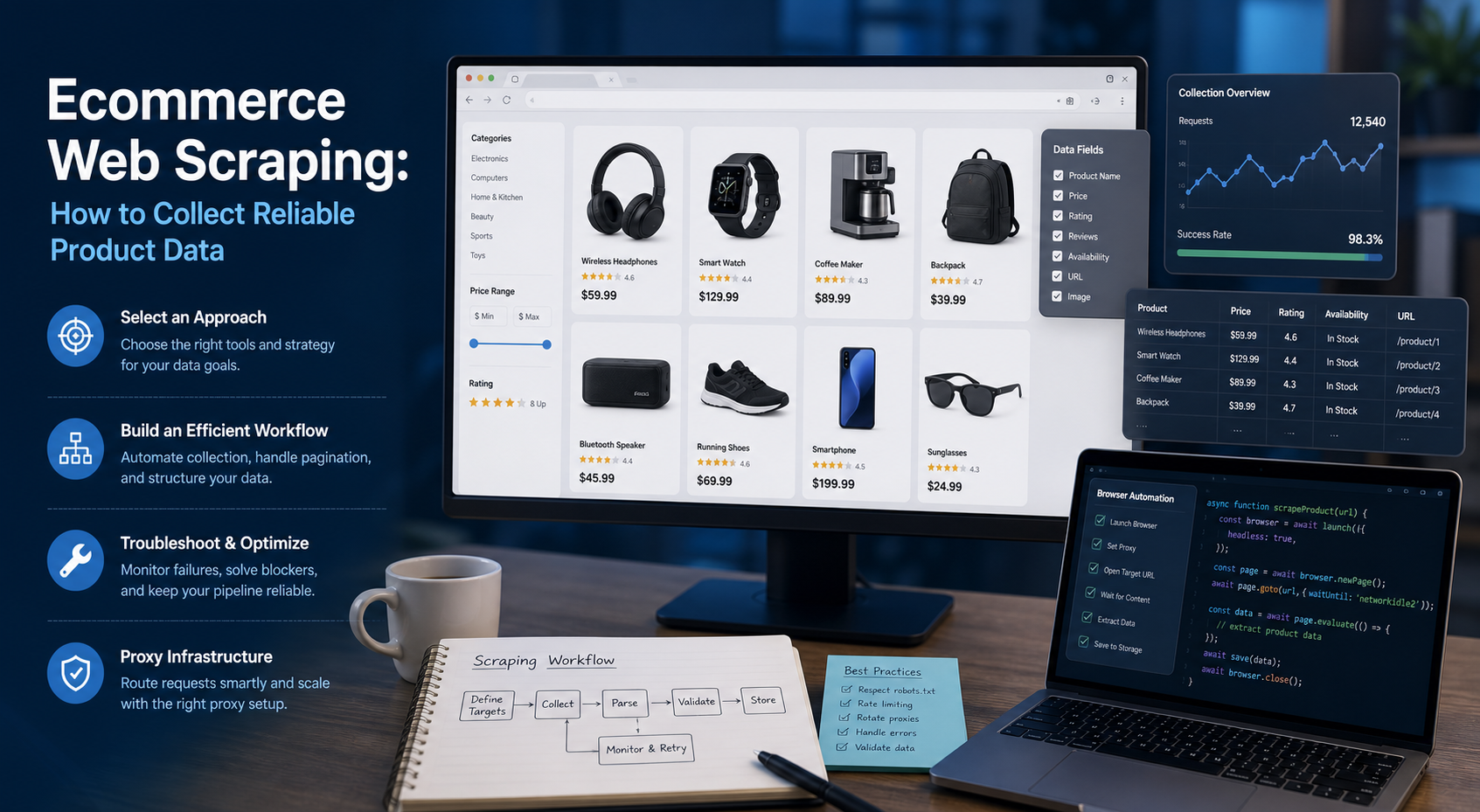
Ecommerce Web Scraping: How to Collect Reliable Product Data
Ecommerce web scraping is the automated collection of publicly accessible product information from online stores. Teams use it to gather prices, availability, variants, ratings, seller details, and catalog changes for legitimate tasks such as competitive research, assortment monitoring, brand protection, and data quality checks.
View Details