
SERP API Troubleshooting: Fix Empty, Wrong, or Inconsistent Search Results

SERP API failures are not limited to obvious HTTP errors. A request can return successfully and still produce empty, incomplete, geographically wrong, duplicated, or misinterpreted search data. Production troubleshooting therefore has to separate transport problems from provider processing, SERP differences, and downstream parsing errors.
This guide provides a layer-by-layer diagnostic model for teams that already have a SERP API integration and need to understand why the data is failing.
Use Four Failure Classes Before You Change Anything
Start by classifying the incident. This prevents teams from changing providers, proxies, parsers, and application code at the same time.
- Request failure: the API call is rejected, times out, or cannot authenticate.
- Provider processing failure: the request is accepted but the search job fails upstream.
- Search-result mismatch: the provider returns data, but it is empty or differs from the expected locale, device, or SERP.
- Downstream data failure: the provider returned usable data, but your parser, transformation, deduplication, or storage layer corrupted it.
For the LycheeIP implementation details behind this step, review rotating residential proxies.
For the LycheeIP implementation details behind this step, review static residential proxies.
For the LycheeIP implementation details behind this step, review datacenter proxies.
Class 1: Request and Authentication Failures
SerpApi’s status and error documentation documents conventional HTTP classes including 400 for bad requests, 401 for invalid authentication, 429-type throughput or quota conditions, and 5xx server-side failures. Other providers use their own envelopes and status codes, so build against the documentation for the exact API you use.
For the official technical reference behind this point, see MDN HTTP overview.
Invalid or missing credentials
Check that the key is present in the environment where the application actually runs, not only on the developer laptop. Confirm that the correct project, account, or plan owns the key.
Malformed or unsupported parameters
Compare the live request with the current endpoint documentation. Search-engine parameters are provider-specific. A field name that works on one endpoint may be ignored or rejected on another.
Rate limit or quota exhaustion
Do not treat every 429-like condition as a reason for immediate retry. A per-second limit may recover after a short delay, while an exhausted monthly quota requires a different response.
Class 2: Provider Processing and Upstream Failures
A request can reach the provider successfully while the provider fails to retrieve or process the upstream search result. This may surface as a 5xx response, a provider-specific task error, or an error state inside an otherwise structured response.
DataForSEO’s SERP endpoints documentation exposes task status, task errors, execution time, and task cost in its response structure. The broader lesson is to log provider-level status separately from HTTP status.
When to retry
Retry failures that are explicitly temporary, using bounded attempts and backoff. Preserve the first failure response so the retry does not erase the evidence you need for diagnosis.
When not to retry
Do not retry invalid credentials, unsupported parameters, or deterministic validation failures without changing the request. Repeating the same invalid call only increases cost and noise.
A 200 Response Can Still Contain Bad Data
SerpApi’s error documentation notes that an empty search can still have a successful status when the search engine itself returned no results. This is an important production distinction: transport success, provider success, and usable data are three separate checks.
Your ingestion layer should therefore validate the content before treating the response as a successful record.
For the LycheeIP implementation details behind this step, review LycheeIP proxy infrastructure.
Why a SERP API Returns Empty Results
- the search engine genuinely returned no matching results
- the requested location or language is incorrect
- the selected endpoint does not support the result type you expected
- the provider could not parse a changed search layout correctly
- a filter removed all results after retrieval
- your transformation code dropped the relevant block
- pagination or result-depth settings moved the expected listing outside the returned page
Inspect the raw response before changing application logic. If the provider supplies a raw HTML or check URL feature, use it where appropriate to distinguish retrieval from parsing.
For the official technical reference behind this point, see HTTP Semantics standard.
Why API Rankings Do Not Match Manual Google Searches
A mismatch is not automatically evidence that the API is wrong. Compare the search context first:
- physical or emulated location
- device type
- language and Google domain
- time of search
- signed-in versus signed-out state
- personalization and search history
- search experiments
- organic position versus absolute position
- whether Local Pack, Maps, ads, or other features are included in the rank count
Use a controlled manual comparison only after matching as many variables as possible.
Organic Rank vs Absolute Position: A Common Data Bug
Imagine a result page with two ads, a Local Pack, and then the first organic result. That page can legitimately describe the website as organic rank 1 and absolute position 4. A dashboard that compares one definition today with the other definition yesterday will report a false ranking change.
Document every rank field and keep the provider’s original field when possible.
Detect Schema and Parser Drift
Search result pages evolve. APIs may add new fields, remove old ones, rename result types, or temporarily fail to extract properties after a search-engine layout change.
SerpApi’s Google Local API release notes show recent fixes involving incorrect locations, missing place identifiers, empty results, and GPS-coordinate issues. Release notes like these are useful reminders that parsed SERP data is a maintained dependency, not a static schema.
Defensive parsers should tolerate new optional fields while failing clearly when a mandatory field disappears.
Build Data-Quality Rules Before Incidents Happen
- required-field validation
- data-type validation
- URL normalization
- rank-range validation
- query and location reconciliation
- duplicate detection
- unexpected empty-result detection
- timestamp and freshness checks
- result-count anomaly checks
- provider-request traceability
The right thresholds depend on your workload. Avoid inventing a universal acceptable error rate for all SERP products.
Retry, Refresh, Quarantine, or Fail?
Log Enough Information to Reproduce an Incident
Without request context, a bad SERP record becomes difficult to diagnose later. Log:
- provider request or task ID
- query
- search engine
- location and language
- device
- page or offset
- request timestamp
- HTTP status
- provider status and error message
- response latency
- raw response reference
- parser version or deployment version
- retry count
Monitor the Pipeline Over Time
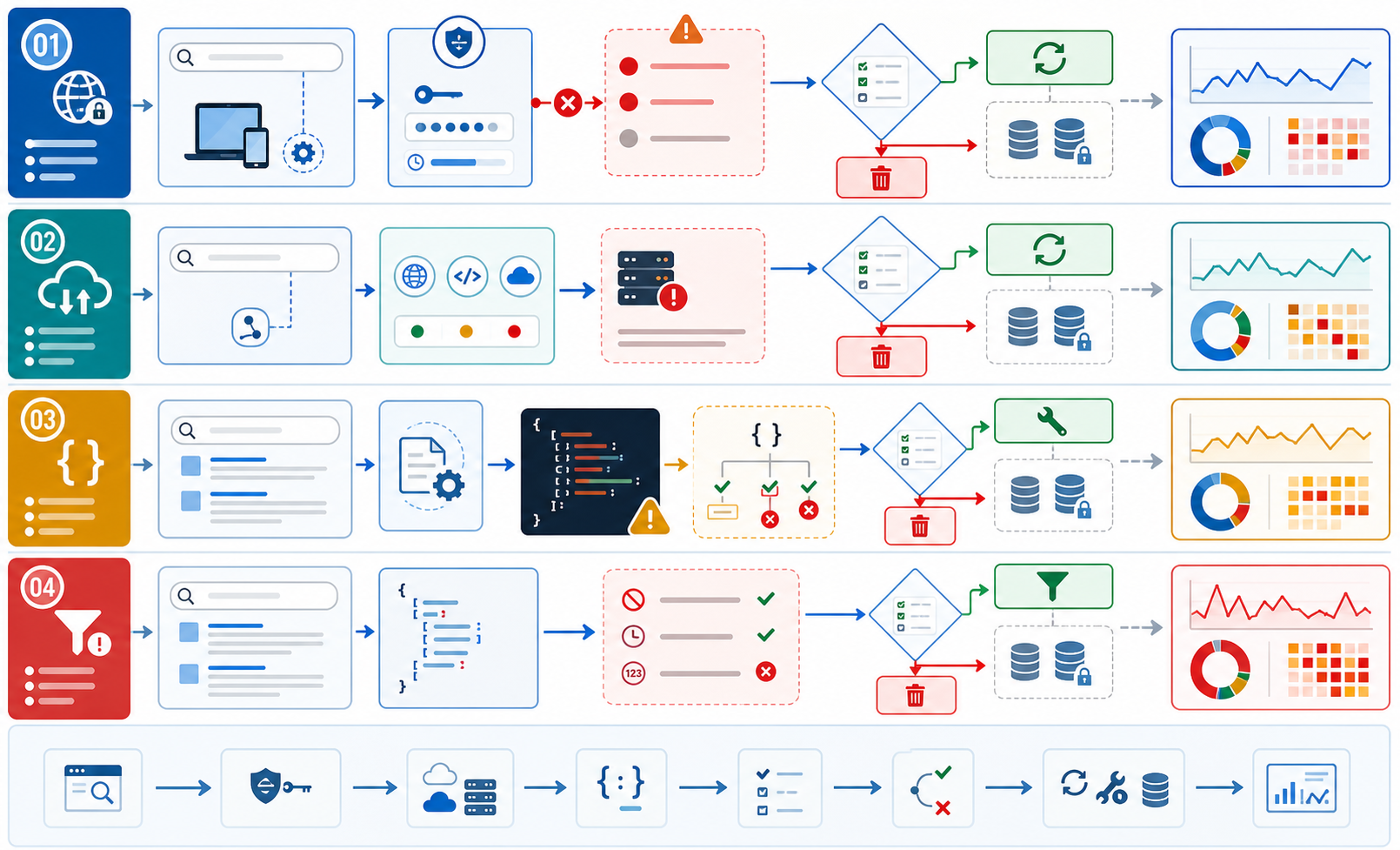
A production dashboard should focus on trends that expose deterioration:
- request failure rate
- empty-result rate
- mandatory-field completeness
- schema-mismatch rate
- duplicate rate
- median and tail latency
- cost per usable result
- location mismatch incidents
- retry volume
A sudden rise in one metric can tell you which layer to inspect before users notice the issue.
How to Determine Whether the Provider Is the Problem
- Preserve the failing raw response.
- Repeat the exact request once, without changing multiple variables.
- Confirm account, quota, and endpoint status.
- Check location, language, device, and result-depth parameters.
- Inspect the provider response before your own transformation.
- Run the same raw response through the previous parser version if available.
- Compare a controlled manual sample or a second provider for diagnosis, not as an automatic replacement.
- Escalate to the provider with request IDs and evidence if the upstream layer is still the likely cause.
Where LycheeIP Fits in Troubleshooting
If you use a managed SERP API, its internal proxy and network routing are normally outside your direct control. Network-layer troubleshooting becomes more relevant when you operate your own authorized collector.
In a self-managed stack, isolate the network layer from the parser layer. Confirm authentication, protocol, outbound IP, requested geography, session behavior, and basic connectivity before blaming selectors or data transformation.
LycheeIP datacenter proxies support HTTP, HTTPS, and SOCKS5 according to the current product page, which makes protocol selection one concrete network check in a self-managed workflow.
LycheeIP dynamic residential proxies provide rotating and sticky session controls that can be relevant when diagnosing whether session behavior or geography is contributing to inconsistent collection.
Changing proxy type will not fix a malformed query, broken parser, wrong rank definition, or invalid API key.
SERP API Incident Checklist
- Preserve the failed response.
- Record the complete search configuration.
- Classify the failure layer.
- Check provider status and account limits.
- Validate location, language, device, and pagination.
- Inspect raw provider output.
- Bypass your transformation layer for comparison.
- Retry only when the failure is plausibly temporary.
- Compare a controlled sample.
- Document the root cause and prevention change.
Stabilize SERP data pipelines with LycheeIP proxy infrastructure
Final Takeaway
The fastest way to debug SERP data is to stop treating every failure as an API failure. Separate request transport, provider processing, search-context differences, and downstream transformation. Then preserve enough evidence to identify which layer actually broke.
Frequently Asked Questions
Why does my SERP API return 200 but no organic results?
A successful HTTP response only means the request was processed at the transport level. The search engine may have returned no results, the selected result block may be empty, or the response may fail your own data-quality requirements.
Why are SERP API rankings different from Google in my browser?
Location, device, timing, personalization, language, experiments, and rank definitions can all create differences. Match the search context before deciding the API is wrong.
Should I retry every SERP API error?
No. Retry only errors that may be temporary. Invalid credentials, unsupported parameters, or deterministic validation failures should fail until the underlying cause changes.
What is schema drift in SERP data?
Schema drift is a change in the fields, structures, or result types returned by an API. Defensive parsers should accept harmless additions while alerting when required fields disappear or change meaning.
How do I know whether my parser or provider is broken?
Inspect the raw provider response before your transformation code. If the expected data exists in the raw response, the downstream parser is the more likely failure point.
Can changing proxies fix wrong SERP data?
Only when the problem actually originates in the network or geographic routing layer of a self-managed collector. A proxy cannot fix bad query parameters, parser bugs, missing validation, or rank-definition mistakes.
Related LycheeIP Guides and Resources

Recommended Articles

SERP API Python: How to Build a Reliable Search Data Pipeline
This guide shows a provider-neutral workflow for building that pipeline. It does not rank SERP API vendors. Instead, it focuses on the implementation choices that make a Python integration easier to operate, test, and migrate.
View Details
SERP Scraping API: How to Choose the Right Provider
Recommended Meta Description: Compare SERP scraping APIs by data coverage, localization, reliability, workflow fit, and cost structure, then choose and validate the right provider.
View Details
Free Web Proxy vs VPN vs Rotating Proxy: Which Should You Use?
Compare free web proxies, VPNs, rotating proxies, static proxies, and datacenter proxies by scope, encryption, IP control, automation, streaming, and account workflows.
View Details
BlockAway Not Working? Fix Common Proxy, Video, and Access Problems
Troubleshoot BlockAway when pages are blocked, YouTube fails, JavaScript breaks, speed drops, sessions expire, or mobile access behaves differently.
View Details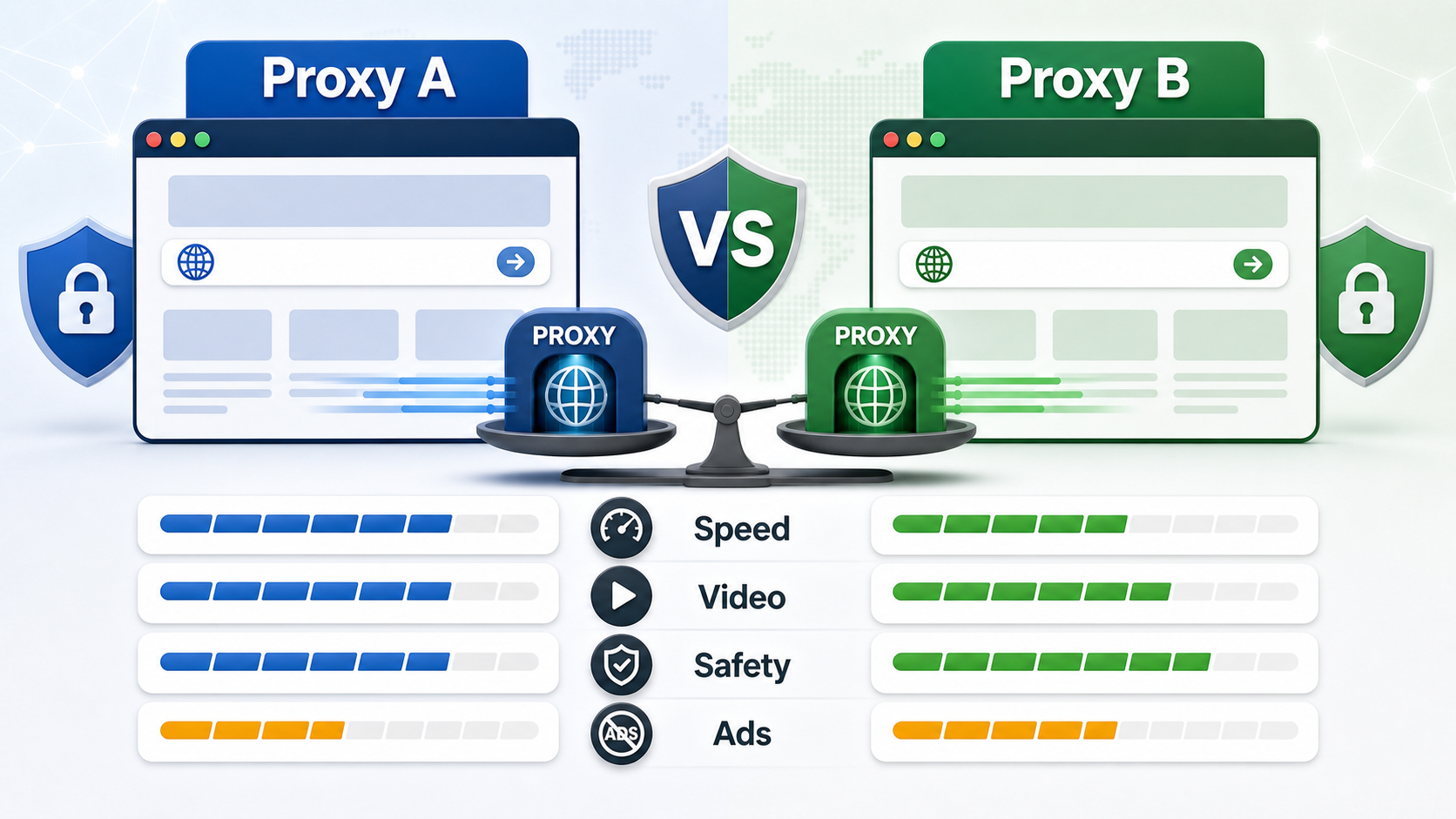
BlockAway vs CroxyProxy: Which Free Web Proxy Is Better?
Compare BlockAway and CroxyProxy by search intent, speed, video support, JavaScript handling, ads, shared IP risk, mobile use, and when to switch tools.
View Details