
SERP Scraping API: How to Choose the Right Provider

Recommended Meta Title: SERP Scraping API: How to Choose the Right Provider
Recommended Meta Description: Compare SERP scraping APIs by data coverage, localization, reliability, workflow fit, and cost structure, then choose and validate the right provider.
for SEO, SaaS, and AI Agents
A SERP scraping API is a managed service that accepts a search query and returns structured search engine results, usually as JSON. Instead of maintaining search-page parsers, browser sessions, proxy routing, retries, and result normalization yourself, you send the API a keyword, location, language, device, and other parameters.
What Is a SERP Scraping API?
A SERP scraping API retrieves data from a search engine results page and converts the page into fields that software can process.
A typical response may contain:
- Organic result positions
- Titles, snippets, and destination URLs
- Paid search advertisements
- Local packs and map results
- People Also Ask questions
- Featured snippets
- Knowledge panels
- Shopping results
- Image, video, and news results
- Related searches
- AI-generated search features, where supported
- Query, device, language, and location metadata
For example, the official SerpApi Google Search documentation describes structured fields for organic results, local results, advertisements, knowledge graphs, images, news, shopping, and other Google result types. DataForSEO’s SERP documentation offers regular, advanced, and raw HTML result functions across several supported search engines.
A SERP API is therefore more than a proxy endpoint. It usually combines several infrastructure layers:
- Search request construction
- Geographic and device configuration
- Network routing
- Request retries
- Search-page retrieval
- HTML or rendered-page parsing
- Structured output generation
- Error reporting and usage accounting
The provider manages these layers, while your application remains responsible for query planning, data validation, storage, monitoring, and lawful use.
For the LycheeIP implementation details behind this step, review static residential proxies.
For the official technical reference behind this point, see MDN HTTP overview.
SERP API vs Google’s Official Search API
A third-party Google SERP API is not the same product as Google’s Custom Search JSON API.
Google’s official API retrieves results from a configured Programmable Search Engine. It is not a general-purpose duplicate of every result and feature visible on a normal Google results page. Google has also closed the Custom Search JSON API to new customers, and existing customers have until January 1, 2027, to transition to another solution.
| Approach | What it provides | Best fit | Main limitation |
|---|---|---|---|
| Managed SERP scraping API | Parsed results from public search result pages | Rank tracking, competitor research, search monitoring, SaaS products, AI retrieval | Provider-dependent coverage, cost, and accuracy |
| Google Custom Search JSON API | Results from a configured Programmable Search Engine | Existing approved implementations and controlled site collections | Closed to new customers and scheduled for discontinuation |
| General web scraping API | HTML, rendered pages, or extracted data from many website types | Teams that need SERPs plus broader webpage extraction | More parsing and validation may be required |
| Custom SERP scraper | Complete control over browser, network, parsing, and storage | Specialized requirements that managed APIs cannot satisfy | High engineering and maintenance burden |
A managed SERP API is generally the more direct option when the application needs structured organic results, advertisements, local packs, People Also Ask, shopping listings, or other live SERP features.
Best SERP Scraping APIs by Use Case
There is no universal best SERP scraping API. The following recommendations are editorial fit assessments based on the providers’ current official documentation as of July 24, 2026.
| Provider | Strongest fit | Notable capabilities | Main consideration |
|---|---|---|---|
| SerpApi | Rich, real-time search feature extraction | Structured Google results, detailed location controls, raw HTML access, and broad search-product coverage | Evaluate cost at your expected query volume |
| DataForSEO | Bulk SEO platforms and asynchronous pipelines | Multiple search engines, regular and advanced parsing, live and standard task methods, postbacks, and detailed ranking fields | More complex API structure than minimalist services |
| Serper | Simple Google queries for apps and AI agents | Google-focused structured results across search, images, news, maps, places, videos, shopping, and other categories | Confirm that its result schema covers every specialized feature you need |
| Bright Data | Enterprise search collection across multiple engines | Structured or raw responses, country routing, and coverage for Google, Bing, DuckDuckGo, Yandex, and others | Enterprise capabilities may exceed the needs of a small project |
| Oxylabs | Configurable, large-scale Google extraction | Parsed or raw responses, geographic targeting, device selection, real-time and asynchronous delivery, and AI Overview support | Rendering and advanced extraction options can affect complexity and cost |
| Apify | Workflow automation, scheduled runs, and agent integrations | API execution, datasets, multiple export formats, scheduling, integrations, and MCP access | Actor execution differs from a conventional single-endpoint SERP API |
| ScrapingBee | Teams combining Google data with general web scraping | Google search types, geographic controls, device selection, multiple-page requests, and a broader HTML scraping API | Credit consumption varies by request type and selected features |
Official documentation confirms the main capabilities summarized above. SerpApi supports extensive structured Google result fields and location parameters. DataForSEO provides regular, advanced, and HTML functions with standard and live delivery methods. Bright Data supports multiple search engines with structured or raw output. Oxylabs provides geographic, device, parsing, and delivery controls. Apify supports API runs, datasets, scheduling, export options, integrations, and MCP-based workflows. ScrapingBee provides dedicated Google search endpoints alongside its general scraping API.
Choose SerpApi when result-type depth matters
SerpApi is a practical choice when your application needs many Google result types in a consistent structured response. Its Google Search API supports location, country, language, pagination, organic results, local results, advertisements, knowledge graphs, images, news, shopping, and other SERP elements.
It may fit:
- Search analytics products
- Local SERP monitoring
- Shopping and product research
- Applications that need several Google verticals
- Developers who value a documented, query-parameter-driven API
Before selecting it, test the exact SERP features your product treats as mandatory. A provider may support a result type generally without returning it for every query, geography, or device.
Choose DataForSEO for bulk and asynchronous SEO workloads
DataForSEO is well suited to teams building rank trackers, SEO platforms, or large scheduled data pipelines. It supports several major search engines and provides regular, advanced, and HTML response modes.
Its Standard method uses task submission followed by result retrieval, with optional pingbacks or postbacks. Its Live method returns results through a single request when immediate delivery is more important.
It may fit:
- Large keyword sets
- Scheduled rank monitoring
- Multi-market SEO applications
- Pipelines that can process asynchronous jobs
- Teams that need detailed rank positions across mixed SERP elements
The main tradeoff is integration complexity. Teams should map task creation, completion states, provider error codes, and output retrieval before committing to the architecture.
Choose Serper for straightforward Google retrieval
Serper focuses on structured Google results and presents endpoint categories for search, images, news, maps, places, videos, shopping, Scholar, patents, and autocomplete. It also supports country and language customization.
This makes it a reasonable candidate for:
- AI agents that need lightweight search discovery
- Internal research tools
- Simple search-enrichment workflows
- Applications that prioritize a small request schema
- Teams focused mainly on Google rather than many search engines
Its published response-time and performance figures are vendor claims. Test them against your own query mix, region, concurrency, and timeout requirements instead of treating them as guaranteed production performance.
Choose Bright Data or Oxylabs for configurable enterprise extraction
Bright Data’s SERP API supports structured JSON or raw output and documents extraction across Google, Bing, Yandex, DuckDuckGo, and other search engines. Requests can include a country parameter for geographic routing.
Oxylabs provides parsed or unparsed Google Search responses, localization settings, pagination controls, device configuration, real-time delivery, asynchronous workflows, and specific support for AI Overviews.
These platforms may fit teams that need:
- Multiple search engines
- High-volume production workflows
- Enterprise support or governance processes
- Raw HTML alongside parsed fields
- Detailed localization and rendering controls
- Broader web-data infrastructure beyond a single SERP endpoint
Do not assume an enterprise provider is automatically more accurate for your workload. A smaller, focused API may perform better on a narrow query set. Comparative testing remains necessary.
Choose Apify when orchestration matters as much as retrieval
Apify’s maintained Google Search Results Scraper can be started manually, through an API, on a schedule, or as part of an integrated workflow. Results are stored in datasets and can be exported in formats such as JSON, CSV, XML, and Excel. The Actor also supports automation integrations and MCP-based execution.
Apify may be a strong fit for:
- Low-code or mixed-code workflows
- Scheduled keyword monitoring
- Make, Zapier, Airbyte, or Google Sheets pipelines
- Teams already using Apify datasets and Actors
- AI agents that access tools through MCP
The tradeoff is architectural. An Actor run, dataset, and retrieval flow may be more flexible than a simple API call, but it introduces execution and storage concepts your application must manage.
Choose ScrapingBee when SERP extraction is one part of a larger scraping system
ScrapingBee offers a dedicated Google API with country, language, device, pagination, date filtering, location coordinates, and search-type controls. Its documented search types include classic search, news, maps, images, Lens, shopping, AI Mode, and advertisements. It also provides a general HTML scraping API for other websites.
This can simplify vendor management when a team needs:
- Google search results
- Standard webpage extraction
- JavaScript rendering
- CSS, XPath, or AI-assisted extraction
- Shared authentication and usage management
Review the provider’s credit rules carefully because request cost may vary by mode and feature.
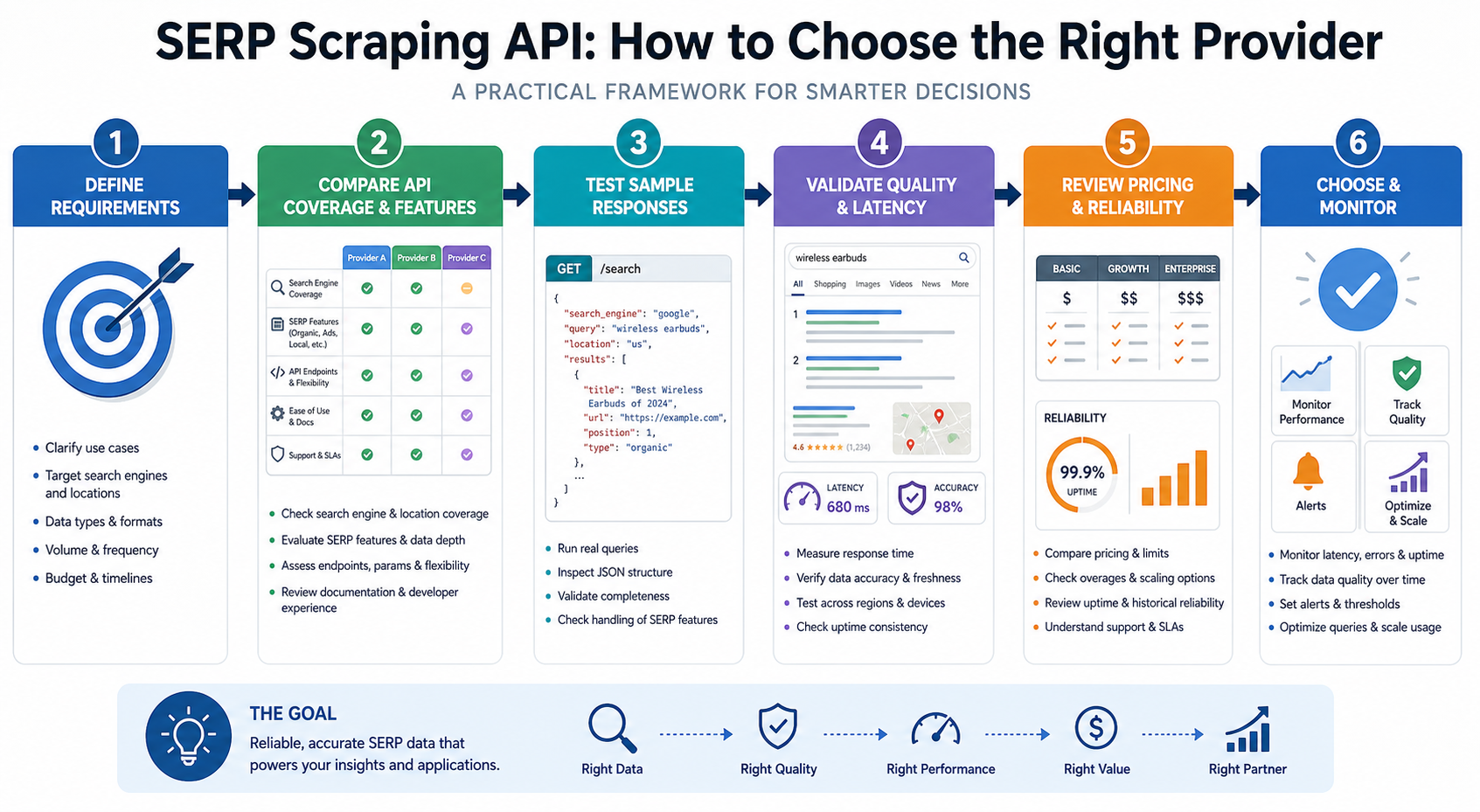
A Seven-Part Framework for Choosing a SERP API
Evaluate providers with the same requirements and test queries. Do not compare one provider’s basic endpoint with another provider’s rendered or premium endpoint.
1. Required result coverage
List the result types your product must capture.
Separate them into:
- Mandatory fields
- Useful fields
- Optional fields
- Fields you can derive internally
For a rank tracker, organic position, URL, title, query, location, device, and timestamp may be mandatory. For an AI search-monitoring product, AI Overviews, cited sources, People Also Ask, related searches, and result-type labels may also be important.
Do not select a provider because it claims to return “complete SERP data.” Define completeness for your application.
2. Localization fidelity
Country selection alone may not be sufficient for local search.
Determine whether you need:
- Country-level results
- State or regional results
- City-level results
- Postal-code or coordinate-based results
- Language controls
- Search-domain selection
- Desktop and mobile views
- Operating-system emulation
SerpApi documents city-level location input, while DataForSEO supports explicit location and language values. Oxylabs offers geographic, domain, locale, and result-language controls.
Test localization with queries that have visibly different local results. Restaurant, service, weather, and “near me” queries can expose location mismatches more clearly than generic informational keywords.
3. Delivery model
Choose between real-time, queued, and scheduled workflows.
Real-time delivery is useful when a user or AI agent is waiting for an answer.
Asynchronous delivery is often better for thousands of scheduled keywords because the application does not need to keep connections open.
Scheduled platform runs may be preferable when data should be sent directly to a dataset, spreadsheet, storage system, or automation workflow.
The correct model depends on whether the data powers an interactive product, an overnight pipeline, or periodic reporting.
4. Output contract and schema stability
Inspect more than the sample response.
Check:
- Whether result types have stable names
- How missing fields are represented
- Whether rank is absolute or group-specific
- How paid and organic positions differ
- Whether timestamps are included
- Whether the original query parameters are returned
- Whether raw HTML is available for debugging
- How schema changes are communicated
- Whether the provider publishes changelogs
Your internal database should not depend directly on every provider-specific field. Normalize responses into your own schema so that changing providers does not require rebuilding the entire application.
A useful internal record might contain:
{
"query": "best crm for small business",
"search_engine": "google",
"country": "US",
"location": "Austin, Texas",
"language": "en",
"device": "desktop",
"captured_at": "ISO-8601 timestamp",
"result_type": "organic",
"rank_absolute": 1,
"title": "Example result",
"url": "https://example.com",
"snippet": "Example snippet",
"provider": "provider-name",
"providerrequestid": "request-id"
}
This is an internal normalization example, not a request format for any particular provider.
5. Failure handling and observability
A production API must make failure visible.
Look for:
- Clear HTTP and provider-specific error codes
- Request identifiers
- Retry guidance
- Timeout behavior
- Rate-limit headers
- Job-status endpoints
- Postback or webhook support
- Usage reporting
- Partial-result indicators
- Raw-response access for debugging
A 200 OK response does not prove the data is complete. The response may still contain an empty result set, fallback geography, missing feature blocks, stale cached data, or provider-level warnings.
6. Total cost per usable result
Do not compare providers using only the cost per request.
Use this calculation:
Total monthly cost ÷ validated usable responses
Include:
- API charges
- Premium feature charges
- Rendering charges
- Retry consumption
- Failed or incomplete requests
- Minimum commitments
- Expiring credits
- Data storage
- Transformation and validation
- Engineering maintenance
- Support requirements
A lower-cost request can become more expensive if it regularly omits fields, requires several retries, or creates substantial cleanup work.
7. Legal, policy, and governance fit
Before deployment, review:
- The provider’s acceptable-use policy
- The relevant search engine’s terms
- Data licensing conditions
- Privacy requirements
- Copyright considerations
- Retention rules
- Internal approval requirements
- Security and access controls
- Restrictions on personal or sensitive data
This article does not provide legal advice. Organizations with material compliance exposure should consult qualified counsel before launching a large-scale collection program.
How to Test a SERP Scraping API Before Production
Use a repeatable test instead of relying on a provider’s homepage, free-trial demo, or one successful keyword.
Step 1: Define the authorized use case
Write down what the application will collect, why it needs the data, where the data will be stored, and who may access it.
Also confirm whether an official API, licensed dataset, or existing internal source can satisfy the requirement more directly.
Step 2: Build a representative query set
Include queries that expose different result layouts:
- Informational queries
- Commercial queries
- Local queries
- Brand queries
- News-sensitive queries
- Shopping queries
- Queries likely to trigger People Also Ask
- Queries likely to trigger AI-generated features
- Low-result or ambiguous queries
- Queries from every required market and language
A test containing only popular English-language informational keywords will not represent a multi-market production workload.
Step 3: Create a fixed test matrix
Run the same:
- Queries
- Locations
- Languages
- Devices
- Result depths
- Search types
- Time windows
across every shortlisted provider.
Where possible, run providers close together in time because search results can change between requests.
Step 4: Store the complete responses
Keep the original response, request parameters, timestamp, provider request ID, HTTP status, and billed units.
Raw records help you investigate parsing differences and schema changes later.
Step 5: Normalize provider output
Map each provider into one internal data model.
Do not compare fields until their meanings are aligned. For example, one API may report organic position within organic results, while another reports absolute position across advertisements, local packs, snippets, and organic listings.
Step 6: Validate against manual samples
For a manageable subset, compare API results with carefully controlled manual searches.
Document:
- Search location
- Search domain
- Language
- Device
- Signed-in or signed-out state
- Personalization state
- Time of search
Manual and API results may still differ because search engines vary results by location, history, experiments, account state, and timing. The purpose is to identify unexplained systematic differences, not to demand perfect equality.
Step 7: Load-test gradually
Increase concurrency in stages and measure:
- Successful response rate
- Median and tail latency
- Timeout rate
- Rate-limit errors
- Missing-field rate
- Duplicate-result rate
- Cost per usable response
Do not move directly from ten trial requests to full production volume.
Step 8: Test failures deliberately
Send malformed credentials, unsupported locations, excessive page depths, invalid parameters, and requests beyond your expected timeout.
Confirm that your application can distinguish:
- Authentication errors
- Invalid input
- Temporary provider failures
- Rate limiting
- Search engine changes
- Empty but valid result sets
- Incomplete parsed responses
Step 9: Review billing behavior
Check which events consume credits:
- Submitted requests
- Successful requests
- Retrieved pages
- Result count
- Rendered requests
- AI feature extraction
- Premium geographies
- Retries
- Stored datasets
Model your actual query distribution rather than multiplying the cheapest published unit price by your expected request count.
Step 10: Run a production pilot
Use a restricted keyword set, clear spending limit, logging, and alerting.
A pilot should last long enough to capture daily SERP variation, provider incidents, schema changes, and billing patterns.
For the LycheeIP implementation details behind this step, review rotating residential proxies.
For the official technical reference behind this point, see Playwright documentation.
Production Validation Checklist
Before approving a provider, verify the following:
| Area | Validation question |
|---|---|
| Query fidelity | Does the returned query match the submitted query without unwanted correction or expansion? |
| Location | Do local packs and organic results reflect the requested market? |
| Device | Are mobile and desktop result differences preserved? |
| Result depth | Does pagination produce the expected number of distinct results? |
| Rank fields | Are organic, group, and absolute positions clearly distinguished? |
| SERP features | Are required advertisements, PAA, local, shopping, or AI elements captured? |
| Freshness | Is each response associated with a collection timestamp or freshness policy? |
| Completeness | Are mandatory fields populated at an acceptable rate? |
| Duplicates | Are repeated listings identified and handled? |
| Errors | Can the system distinguish provider errors from valid empty results? |
| Traceability | Can each stored record be traced to its provider request? |
| Schema stability | Will unexpected fields or missing fields fail safely? |
| Cost | Is cost measured per validated usable result? |
| Governance | Are access, retention, and approved-use controls documented? |
Common SERP API Failure Modes
| Symptom | Likely cause | First check | Recommended next step |
|---|---|---|---|
| Results come from the wrong country | Incomplete location settings or provider fallback | Returned query and location metadata | Use a more specific supported location and test a locally sensitive query |
| Rank positions do not match manual checks | Different device, timing, location, personalization, or rank definition | Device, location, timestamp, and rank-field documentation | Standardize the comparison environment and compare absolute and organic rank separately |
| People Also Ask or AI results are missing | The feature was not present, requires rendering, or is not parsed by the selected endpoint | Raw HTML and endpoint configuration | Test the provider’s advanced or rendered mode and treat feature presence as conditional |
| Duplicate organic results appear | Pagination overlap or provider parsing behavior | Page number, result URL, and canonicalized URL | Deduplicate by normalized URL while preserving original rank data |
| The API returns successful but empty data | Valid no-result page, parsing failure, challenge page, or incorrect parameters | Provider warnings, raw response, and query metadata | Retry conservatively, inspect raw output, and alert on unexpected empty-result patterns |
| Latency rises under concurrency | Rate limits, queueing, rendering, retries, or regional capacity | Rate-limit headers and latency percentiles | Reduce concurrency, use asynchronous tasks, or separate rendered from standard requests |
| Costs exceed the forecast | Premium features, retries, page depth, or credit multipliers | Usage logs grouped by request configuration | Calculate cost by endpoint and feature, then remove unnecessary premium options |
| Integration breaks without an HTTP error | Response schema changed | Stored raw response and schema validation logs | Version your parser, accept additive fields, and alert on missing required fields |
| AI agent gives unsupported answers | The agent treated snippets as complete evidence | Retrieval log and cited source URLs | Require source links, fetch supporting pages separately, and distinguish discovery from verification |
Using SERP APIs for AI Agents
A SERP API can give an AI agent current search discovery data, but it should not be treated as a complete factual knowledge source.
Search snippets are short representations generated by the search engine. They may omit context, combine page content with search-engine formatting, or become outdated. The agent should use the SERP response to identify sources, then retrieve and evaluate the underlying pages when the answer requires verification.
For agent workflows, prioritize APIs that return:
- Source URLs
- Result titles and snippets
- Search-engine and query metadata
- Location and language
- Result-type labels
- Collection timestamps
- Clear errors
- Stable identifiers
- Structured pagination
- Raw responses or debugging references
A safe agent workflow is:
- Receive a user question.
- Convert it into a limited set of search queries.
- Call the SERP API with explicit locale and freshness requirements.
- Select relevant, authoritative sources.
- Retrieve the underlying pages separately.
- Extract evidence from those pages.
- Produce an answer with source attribution.
- Log the query, sources, and retrieval time.
Apify’s Google Search Actor can be invoked through its API and MCP integration, making it relevant to tool-based agent workflows. Serper offers a comparatively simple Google-focused response model. DataForSEO’s asynchronous methods are more suitable for background enrichment than a user waiting for an immediate conversational answer.
The choice should still be based on measured output quality. Agent compatibility is not only about whether an API can be called. It also depends on whether the output supports traceability, source selection, validation, and failure handling.
For the LycheeIP implementation details behind this step, review AI-powered browser automation hub.
Where Proxy Infrastructure Fits, and Where It Does Not
A managed SERP scraping API normally handles its own network routing. Adding another proxy in front of the provider’s API endpoint usually does not improve the search result collection itself.
Proxy infrastructure becomes relevant when a team builds or operates its own authorized search collection system. In that architecture, the proxy affects the network route, apparent source IP, geography, and network reputation. It does not repair selectors, parsing logic, browser automation, cookies, or data validation.
Teams building custom public-web collection systems may evaluate:
- Dynamic residential proxies when they need rotating geographic routes across a broad pool
- Static residential proxies when a legitimate workflow requires a more stable network identity
- Datacenter proxies when throughput and predictable infrastructure matter and the target permits the traffic
- The broader LycheeIP proxy infrastructure when comparing network-layer options for an internally managed system
LycheeIP’s official pages currently describe HTTP, HTTPS, and SOCKS5 support across its static residential and datacenter products, along with rotating and sticky controls for dynamic residential traffic. Product capabilities and pricing should be rechecked immediately before implementation because they can change.
No proxy type guarantees access, successful extraction, anonymity, or acceptance by a search engine. The result still depends on request behavior, browser environment, session state, IP reputation, geography, target-site changes, and policy restrictions.
For the LycheeIP implementation details behind this step, review LycheeIP proxy infrastructure.
When Not to Use a SERP Scraping API
A SERP API may be unnecessary when:
- An official API or licensed dataset provides the exact required information
- You only need a search function for your own website or a controlled set of domains
- The task is a one-time manual comparison
- You need complete webpage content rather than search result metadata
- The required data is private, protected, or unauthorized
- Your team cannot validate result quality
- The expected volume does not justify another vendor integration
- The provider cannot meet your security, privacy, or contractual requirements
- The application needs a search engine or geography the provider does not support
For site-specific search, an internal index, hosted search service, or approved programmable search product may be more appropriate than collecting public SERPs.
Assumptions and Limitations
SERP API results can vary because of:
- Query wording
- Search engine
- Date and time
- Country and city
- Language
- Device
- Operating system
- Search domain
- Search-engine experiments
- Personalization differences
- Result pagination
- Provider cache policy
- Rendering settings
- Feature availability
- Parser updates
- Search-engine layout changes
A successful API response confirms that the provider returned data. It does not confirm that every field is complete, that the result matches every user’s search experience, or that the data is legally suitable for every downstream use.
Use LycheeIP Proxies for Reliable SERP API Workflows
Final Recommendation
Start with three providers whose delivery models match your application.
A practical shortlist might be:
- SerpApi for rich, interactive SERP feature coverage
- DataForSEO for bulk SEO and asynchronous workflows
- Serper for straightforward Google lookups
- Bright Data or Oxylabs for configurable enterprise collection
- Apify for scheduled, integrated, or MCP-based workflows
- ScrapingBee for combined SERP and general web extraction
Then test all shortlisted providers against the same query, location, device, feature, concurrency, and validation matrix.
The winning SERP scraping API should be the one that delivers the highest number of correct, complete, traceable, and usable responses at an acceptable total operating cost. That is more meaningful than choosing a provider based on a single benchmark, free-trial request, or advertised price.
Before scaling, verify the required result fields, document the provider’s failure behavior, monitor schema changes, and confirm that the collection workflow complies with applicable terms, licensing requirements, privacy obligations, and laws.
Frequently Asked Questions
What is a SERP scraping API?
A SERP scraping API retrieves search engine results and converts them into structured data such as JSON. It typically manages network routing, retries, page retrieval, and parsing so the customer does not need to maintain a complete SERP scraper.
What is the best SERP scraping API?
The best option depends on your workload. SerpApi may suit rich real-time feature extraction, DataForSEO may suit bulk SEO pipelines, Serper may suit simple Google lookups, and Bright Data or Oxylabs may suit configurable enterprise workloads.
Is there an official Google SERP API?
Google offers the Custom Search JSON API for Programmable Search Engines, but it is not a full replacement for normal Google SERP extraction. It is closed to new customers, and existing customers have until January 1, 2027, to migrate.
Which SERP API is suitable for AI agents?
An AI agent benefits from an API with fast structured responses, source URLs, query metadata, stable result types, and clear errors. Serper, SerpApi, and Apify are reasonable candidates for interactive workflows, but the best choice should be determined through testing.
Can SERP APIs return AI Overviews?
Some providers document support for AI-generated Google result features. Oxylabs supports AI Overview extraction under specified rendering conditions, while Apify documents AI Overview and AI Mode extraction options. Availability can still vary by query, region, device, and search-engine behavior.
How accurate are SERP APIs?
Accuracy depends on location configuration, device settings, timing, parser quality, result type, and how the provider defines ranking. Teams should validate a representative sample against controlled manual checks and measure field completeness rather than relying on a general accuracy claim.
Do I need proxies when using a SERP API?
Usually not. A managed SERP API generally handles the network and proxy layer internally. Separate proxy infrastructure is more relevant when your team operates its own authorized scraper or browser-automation system.
What is the difference between a SERP API and a scraping API?
A SERP API is specialized for search result pages and usually returns predefined search fields. A general scraping API retrieves HTML, rendered pages, screenshots, or custom extracted fields from many types of websites.
Can a SERP API track local search rankings?
Yes, when the provider supports sufficiently precise localization. Check whether it accepts country, city, coordinates, language, search domain, and device parameters, then validate the results with locally sensitive queries.
How should SERP API pricing be compared?
Compare total cost per validated usable response rather than the advertised cost per request. Include retries, premium features, rendering, page depth, minimum purchases, expiring credits, storage, validation, and engineering work. Embedded anchor text Destination page Article section Status Dynamic residential proxies LycheeIP Dynamic Residential Proxies Where Proxy Infrastructure Fits Embedded Static residential proxies LycheeIP Static Residential Proxies Where Proxy Infrastructure Fits Embedded Datacenter proxies LycheeIP Datacenter Proxies Where Proxy Infrastructure Fits Embedded LycheeIP proxy infrastructure LycheeIP Homepage Where Proxy Infrastructure Fits Embedded Hyperlinked source Claim supported Article section Source type Date accessed Google Custom Search JSON API Availability, purpose, and January 1, 2027 transition deadline SERP API vs Google’s Official Search API Official documentation July 24, 2026 SerpApi Google Search API Structured Google result types and localization parameters Provider comparison Official documentation July 24, 2026 DataForSEO SERP API Overview Search-engine support, result functions, and delivery methods Provider comparison Official documentation July 24, 2026 Serper Google Search API Google search categories, localization, and published delivery model Provider comparison Official provider page July 24, 2026 Bright Data SERP API Search-engine coverage, country routing, and raw or structured output Provider comparison Official documentation July 24, 2026 Oxylabs Google Search Documentation Parsing, localization, device controls, and delivery methods Provider comparison Official documentation July 24, 2026 Oxylabs AI Overviews Documentation AI Overview extraction conditions FAQs and provider comparison Official documentation July 24, 2026 Apify Google Search Results Scraper Scheduling, exports, API execution, integrations, and AI result features Provider comparison and AI agents Official product documentation July 24, 2026 ScrapingBee Google API Search types, device, location, pagination, and request options Provider comparison Official documentation July 24, 2026
Related LycheeIP Guides and Resources

Recommended Articles

SERP API Troubleshooting: Fix Empty, Wrong, or Inconsistent Search Results
SERP API failures are not limited to obvious HTTP errors. A request can return successfully and still produce empty, incomplete, geographically wrong, duplicated, or misinterpreted search data. Production troubleshooting therefore has to separate transport problems from provider processing, SERP differences, and downstream parsing errors.
View Details
SERP API Python: How to Build a Reliable Search Data Pipeline
This guide shows a provider-neutral workflow for building that pipeline. It does not rank SERP API vendors. Instead, it focuses on the implementation choices that make a Python integration easier to operate, test, and migrate.
View Details
Free Web Proxy vs VPN vs Rotating Proxy: Which Should You Use?
Compare free web proxies, VPNs, rotating proxies, static proxies, and datacenter proxies by scope, encryption, IP control, automation, streaming, and account workflows.
View Details
BlockAway Not Working? Fix Common Proxy, Video, and Access Problems
Troubleshoot BlockAway when pages are blocked, YouTube fails, JavaScript breaks, speed drops, sessions expire, or mobile access behaves differently.
View Details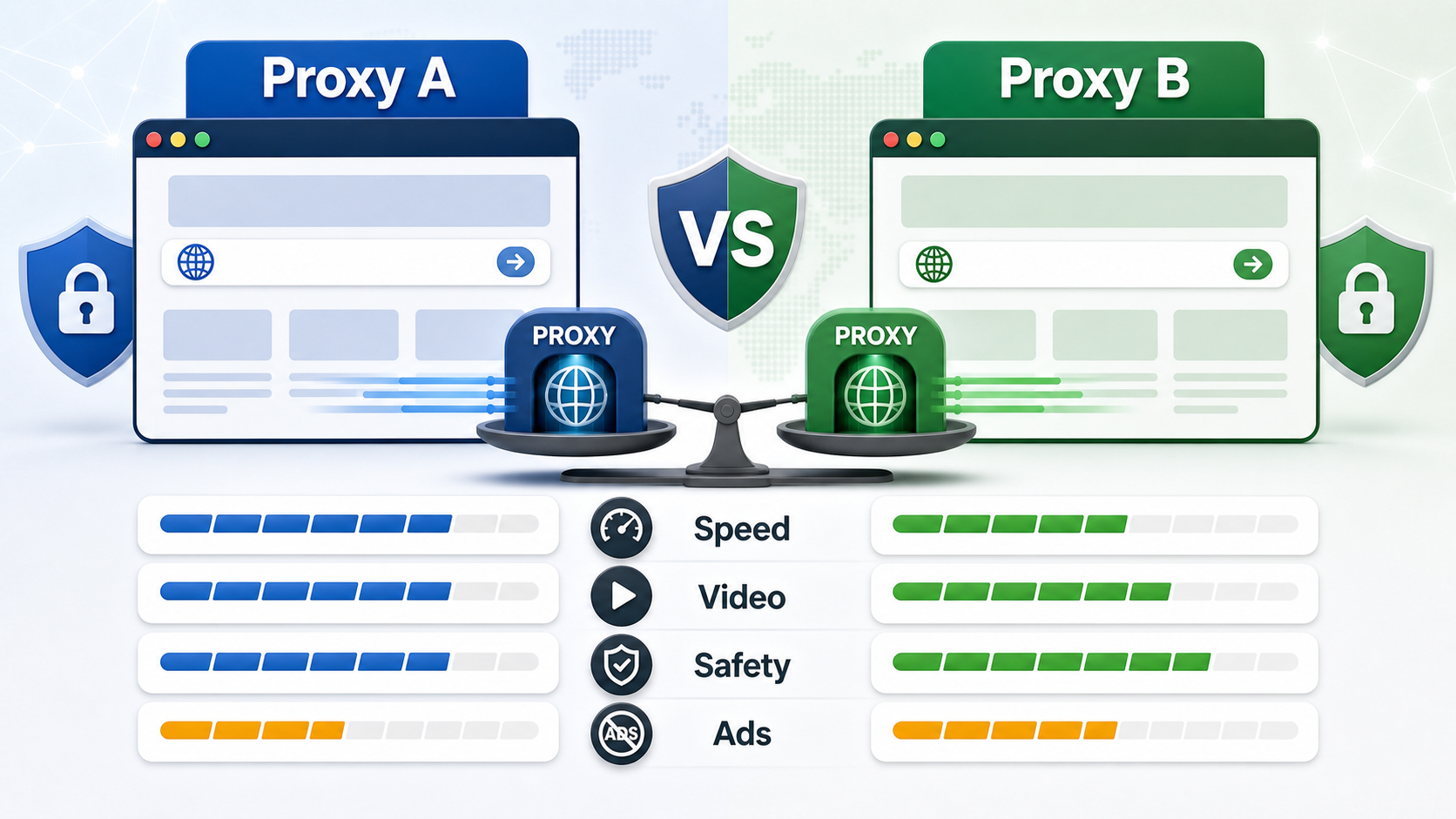
BlockAway vs CroxyProxy: Which Free Web Proxy Is Better?
Compare BlockAway and CroxyProxy by search intent, speed, video support, JavaScript handling, ads, shared IP risk, mobile use, and when to switch tools.
View Details