
Private Proxies Guide for Choosing, Setting Up, and Using Clean IPs
Private Proxies Guide for Choosing, Setting Up, and Using Clean IPs
Private Proxies Guide for Choosing, Setting Up, and Using Clean IPs
**Private Proxies Guide for Choosing, Setting Up, and Using Clean IPs**
Private proxies are dedicated or tightly controlled proxy IPs used when you need more stable performance, cleaner IP reputation, and better session control than shared or public proxies can offer. They are commonly used for web scraping, SEO rank tracking, ad verification, account workflows, localized testing, and security QA.
For the LycheeIP implementation details behind this step, review rotating residential proxies.
For the LycheeIP implementation details behind this step, review static residential proxies.
For the official technical reference behind this point, see MDN HTTP overview.
For the official technical reference behind this point, see OWASP automated threats guidance.
What you’ll get in this guide:
- A clear definition of private proxies and what they are not
- A decision matrix for datacenter, residential, ISP, and mobile proxies
- A quick-start SOP for setup and testing
- A troubleshooting table for blocks, CAPTCHAs, slowdowns, and auth errors
- Practical notes on when not to use private proxies
What are private proxies?
Private proxies are proxy IPs reserved for one user, one account, or one controlled customer allocation.
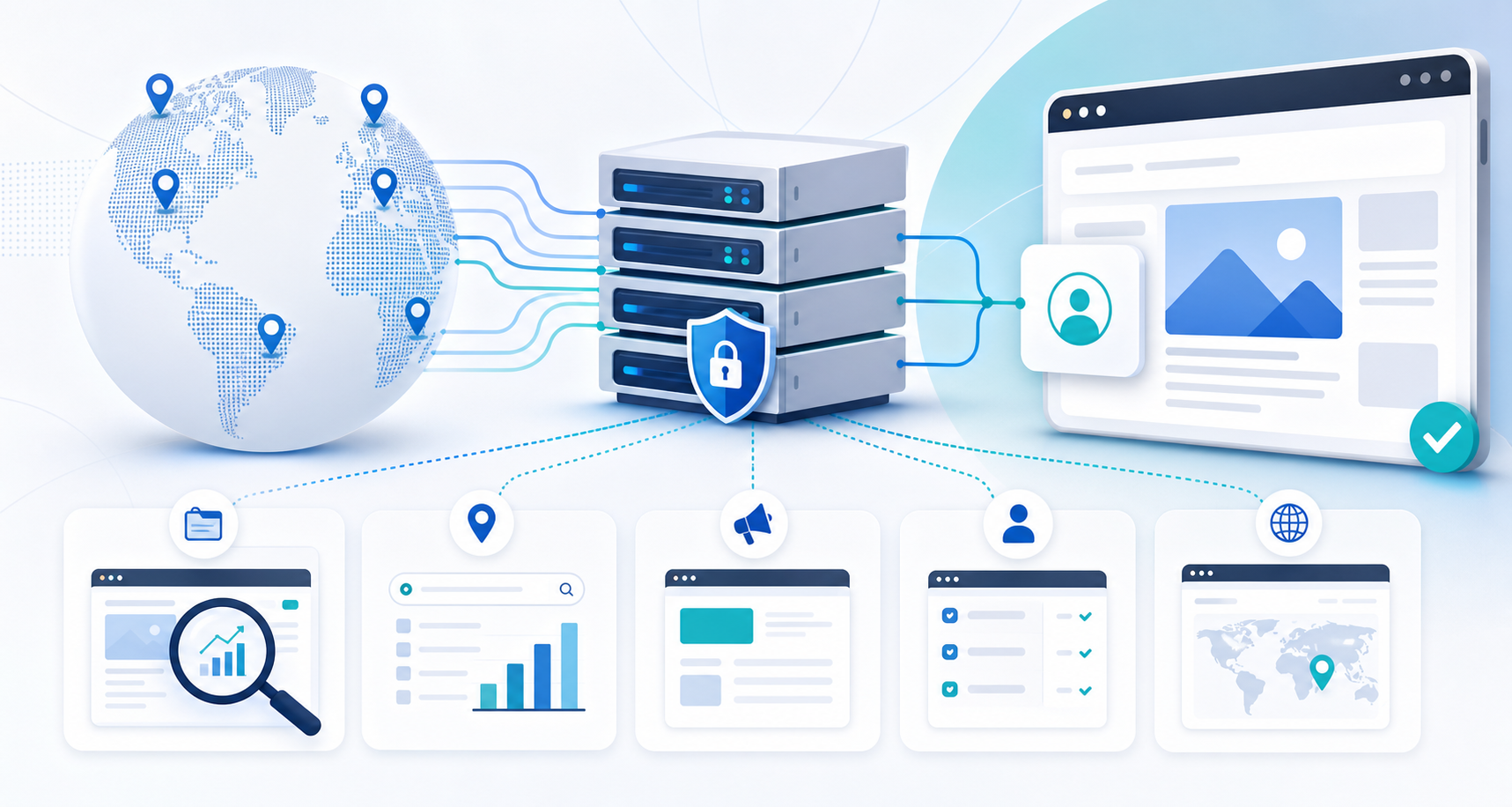
In simple terms, a private proxy server sits between your device, script, browser, or app and the destination website. The destination sees the proxy IP address, not your original IP address. The “private” part means you do not compete with a large crowd of unknown users on the same IP.
That matters because proxy reputation is fragile. If another user abuses a shared IP before your workflow touches it, your requests may inherit the consequences. With private proxies, you get more control over how the proxy IP is used, how often it touches a target, and which workflow owns the session.
Private proxies are also called dedicated proxies in many buying contexts. However, not every provider uses these terms the same way. Some providers use “private” for IPs shared with a very small number of users, while “dedicated” means only one user. Always confirm the provider’s definition before buying.
How do private proxies work?
Private proxies work by routing your requests through a proxy server so the destination sees the proxy IP instead of your origin IP.
A typical flow looks like this:
- Your browser, scraper, app, or automation tool sends a request.
- The request goes through the private proxy server.
- The proxy forwards the request to the destination website.
- The website responds to the proxy IP.
- The proxy returns the response to your tool.
Most teams authenticate with either username and password credentials or IP authentication. Username and password authentication is easier when many devices or cloud workers need access. IP authentication works well when traffic comes from a known office, server, or controlled environment.
A private proxy can hide your origin IP from the destination, but it does not erase every identity signal. Logged-in accounts, device fingerprints, cookies, browser behavior, request timing, payment data, and unusual automation patterns can still connect activity together.
Which private proxy type should you choose?
Choose the private proxy type based on target sensitivity, session length, budget, and whether your workflow needs speed or authenticity.
For the LycheeIP implementation details behind this step, review LycheeIP proxy infrastructure.
Use the **ROUTE Framework** before buying:
- R, Role: What job will the proxy perform?
- O, Origin: Does the IP need to look residential, mobile, ISP, or datacenter?
- U, Usage pattern: Will traffic be steady, bursty, logged-in, or rotating?
- T, Target sensitivity: Does the target block datacenter traffic or automation?
- E, Exit control: Do you need a fixed city, state, country, ASN, or sticky session?
For a private proxy USA workflow, choose USA residential proxy or ISP proxy access when the task depends on local SERP results, regional content, ad checks, or account behavior that must look geographically consistent.
How do you choose a private proxy provider?
Choose a provider by testing fit, not by trusting the largest pool claim.
Use this scorecard:
Pricing is N/A without checking each provider’s current plan. Private proxy cost depends on proxy type, bandwidth, exclusivity, location targeting, number of IPs, replacement rules, and support level. Before publishing price claims, verify the current provider pricing page and plan terms.
How can teams set up private proxies without wasting IPs?
Teams should start small, assign proxies by workflow, and scale only after measuring success rate, block rate, and cost per successful action.
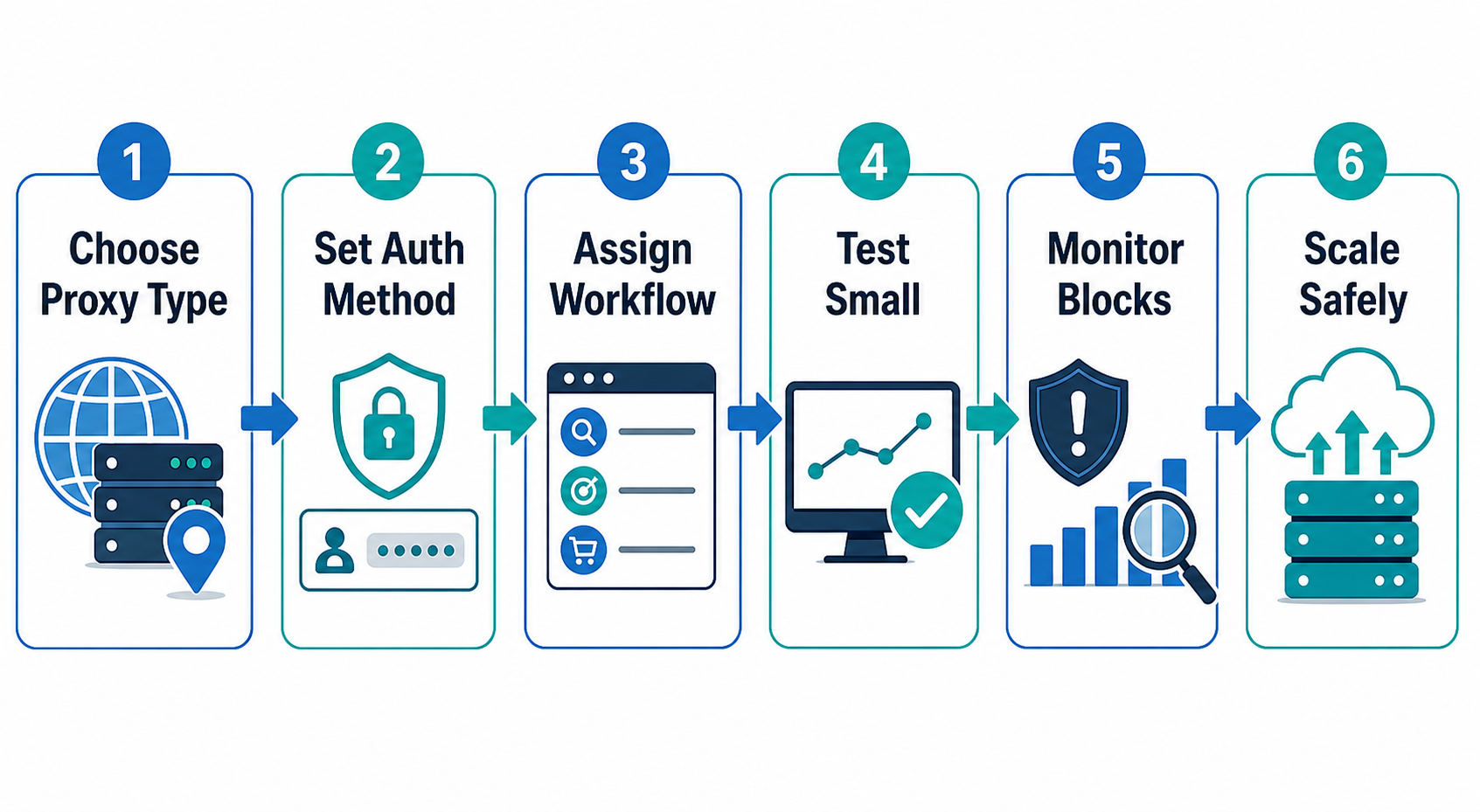
Use this quick-start SOP:
- Define one use case, such as rank tracking, public data scraping, ad verification, or account QA.
- Pick the proxy type with the ROUTE Framework.
- Start with a small private proxy pool.
- Configure authentication in your browser, scraper, app, or proxy manager.
- Assign one IP strategy per workflow. Do not mix account logins, scraping bursts, and QA tests on the same IP without a reason.
- Run a low-volume test against approved targets.
- Log response codes, CAPTCHAs, latency, timeouts, and session drops.
- Adjust request pacing, headers, session length, and IP allocation.
- Replace poor performers only after confirming the issue is not your script or fingerprint.
- Scale gradually when the workflow stays stable.
For multi-account agencies, a simple rule helps: one account, one browser profile, one stable proxy IP, and one consistent operating pattern. For scraping teams, the better rule is: one target class, one request policy, one monitoring dashboard.
What can go wrong with private proxies?
Private proxies can fail when the IP type, behavior pattern, authentication setup, or session logic does not match the workflow.
The biggest mistake is assuming a private proxy solves every access problem. Many modern systems evaluate behavior, browser consistency, device signals, account history, and request quality, not just IP address.
When should you not use private proxies?
Do not use private proxies when the real issue is permission, policy, encryption, or behavior quality.
Avoid private proxies when:
- You need full-device encryption for personal privacy. A VPN may be more appropriate.
- You need to access data you are not allowed to access.
- You plan to ignore target-site restrictions or reasonable rate limits.
- You need millions of rotating identities rather than stable IP control.
- Your automation tool leaks fingerprints that a proxy cannot fix.
- Your account workflow has already been flagged for non-IP reasons.
- You cannot monitor logs, errors, or replacement quality.
A private internet access proxy can hide your origin IP from a destination, but it should not be treated as a complete privacy, security, or compliance solution.
Why consider LycheeIP for private proxy workflows?
LycheeIP is worth evaluating when your workflow needs practical proxy infrastructure across residential, static residential, and datacenter-style use cases.
For data teams, growth teams, fintech QA, SEO teams, and multi-account operators, the main question is not “Which proxy is best?” The better question is “Which IP type and session model fits this workflow?” LycheeIP can be positioned around that practical decision, especially for teams comparing dynamic residential proxies, static residential or ISP-style sessions, and datacenter proxy workflows.
A good LycheeIP section should not overpromise. It should invite readers to test proxy fit against their real targets, measure stability, and choose the proxy type that matches their workload.
For the LycheeIP implementation details behind this step, review AI-powered browser automation hub.
Which visuals would make this guide easier to understand?
The best visuals should help readers choose a proxy type, understand routing, and troubleshoot failures faster.
Suggested visuals:
- Proxy routing diagram
Caption: How a private proxy routes requests between your tool and the destination. Alt text: Private proxies routing diagram showing user traffic passing through a proxy IP before reaching a target website.
- Private vs shared vs public proxy comparison chart
Caption: How proxy sharing affects speed, reputation, and control. Alt text: Comparison chart of private proxies, shared proxies, and public proxies by speed, risk, and IP control.
- ROUTE Framework decision flow
Caption: A five-step proxy selection workflow for teams. Alt text: ROUTE Framework flowchart for choosing private proxies by role, origin, usage, target sensitivity, and exit control.
- Troubleshooting matrix graphic
Caption: Common private proxy failures and how to diagnose them. Alt text: Troubleshooting table for private proxies showing blocks, CAPTCHAs, latency, authentication errors, and fixes.
- Use-case mapping card
Caption: Which private proxy type fits scraping, SEO, ads, accounts, and fintech QA. Alt text: Use-case matrix mapping private datacenter, residential, ISP, mobile, and rotating proxies to common workflows.
How should you maintain a private proxy setup?
Treat private proxies as infrastructure that needs monitoring, rules, and periodic review.
Explore LycheeIP Private Proxy Options
Use this maintenance checklist:
- Track success rate by target, proxy type, and location.
- Monitor blocks, CAPTCHAs, redirects, timeouts, and login challenges.
- Keep account workflows separate from scraping workflows.
- Review whether static, sticky, or rotating sessions still match the task.
- Replace IPs based on evidence, not panic.
- Refresh provider terms, pricing, and location availability before renewals.
- Document the exact proxy format used by each tool.
- Review target-site rules and internal compliance requirements before scaling.
Private proxies work best when they are chosen for a specific job, tested under realistic conditions, and maintained like production infrastructure. Used that way, they can give teams cleaner IP control, steadier sessions, and fewer avoidable failures.
Frequently Asked Questions
How do I get private proxies?
You get private proxies by choosing a provider, selecting a proxy type, choosing locations, and configuring the proxy credentials in your browser, app, scraper, or proxy manager. Start with a small plan or test allocation before buying at scale.
Can private proxies be detected?
Yes, private proxies can be detected. A website may look at IP type, ASN, request patterns, browser fingerprints, cookies, login history, and behavior signals. Private proxies reduce some IP-related risks, but they do not make automation invisible.
Are static proxies the same as private proxies?
Not always. A static proxy keeps the same IP over time, while a private proxy focuses on exclusivity or limited sharing. A proxy can be static but shared, static and private, or static and dedicated depending on the provider’s plan.
Can you be traced with a proxy?
A proxy can hide your origin IP from the destination site, but it does not remove every trace. Logged-in accounts, payment details, cookies, device fingerprints, provider logs, and legal requests may still connect activity to a user or organization.
Are proxies safer than VPNs?
It depends on the use case. Proxies are often better for app-specific routing, scraping, rank tracking, and multi-account workflows, while VPNs are usually better for full-device encrypted browsing. A proxy is not automatically safer than a VPN.
Does a proxy hide your IP?
Yes, the destination website usually sees the proxy IP instead of your original IP. However, other identity signals may still reveal patterns, accounts, devices, or automation behavior.
How much is a private proxy?
N/A as a fixed answer. Pricing changes by provider, IP type, location, exclusivity, bandwidth, replacement policy, and support level. Always verify current pricing before publishing or buying.
Which is better for web scraping, datacenter or residential private proxies?
Datacenter private proxies are often faster and more cost-efficient for lower-risk targets. Residential or ISP proxies are usually better when the target strongly filters datacenter traffic or when geographic realism matters.
Should I use private proxies for rank tracking?
Yes, private proxies can help rank tracking when you need consistent locations, cleaner IP reputation, and fewer distortions from repeated search checks. Use location-specific IPs when the SEO task depends on USA, city-level, or regional SERP visibility.
Related LycheeIP Guides and Resources

Recommended Articles

DataDome Bypass for Web Scraping
DataDome Bypass for Web Scraping
View Details
Web Scraping Rate Limiting: How to Handle 429s, Backoff, and Concurrency
Web scraping rate limiting is the engineering discipline of keeping an authorized collection workload inside a target service's acceptable request envelope. When that envelope is exceeded, a server may respond with HTTP 429 Too Many Requests, delay responses, or apply other controls.
View Details
reCAPTCHA vs hCaptcha vs Cloudflare Turnstile: What Scraping Teams Need to Know
If an authorized data-collection workflow suddenly stops at a verification screen, identifying the protection system matters before you change code, browser settings, or proxy infrastructure. reCAPTCHA vs hCaptcha vs Turnstile is not simply a branding comparison. The three systems can expose different browser flows, token models, risk decisions, and failure symptoms.
View Details
Browser Automation Proxies: IPs, Geo-Targeting, Sessions, and AI Agents
A browser automation proxy belongs to the network layer of Playwright, Selenium, cloud-browser, and AI-agent workflows. It changes how browser traffic is routed and can affect the source IP address, geographic egress, and session continuity seen by a destination site. It does not improve an AI model's reasoning, repair browser logic, or guarantee that a website will accept the session.
View Details
SERP Scraping: Methods, APIs, Workflows, and Best Practices
SERP scraping is the automated collection of information from search engine results pages. A SERP scraper can capture organic rankings, advertisements, featured snippets, People Also Ask questions, local results, shopping listings, images, and other search features, then convert them into structured data for analysis.
View Details