
Multi-AI Model Browser Strategy for Power Users
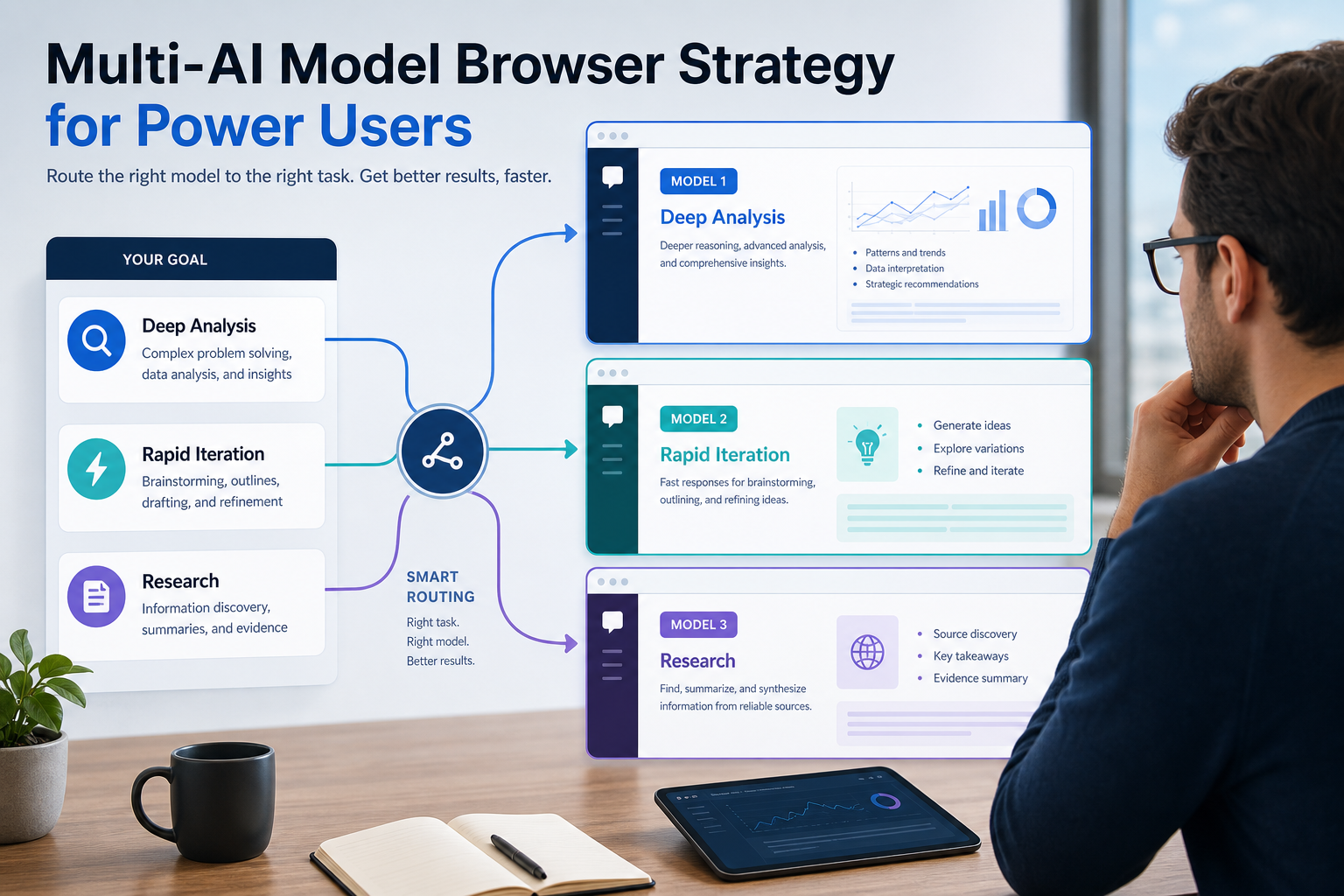
Use the model that matches the job instead of forcing one assistant to do everything.
Power users lose time when research, coding, debugging, and reporting all run through the same AI model. A stronger workflow routes each phase to the model that is actually best at it, while keeping browser context and project notes consistent.
For automation-heavy work such as scraping, browser QA, proxy setup, and data analysis, the productivity gain comes from routing discipline. The wrong model creates shallow reasoning, slow iteration, or outdated research. The right model shortens the path from question to usable output.
This article compresses that strategy into a practical browser workflow for teams using Claude, GPT-4, and Gemini together.
When to Route Work to Claude, GPT-4, or Gemini
The fastest way to improve output quality is to map model strengths to recurring tasks instead of switching randomly.
- Claude: deep reasoning, structured output, long-context analysis, production-ready implementation notes, and careful edge-case handling.
- GPT-4: fast iteration, brainstorming, refactoring passes, quick debugging, and conversational troubleshooting during active development.
- Gemini: current web research, multimodal review, screenshot analysis, and location-aware or search-heavy discovery work.
That routing matters most in workflows where data quality, request reliability, and browser context all affect the final result.
For the LycheeIP implementation details behind this step, review rotating residential proxies.
For the official technical reference behind this point, see Anthropic documentation.
For the official technical reference behind this point, see MDN HTTP overview.
A Browser Setup That Keeps Context Intact
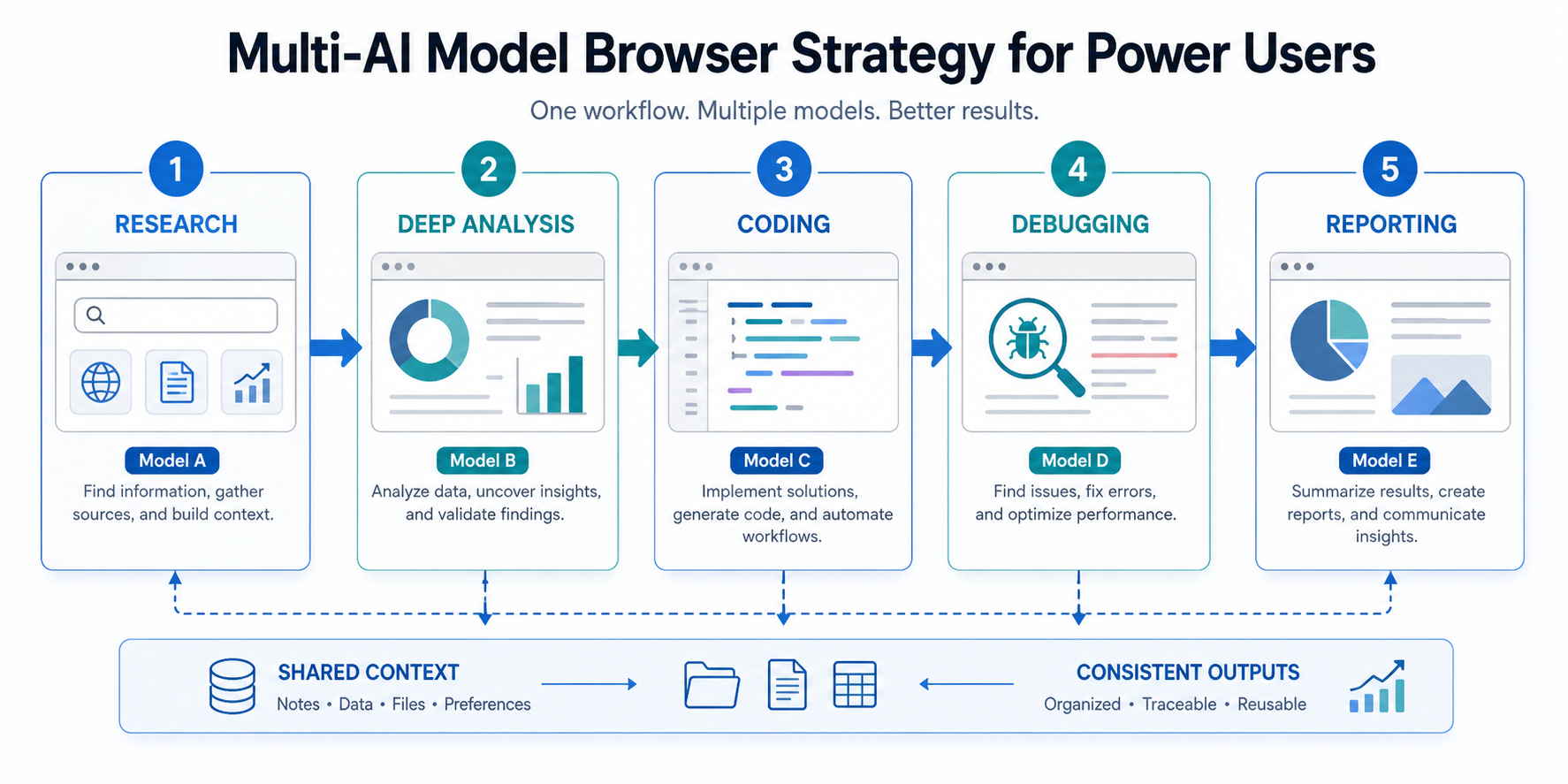
A practical setup uses separate browser windows or profiles for each model, plus one shared scratchpad where requirements, decisions, URLs, and error traces live. The scratchpad is the bridge that stops context from resetting every time you switch tools.
- Keep Claude open for architecture, structured plans, and code review.
- Keep GPT-4 open for quick testing loops and small implementation questions.
- Keep Gemini open for current-source lookup, screenshots, and factual verification.
- Keep one project note with constraints, target sites, failure logs, and proxy assumptions.
This approach is simpler than building a complex router before you actually know where model switching helps.
For the LycheeIP implementation details behind this step, review AI browser automation setup guide.
How the Multi-Model Workflow Looks in Practice
In scraping and automation work, the workflow usually breaks into research, implementation, debugging, and reporting.
- Use Gemini first to inspect the target environment, recent site changes, screenshots, or current documentation.
- Use Claude second to design the collection logic, fallback behavior, and structured outputs.
- Use GPT-4 during testing when you need faster back-and-forth on parser issues, request failures, or refactors.
- Return to Claude for data QA, anomaly review, and final reporting structure.
def route_task(task_type, content):
    if task_type == 'research':
        return gemini(content)
    if task_type == 'implementation':
        return claude(content)
    if task_type == 'debug':
        return gpt4(content)
    return claude(content)
The point is not rigid automation for its own sake. The point is reducing friction in the parts of the workflow where one model consistently outperforms the others.
Why This Matters for Proxy and Browser Automation Work
Proxy-driven workflows expose weaknesses quickly. Research tasks need up-to-date information about anti-bot behavior, implementation tasks need careful session and retry logic, and debugging tasks need fast iteration while failures are still fresh.
- Gemini helps gather current facts about target sites, regions, and interface changes.
- Claude helps design request pacing, selector fallbacks, retry handling, and structured logging.
- GPT-4 helps move quickly through transient errors during live testing.
- LycheeIP proxy infrastructure becomes more useful when the model workflow is disciplined enough to surface where routing, session stability, and retry quality actually matter.
For the LycheeIP implementation details behind this step, review LycheeIP proxy infrastructure.
For the LycheeIP implementation details behind this step, review AI-powered browser automation hub.
Common Mistakes in Multi-Model Workflows
- Switching models without carrying forward the project context.
- Using the most familiar model instead of the best-fit model for the current phase.
- Overbuilding an API router before browser-based switching habits are working well.
- Skipping cross-checks on production code, compliance-sensitive logic, or expensive scraping jobs.
- Ignoring rate limits, session assumptions, or proxy behavior while asking models for implementation help.
A simple, documented switching rule beats an elaborate orchestration layer that nobody follows consistently.
Conclusion
A multi-model browser strategy works because it turns model selection into an operational decision. Research, implementation, debugging, and reporting do not need the same assistant. Once you route each phase deliberately, the workflow becomes faster and the outputs get stronger.
For teams building scraping, browser QA, and proxy-aware automation, the model stack and the network stack reinforce each other. Better routing improves decisions. Better infrastructure improves execution.
Explore LycheeIP Infrastructure for Multi-AI Workflows
Frequently Asked Questions
What is the most efficient way to switch between AI models without losing context?
Keep a single scratchpad with the active project context, constraints, URLs, and failure notes. Paste the relevant slice into the next model instead of starting every conversation from zero.
Should I use browser access or API routing first?
Start with browser access unless you already have a repetitive high-volume workflow that clearly benefits from programmatic routing. Browser switching is easier to prove and cheaper to maintain.
When should Claude handle a scraping task instead of GPT-4?
Use Claude for production-ready logic, structured outputs, edge-case handling, and deeper reasoning. Use GPT-4 when you need faster conversational iteration during testing.
Where does Gemini fit in a scraping workflow?
Gemini is strongest when you need current-source lookup, screenshot interpretation, SERP or UI review, and other tasks where search integration or multimodal context matters.
How does this relate to proxy infrastructure?
The model workflow helps you decide what to build and what to test. Proxy infrastructure helps the workflow execute reliably once session quality, location targeting, or request distribution become operational constraints.
Related LycheeIP Guides and Resources

Recommended Articles

AI Search API for AI Agents: How to Ground LLMs With Live Search Data
An AI search API gives an application or agent programmatic access to current search results. Its most useful role is discovery: the agent can find candidate sources, identify fresh information, and decide what to retrieve next instead of relying only on model memory.
View Details
AI Web Scraping with Browser Agents: Architecture, Extraction, and Data Validation
AI web scraping uses AI to help discover, navigate, interpret, or extract information from websites. Browser agents are one implementation option when page interaction, rendering, or layout variation makes a simple scraper too brittle, but the agent should not become the entire data pipeline.
View Details
AI Browser Automation: Browser Agents vs Playwright vs Selenium
A browser agent interprets a goal and decides what browser action to take next. Playwright and Selenium can execute explicit, testable browser logic defined by developers. In 2026, however, Playwright also provides official MCP and agent-oriented workflows, so Playwright is no longer just the deterministic alternative to agentic automation. It can also serve as the browser-control layer inside an agent system.
View Details
Agentic Browser Security: Prompt Injection, Permissions, and Safe Deployment
That combination creates risks that are different from ordinary browsing and traditional automation. The most important is indirect prompt injection, where hostile instructions hidden in web content attempt to redirect the agent away from the user's goal. Google describes indirect prompt injection as a primary new threat for agentic browsing and has introduced layered defenses that include origin constraints, independent action checks, threat detection, and user confirmation for sensitive actions. Google's Chrome security architecture is a useful reference for how browser-agent defenses are evolving.
View Details
How to Give AI Agents Reliable Real-Time Web Data
A production-ready solution therefore needs more than a web scraper. It needs a web data layer that connects acquisition, validation, storage, retrieval, security, and observability. This guide explains how to design that layer.
View Details