
Mobile Anti-Detect Browsers: Fingerprints and Proxies
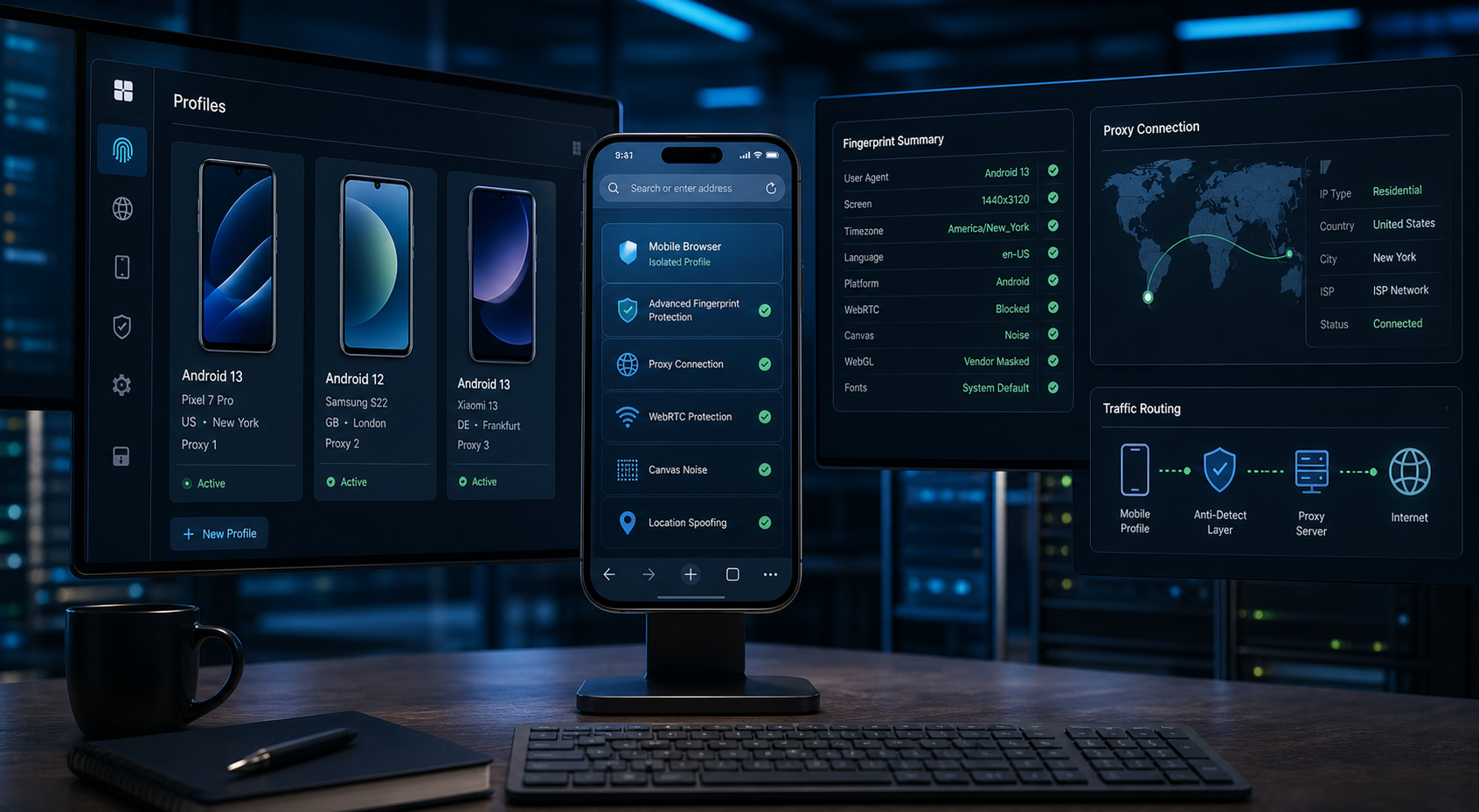
Learn what mobile anti-detect browsers change, how browser fingerprints work, where proxies and VPNs fit, and when real-device testing is better.
Learn what mobile anti-detect browsers change, how browser fingerprints work, where proxies and VPNs fit, and when real-device testing is better.
mobile-anti-detect-browsers
Mobile anti-detect browsers modify or isolate browser signals to create separate mobile-like profiles, but they are not the same as real devices, proxies, or VPNs. This guide explains the signal layers, practical limitations, legitimate use cases, and evaluation criteria.
For the LycheeIP implementation details behind this step, review AI browser automation setup guide.
Full Article
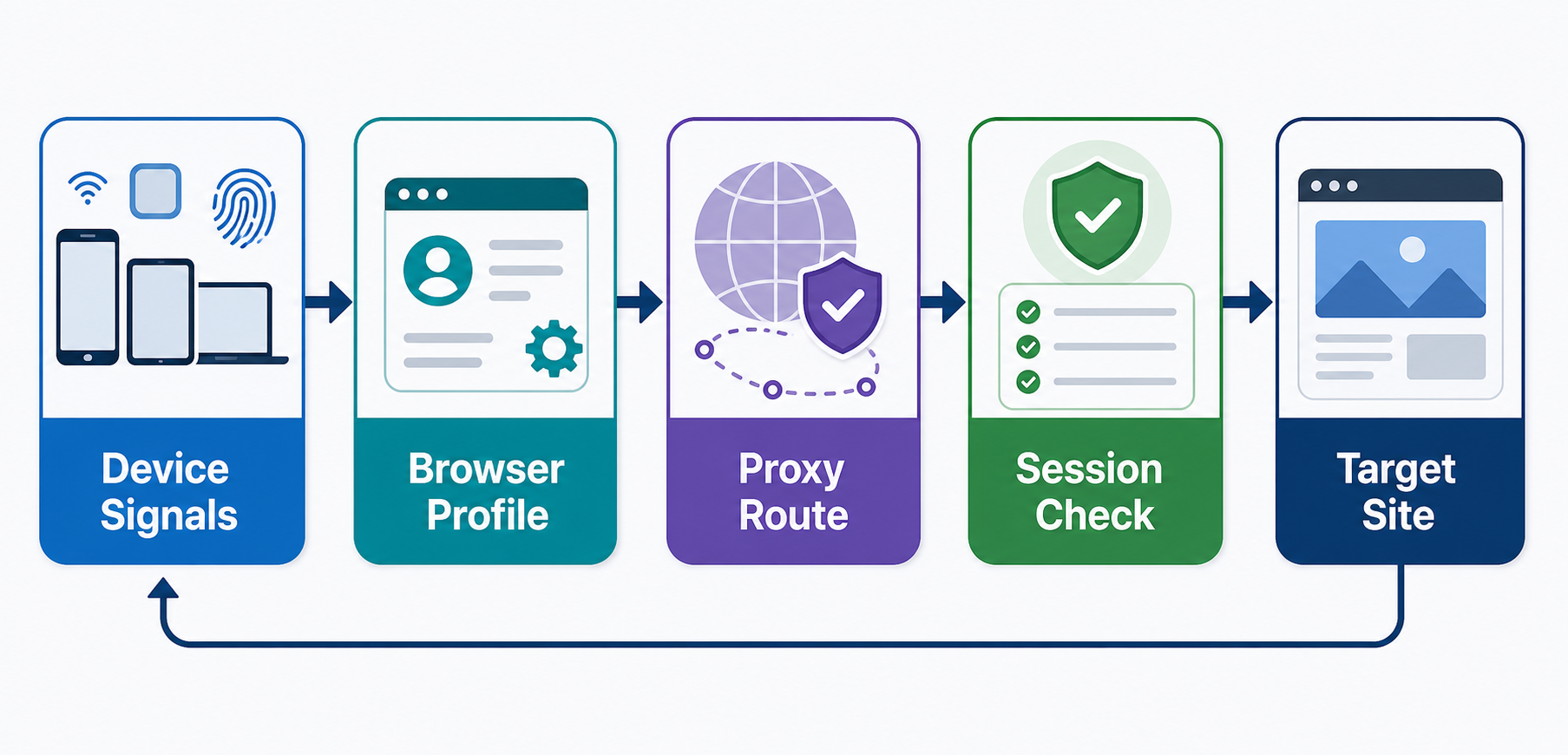
Mobile Anti-Detect Browsers: How Fingerprints, Emulation, Proxies, and Real Devices Differ
A mobile anti-detect browser is a browser environment designed to isolate profiles and alter or control some of the signals websites can observe about a browser and device.
That does not make it a real smartphone.
It also does not replace a proxy or VPN. A browser profile affects browser-visible state and characteristics. A proxy changes the network path and apparent source IP. A VPN routes device traffic through a tunnel. A real mobile device has actual mobile hardware, operating-system behavior, browser builds, sensors, and platform constraints that desktop emulation cannot fully reproduce.
The practical question is therefore not "Which tool hides me best?" A better question is: "Which layer of the environment do I need to test, isolate, or reproduce?"
For legitimate work such as mobile web QA, localized site testing, ad verification, isolated client workspaces, and controlled research, understanding these layers helps you avoid buying a complex tool for the wrong problem.
What Websites Can Observe About a Browser Session
A website does not see a single value called "device fingerprint." It can receive or infer signals from several layers of the session.
For the LycheeIP implementation details behind this step, review static residential proxies.
Network signals
The server sees the source IP address that reaches it. Depending on the network and application, the IP may support rough geolocation or network classification. Connection behavior and protocol characteristics can also contribute context.
HTTP and browser identity signals
Requests can include headers related to accepted content, language preferences, browser identification, and client hints. The exact data available depends on the browser, browser version, server requests, and privacy controls.
For the official technical reference behind this point, see MDN HTTP overview.
Browser API signals
Page scripts may be able to observe properties exposed through browser APIs. Examples can include screen and viewport values, language settings, timezone behavior, touch support, hardware-related hints, permissions state, and feature availability.
Rendering signals
Canvas, graphics, fonts, media behavior, and other rendering differences may provide observable variation. The actual signal depends on the browser engine, operating system, hardware, drivers, and privacy protections.
Locale and environment signals
Language, timezone, geolocation permissions, date formatting, and regional preferences can all affect the environment a web application sees.
Storage and profile state
Cookies, local storage, IndexedDB, cache, service workers, permissions, and other browser state can connect visits within the same profile.
Behavior and application state
A website can also use its own account, session, transaction, and application data. Browser configuration does not erase server-side history or change the rules associated with an account.
The important concept is correlation.
A configuration can look inconsistent when signals describe environments that would rarely occur together. For example, a mobile user agent alone does not automatically turn a desktop environment into an accurate mobile device. Good testing focuses on a coherent, documented scenario rather than changing random values.
Browser Fingerprinting Is a Moving Target
Browser fingerprinting is not a static checklist that can be solved once and reused forever.
Browser vendors continue to change what information is exposed. Chrome's User-Agent Reduction project was designed to reduce the identifying information available in the user-agent string while moving some use cases toward User-Agent Client Hints. WebKit has also continued adding fingerprinting protections in Safari, including protections intended to reduce the usefulness of certain identifying signals.
These changes matter for two reasons.
First, an old article that tells you to edit a fixed list of ten properties may no longer describe the current browser platform.
Second, changing more values does not necessarily create a more realistic environment. A tool that invents high-entropy or internally inconsistent values can create a configuration unlike the real devices it claims to represent.
For legitimate testing, the better standard is reproducibility. Record the browser engine, version, device preset or test profile, viewport, locale, timezone, permissions, and network path. Then verify that the observed environment matches the scenario you intended to test.
Profile Isolation and Fingerprint Modification Are Different Jobs
The term anti-detect browser often combines two separate capabilities: profile isolation and environment control.
Profile isolation separates state such as:
Cookies Local storage IndexedDB Cache Service workers Permissions History Downloads Extensions or extension state, depending on the product
This is useful even when you do not need to modify fingerprint-related properties. An agency may want client sessions in separate workspaces. A QA team may want a clean profile for each test run. A researcher may need repeatable sessions that do not inherit yesterday's cookies.
Environment control changes or configures signals such as:
User-agent-related settings Viewport and screen dimensions Touch capability Locale Timezone Geolocation, when explicitly configured and permitted Browser permissions Selected navigator properties Graphics or rendering-related behavior, depending on the implementation
These are different problems.
A standard browser profile may be enough for session isolation. Playwright browser contexts may be enough for automated test isolation and emulation. A dedicated profile-management platform may be justified when a team needs a large managed inventory, assignments, permissions, synchronization, and standardized configurations.
Do not pay for fingerprint modification when the real requirement is simply "keep Client A's cookies separate from Client B's cookies."
Mobile Emulation Is Not a Physical Mobile Device
Chrome DevTools can simulate many aspects of mobile browsing, but Chrome's own documentation notes that Device Mode is only an approximation. Some physical aspects of a mobile device, including mobile CPU architecture, cannot be simulated by the desktop browser.
Playwright can emulate a range of browser-context properties, including user agent, screen and viewport dimensions, touch behavior, locale, timezone, and geolocation. That is extremely useful for repeatable web testing.
Still, emulation is not identical to a phone in your hand.
A physical device includes real:
Mobile hardware and CPU architecture Operating-system builds and patches Browser builds tied to the platform Graphics and media stacks Touch input characteristics Cameras and microphones Sensors Power and thermal constraints Memory pressure Device-specific accessibility behavior Platform integrations Network transitions between Wi-Fi and cellular connections
The right test environment depends on the question.
If you are checking whether a navigation menu collapses at a 390-pixel viewport, browser emulation may be enough.
If you are testing camera capture, WebAuthn behavior tied to a device, iOS Safari media handling, sensor-dependent features, or real mobile performance, use physical devices or a real-device testing service.
Use the lowest-fidelity environment that can answer the test accurately. Higher fidelity usually costs more to operate.
Mobile Anti-Detect Browser vs. Standard Browser Profiles
Modern browsers already support profile separation in different forms. For example, Safari profiles can separate browsing data such as history, cookies, and website data between profiles.
A standard browser profile is often the simpler choice when:
You have a small number of authorized workspaces You mainly need separate cookies and sessions Manual use is acceptable The team does not need centralized profile assignment You do not need a repeatable mobile-like environment configuration
A dedicated profile-management browser may make sense when:
The team maintains a large profile inventory Profiles must be assigned to specific staff Configuration needs to be standardized Access and offboarding controls matter Profiles must be reproduced across approved machines or workers Automation is part of a documented workflow Auditability is important
The feature to evaluate is not "anti-detection strength." Evaluate whether the platform solves the operational problem you actually have.
Mobile Anti-Detect Browser vs. Proxy
A proxy and a browser profile operate at different layers.
A proxy relays network traffic. The destination typically sees the proxy's source IP rather than a direct connection from the client, subject to the proxy protocol and application configuration.
A browser profile controls browser state and browser-visible environment characteristics.
For the LycheeIP implementation details behind this step, review LycheeIP proxy infrastructure.
Changing a proxy does not automatically change:
Cookies Local storage Viewport Screen dimensions Timezone Language preferences Touch support Browser APIs Graphics behavior Account history
Likewise, changing a browser profile does not automatically give the session a different network route.
For an authorized regional-content test, you may need both layers. The browser can be configured for the required locale and timezone, while an approved regional proxy provides the network location needed for the test. Keep a documented mapping between the test case, profile, and network route so results are reproducible.
If the project only needs managed network egress or regional public-page verification, a proxy may be enough. Adding a specialized browser can create unnecessary operational risk and cost.
Mobile Anti-Detect Browser vs. VPN
A VPN creates a network tunnel between a device or system and a VPN endpoint. It is commonly used to protect traffic on a network path or provide access to an approved private network.
A VPN does not automatically create separate cookie jars, independent browser profiles, or mobile device behavior.
Choose by job:
Use a VPN for secure network connectivity or approved access to a private network.
Use isolated browser profiles for session and storage separation.
Use browser emulation for repeatable mobile web scenarios.
Use physical devices for hardware and platform fidelity.
Use an approved proxy when a specific application or data workflow requires controlled egress or regional routing.
The fact that several tools can change the apparent network location does not make them interchangeable.
A Decision Framework for Mobile Browser Testing and Isolation
Start with the test question, then select the smallest environment that answers it.
Responsive layout testing: use Chrome Device Mode or Playwright emulation.
Cross-locale web QA: use a browser context configured with the required locale and timezone.
Authorized regional content checks: combine a test browser with an approved regional proxy when IP-based location matters.
A few client logins: use standard browser profiles when separate session storage is the main requirement.
A large managed profile inventory: evaluate a dedicated profile-management platform with team controls and reproducible configuration.
A hardware or sensor-dependent web feature: use a physical device or real-device cloud.
Native mobile application testing: use physical devices, supported platform emulators, or a device lab. A desktop anti-detect browser is not a native app testing environment.
Secure access to a company network: use the organization's approved VPN or zero-trust access solution.
This framework prevents one of the most expensive mistakes in browser tooling: buying a single product and forcing every mobile, network, and account-isolation problem through it.
How to Evaluate a Mobile Anti-Detect Browser
If a dedicated platform is justified, evaluate it as infrastructure rather than as a collection of marketing claims.
- Browser engine and update cadence
Which browser engine does the product use? How quickly does it ship security updates and upstream browser changes? A browser that remains on old engine builds can create security and compatibility problems.
Ask how updates affect existing profiles. Reproducibility matters, but freezing vulnerable browser versions indefinitely is not a sound security strategy.
- Isolation boundaries
Test what is truly separated between profiles.
On a diagnostic domain you control, create two profiles and verify cookies, local storage, IndexedDB, service workers, cache behavior, and permissions. Document the result rather than assuming the product's use of the word "isolated" covers every storage mechanism.
- Mobile fidelity
Ask exactly what a mobile preset changes.
Does it configure viewport and screen size? Touch? Locale? Timezone? User-agent-related values? Geolocation? Browser engine behavior?
Do not accept "real mobile fingerprint" as a technical specification. Compare the observed environment with a documented target device or test scenario.
- Network controls
Check whether the product supports the proxy protocols and authentication methods your approved network providers use. Verify DNS behavior, failure handling, connection tests, and whether accidental direct connections are possible when a configured proxy fails.
For sensitive workflows, define what should happen on network-route failure. Silent fallback to the default network may invalidate the test.
- Team controls
For the LycheeIP implementation details behind this step, review AI-powered browser automation hub.
For the official technical reference behind this point, see Anthropic documentation.
For agency or enterprise use, review:
Role-based access Profile ownership Sharing controls Assignment history Offboarding Administrative logs Secrets handling Approval workflows, if needed
A platform that creates hundreds of profiles but cannot tell you who has access to them may increase operational risk.
- Automation support
Prefer documented automation interfaces and supported browser-control methods. Determine how profile startup, shutdown, health checks, logs, and errors are exposed.
Avoid building a critical workflow around undocumented internal endpoints that can change without notice.
- Data security
Ask where profile data is stored and synchronized. Review encryption, access controls, administrative access, credential handling, retention, deletion, backups, and the effect of team-member removal.
A synced browser profile may contain valuable authenticated session data. Treat that data as a secret.
- Reproducibility
A test should be describable with a configuration record.
At minimum, record:
Browser engine and version Device preset or profile version Viewport and screen configuration Locale Timezone Permissions Network route class Test case identifier
Without that information, a screenshot that says "worked on mobile" is difficult to reproduce.
A Safe Validation Workflow
You can evaluate a browser configuration without trying to bypass another service's controls.
Step 1: Define the scenario
Write the test in plain language. For example: "Verify the French landing page in a mobile-sized Chromium session using Europe/Paris timezone and an approved French network route."
Step 2: Define the expected environment
List the properties that matter to the scenario. Do not add fingerprint values that have no relationship to the test.
Step 3: Create an isolated profile
Use an authorized test account where authentication is required. Start from a known profile state.
Step 4: Inspect the environment on a diagnostic page you control
Collect only the properties needed for the test. Confirm viewport, locale, timezone, touch settings, and network route as applicable.
Step 5: Compare observed values with the test specification
If a value is inconsistent, fix the configuration before running the application test.
Step 6: Run the actual test
Capture the expected application result. Save screenshots, console output, and network logs only where permitted and useful.
Step 7: Reset or destroy the profile according to policy
Do not leave test credentials or session data in abandoned profiles.
This process replaces the vague question "Is this browser undetectable?" with a measurable QA question: "Did the configured environment reproduce the approved test scenario?"
Common Configuration Mistakes
Treating the user agent as the whole device
A mobile user agent does not recreate mobile hardware, operating-system behavior, screen characteristics, touch input, or the platform browser.
Changing many values without a test specification
Randomization makes results harder to reproduce. Configure only the environment properties required by the scenario.
Confusing IP location with device location
An IP address, browser timezone, locale, and geolocation API are separate signals. They may represent different things. Do not assume a network route changes browser settings.
Sharing session data between profiles
Copying cookies or authenticated storage across workspaces can undermine isolation and expose credentials. Define ownership and transfer rules.
Using browser emulation for native apps
A browser environment cannot validate native Android or iOS application behavior. Use platform-appropriate test infrastructure.
Ignoring browser updates
Browser engines, privacy protections, web APIs, and site compatibility change. Keep supported versions current and include browser-version changes in regression testing.
Using the tool to bypass restrictions
Do not use anti-detect tooling to defeat access controls, evade account enforcement, impersonate users, or violate platform rules. The same browser-isolation technology can support legitimate QA and workspace management, but authorization and intended use matter.
When a Proxy Is Enough
Use a proxy without a specialized browser when the main requirement is network routing.
Examples include:
Checking whether a public page varies by approved test region Testing IP-based localization Providing managed egress for an authorized crawler Separating application infrastructure through defined network routes
Use ordinary browser contexts or your normal HTTP client unless the test also requires independent browser state or a controlled browser environment.
When Browser Emulation Is Enough
Browser emulation is often sufficient for web UI and application checks such as:
Responsive layouts Mobile navigation Touch-capability handling Breakpoint behavior Locale and timezone presentation Mobile user-agent code paths Geolocation-permission test scenarios
Automated browser contexts are particularly useful because the configuration can live in code and be repeated in CI.
Do not upgrade to a more complex profile platform just because a page is viewed at a mobile size.
When You Need Real Devices
Use real devices or a real-device testing service when success depends on platform or hardware fidelity.
Pair Mobile Testing Workflows with LycheeIP Proxies
Examples include:
Mobile CPU architecture behavior Real Safari on iOS Camera or microphone capture Sensors Media encoding and playback differences Native mobile applications Real hardware performance Memory and thermal constraints Platform authentication or device integrations
Real-device testing has higher operational cost, so reserve it for questions emulation cannot answer accurately.
Frequently Asked Questions
What is a mobile anti-detect browser?
It is a browser or profile platform designed to isolate browsing profiles and control some browser-visible environment signals. Products vary significantly in which signals they configure and how profile data is stored or synchronized.
Does a mobile anti-detect browser change my IP address?
Not necessarily. IP routing is a network function. Some platforms integrate proxy settings, but the browser profile itself and the proxy are separate layers.
Is mobile browser emulation the same as using a real phone?
No. Emulation can reproduce many browser-context and display characteristics, but it does not recreate every aspect of mobile hardware, operating systems, sensors, performance, or platform-specific browser behavior.
Do I need a proxy with a mobile anti-detect browser?
Only when the approved workflow requires a specific network route, controlled egress, or regional network perspective. A proxy is not automatically required for profile isolation or responsive mobile testing.
Can an anti-detect browser guarantee that a website cannot identify automation or related sessions?
No. Websites can use many browser, network, account, application, and behavioral signals, and those systems change over time. Treat any absolute "undetectable" claim cautiously.
Are mobile anti-detect browsers legal?
The software category can have legitimate uses, but legality and contractual risk depend on jurisdiction, the data involved, authorization, access methods, and the intended activity. Platform terms and applicable law still matter. Obtain legal advice for high-risk or regulated use cases. Conclusion Mobile anti-detect browsers sit at one layer of a larger environment. Browser profiles isolate state. Browser emulation configures a web-test environment. Proxies control application network routing. VPNs provide network tunnels. Real devices provide hardware and platform fidelity. Choose the tool by the signal or test boundary you need to control. Start with standard profiles or browser emulation when they answer the question. Add an approved regional network route only when the test requires it. Evaluate a dedicated profile platform when operational scale, assignment, and reproducibility justify the added complexity. Use real devices when hardware or platform behavior is part of the result. The most reliable setup is not the one with the most spoofed values. It is the one with a documented purpose, reproducible configuration, clear authorization, and enough fidelity to answer the test question accurately.
Related LycheeIP Guides and Resources

Recommended Articles

DataDome Bypass for Web Scraping
DataDome Bypass for Web Scraping
View Details
Web Scraping Rate Limiting: How to Handle 429s, Backoff, and Concurrency
Web scraping rate limiting is the engineering discipline of keeping an authorized collection workload inside a target service's acceptable request envelope. When that envelope is exceeded, a server may respond with HTTP 429 Too Many Requests, delay responses, or apply other controls.
View Details
reCAPTCHA vs hCaptcha vs Cloudflare Turnstile: What Scraping Teams Need to Know
If an authorized data-collection workflow suddenly stops at a verification screen, identifying the protection system matters before you change code, browser settings, or proxy infrastructure. reCAPTCHA vs hCaptcha vs Turnstile is not simply a branding comparison. The three systems can expose different browser flows, token models, risk decisions, and failure symptoms.
View Details
Browser Automation Proxies: IPs, Geo-Targeting, Sessions, and AI Agents
A browser automation proxy belongs to the network layer of Playwright, Selenium, cloud-browser, and AI-agent workflows. It changes how browser traffic is routed and can affect the source IP address, geographic egress, and session continuity seen by a destination site. It does not improve an AI model's reasoning, repair browser logic, or guarantee that a website will accept the session.
View Details
SERP Scraping: Methods, APIs, Workflows, and Best Practices
SERP scraping is the automated collection of information from search engine results pages. A SERP scraper can capture organic rankings, advertisements, featured snippets, People Also Ask questions, local results, shopping listings, images, and other search features, then convert them into structured data for analysis.
View Details