
AdsPower Review 2026: Is It Right for Multi-Account Teams?
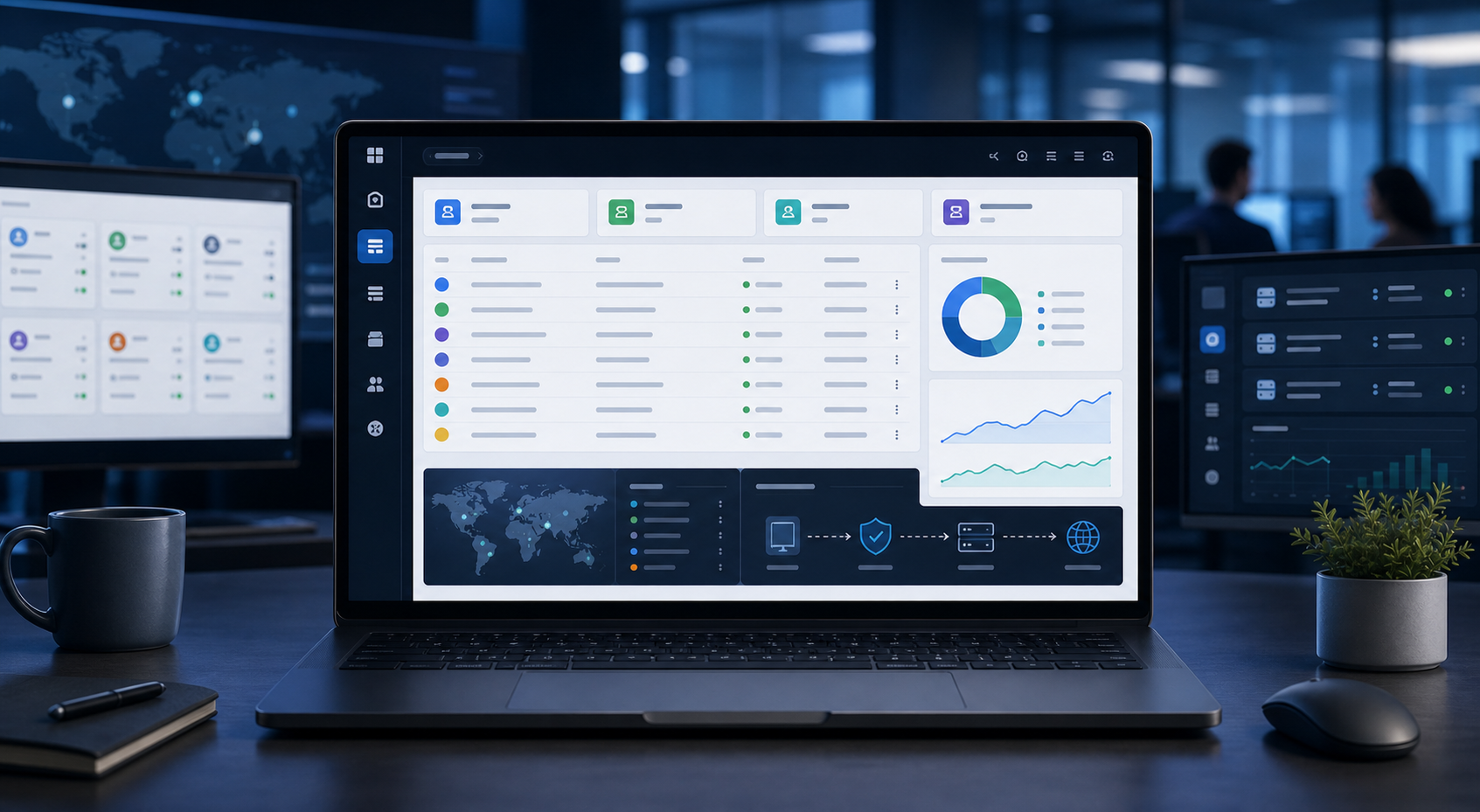
AdsPower is an antidetect and multi-profile browser built for people and teams that need separate browser environments for different accounts, clients, markets, or automated workflows. Its core value is not simply that it can change a browser fingerprint. The more practical benefit is operational separation: each profile can maintain its own cookies, local storage, browser history, proxy configuration, and other session data.
AdsPower is an antidetect and multi-profile browser built for people and teams that need separate browser environments for different accounts, clients, markets, or automated workflows. Its core value is not simply that it can change a browser fingerprint. The more practical benefit is operational separation: each profile can maintain its own cookies, local storage, browser history, proxy configuration, and other session data.
That makes AdsPower relevant to agencies, ecommerce operators, affiliate teams, ad verification specialists, and researchers who repeatedly move between browser identities or market contexts.
The direct answer is this: AdsPower is most compelling when browser profile separation is already a real workflow requirement and you also need proxy assignment, team permissions, or automation in the same system. It is probably excessive for a solo user who only wants private browsing, a VPN, or a second login.
What AdsPower Actually Does
A normal browser can create multiple profiles, but those profiles are primarily designed for convenience. An antidetect browser is designed to expose more control over the browser environment and the signals websites may observe.
AdsPower creates separate browser profiles. According to AdsPower's official profile documentation, each profile can keep browser information such as history, bookmarks, passwords, and settings separate. A profile can also be configured with its own proxy and fingerprint parameters.
The product currently offers two browser cores:
- SunBrowser, built on Chromium
- FlowerBrowser, built on Firefox
When you create a profile, you can set or generate parameters such as the user agent, operating system, language, time zone, WebRTC behavior, Canvas, WebGL, fonts, screen details, and other device-related signals.
This does not make a browser magically invisible. Browser authenticity and fingerprint consistency are moving targets. Research such as the ACM paper on Browser Polygraph shows why this field is more complicated than changing a user agent string. Detection systems can evaluate groups of browser signals and look for combinations that appear suspicious or internally inconsistent.
The right way to think about AdsPower is as an environment management layer. It gives you tools to create, organize, reuse, and automate separated browsing contexts.
For the LycheeIP implementation details behind this step, review LycheeIP proxy infrastructure.
For the LycheeIP implementation details behind this step, review static residential proxies.
For the LycheeIP implementation details behind this step, review AI-powered browser automation hub.
For the LycheeIP implementation details behind this step, review AI browser automation setup guide.
For the official technical reference behind this point, see Anthropic documentation.
For the official technical reference behind this point, see Gemini API documentation.
The Five Capabilities That Matter Most
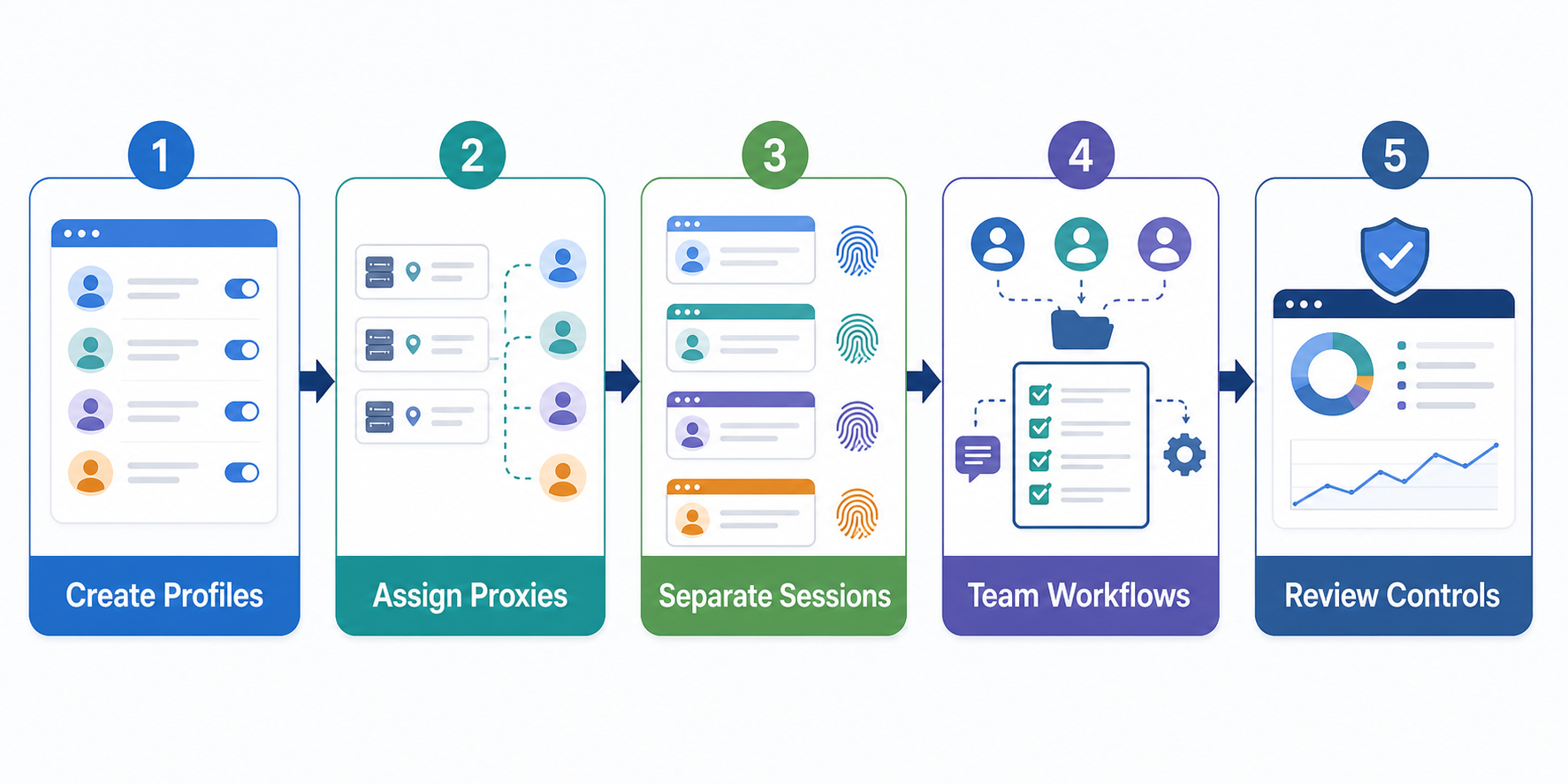
1. Isolated profiles reduce session cross-contamination
For teams managing many browser-based workflows, accidental mixing is often a larger operational risk than people realize.
Imagine an agency with eight client brands. Team members log into advertising accounts, social platforms, analytics dashboards, ecommerce backends, and research tools. If everything happens in one browser installation, cookies, saved logins, extensions, local storage, and browser history can become difficult to control.
AdsPower profiles provide a cleaner model. One client, market, store, or project can have a dedicated profile or profile group.
This is useful even before fingerprint customization enters the conversation.
A good profile structure might look like this:
- Client A: paid social
- Client A: ad verification US
- Client A: ad verification Germany
- Client B: marketplace operations
- Client B: product research
- Internal: SERP monitoring
The benefit is repeatability. A team member opens the correct profile instead of reconstructing the same browser context every time.
2. Proxy configuration is profile-level, not an afterthought
AdsPower's documentation allows custom proxy information to be attached to a profile and tested before the profile is opened. Saved proxies can also be selected from the proxy section.
That matters because IP location and browser settings should not be treated as unrelated layers.
For example, a profile configured with a European time zone and language but routed through an unrelated location may create an environment that does not match the intended use case. The exact relevance of these mismatches depends on the website and its risk systems, but operationally, teams should aim for logical consistency rather than randomly changing every available parameter.
Proxy selection should follow the task:
- Stable account sessions often benefit from a persistent, predictable IP strategy.
- Location-sensitive checks need an endpoint in the intended market.
- High-volume public-web collection may prioritize throughput and cost differently.
- Mobile-first testing may require network characteristics that a datacenter IP does not represent.
The mistake is assuming that an antidetect browser can compensate for a poor proxy strategy. It cannot. The browser environment and network route are different parts of the same workflow.
3. Team permissions make AdsPower more than a solo browser tool
AdsPower's member documentation says team administrators can add or remove members and assign permissions to browser profiles and team resources. Group-level controls can also be used to decide who can manage profiles in a group.
This is one of the stronger reasons for an agency or operations team to consider the platform.
Without a centralized system, multi-account access often drifts into unsafe habits:
- credentials stored in spreadsheets
- staff using personal browser profiles
- unclear ownership of active sessions
- duplicate logins from different devices
- former team members retaining access
- no clear profile naming convention
AdsPower does not solve access governance automatically, but it gives teams a structure to build on.
A sensible implementation should still use least-privilege access. Give a team member only the profile groups and automation permissions required for their role. AdsPower also documents account controls such as two-factor authentication and IP allowlisting in global settings. These controls are especially important when browser profiles contain authenticated sessions.
4. Built-in automation supports several levels of technical maturity
AdsPower is not limited to manual profile opening.
Its current automation stack includes a Synchronizer, RPA tools, and a Local API. The Synchronizer can copy actions from one opened profile to others. RPA provides no-code process automation. The Local API allows approved users to control profile operations programmatically, and AdsPower documentation also describes headless operation and API keys.
This creates three practical automation tiers:
Manual operations: A person opens the right profile and completes the task.
Assisted repetition: Synchronizer or RPA handles repetitive browser actions.
Programmatic orchestration: A developer or automation platform uses the Local API as part of a larger workflow.
The choice matters. Teams often jump to automation before defining a stable manual process. That usually creates fragile workflows at scale.
A better sequence is:
- Standardize the profile naming and proxy rules.
- Document the human workflow.
- Identify repetitive steps.
- Automate only the stable steps.
- Add logging, retries, and exception handling.
AdsPower's recent product direction is clearly expanding automation. Its official help center documents an MCP integration that lets AI tooling communicate with the Local API, and the May 2026 release notes added more network diagnostics and profile controls. That makes the platform increasingly relevant to browser automation teams, but it also increases the importance of permission management and workflow review.
5. Batch creation and grouping help at scale
Creating five profiles is easy in almost any tool. Managing hundreds is a different problem.
AdsPower supports quick creation of multiple profiles, profile groups, tags, and saved proxy workflows. Those features are less exciting than fingerprint settings, but they are essential for scaled operations.
The real question is whether the profile inventory remains understandable after six months.
A strong naming standard might include:
CLIENT | PLATFORM | MARKET | PURPOSE | OWNER
For example:
ACME | META | US | AD-VERIFY | TOLA
Groups can then represent clients or departments, while tags identify market, status, or workflow type.
Avoid names such as "Profile 17" or "New TikTok 2." Those labels become operational debt.
AdsPower Pros and Cons
Where AdsPower is strong
Centralized profile management: Profiles, proxies, groups, and permissions are managed in one operational system.
Multiple browser engines: Teams can work with Chromium-based SunBrowser or Firefox-based FlowerBrowser.
Automation options: Synchronizer, RPA, and Local API support different skill levels.
Team controls: Members and permissions make it more suitable for agencies and operational teams than a collection of local browser profiles.
Low-friction evaluation: The current official pricing page offers two free profiles, which is enough to test the workflow before migrating a larger setup.
Active product development: AdsPower release notes show frequent browser-kernel and workflow updates. In May 2026, the company announced Chrome 148 kernel support, network diagnostics, new profile settings, and proxy-management improvements.
Where AdsPower requires caution
More configuration creates more ways to make mistakes: A large fingerprint settings panel can encourage unnecessary tweaking. AdsPower's own documentation recommends keeping default fingerprint settings when you do not have a specific requirement.
It does not replace account governance: Shared browser profiles can still be mishandled if team permissions, offboarding, password management, and two-factor authentication are weak.
It does not guarantee platform compliance or account safety: Websites can enforce their own terms, identity checks, account rules, and anti-abuse controls. A separated browser profile is not permission to violate those policies.
Automation can amplify errors: A flawed manual action affects one profile. A flawed synchronized or automated action can affect many profiles quickly.
Proxy quality remains an external dependency: Connection stability, IP reputation, targeting, rotation, and session persistence depend on the proxy service and configuration you use.
Who Should Consider AdsPower?
Agencies managing multiple client environments
AdsPower is a strong fit when several people need controlled access to different client browser contexts.
The key benefit is not "hiding" the agency. It is separating client sessions, reducing login mix-ups, and making profile ownership clearer.
Ecommerce and marketplace operations teams
Teams working across separate brands, storefronts, regions, or research environments may benefit from profile isolation and repeatable proxy assignment.
Before using any multi-account workflow, confirm the marketplace's account and access policies. Some platforms explicitly regulate multiple seller accounts, linked businesses, delegated users, or geographic access.
Ad verification and localization teams
Ad and landing-page reviews are context-sensitive. Location, cookies, prior browsing, and account state can affect the experience being observed.
Dedicated profiles for each market can make repeated checks more consistent. A profile can be paired with a location-appropriate proxy and reused for future reviews.
Affiliate and campaign operations
Campaign teams often move between traffic sources, affiliate dashboards, landing pages, and local market checks. Separate profiles can keep campaign sessions organized.
The value increases when one operator is responsible for many workflows and needs a reliable way to reopen the right environment.
Automation and research teams
The Local API and RPA features make AdsPower relevant when browser profiles are part of a larger automation stack.
However, teams collecting web data should still respect applicable laws, access controls, website terms, and data-handling obligations. Browser automation and data access are governance questions as well as technical questions.
Who Probably Does Not Need AdsPower?
AdsPower is unlikely to be the right tool if your only goal is:
- browsing privately from your ISP
- encrypting all device traffic
- accessing a second personal email account
- using separate bookmarks for work and home
- opening an occasional incognito window
A VPN, a password manager, standard browser profiles, container tabs, or private browsing may be simpler depending on the problem.
You should also avoid adopting an antidetect browser simply because your current account is under enforcement. If a platform has suspended or restricted an account, the correct next step is to understand the platform's policy and appeal process. Trying to use new profiles to evade restrictions can create additional policy problems.
A Practical AdsPower Evaluation Checklist
Before paying for a larger plan, run a controlled pilot with the free profiles.
Step 1: Define the operational problem
Write one sentence explaining why ordinary browser profiles are insufficient.
Good example: "Three team members need to reopen the same market-specific verification environment without sharing personal browser sessions."
Weak example: "We heard antidetect browsers are useful."
Step 2: Build two real profiles
Use genuine workflow names. Configure only the parameters that matter. Add the intended proxy and use AdsPower's connection check.
Do not change fingerprint values randomly.
Step 3: Test handoff between team members
Confirm who can see, open, edit, or automate the profile. Review member and group permissions.
Step 4: Measure workflow improvement
Track practical outcomes:
- time to reopen the correct environment
- login mix-ups
- proxy configuration errors
- manual switching steps
- failed handoffs
- repetitive actions that could be automated
Step 5: Test failure scenarios
What happens when the proxy expires? What happens when a profile is locked by another member? What happens when an automation step fails halfway through?
AdsPower's network diagnostics and action controls can help with troubleshooting, but your team still needs an escalation process.
Step 6: Review security and policy requirements
Enable appropriate account protections. Decide how credentials are handled. Review the policies of every platform the team will access.
Only then should you decide whether to scale profile count or add automation.
Compare LycheeIP Proxy Options for Multi-Account Teams
Is AdsPower Worth It in 2026?
For multi-account teams, AdsPower is a serious workflow platform rather than a simple privacy browser. Its most useful combination is profile isolation, per-profile proxies, team permissions, and several automation paths in one interface.
The strongest use case is a team that already understands why it needs separated browser environments and wants to make that process repeatable.
The weakest use case is a user searching for a universal way to avoid detection, bypass enforcement, or fix poor account practices. No browser can remove the need for platform compliance, access governance, stable network infrastructure, and sensible automation design.
AdsPower is worth evaluating when profile operations are frequent enough to justify a dedicated system. Start small, use the default fingerprint strategy unless you have a defined technical reason to change it, test proxy consistency, and build permissions before automation.
Frequently Asked Questions
Is AdsPower a VPN?
No. AdsPower is a multi-profile antidetect browser. It can use a proxy for an individual browser profile, but it does not automatically encrypt and route all traffic from your device like a system-wide VPN.
Does AdsPower include proxies?
AdsPower supports proxy configuration and proxy-management workflows. Proxy availability and commercial arrangements can vary, so check the current product and pricing pages. You can also enter custom proxy credentials from a provider.
Can AdsPower run on Android or iPhone?
AdsPower's current desktop application supports Windows, macOS, and Linux. Its profile settings can emulate mobile-related browser environments, but that is not the same as running a native AdsPower app on an Android phone or iPhone.
Is AdsPower good for teams?
Yes, team management is one of its more practical strengths. AdsPower documents member permissions, profile-group authorization, RPA permissions, and unique API keys for team members with Local API access.
Should I customize every fingerprint setting?
Usually not. AdsPower's own profile documentation recommends leaving automatically generated fingerprint settings at their defaults when you do not have specific requirements. Consistency is more useful than random customization.
Can AdsPower guarantee that accounts will not be linked or suspended?
No. Websites use their own risk, identity, behavioral, and policy systems. Browser profile isolation can reduce accidental session mixing, but it cannot guarantee an account outcome.
Related LycheeIP Guides and Resources

Recommended Articles

DataDome Bypass for Web Scraping
DataDome Bypass for Web Scraping
View Details
Web Scraping Rate Limiting: How to Handle 429s, Backoff, and Concurrency
Web scraping rate limiting is the engineering discipline of keeping an authorized collection workload inside a target service's acceptable request envelope. When that envelope is exceeded, a server may respond with HTTP 429 Too Many Requests, delay responses, or apply other controls.
View Details
reCAPTCHA vs hCaptcha vs Cloudflare Turnstile: What Scraping Teams Need to Know
If an authorized data-collection workflow suddenly stops at a verification screen, identifying the protection system matters before you change code, browser settings, or proxy infrastructure. reCAPTCHA vs hCaptcha vs Turnstile is not simply a branding comparison. The three systems can expose different browser flows, token models, risk decisions, and failure symptoms.
View Details
Browser Automation Proxies: IPs, Geo-Targeting, Sessions, and AI Agents
A browser automation proxy belongs to the network layer of Playwright, Selenium, cloud-browser, and AI-agent workflows. It changes how browser traffic is routed and can affect the source IP address, geographic egress, and session continuity seen by a destination site. It does not improve an AI model's reasoning, repair browser logic, or guarantee that a website will accept the session.
View Details
SERP Scraping: Methods, APIs, Workflows, and Best Practices
SERP scraping is the automated collection of information from search engine results pages. A SERP scraper can capture organic rankings, advertisements, featured snippets, People Also Ask questions, local results, shopping listings, images, and other search features, then convert them into structured data for analysis.
View Details