
Datacenter vs Residential vs ISP Proxies: How to Choose the Right IP Type
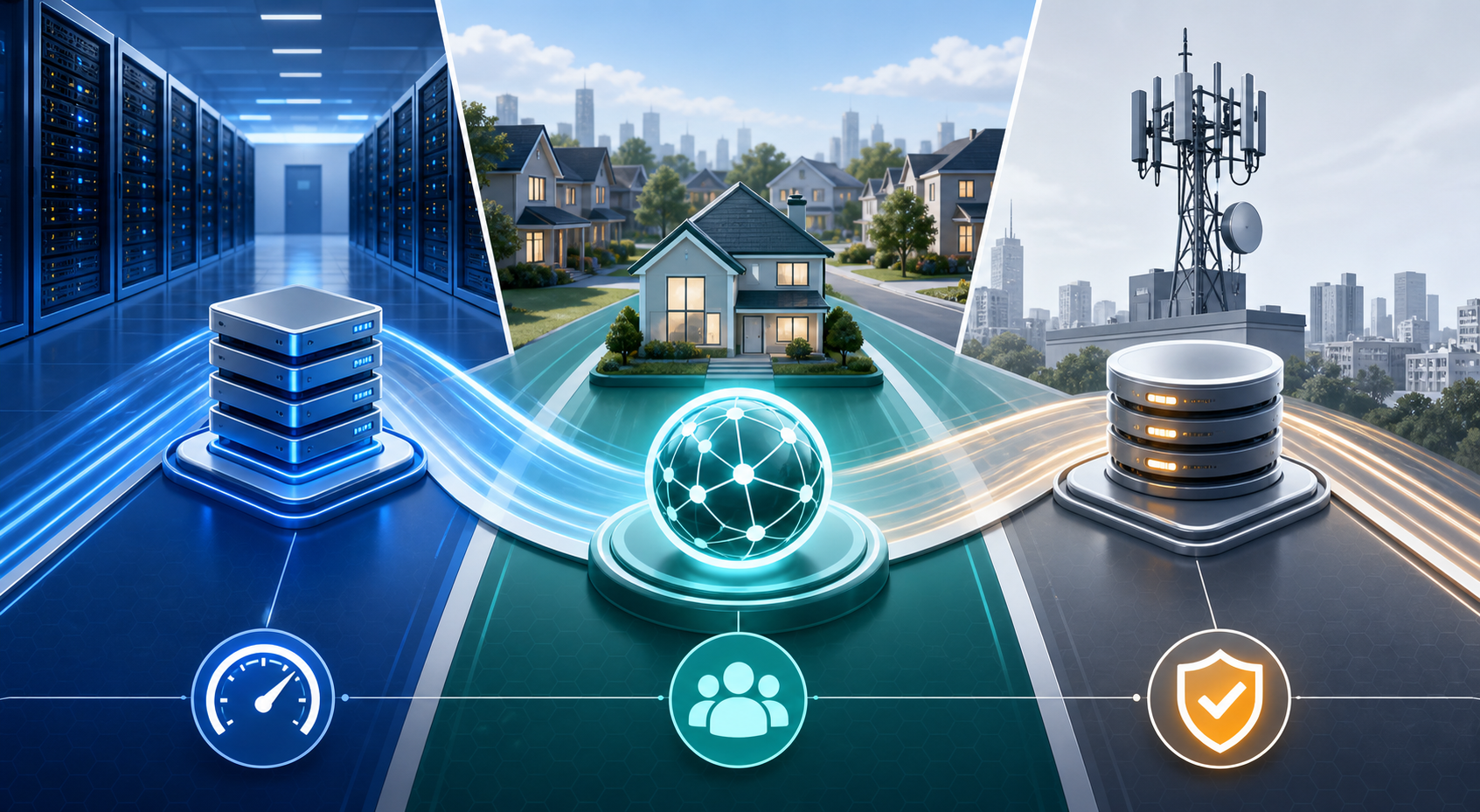
This guide focuses on IP origin, trust signals, and use-case fit, not whether the proxy is private or shared.
If you are comparing datacenter vs residential proxies, the real question is not “which proxy is best?” It is “which IP origin fits the job?”
Datacenter proxies, residential proxies, and ISP proxies can all route your traffic through another proxy IP, but they do not carry the same trust signals. Some are built for speed and scale. Some are built for realism. Some are built for stable sessions that need to look more natural than regular datacenter traffic.
You will learn:
- The real difference between datacenter, residential, and ISP proxies
- When each proxy type makes sense
- Which proxy type fits web scraping, SEO rank tracking, and account workflows
- What to test before buying at scale
- How to avoid wasting money on the wrong proxy IP type
For the LycheeIP implementation details behind this step, review static residential proxies.
What is the real difference between datacenter, residential, and ISP proxies?
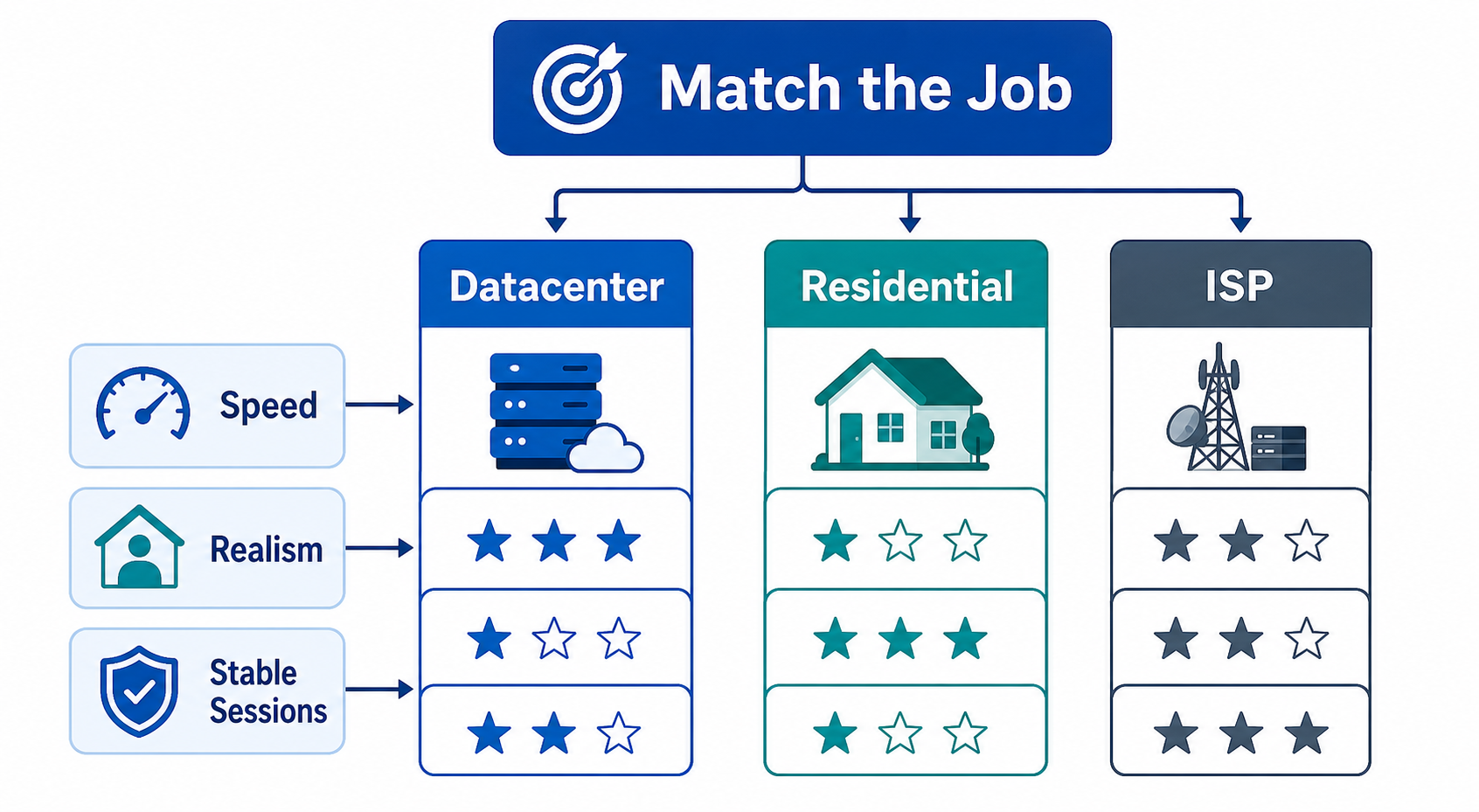
The real difference is where the proxy IP comes from and how websites are likely to evaluate it.
A datacenter proxy uses an IP address associated with server infrastructure. These IPs are usually fast, stable, and cost-efficient. They work well for many lower-risk tasks, but some websites can identify them as hosting or cloud-based IPs.
A residential proxy uses an IP address associated with a real residential internet connection. This can make the request look closer to normal consumer traffic. Residential proxies are often used when location realism and trust signals matter more than raw speed.
An ISP proxy, often called a static residential proxy, sits in the middle. It usually uses an ISP-associated IP with more stable hosting and longer session consistency. This makes ISP proxies useful when you need both stronger trust signals and a more stable identity than rotating residential access.
Any of these can be private, shared, or dedicated depending on provider setup. That is important. “Datacenter,” “residential,” and “ISP” describe IP origin. “Private,” “shared,” and “dedicated” describe who else uses the IP.
For the LycheeIP implementation details behind this step, review rotating residential proxies.
So the decision has two layers:
This article focuses on the first layer.
When should you use datacenter proxies?
You should use datacenter proxies when speed, cost efficiency, uptime, and scale matter more than residential realism.
Datacenter proxies are often the easiest proxy type to understand. They usually perform well, respond quickly, and support high-volume workflows. They can be a strong fit for teams that need stable infrastructure without paying for residential-level trust signals.
Best for speed and cost efficiency
Datacenter proxies are usually the best fit when you need fast response times and predictable performance.
They are often used for:
- Large-scale crawling of low-risk public pages
- SEO tool workflows
- Market research tasks
- Basic automation checks
- Bulk testing
- Monitoring pages that do not aggressively filter datacenter traffic
If your target website accepts datacenter traffic without constant blocks, datacenter proxies can be the most practical option.
Best for lower-risk scraping and SEO tools
For many web scraping proxies, the first test should not automatically be residential. Start with the lowest proxy type that can reliably complete the job.
Datacenter proxies may work well for:
- Public data collection
- Search result checks at broad scale
- Site monitoring
- Price tracking on less-protected pages
- Technical QA
- Index or availability checks
They are especially useful when the task does not require a user-like residential identity.
Not ideal for highly protected websites
Datacenter proxies are weaker when the target website aggressively checks IP origin or blocks hosting networks.
They may fail more often on:
- Login-heavy platforms
- High-fraud-risk websites
- Ticketing and marketplace sites
- Sensitive ecommerce flows
- Sites with strict anti-bot systems
- Platforms that heavily restrict automation
If datacenter proxies trigger frequent blocks even with clean request behavior, it may be time to test residential or ISP proxies.
For the LycheeIP implementation details behind this step, review AI-powered browser automation hub.
For the official technical reference behind this point, see Anthropic documentation.
When should you use residential proxies?
You should use residential proxies when location realism, consumer-like IP origin, and higher trust signals matter more than raw speed.
Residential proxies are commonly used when the destination website treats home-network traffic differently from server-network traffic. They can help with workflows where the IP needs to look closer to a normal user’s internet connection.
Best for local realism
Residential proxies are useful when location accuracy matters.
Examples include:
- Checking localized search results
- Verifying regional content
- Testing location-based pricing
- Viewing country-specific landing pages
- Monitoring ads in specific regions
- Testing user experiences from different markets
For example, a team doing private proxy USA testing may use residential proxies when it needs traffic to appear from a normal US-based connection rather than a hosting environment.
Best for ad verification and market research
Residential proxies can be useful when teams need to see what real users in different regions may see.
This can support:
- Ad verification
- Brand monitoring
- Localized market research
- Ecommerce availability checks
- Regional content checks
- Competitive intelligence where allowed
The value here is not just access. It is realism. The proxy IP should match the market being tested.
Useful when datacenter IPs get blocked too quickly
Residential proxies are often the next step when datacenter proxies fail despite careful setup.
But this does not mean they solve every problem. If your script sends too many requests, ignores session behavior, or creates strange browser fingerprints, residential proxies can still get blocked. A more realistic IP cannot fully cover poor automation design.
Use residential proxies when the IP origin is the bottleneck. Do not use them to hide bad request patterns.
When should you use ISP proxies?
You should use ISP proxies when you need stronger trust signals than datacenter proxies and more stable sessions than rotating residential proxies.
ISP proxies are often useful for workflows that need a consistent identity. They can be helpful when you want an IP that looks more residential in origin but behaves with the stability of a hosted proxy.
Best for static sessions
ISP proxies are a strong fit when the same workflow needs the same IP for longer periods.
Use them when you need:
- Stable logins
- Long sessions
- Consistent location
- Repeated testing from the same IP
- Lower session disruption
- Better reliability than rotating IPs
This is why static residential proxies are often discussed alongside ISP proxies. The main value is not constant rotation. The main value is a stable proxy IP with stronger trust signals.
Best for account workflows and long-lived logins
For account workflows, frequent IP changes can create problems. If one account logs in from many unrelated IPs, the platform may treat the behavior as suspicious.
ISP proxies can help maintain consistency for:
- Marketplace QA
- Social account workflows where allowed
- Browser profile management
- Account testing
- Long-running dashboards
- Internal monitoring tools
A good rule is: stable account, stable IP, stable environment.
Strong fit for fintech QA, sneaker tools, and marketplace testing where allowed
ISP proxies may be useful in sensitive workflows where consistency and trust signals matter.
Examples include:
- Fintech app testing
- Marketplace checkout QA
- Regional login testing
- Sneaker or retail automation where permitted
- Fraud-prevention testing
- Long-session monitoring
However, proxy use must stay within platform rules, legal requirements, and internal compliance policies. A proxy type decision should never be treated as permission to bypass restrictions.
Which proxy type is best for web scraping?
The best proxy type for web scraping depends on target sensitivity, volume, session requirements, and how the website responds to different IP origins.
For low-risk public data scraping, datacenter proxies may be enough. They are fast, scalable, and cost-efficient.
For websites that block hosting IPs quickly, residential proxies may perform better because the IP origin looks more like consumer traffic.
For scraping that requires stable sessions, logged-in flows, or long-running interactions, ISP proxies may be a stronger fit.
For the LycheeIP implementation details behind this step, review LycheeIP proxy infrastructure.
For the official technical reference behind this point, see MDN HTTP overview.
Here is a practical breakdown:
Do not solve bad scraping with expensive proxies.
Before upgrading proxy type, check:
- Are requests too frequent?
- Are headers inconsistent?
- Are cookies handled correctly?
- Is the browser fingerprint realistic?
- Are you respecting robots, terms, and access rules?
- Are you logging response codes and failure patterns?
If the workflow is poorly designed, a more expensive proxy may only fail more expensively.
Which proxy type is best for SEO rank tracking?
The best proxy type for SEO rank tracking depends on how precise and local the rank data needs to be.
Datacenter proxies may work for broad, low-risk rank checks. They are fast and efficient when you need to check many keywords at scale and the search workflow does not require strong local realism.
Residential proxies are useful when the ranking result depends on user-like location signals. This can matter for local SEO, regional content checks, and SERP testing from specific countries or cities.
ISP proxies can be a strong fit when the same location needs to be checked repeatedly with more session stability.
For USA-focused SEO checks, a private proxy USA setup may need different levels of precision:
The goal is not just to get a result. The goal is to get a result that reflects the location and conditions you are trying to measure.
How should you choose between proxy types?
Choose the proxy type by scoring speed, cost, realism, session stability, and target sensitivity.
Use this decision rule:
Choose datacenter proxies when you need scale, speed, and cost control.
Choose residential proxies when you need stronger location realism and consumer-like IP signals.
Choose ISP proxies when you need stable sessions with stronger trust signals than regular datacenter proxies.
A simple decision flow:
- Does the target accept datacenter traffic without frequent blocks?
Start with datacenter proxies.
- Does the workflow need realistic country, state, or city-level traffic?
Test residential proxies.
- Does the workflow need the same IP for long sessions or accounts?
Test ISP proxies.
- Are failures still happening across all proxy types?
Audit behavior, browser fingerprinting, request pacing, and policy fit.
What should you test before buying at scale?
Before buying at scale, test the proxy type against your real workflow, not a generic speed test.
Measure these factors:
Target response codes
Track 200, 301, 302, 403, 407, 429, 500, and timeout patterns. Response codes often reveal whether the issue is access, authentication, rate limits, or infrastructure.
CAPTCHA frequency
CAPTCHAs may suggest that the target sees the traffic as risky. This can come from IP origin, behavior, session history, or browser signals.
Latency
Low latency matters for scraping, rank tracking, app testing, and automation. Compare latency across locations and proxy types.
Geo accuracy
Check whether the proxy IP actually resolves to the country, state, or city needed for the task. This matters for private proxy USA workflows, local SEO, ad checks, and regional testing.
Session stability
Test whether the IP stays consistent long enough for your workflow. This is especially important for account work, checkout testing, dashboards, and repeated QA.
Cost per successful request
Do not only compare price per IP or price per GB. Compare the cost of successful outcomes after blocks, retries, timeouts, and manual fixes.
A small test can prevent a large waste of budget.
Why LycheeIP fits this decision stage
LycheeIP is useful for teams that need to match proxy type to a real workflow instead of guessing.
If your priority is speed and cost efficiency, compare datacenter proxy options. If your priority is local realism, evaluate residential proxies. If your priority is stable sessions and stronger trust signals, look at ISP or static residential proxy setups.
The strongest proxy setup is not always the most expensive one. It is the one that matches the target, traffic pattern, session length, and risk level.
Match LycheeIP IP Types to Your Use Case
Final recommendation
Use datacenter proxies when speed, scale, and cost control matter most.
Use residential proxies when location realism and consumer-like trust signals matter most.
Use ISP proxies when you need stable sessions, long-lived identity, and a middle ground between datacenter performance and residential trust.
Before scaling, test the proxy type against your real workflow, measure success rate, and choose based on evidence.
Frequently Asked Questions
Are residential proxies better than datacenter proxies?
Residential proxies are better when the task needs stronger location realism or consumer-like trust signals. Datacenter proxies are better when speed, cost efficiency, and scale matter more than IP realism.
Are ISP proxies the same as static residential proxies?
In many provider contexts, ISP proxies and static residential proxies refer to similar products. They usually describe stable proxy IPs associated with internet service providers and designed for longer sessions.
Which proxy type is fastest?
Datacenter proxies are usually the fastest because they run on server infrastructure. ISP proxies can also be fast and stable, while residential proxies may vary more because they depend on residential network conditions.
Which proxy type is best for web scraping?
For low-risk public scraping, datacenter proxies are often a good starting point. For protected targets, local content, or higher trust requirements, residential or ISP proxies may perform better.
Which proxy type is best for account management?
ISP proxies are often the strongest fit for account management because they support stable sessions and stronger trust signals. The account, browser profile, cookies, location, and proxy IP should stay consistent.
Are datacenter proxies bad?
No. Datacenter proxies are not bad. They are fast, affordable, and useful for many tasks. They only become a poor fit when the target website aggressively blocks hosting or server-based IPs.
Do residential proxies prevent blocks?
Residential proxies can reduce some IP-origin-related blocks, but they do not prevent all blocks. Websites may still evaluate request behavior, fingerprints, sessions, cookies, and account history.
Should I start with residential proxies or datacenter proxies?
Start with datacenter proxies if your target is low-risk and speed matters. Start with residential proxies if location realism or consumer-like trust signals are central to the task.
What is the best proxy type for USA targeting?
For broad USA access, datacenter proxies may work. For more realistic USA traffic, US residential proxies or ISP proxies are usually better. For city-level testing, confirm that the provider supports the exact location you need.
How do I know if I chose the wrong proxy type?
You may have chosen the wrong type if you see repeated blocks, location mismatches, login challenges, high CAPTCHA rates, or unstable sessions even with careful request behavior.
Related LycheeIP Guides and Resources

Recommended Articles

DataDome Bypass for Web Scraping
DataDome Bypass for Web Scraping
View Details
Web Scraping Rate Limiting: How to Handle 429s, Backoff, and Concurrency
Web scraping rate limiting is the engineering discipline of keeping an authorized collection workload inside a target service's acceptable request envelope. When that envelope is exceeded, a server may respond with HTTP 429 Too Many Requests, delay responses, or apply other controls.
View Details
reCAPTCHA vs hCaptcha vs Cloudflare Turnstile: What Scraping Teams Need to Know
If an authorized data-collection workflow suddenly stops at a verification screen, identifying the protection system matters before you change code, browser settings, or proxy infrastructure. reCAPTCHA vs hCaptcha vs Turnstile is not simply a branding comparison. The three systems can expose different browser flows, token models, risk decisions, and failure symptoms.
View Details
Browser Automation Proxies: IPs, Geo-Targeting, Sessions, and AI Agents
A browser automation proxy belongs to the network layer of Playwright, Selenium, cloud-browser, and AI-agent workflows. It changes how browser traffic is routed and can affect the source IP address, geographic egress, and session continuity seen by a destination site. It does not improve an AI model's reasoning, repair browser logic, or guarantee that a website will accept the session.
View Details
SERP Scraping: Methods, APIs, Workflows, and Best Practices
SERP scraping is the automated collection of information from search engine results pages. A SERP scraper can capture organic rankings, advertisements, featured snippets, People Also Ask questions, local results, shopping listings, images, and other search features, then convert them into structured data for analysis.
View Details