
Crunchyroll Access Problems: Diagnose Region and Network Issues
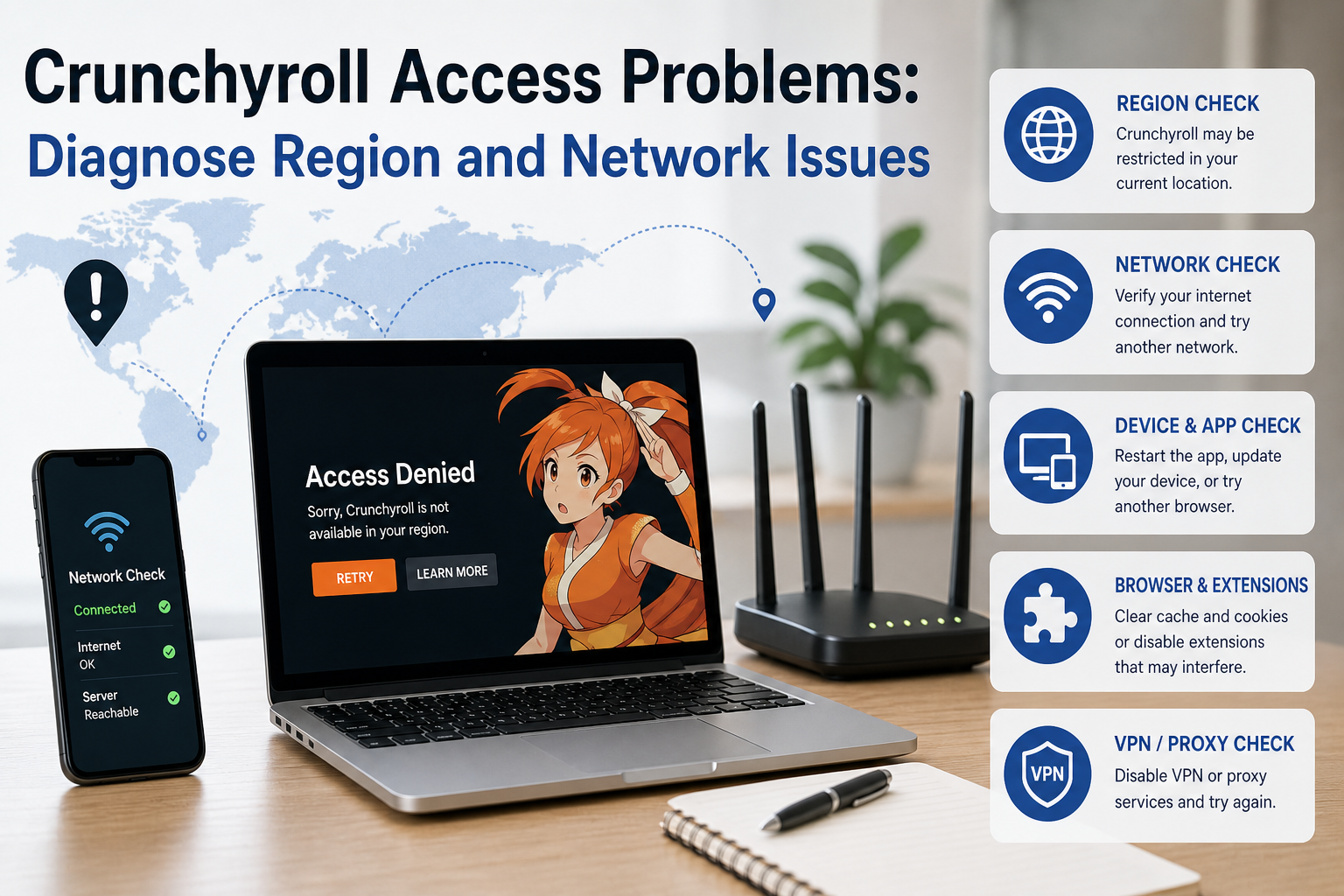
Crunchyroll blocked or not loading? Diagnose regional, browser, account, and network issues, then choose the safest fix for your situation.
crunchyroll-access-problems
Trying to get Crunchyroll unblocked is easier when you first identify what is actually failing. This guide separates regional availability from browser, app, account, and network problems, then explains when IP routing can help and when it can make playback worse.
If you are trying to unblock Crunchyroll, do not assume every blank page, missing show, or playback error is a geographic block. Crunchyroll access problems can come from regional licensing, browser extensions, cached data, account state, local network policies, DNS behavior, or an IP route the service does not trust.
What Does "Crunchyroll Blocked" Actually Mean?
"Crunchyroll blocked" can describe several different failures that look similar to the viewer but require different solutions.
A regional catalog issue usually affects a specific title or group of titles. The website may load normally, your account may work, and other anime may play, but a particular show is missing or unavailable. This commonly reflects territorial licensing.
A network restriction is broader. Crunchyroll may fail to open on school, office, hotel, or managed Wi-Fi while working on mobile data. The network may filter streaming categories, enforce DNS policies, or use an administrator-controlled firewall.
A browser or app problem often affects one device. You may see a spinning player, a blank page, failed login loop, subtitle problem, or repeated playback error. Cached data, an extension, corrupted app files, or an outdated client can be responsible.
An IP or routing problem can appear when the service interprets your connection unexpectedly. This is more likely when you recently changed networks, started traveling, enabled a VPN or proxy, or moved between mobile and Wi-Fi connections.
For the LycheeIP implementation details behind this step, review static residential proxies.
For the LycheeIP implementation details behind this step, review rotating residential proxies.
For the official technical reference behind this point, see MDN HTTP overview.
Before changing tools, classify the failure.
Symptom | Most likely starting point | First test Whole site fails on one Wi-Fi network | Local network or DNS restriction | Try mobile data One title is missing but others play | Regional licensing or catalog availability | Check another title Player fails only in one browser | Cache, cookies, or extension conflict | Use a clean browser profile App fails but browser works | App data or app version | Update or reinstall the app Problem started after enabling a VPN or proxy | IP route or unsupported network path | Turn it off and retest Same error on every device and network | Account or service-side issue | Check account state and support
This distinction matters because a proxy cannot repair corrupted app storage, an expired session, or a browser extension that breaks the player.
For the LycheeIP implementation details behind this step, review AI-powered browser automation hub.
For the official technical reference behind this point, see Anthropic documentation.
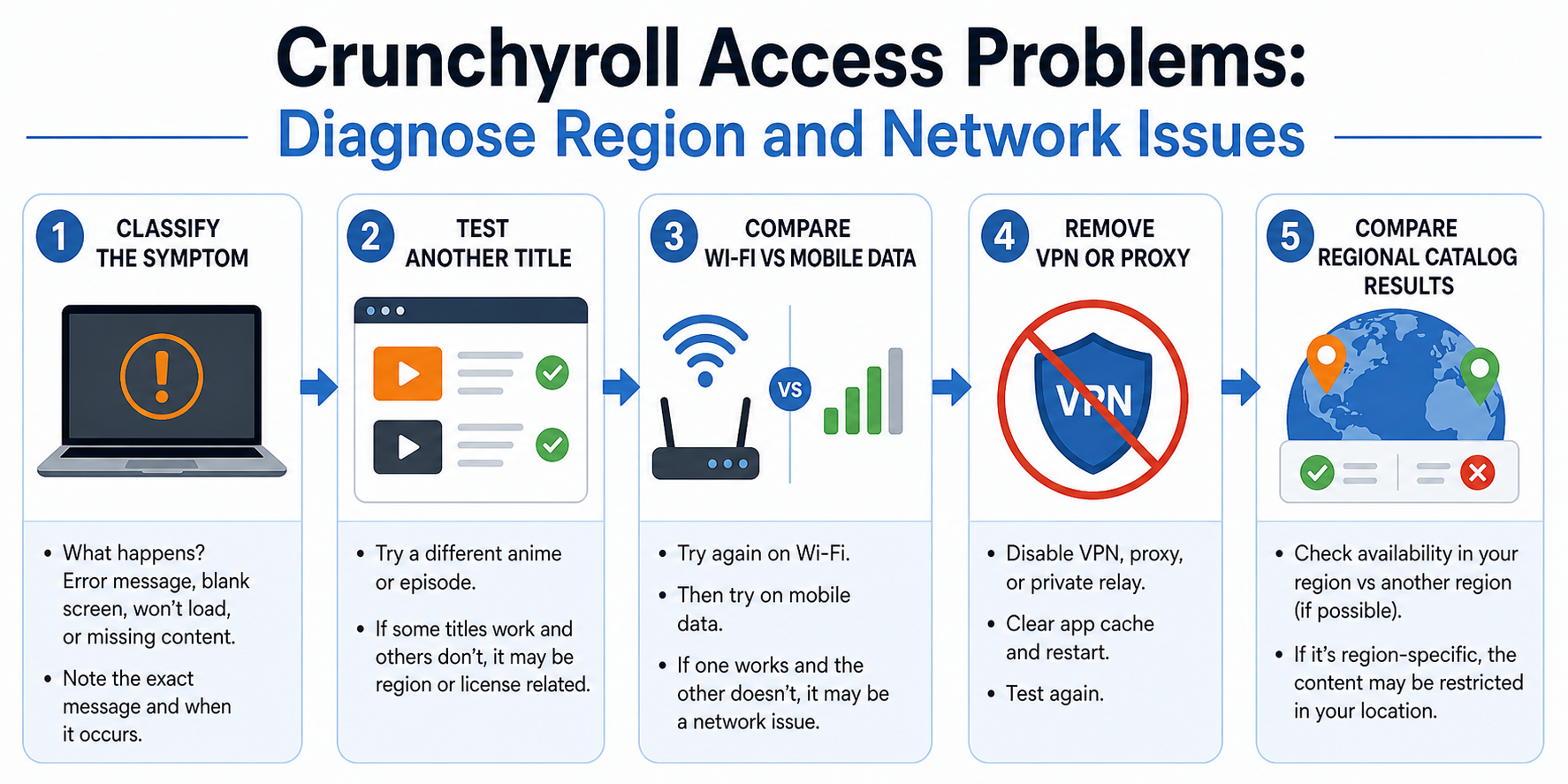
How Should You Diagnose Crunchyroll Access Before Changing Your IP?
Use a controlled troubleshooting sequence and change one variable at a time. Randomly switching browsers, DNS servers, proxies, and accounts makes it harder to identify the actual cause.
Start with these steps:
- Reproduce the problem and record the exact symptom.
Note whether the site fails to load, login fails, the catalog changes, the video player spins, subtitles disappear, or one title is unavailable. Capture the error code or exact wording if one appears.
- Test the same title or page in a clean browser session.
Use a browser profile with extensions disabled. Sign in normally and retry. If the problem disappears, an ad blocker, script blocker, privacy extension, or stale browser data may be interfering.
- Compare the app with the browser.
If the mobile app fails but the website works, focus on the app. Update it, clear its cache where your device permits that, restart the device, and reinstall the app if necessary.
- Compare two networks.
Switch from Wi-Fi to mobile data, or from one trusted network to another. If Crunchyroll works immediately on the second connection, the first network is the strongest suspect.
- Remove existing VPN or proxy routes.
This step is important. Streaming platforms can treat VPN and proxy IPs differently, and an unstable or mismatched route may create the very error you are trying to solve. Test the direct connection as a control.
- Check whether the problem affects one title or the entire catalog.
A title-specific problem is more consistent with regional rights or content availability than a general network block.
- Escalate with useful evidence.
When the problem persists, collect the device, browser or app version, country or region, connection type, error code, and screenshots. A clear report is more useful than simply saying "Crunchyroll is blocked."
This workflow creates a baseline. Only after you know what works and what fails should you test a different IP route.
Why Can Crunchyroll Content Differ by Country?
Streaming catalogs can differ because distribution rights are licensed by territory. A title that appears in one country may be absent or unavailable in another even when both users have valid Crunchyroll accounts.
This is why changing the language or searching for a different version of a show does not always solve the problem. A dub, subtitle track, season, or individual title may have separate availability conditions.
The practical lesson is simple: first distinguish catalog availability from service access.
If Crunchyroll opens, you can log in, and many titles play, the service itself is probably not "blocked" in the broad sense. The issue may be the rights attached to the specific content you want.
Do not rely on articles that promise a universal "full library" location. Catalogs and licensing arrangements can change. A country that offers a title today may not be the best reference point later, and a platform can update how it handles network location signals.
When Can a Proxy Help With Crunchyroll Access Testing?
A proxy can be useful when you need to determine whether an access problem is linked to the public IP address or network location seen by a website. It is a routing tool, not a universal streaming fix.
For example, a legitimate support, quality assurance, or localization team may need to compare how a web property responds from several markets. A proxy with location targeting can provide a controlled external vantage point without physically placing a tester in each country.
For a consumer troubleshooting a home network, a proxy test can also reveal whether the direct IP route is part of the problem. The test should be compared with a direct connection and another trusted network.
For the LycheeIP implementation details behind this step, review LycheeIP proxy infrastructure.
The proxy type matters.
Residential proxies use IP addresses associated with consumer internet networks. They are often chosen for location-sensitive web testing because the network origin more closely resembles ordinary household traffic.
ISP proxies are typically stable IPs associated with internet service provider networks but hosted on infrastructure designed for consistent sessions. Their long-lived identity can be useful when a test requires the same IP through login, navigation, and playback checks.
Datacenter proxies are fast and cost-efficient, but their network ownership is easier to classify as hosting infrastructure. They may be useful for basic reachability tests, yet they are not always representative of a normal viewer connection.
Mobile proxies route traffic through mobile network infrastructure. They are relevant when the test question is specifically about mobile-network behavior or carrier-level location signals. They are usually unnecessary for ordinary desktop streaming diagnosis.
A proxy only changes part of the environment. Browser language, cookies, account history, DNS behavior, time zone, device signals, and platform-side account rules can still influence the result.
Should You Use a Rotating or Sticky Proxy for Crunchyroll?
A sticky proxy is the better choice for most controlled streaming tests because it keeps the same public IP during a defined session.
Rotating proxies are designed for workloads that benefit from distributing requests across many addresses. That can be useful in public-data collection and large-scale testing, but constant rotation is a poor fit for a normal signed-in viewing session.
Consider the difference:
Task | Better session model | Why Check whether a page loads from one market | Sticky | Preserves a consistent test origin Sign in and reproduce a playback error | Sticky | Reduces mid-session IP changes Compare the same page across five countries | Separate sticky session per country | Creates clean market-by-market evidence Large-scale public web measurement | Rotating, where permitted | Distributes independent requests Continuous video playback | Stable direct or sticky route | Frequent IP changes can disrupt sessions
The best configuration is the one that represents the user journey you are testing. Do not choose rotation simply because it sounds more advanced.
Why Can a Proxy Make Crunchyroll Work Worse?
A poor proxy can add latency, reduce throughput, expose an inconsistent location, or use an IP range that the service treats cautiously.
Five common failure patterns are worth checking.
First, the proxy location and account context may conflict. A sudden jump between countries can trigger additional checks or produce confusing catalog behavior.
Second, the IP can be overused. Shared infrastructure may have a history of high-volume traffic, repeated logins, or abuse from unrelated users.
Third, the session may rotate too often. Video streaming uses many requests. Changing the public IP during the session can make the connection less consistent.
Fourth, the proxy may handle only browser traffic. Smart TV apps, mobile apps, consoles, and background services may use different network paths. A browser extension does not automatically route every device on your network.
Fifth, DNS and WebRTC behavior can complicate testing. Even when the web request uses a proxy, other network signals may not match the expected test environment. The goal of troubleshooting is not to "hide everything." It is to know exactly which traffic path you changed.
If a problem begins after enabling a proxy, turn it off and retest. The proxy is part of the test environment, so it must remain a suspect.
How Do You Test Crunchyroll From Multiple Regions Without Creating Bad Data?
Create a simple geo-testing matrix and repeat the same steps in every market.
Define the test page or title, device type, account state, browser version, language, test time, and expected result. Then assign one controlled network location to each test run.
A useful record might include:
Test ID Country Proxy type IP session ID Browser profile Signed in or signed out Title or page tested Page loaded Title visible Playback started Error text Timestamp Screenshot reference
Run a direct-connection control before the regional tests. Without a control, you may mistake a browser bug for a location difference.
Use a fresh browser profile when you need to reduce history and personalization effects, but do not clear data halfway through a single test. Consistency is more important than constantly creating a "clean" environment.
For repeated QA, keep a known-good proxy endpoint in each target market. That gives you a stable benchmark when a new route fails.
This is where LycheeIP can fit naturally into a business testing workflow. Developer and QA teams can use location-targeted proxy infrastructure to create repeatable regional test sessions, compare direct and proxied results, and preserve sticky connections where a multi-step flow needs one IP. The proxy should support the test plan, not replace it.
Test regional streaming access with LycheeIP proxies
What Are the Assumptions and Limitations of This Guide?
This guide assumes you are troubleshooting your own access, performing authorized QA, or testing location-sensitive behavior for a legitimate business purpose.
It also assumes that platform rules, title availability, and network controls can change. A test result is a snapshot of the conditions at that time.
A proxy can change the apparent network origin of web traffic, but it cannot guarantee catalog rights, account eligibility, subscription behavior, or uninterrupted playback. It also does not automatically control every device or application on your network.
For paid subscriptions and regional content, review the current service terms and support guidance before changing location routes. When a title is not licensed in your region, the supported path is to use content available for your market or wait for availability to expand.
Frequently Asked Questions
Is Crunchyroll blocked in my country?
A missing title does not necessarily mean the entire service is blocked. First test whether the homepage, login, and other titles work. Catalog availability can vary by region.
Why does Crunchyroll work on mobile data but not Wi-Fi?
The Wi-Fi network may use filtering, DNS controls, firewall rules, or a problematic shared IP route. Compare both networks with the same device and browser before changing other settings.
Can a proxy unblock Crunchyroll?
A proxy can change the public IP and network location seen by a website, which may be useful for authorized regional testing or diagnosing an IP-route problem. It is not a guaranteed fix, and the platform may not support proxy-based access for unavailable regional content.
Which proxy type is best for Crunchyroll testing?
Residential or ISP proxies are usually more representative of consumer internet connections. ISP proxies are especially useful when you need a stable IP throughout a multi-step test.
Should I use a rotating proxy for streaming?
Usually not. A sticky session is easier to troubleshoot and better represents a consistent viewing session. Rapid IP rotation can introduce new failures.
Why is Crunchyroll not loading after I turned on a proxy?
The proxy may be slow, unstable, poorly routed, overused, or in a location that conflicts with your session. Disable it, test the direct connection, and reintroduce the proxy only after you have a working control.
Can a browser proxy extension route Crunchyroll on my smart TV?
No. A browser extension normally affects that browser, not your smart TV, console, or every application on the network. Device-wide routing requires a different network configuration.
How do I know whether the problem is regional or technical?
If one title is unavailable while the rest of the service works, start with regional availability. If the whole service fails only on one browser, device, or network, troubleshoot that environment first. Conclusion Getting Crunchyroll unblocked starts with identifying what is actually blocked. Regional title availability, managed network policies, browser extensions, app problems, and unstable IP routes can all produce similar symptoms. Build a direct-connection baseline, test one variable at a time, and use a proxy only when the public IP or test location is genuinely relevant. For authorized geo-testing, choose a stable location-targeted route, preserve the session, capture evidence, and compare every result with a control. The useful question is not "Which tool bypasses Crunchyroll fastest?" It is "Which layer is failing, and what is the smallest change that proves it?"
Related LycheeIP Guides and Resources

Recommended Articles

DataDome Bypass for Web Scraping
DataDome Bypass for Web Scraping
View Details
Web Scraping Rate Limiting: How to Handle 429s, Backoff, and Concurrency
Web scraping rate limiting is the engineering discipline of keeping an authorized collection workload inside a target service's acceptable request envelope. When that envelope is exceeded, a server may respond with HTTP 429 Too Many Requests, delay responses, or apply other controls.
View Details
reCAPTCHA vs hCaptcha vs Cloudflare Turnstile: What Scraping Teams Need to Know
If an authorized data-collection workflow suddenly stops at a verification screen, identifying the protection system matters before you change code, browser settings, or proxy infrastructure. reCAPTCHA vs hCaptcha vs Turnstile is not simply a branding comparison. The three systems can expose different browser flows, token models, risk decisions, and failure symptoms.
View Details
Browser Automation Proxies: IPs, Geo-Targeting, Sessions, and AI Agents
A browser automation proxy belongs to the network layer of Playwright, Selenium, cloud-browser, and AI-agent workflows. It changes how browser traffic is routed and can affect the source IP address, geographic egress, and session continuity seen by a destination site. It does not improve an AI model's reasoning, repair browser logic, or guarantee that a website will accept the session.
View Details
SERP Scraping: Methods, APIs, Workflows, and Best Practices
SERP scraping is the automated collection of information from search engine results pages. A SERP scraper can capture organic rankings, advertisements, featured snippets, People Also Ask questions, local results, shopping listings, images, and other search features, then convert them into structured data for analysis.
View Details