
Best YouTube Proxy by Use Case: Streaming, Geo QA, and Data
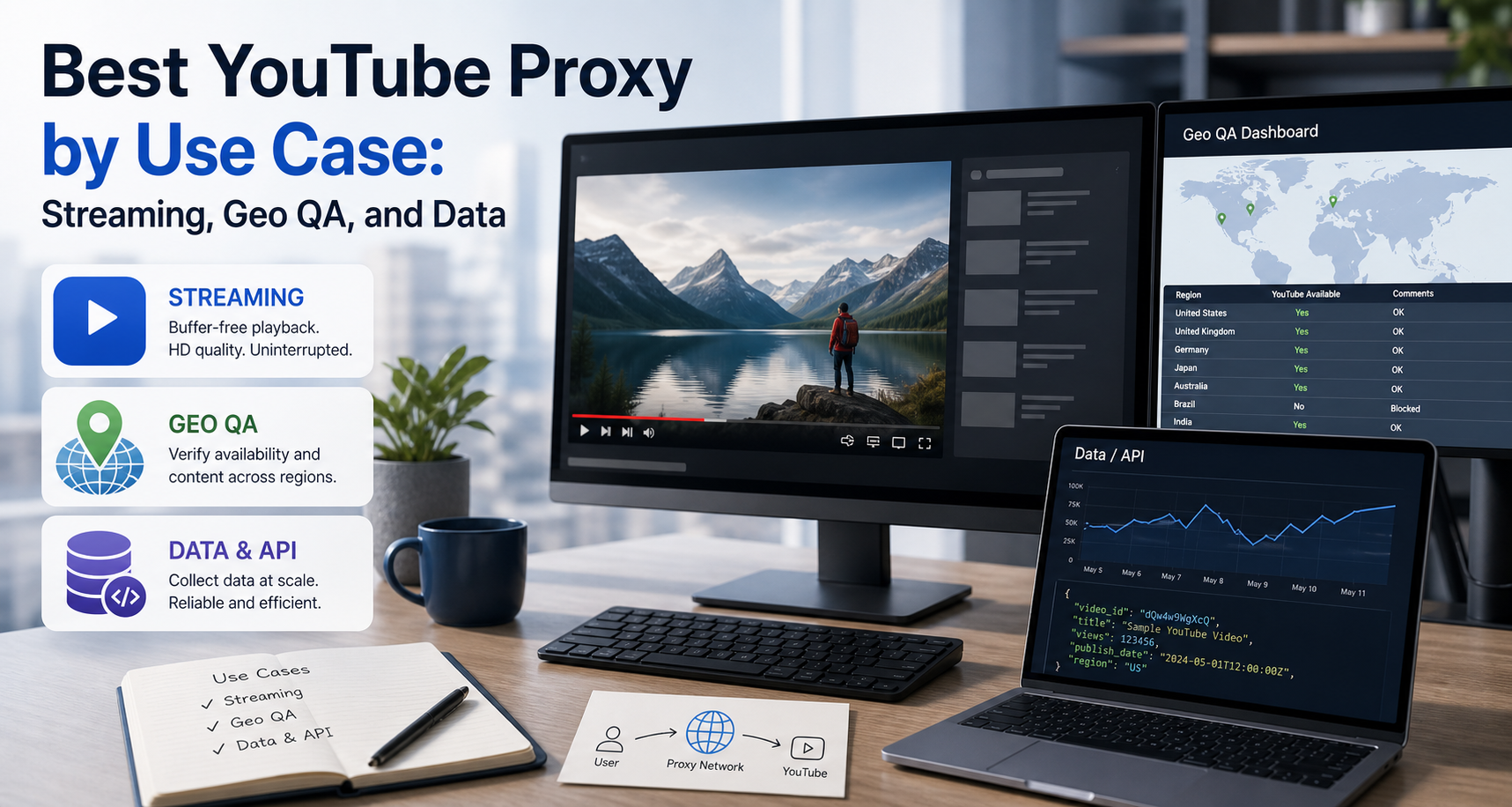
Choose the best YouTube proxy by task. Compare proxy types for streaming, geo QA, and data workflows, with practical compliance and testing guidance.
Choose the best YouTube proxy by task. Compare proxy types for streaming, geo QA, and data workflows, with practical compliance and testing guidance.
best-youtube-proxy
The best YouTube proxy depends on whether you are testing regional availability, reproducing a network issue, checking localized experiences, or collecting permitted data. This guide separates those workflows, explains when official YouTube tools are the better option, and shows how to choose a proxy without confusing routing with account or automation strategy.
For the LycheeIP implementation details behind this step, review static residential proxies.
For the official technical reference behind this point, see Anthropic documentation.
Full Article
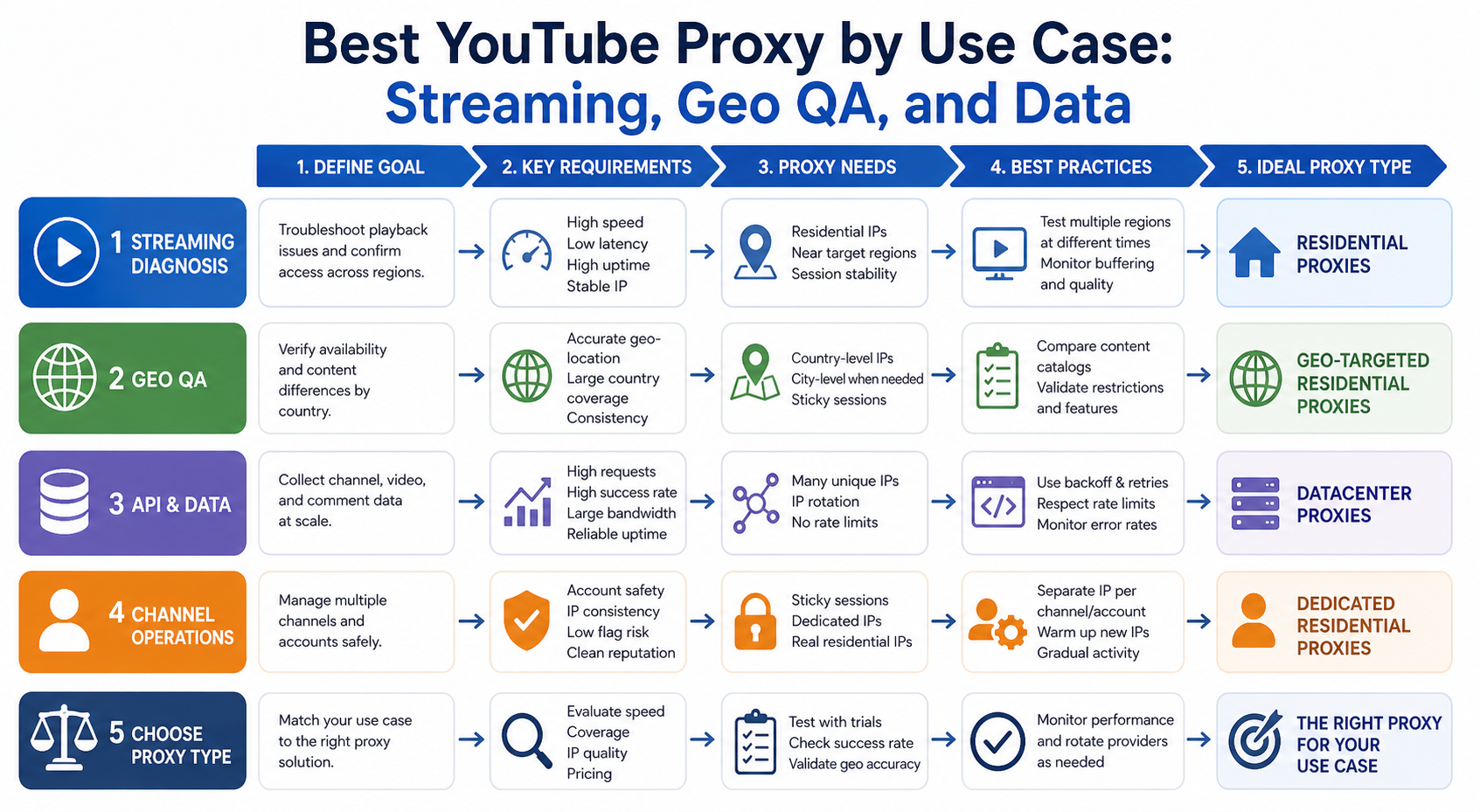
The best YouTube proxy is not the provider with the longest feature list. It is the proxy type that matches the YouTube task you are actually performing.
Streaming, regional content testing, localized search observation, public-data research, and channel collaboration are different workflows. They have different requirements, risks, and better first tools.
A proxy changes the public IP and network route seen by a service. It does not automatically solve account eligibility, subscription rules, browser state, automation policy, API quotas, or channel permissions. Choosing well starts by separating those layers.
What Do You Actually Need a YouTube Proxy For?
Most YouTube proxy searches fall into four practical categories.
- Regional access or playback diagnosis
A video may be unavailable in a country or region because the owner has limited availability or because the platform must comply with local requirements. A network route can also contribute to playback problems.
The goal here is to identify whether the public IP or network origin is relevant.
- Geo QA and localized experience testing
Agencies, developers, researchers, and growth teams may need to compare search results, recommendations, charts, news surfaces, ads, or page behavior from different markets.
The goal is controlled observation across locations.
- Public-data workflows
Teams may want structured information about channels, videos, playlists, or other YouTube resources for analytics, research, monitoring, or application features.
The first question should be whether the official YouTube Data API supports the required data.
- Channel and team operations
A business may manage several channels or need several people to work on one channel.
This is primarily an identity and permission problem, not a proxy problem. Official Brand Account and channel permission features are usually a better foundation than sharing passwords or constantly changing IPs.
Choose the category before you choose the proxy.
Which YouTube Tasks Need a Proxy and Which Need an Official Tool?
Task | Better starting point | When a proxy may help Retrieve supported video or channel data | YouTube Data API | Only for separate permitted web observation needs Manage a channel with a team | Channel permissions or Brand Account | Geo QA separate from admin access Check why one video is unavailable by region | Availability diagnosis | Controlled market comparison Test localized web behavior | Browser QA plus location testing | Residential or ISP route Test a mobile-network-specific experience | Mobile device or emulation | Mobile proxy when carrier path matters Stream a video normally | Direct connection | Network diagnosis when the route is suspect Artificially increase views, likes, or subscribers | Do not do this | A proxy does not make manipulation acceptable Large-scale automated access | Review API and platform rules | Only where the access method is permitted
This distinction saves money and reduces operational risk. Many "YouTube proxy" recommendations treat every task as if it were scraping or geo-unblocking. That is rarely accurate.
Which Proxy Type Is Best for YouTube?
Residential proxies are the best general starting point for location-sensitive web observation. ISP proxies are strong for stable sessions and repeated QA. Mobile proxies fit mobile-network testing. Datacenter proxies fit low-risk technical checks where a hosting IP will not distort the result.
Residential proxies
Residential IPs are associated with consumer internet networks. They can be useful for:
- Country or city-level web experience checks
- Localized search and page observations
- Reproducing geo-sensitive web behavior
- Public-page research where the access method is permitted
Their main advantage is representativeness for consumer web traffic. Their tradeoffs are variable connection quality, bandwidth cost, and the need to monitor pool health.
ISP proxies
ISP proxies are a strong choice when you need one stable IP for a long session.
Use them for:
- Repeated geo QA from the same market
- Long browser sessions
- Consistent playback diagnosis
- Scheduled checks that need a stable market reference point
For video, stability matters. A session that changes public IP during playback or account navigation can create confusing results.
Mobile proxies
Mobile proxies are appropriate when the mobile network itself is part of the test.
Examples include:
- Mobile-web experience checks
- Carrier-sensitive behavior
- Market testing where the source network should be mobile
- Comparing Wi-Fi and cellular paths
Do not use mobile proxies for every YouTube task simply because mobile IPs can look different from datacenter networks. They are more expensive and unnecessary when the test is desktop or API-based.
Datacenter proxies
Datacenter proxies are fast, scalable, and cost-efficient. They can be useful for basic reachability checks, internal tooling, or permitted public-page requests where the destination does not treat hosting networks differently.
They are a weaker choice when the test is meant to represent a normal consumer connection. A result from a datacenter IP may not match what a household or mobile user sees.
Can a Proxy Unblock a Region-Restricted YouTube Video?
A proxy can change the network location visible to a service, but that does not create a guaranteed right to view region-restricted content.
Videos can be limited by territory because of content owner choices, licensing, or legal requirements. Paid YouTube memberships also have country and travel rules. Location misrepresentation or attempts to circumvent availability restrictions can create subscription problems.
That means you should diagnose the scenario before changing routes.
Ask:
Does the video fail on every network? Does the error explicitly mention country or region? Does another video play normally? Are you signed into a paid membership? Are you traveling? Did the problem begin after enabling a VPN or proxy? Does the same account work on mobile data?
For an ordinary playback problem, test the direct connection first. If a proxy or VPN is already enabled, turn it off and retest. A misclassified or unstable route can cause country verification and playback problems.
For authorized regional QA, create separate controlled sessions for the target markets and record exactly what was observed. Do not describe a single proxy result as proof that every user in a country sees the same thing.
How Should You Test YouTube From Different Countries?
Create a geo QA plan instead of switching countries manually until the page looks different.
- Define the surface.
Decide whether you are testing search, a video page, availability, recommendations, charts, news, ads, or a landing flow connected to YouTube.
- Define the market.
Choose the country, city, or network type required by the test. Do not request city targeting when the question is only country-level.
- Create a control.
Record the result from a known direct connection. Confirm the browser and page work before adding a proxy.
- Validate the exit IP.
Check the proxy location and ASN. A provider's requested location is not enough for an important test.
- Align the browser with the scenario.
Decide whether language, timezone, logged-in state, and cookies should remain constant or match the target market. Document the choice.
- Use a dedicated profile.
Keep personal watch history and unrelated cookies out of controlled QA. A clean or dedicated test profile makes repeat tests easier to interpret.
- Start a sticky session.
Preserve one IP for the entire observation.
- Record the result.
Capture timestamp, market, proxy type, exit IP, browser profile, signed-in state, query or video ID, result, error text, and screenshot reference.
- Repeat.
YouTube experiences can be affected by personalization and changing platform conditions. Repeat the observation before escalating.
- Compare markets.
Look for consistent differences across controlled runs, not one-off visual changes.
This process is useful for localization teams, agencies, product QA, and researchers who need repeatable regional evidence.
Should You Use a YouTube Proxy for Scraping?
Start with the official YouTube Data API when it provides the data you need.
The API supports structured resources for videos, channels, playlists, search, comments, and other supported functions. It also uses quota controls. Current developer documentation explains that requests consume defined quota costs and that projects have default quota allocations with compliance processes for additional capacity.
For the LycheeIP implementation details behind this step, review LycheeIP proxy infrastructure.
For the LycheeIP implementation details behind this step, review residential proxy guide.
For the official technical reference behind this point, see MDN HTTP overview.
The official API has important advantages:
- Structured responses
- Documented fields
- Stable authentication patterns
- Defined quota behavior
- Clearer compliance path
- Less fragile parsing than browser HTML
A proxy does not replace an API key or increase your API quota. Changing IP addresses does not turn an unsupported automation pattern into a supported one.
YouTube's service terms restrict automated access except in specified circumstances, such as approved search-engine access, prior written permission, or access permitted by applicable law. The terms also prohibit inaccurate manipulation of genuine engagement metrics.
For data teams, the decision flow should be:
Can the Data API provide the field? If yes, use the API.
Is a first-party export, analytics surface, or feed available? If yes, use it.
Is the remaining data public and is the proposed collection method permitted? Review the rules and legal basis before building the collector.
Do you need geo-specific observation rather than structured data? Use a controlled browser and appropriate proxy only for that observation layer.
This separation produces cleaner architecture. Use APIs for supported data and proxies for legitimate location-dependent network testing.
Are Proxies Useful for Managing Multiple YouTube Channels?
Usually, no. Multi-channel management is primarily an access-control problem.
YouTube provides official ways for multiple people to manage a channel without sharing one password. Brand Accounts can support multiple managers, and channel permissions can assign roles through YouTube Studio.
One Google Account can also manage multiple connected channels and switch between them.
For agencies and media teams, the safer design is:
Use individual Google identities Assign channel roles based on job responsibility Avoid shared passwords Keep recovery and ownership records Use a stable corporate security path for admin access Separate geo QA from channel administration
A proxy may be useful for testing what a viewer sees in a particular market. It should not be the foundation of channel ownership, password sharing, or permission management.
This is an important operational distinction. A team that changes IPs constantly while sharing credentials can create more account-security noise, not less.
Can You Use YouTube Proxies to Increase Views or Engagement?
No legitimate proxy strategy should be built around manipulating views, likes, dislikes, subscribers, or other engagement signals.
Changing IPs does not make artificial engagement genuine. Platform rules prohibit causing or encouraging inaccurate measurements of genuine user engagement.
It is also a bad business metric. Artificial views do not prove that a creative works, that an audience cares, or that a channel has sustainable demand.
Use proxies for authorized network testing, market observation, and permitted research. Use content strategy, distribution, advertising, and audience development for growth.
How Does LycheeIP Fit Into YouTube Geo and Data Workflows?
LycheeIP can provide the proxy infrastructure layer for authorized geo-testing and location-sensitive public web workflows.
Residential proxies can support market-by-market browser observations. ISP proxies can preserve stable long sessions. Mobile proxies can support tests where a cellular network is part of the scenario. Datacenter proxies can handle selected technical checks where a hosting-network origin does not distort the result.
The key is to route each workload intentionally.
A practical architecture might send geo QA through residential endpoints, scheduled stable market checks through ISP proxies, mobile-network tests through mobile routes, and supported structured data through the YouTube Data API rather than a proxy.
That is a stronger design than labeling every YouTube task "scraping" and sending it through one rotating pool.
For the LycheeIP implementation details behind this step, review AI-powered browser automation hub.
Match YouTube proxy workflows with LycheeIP
What Are the Assumptions and Limitations of This Guide?
This guide assumes you are troubleshooting your own connection, performing authorized QA, managing channels you are permitted to access, or conducting data work with an appropriate legal and platform basis.
YouTube features, quotas, country availability, and policies can change. Recheck official guidance before deploying a long-running workflow.
A proxy changes the network origin of traffic. It does not guarantee content availability, subscription eligibility, account safety, a specific recommendation set, or API capacity.
Geo observations are samples. Personalization, device state, language, cookies, account history, legal requirements, and content owner settings can affect what appears.
Frequently Asked Questions
What is the best proxy for YouTube?
Residential proxies are a strong general choice for geo-sensitive web testing. ISP proxies are better for stable long sessions, mobile proxies fit carrier-related testing, and datacenter proxies fit selected low-risk technical checks.
Can I use a proxy to watch YouTube videos from another country?
A proxy can change the network location visible to YouTube, but content and paid membership availability can be subject to regional and subscription rules. Diagnose the issue and review current platform guidance before changing location routes.
Are rotating proxies good for YouTube?
They can fit independent permitted requests, but they are usually a poor choice for playback or a multi-step browser session. Use a sticky session when the workflow should represent one user journey.
What is the best YouTube proxy for scraping?
First check whether the YouTube Data API supports the data. For permitted public web observation that is not available through the API, choose a proxy based on target-site success, location requirements, and session design.
Can proxies increase YouTube API quota?
No. API quotas are tied to the API project and documented quota system. Changing proxy IPs does not legitimately expand the project's API allocation.
Do agencies need proxies to manage multiple YouTube channels?
Not for access control. Use channel permissions and supported multi-channel management features. Proxies are more relevant to separate geo QA or market-observation workflows.
Can I use proxies for YouTube views?
Proxies should not be used to create artificial views, likes, subscribers, or other inaccurate engagement signals.
Why does YouTube stop working after I enable a proxy?
The IP may be misclassified, slow, unstable, or inconsistent with the account or subscription context. Disable the proxy, test the direct connection, and reintroduce one variable at a time. Conclusion The best YouTube proxy depends on the job. Use residential proxies for representative geo-sensitive web observations, ISP proxies for stable long sessions, mobile proxies when the cellular network is part of the test, and datacenter proxies for selected technical workloads. Just as important, know when not to use a proxy. Use the YouTube Data API for supported structured data. Use channel permissions for team access. Use a direct, stable security path for account administration. Never treat IP rotation as a way to manufacture engagement or evade platform controls. A good YouTube proxy strategy is not "more IPs." It is a clear workload map, controlled sessions, measured outcomes, and the right tool for each layer.
Related LycheeIP Guides and Resources

Recommended Articles

DataDome Bypass for Web Scraping
DataDome Bypass for Web Scraping
View Details
Web Scraping Rate Limiting: How to Handle 429s, Backoff, and Concurrency
Web scraping rate limiting is the engineering discipline of keeping an authorized collection workload inside a target service's acceptable request envelope. When that envelope is exceeded, a server may respond with HTTP 429 Too Many Requests, delay responses, or apply other controls.
View Details
reCAPTCHA vs hCaptcha vs Cloudflare Turnstile: What Scraping Teams Need to Know
If an authorized data-collection workflow suddenly stops at a verification screen, identifying the protection system matters before you change code, browser settings, or proxy infrastructure. reCAPTCHA vs hCaptcha vs Turnstile is not simply a branding comparison. The three systems can expose different browser flows, token models, risk decisions, and failure symptoms.
View Details
Browser Automation Proxies: IPs, Geo-Targeting, Sessions, and AI Agents
A browser automation proxy belongs to the network layer of Playwright, Selenium, cloud-browser, and AI-agent workflows. It changes how browser traffic is routed and can affect the source IP address, geographic egress, and session continuity seen by a destination site. It does not improve an AI model's reasoning, repair browser logic, or guarantee that a website will accept the session.
View Details
SERP Scraping: Methods, APIs, Workflows, and Best Practices
SERP scraping is the automated collection of information from search engine results pages. A SERP scraper can capture organic rankings, advertisements, featured snippets, People Also Ask questions, local results, shopping listings, images, and other search features, then convert them into structured data for analysis.
View Details