
XPath for Web Scraping: Build More Resilient Selectors
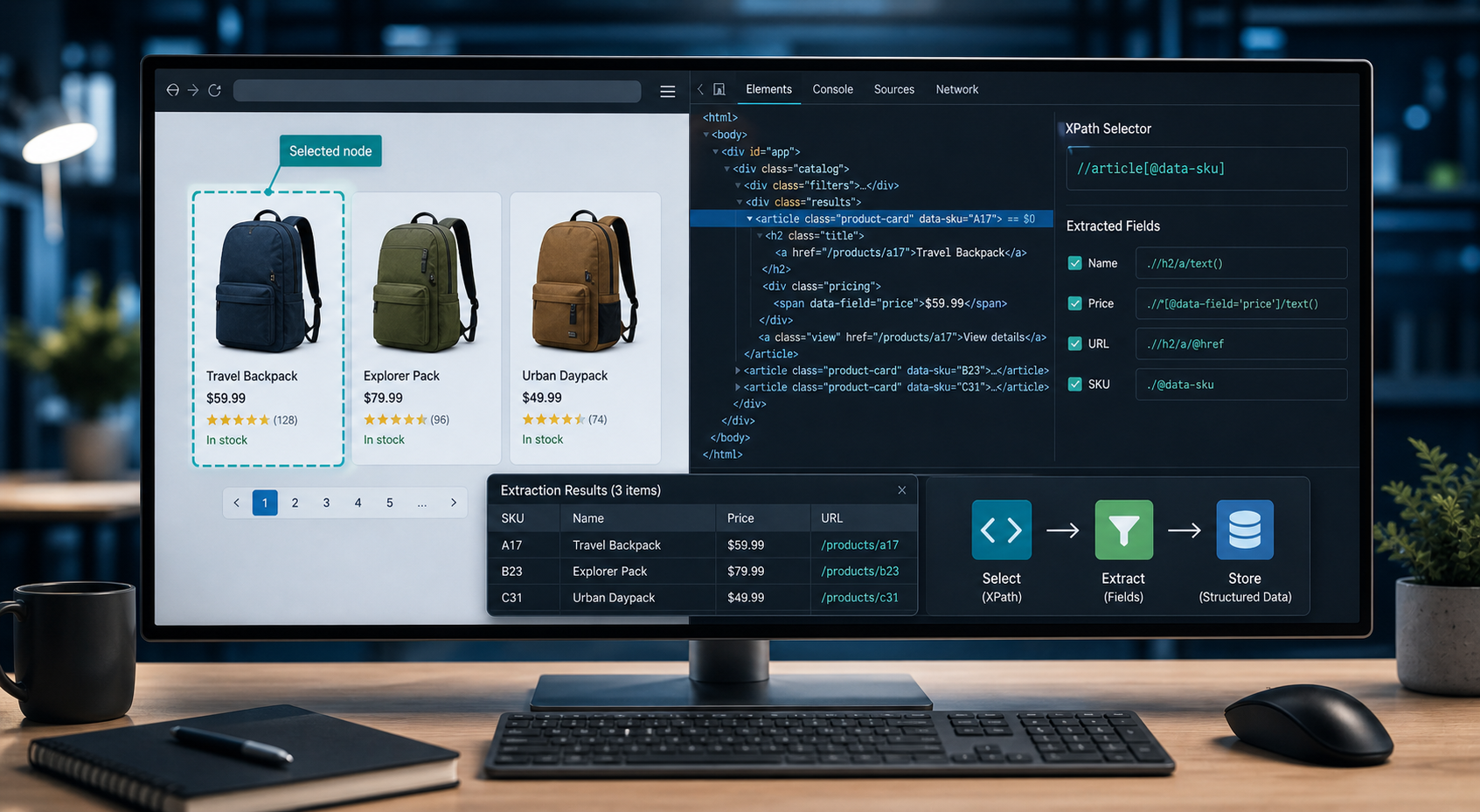
Learn how to use XPath for web scraping, design durable selectors, test extraction rules, handle dynamic pages, and reduce silent scraper failures.
Learn how to use XPath for web scraping, design durable selectors, test extraction rules, handle dynamic pages, and reduce silent scraper failures.
xpath-web-scraping
XPath is most useful in web scraping when you treat selectors as extraction contracts rather than copied DOM paths. This guide shows how to build, test, and maintain XPath expressions that survive common layout changes.
For the LycheeIP implementation details behind this step, review LycheeIP proxy infrastructure.
For the LycheeIP implementation details behind this step, review scaling lead scraping with n8n.
For the LycheeIP implementation details behind this step, review rotating residential proxies.
For the official technical reference behind this point, see MDN HTTP overview.
For the official technical reference behind this point, see HTTP Semantics standard.
Full Article
XPath for Web Scraping: How to Build Selectors That Survive DOM Changes
XPath can be a precise, maintainable way to extract data from HTML and XML. The real advantage is not that XPath can reach deeply nested elements. It is that a well-designed XPath can describe the relationship and meaning of the data you want, instead of depending on where an element happens to sit on the page today.
That distinction matters in production scraping. A copied absolute path may work during development and fail after a banner, wrapper, or navigation item is added. A resilient selector is scoped to the right component, anchored to relatively stable signals, and tested against multiple page states.
This guide focuses on that engineering problem: how to design XPath selectors that keep returning the correct data and make failures visible when a website changes.
What XPath Actually Does in a Scraping Pipeline
XPath is an expression language for addressing nodes in a tree. The W3C XPath specifications define path expressions, axes, predicates, functions, and other operations for navigating structured documents.
For web scraping, you normally use XPath against a parsed HTML tree or a browser DOM. That makes XPath one part of a larger pipeline:
Fetch or render the page Parse the response into a document tree Select nodes with XPath Extract text or attributes Normalize and validate the values Store the result Monitor the extraction for changes
XPath solves the selection step. It does not fetch a page, execute JavaScript, rotate IP addresses, validate a price, or tell you whether the data is legally appropriate to collect.
One technical detail is easy to miss: the latest W3C recommendation is XPath 3.1, but many web scraping environments expose older XPath capabilities. For example, lxml documents XPath 1.0 support through libxml2, while the browser DOM API exposes XPath evaluation through document.evaluate(). Always check the XPath version and extensions supported by the library actually running your scraper.
Why Copied XPath Expressions Break So Easily
Browser developer tools can generate an XPath for an inspected element. The problem is that a generated path often describes the element's current coordinates in the DOM rather than its identity.
Consider this kind of expression:
/html/body/div\[2\]/main/div\[3\]/section/div\[2\]/span\[1\]
It may select the correct price today. But every number in the path is a dependency. Add a promotional bar, reorder a component, or wrap a section in another div, and the selector can move to the wrong node or return nothing.
For the LycheeIP implementation details behind this step, review AI-powered browser automation hub.
A stronger selector starts from the data contract:
"Find the product card for this item, then extract the element that represents its price."
That intent might become:
//article\[@data-product-id\]//\*\[@data-field='price'\]
The second expression can survive many layout changes because it depends on semantic attributes and component relationships rather than the full page hierarchy.
The goal is not to make selectors vague. It is to make them depend on the right things.
A Practical Selector Stability Hierarchy
When choosing an XPath anchor, ask two questions: does this signal identify the data, and how likely is it to change?
A useful preference order is:
- Meaningful data attributes or stable identifiers, such as data-sku, itemprop, name, or a persistent id.
- Semantic containers, such as article, main, time, table rows, or named form controls.
- Stable attribute tokens, including descriptive classes that are not build-generated.
- Relationships to nearby landmarks, such as a value following a field label.
- Human-visible text, when the copy is stable and not localized.
- Visual position, such as the third div or second span.
This is a risk hierarchy, not a law. A temporary data-testid can disappear, while a regulated table layout may remain fixed for years. Evaluate the contract behind the attribute or structure instead of assuming one selector type is always stable.
Build XPath From the Context Node Outward
A reliable scraping pattern is to first select repeating containers, then run relative XPath expressions inside each container.
Suppose a catalog page contains several product cards:
\<article class="product-card" data-sku="A17"> \<h2>\<a href="/products/a17">Travel Adapter\</a>\</h2> \<div class="pricing"> \<span data-field="price">$24.00\</span> \</div> \</article>
Instead of writing three unrelated global selectors for names, prices, and links, select each article first:
//article\[@data-sku\]
Then evaluate fields relative to the current product node:
.//h2/a/text() .//\*\[@data-field='price'\]/text() .//h2/a/@href
The leading dot is important. In a nested selector context, .// means "search descendants of the current node." Starting again with // can search from the document root in many selector APIs and accidentally mix data from different cards.
Container-first extraction reduces one of the most common scraping bugs: field misalignment. If the third product has no price, three separate global lists may no longer line up. Extracting fields per product keeps the record boundaries intact.
XPath Patterns Worth Learning for Web Scraping
You do not need every part of the XPath language to build useful scrapers. A smaller set of patterns covers many production extraction tasks.
Select descendants
//article//a
This finds anchor elements anywhere below article elements.
Select by exact attribute value
//\*\[@data-field='price'\]
This is useful when the application exposes meaningful data attributes.
Match a class token safely
HTML class attributes can contain multiple space-separated tokens. Exact matching such as @class='card' fails on class="card featured". A common XPath 1.0 pattern is:
//\*\[contains(concat(' ', normalize-space(@class), ' '), ' card ')\]
This avoids matching unrelated class names such as card-header when you only want the card token.
Combine conditions
//article\[@data-sku and .//\*\[@data-field='price'\]\]
Predicates can require multiple conditions. This expression selects product articles that have both a SKU attribute and a price descendant.
Use alternatives
//\*\[@data-field='price' or @itemprop='price'\]
An or condition can support two known templates without duplicating your entire extraction workflow.
Normalize visible text
//button\[normalize-space(.)='Next'\]
normalize-space() removes leading and trailing whitespace and collapses sequences of whitespace. Using . instead of text() can also consider descendant text nodes in the element's string value.
Navigate with axes
//dt\[normalize-space(.)='Weight'\]/following-sibling::dd\[1\]
Axes are where XPath becomes particularly useful. Here the selector finds a definition-term label and returns the first following definition value.
Other useful axes include parent, ancestor, descendant, preceding-sibling, and following-sibling. Use them when a field is identified by its relationship to a stable landmark.
Extract attributes
//a\[@data-product-link\]/@href
XPath can return attribute values directly. For links, resolve relative URLs against the page URL in your application code instead of assuming every href is absolute.
Use a union for controlled fallbacks
//\*\[@data-field='sale-price'\] | //\*\[@itemprop='price'\]
The union operator combines node selections. This can be useful when two known page templates represent the same field differently.
Be careful with fallback selectors. If both alternatives can appear at once, a union may return multiple values. Validation should detect that ambiguity instead of silently choosing the first result.
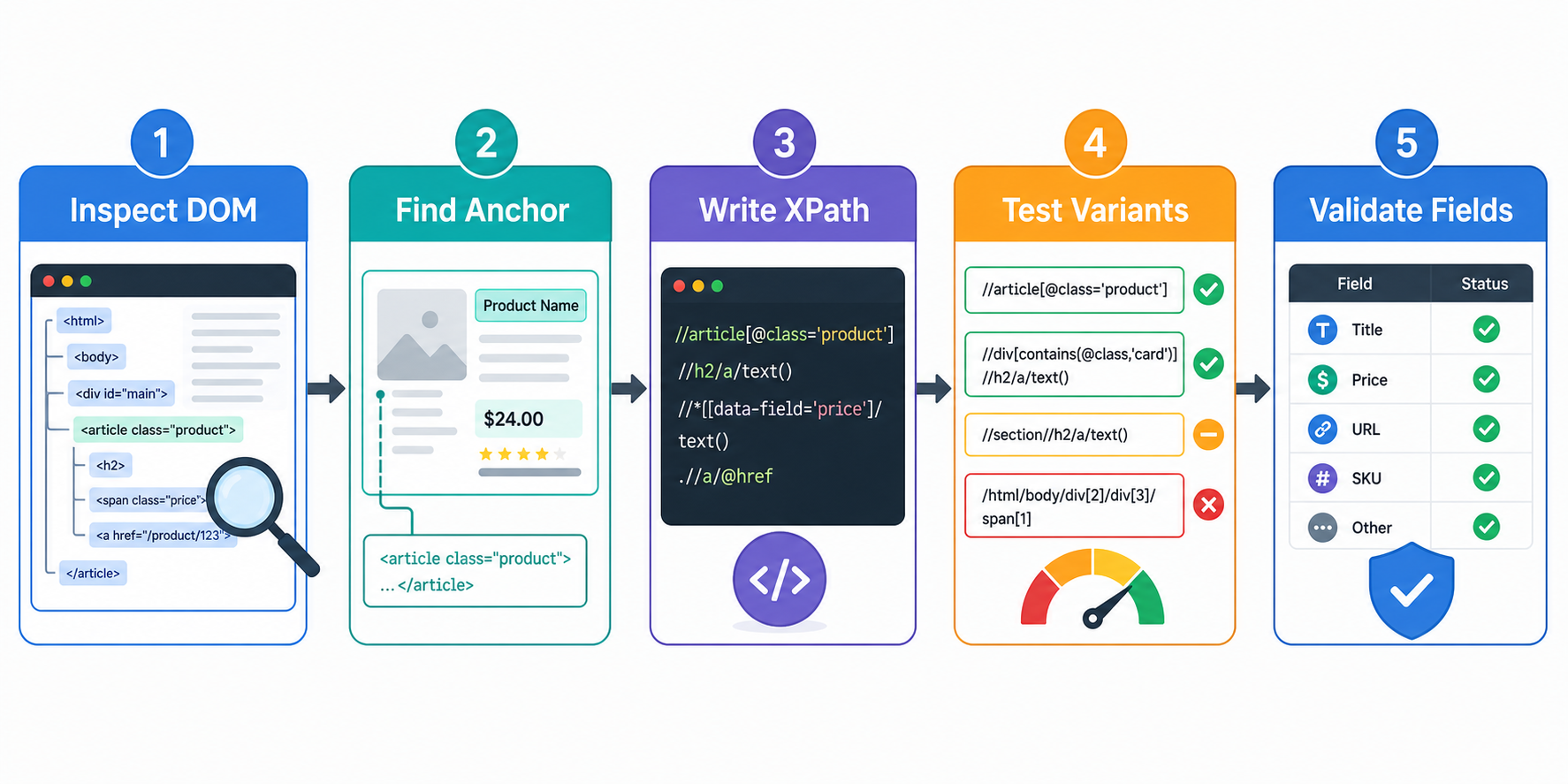
A Five-Step Workflow for Designing Durable XPath
Step 1: Inspect the document you actually parse
Determine whether the value exists in the HTTP response, appears only after JavaScript runs, or is loaded from a background data request. Do not debug an XPath for a node that does not exist in your parser's tree.
Step 2: Define the extraction contract
Describe the field by meaning. "Get the current displayed price inside each product card" is a better requirement than "get the red span." The clearer requirement points to the right container and validation rule.
Step 3: Find the narrowest stable container
Select the component that owns the record, such as an article, listing card, result row, or table row. Make field selectors relative to that node.
Step 4: Prefer meaning over depth
Use identifiers, semantic attributes, stable labels, and structural relationships before reproducing a long ancestor chain.
Step 5: Test page variations
Test regular records, missing optional fields, alternate states, empty result pages, pagination boundaries, and supported locales or templates. A selector that works on one URL is only a hypothesis. The production rule must return the correct number of correct values across supported states.
Using XPath With Python and lxml
For static HTML that is already present in the server response, lxml provides a direct way to parse HTML and evaluate XPath expressions.
Here is a small example that extracts records per container and validates each field:
from dataclasses import dataclass
from urllib.parse import urljoin

import httpx
from lxml import html

@dataclass
class Product:
    sku: str
    name: str
    price: str
    url: str

def one(values: list\[str\], field: str) \-\> str:
    cleaned \= \[value.strip() for value in values if value.strip()\]
    if len(cleaned) \!= 1:
        raise ValueError(
            f"Expected exactly one {field}, found {len(cleaned)}"
        )
    return cleaned\[0\]

def parse\_products(page\_html: str, page\_url: str) \-\> list\[Product\]:
    tree \= html.fromstring(page\_html)
    products: list\[Product\] \= \[\]

    for card in tree.xpath("//article\[@data-sku\]"):
        sku \= one(card.xpath("./@data-sku"), "sku")
        name \= one(card.xpath(".//h2/a//text()"), "name")
        price \= one(
            card.xpath(
                ".//\*\[@data-field='price' or @itemprop='price'\]//text()"
            ),
            "price",
        )
        href \= one(card.xpath(".//h2/a/@href"), "product URL")

        products.append(
            Product(
                sku=sku,
                name=" ".join(name.split()),
                price=" ".join(price.split()),
                url=urljoin(page\_url, href),
            )
        )

    return products

def main() \-\> None:
    url \= "https://example.com/products"
    with httpx.Client(timeout=15.0, follow\_redirects=True) as client:
        response \= client.get(url)
        response.raise\_for\_status()

    products \= parse\_products(response.text, str(response.url))
    print(products)

if \_\_name\_\_ \== "\_\_main\_\_":
    main()
The most important part of this example is not the HTTP client. It is the one() validation function.
Many scraper failures are silent. A selector that used to match one price may suddenly match zero or three. Calling .get() or taking values[0] can hide that change and feed incorrect data downstream.
Cardinality is a useful data-quality signal:
A required scalar field should usually match exactly one value. An optional scalar field should usually match zero or one. A list field can match many, but may still need minimum or maximum expectations.
Make those expectations explicit.
Dynamic Pages: XPath Cannot Render JavaScript
A frequent diagnosis error is blaming XPath when the page data is created by JavaScript after the initial response.
If an HTTP client downloads this:
\<div id="results"\>\</div\>
and JavaScript later populates the results, an HTML parser only sees the empty container. No XPath can select nodes that are not present in its tree.
You have three broad options:
Use a structured data source that the site intentionally exposes and you are permitted to access. Use browser automation to wait for the relevant page state and then query the rendered DOM. Change the project requirements if the data source is unstable, restricted, or inappropriate to automate.
In browser JavaScript, document.evaluate() is the standard DOM method for evaluating XPath expressions. Browser automation libraries may also support XPath selectors, although their preferred locator strategies can differ.
The operational rule is simple: first establish which document state you are querying. Then design the selector.
XPath vs. CSS Selectors: A Decision Framework
XPath and CSS selectors overlap significantly. The right choice is usually the one that expresses the data relationship clearly and is well supported by your stack.
Choose CSS selectors when:
the target is easy to identify by id, class, or attribute you mostly move from parent to descendants the team reads CSS fluently the selector is already concise and stable
Choose XPath when:
you need to match based on normalized element text a stable label identifies a nearby value you need parent, ancestor, or sibling traversal you are working with XML structures or namespaces a relationship is clearer as a path expression
For example, selecting a product card by a data attribute is simple in either language.
CSS:
article\[data-sku\]
XPath:
//article\[@data-sku\]
But "find the value next to the Weight label" is naturally expressed with XPath:
//dt\[normalize-space(.)='Weight'\]/following-sibling::dd\[1\]
Do not convert every CSS selector to XPath merely to standardize on one language. Selector quality depends more on the stability of your assumptions than on the selector syntax.
How to Test XPath Before It Reaches Production
Manual browser checks are useful, but production extraction needs repeatable tests.
Keep representative HTML fixtures for important page states and run parser tests locally. Validate complete records, including required fields, value types, URL normalization, duplicate identifiers, and reasonable record-count ranges.
Add negative fixtures with missing or changed markup. A required-field failure should raise an error or quarantine the record, not quietly become an empty string.
In production, track container counts, selector match counts, missing-value rates, parse errors, and duplicate keys. A sudden change in those metrics can reveal a template update before incorrect data reaches downstream systems.
Separate fetching from parsing. A function that accepts HTML and returns validated records is far easier to test than one function that downloads a page, parses it, writes a database row, and sends alerts.
A Selector Maintenance Pattern for Changing Sites
For important scrapers, treat selectors as versioned application logic. Save the permitted raw source and request metadata, parse it with a named parser version, validate the output, and emit field-level quality metrics.
When markup changes, reproduce the failure from the saved source, add the new page state as a regression fixture, update the selector, and reprocess affected source data when your retention policy allows it.
This is safer than adding broader fallback expressions every time a selector breaks. Too many fallbacks can keep a scraper running while it extracts the wrong node.
Common XPath Mistakes That Create Bad Data
Watch for these failure patterns:
Using an absolute DOM path. Long index-heavy paths are coupled to layout.
Forgetting the context dot. Inside a row or card, .// searches from the current node. A root-level // can mix data from unrelated records.
Matching classes with naive contains(). contains(@class, 'card') also matches card-header and discard. Use token-aware matching when the class token matters.
Using text() for nested visible text. normalize-space(.) is often better when an element contains child elements.
Taking the first result without checking multiplicity. Validate whether a field expects exactly one, zero or one, or many values.
Depending on translated interface copy. A text-based "Next" selector may fail in another locale.
Assuming every XPath host supports the same language version. Check the library or browser implementation.
Mixing selection with business logic. Keep price parsing, date conversion, and domain validation in separate testable steps.
When XPath Is the Wrong Tool
XPath is not automatically the best choice for every website.
Use LycheeIP Proxies in Your XPath Scraping Stack
Use a different approach when:
the data is available through an appropriate official API the target is a JSON or GraphQL response and direct structured parsing is authorized the required data only exists after complex application interactions that need browser automation the page changes so frequently that the extraction cost exceeds the value of the data the collection would violate applicable rules, contractual obligations, privacy requirements, or access controls
A better scraper is not the scraper with the cleverest selector. It is the system that collects the required data accurately, predictably, and responsibly.
Frequently Asked Questions
Is XPath good for web scraping?
Yes. XPath is especially useful when extraction depends on relationships in the document tree, such as finding a value next to a label, navigating to ancestors, or matching normalized text. CSS selectors may be simpler for straightforward class and attribute selection.
Should I use absolute or relative XPath for scraping?
Relative, context-aware XPath is usually more maintainable for changing web pages. Absolute paths can be appropriate for rigid document formats, but index-heavy paths tied to the full HTML hierarchy are fragile on modern websites.
Why does my XPath work in DevTools but not in Python?
You may be querying different document states or different XPath implementations. The browser may show a DOM modified by JavaScript, while your Python HTTP client only receives the initial HTML. Also check the XPath version and behavior supported by your Python library.
What does the dot mean in .//div?
The dot represents the current context node. In nested extraction, .//div searches descendants of the current node instead of starting a new document-wide search.
Is XPath better than Beautiful Soup?
They are not direct equivalents. XPath is a query language. Beautiful Soup is a Python parsing library with its own search APIs and CSS selector support. Libraries such as lxml and Scrapy expose XPath evaluation.
How do I know when an XPath selector has broken?
Do not wait for an empty CSV. Track selector match counts, required-field missing rates, parse errors, duplicate keys, and record-volume changes. Test parsers against saved fixtures and alert on unexpected cardinality. Conclusion The most durable XPath expressions are built from data meaning, context, and explicit assumptions. Start with the record container. Use relative selectors. Prefer stable semantic signals over DOM depth. Validate how many nodes each field is allowed to match. Test against multiple page states, and monitor extraction quality after deployment. XPath syntax is the easy part. The real skill is designing a selector contract that fails loudly when its assumptions stop being true. That is what turns a working scraper into a maintainable data pipeline.
Related LycheeIP Guides and Resources

Recommended Articles

Best Real Estate Scrapers in 2026
Best Real Estate Scrapers in 2026
View Details
How to Choose a Web Crawler: A Technical Decision Framework
The wrong way to choose a web crawler is to begin with a list of products. The right starting point is the system you need to build. Before comparing tools, define:
View Details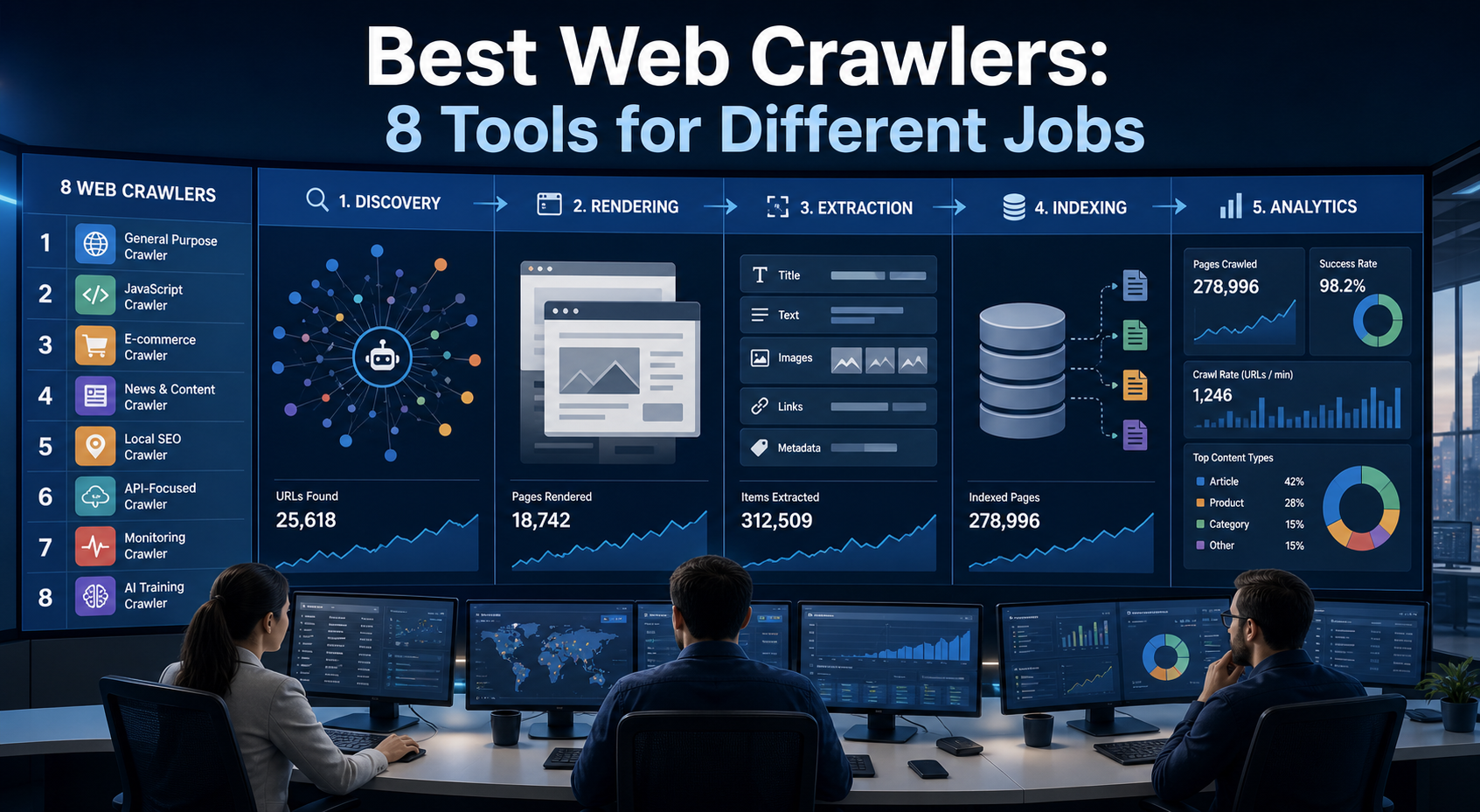
Best Web Crawlers: 8 Tools for Different Jobs
There is no single best web crawler for every project. A technical SEO audit, an AI knowledge pipeline, an internet archive, and a distributed search index may all involve crawling URLs, but they require different capabilities. The most useful way to compare web crawler tools is therefore to ask what job each one was designed to perform. This guide evaluates eight strong options across:
View Details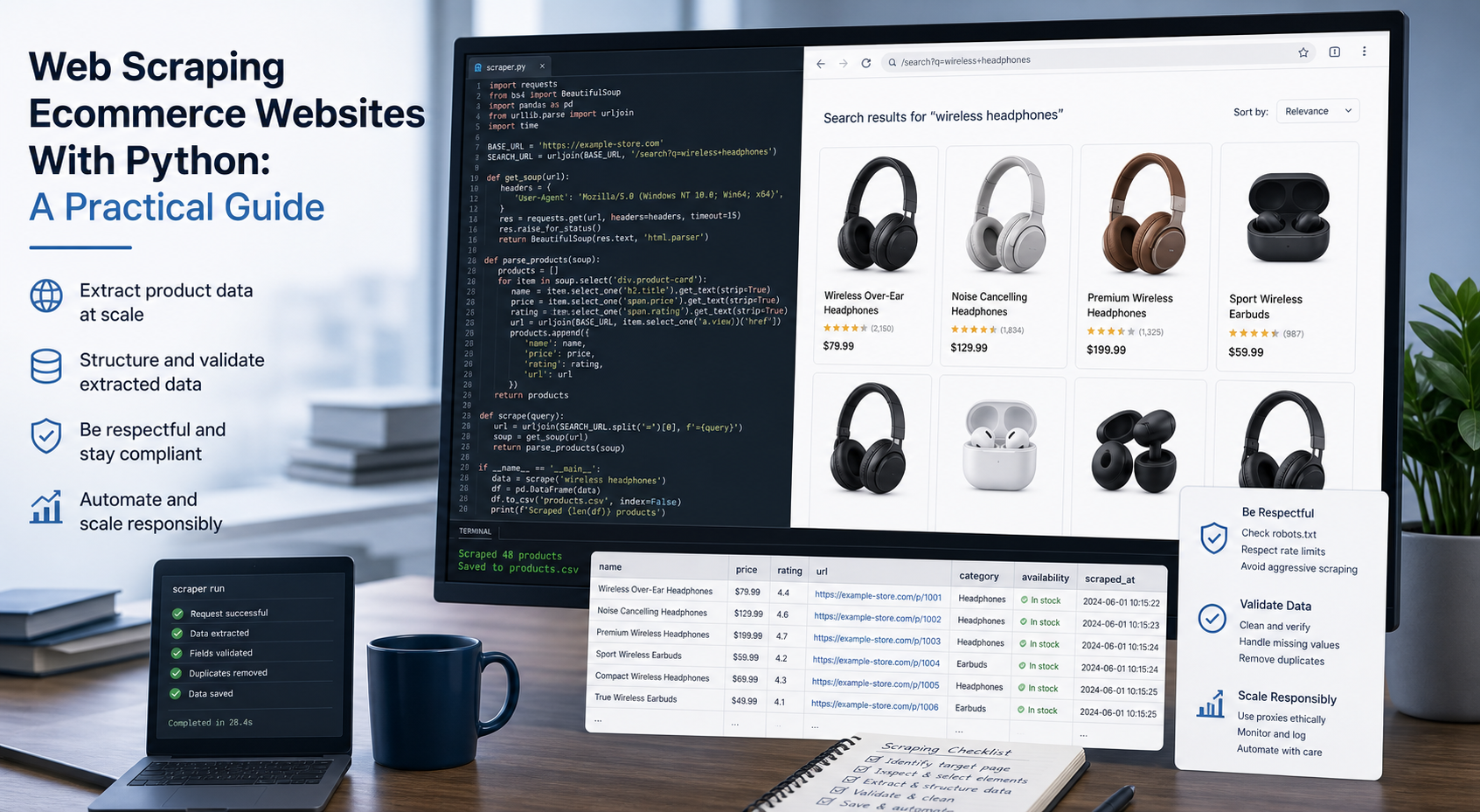
Web Scraping Ecommerce Websites With Python: A Practical Guide
Recommended meta title: Web Scraping Ecommerce Websites With Python: Guide Recommended meta description: Learn how to scrape ecommerce websites with Python using Requests, Beautiful Soup, Playwright, and Scrapy, with validation and scaling guidance. URL slug: /web-scraping-ecommerce-websites-python/
View Details
How to Train an AI Model With Web Data Safely
To train an AI model with web data, start by deciding whether you actually need training. Then collect representative sources, preserve provenance, remove duplicates and low-quality content, create leakage-resistant splits, build a baseline, fine-tune or train the appropriate model, and evaluate on real held-out examples before deployment.
View Details