
How to Train an AI Model With Web Data Safely
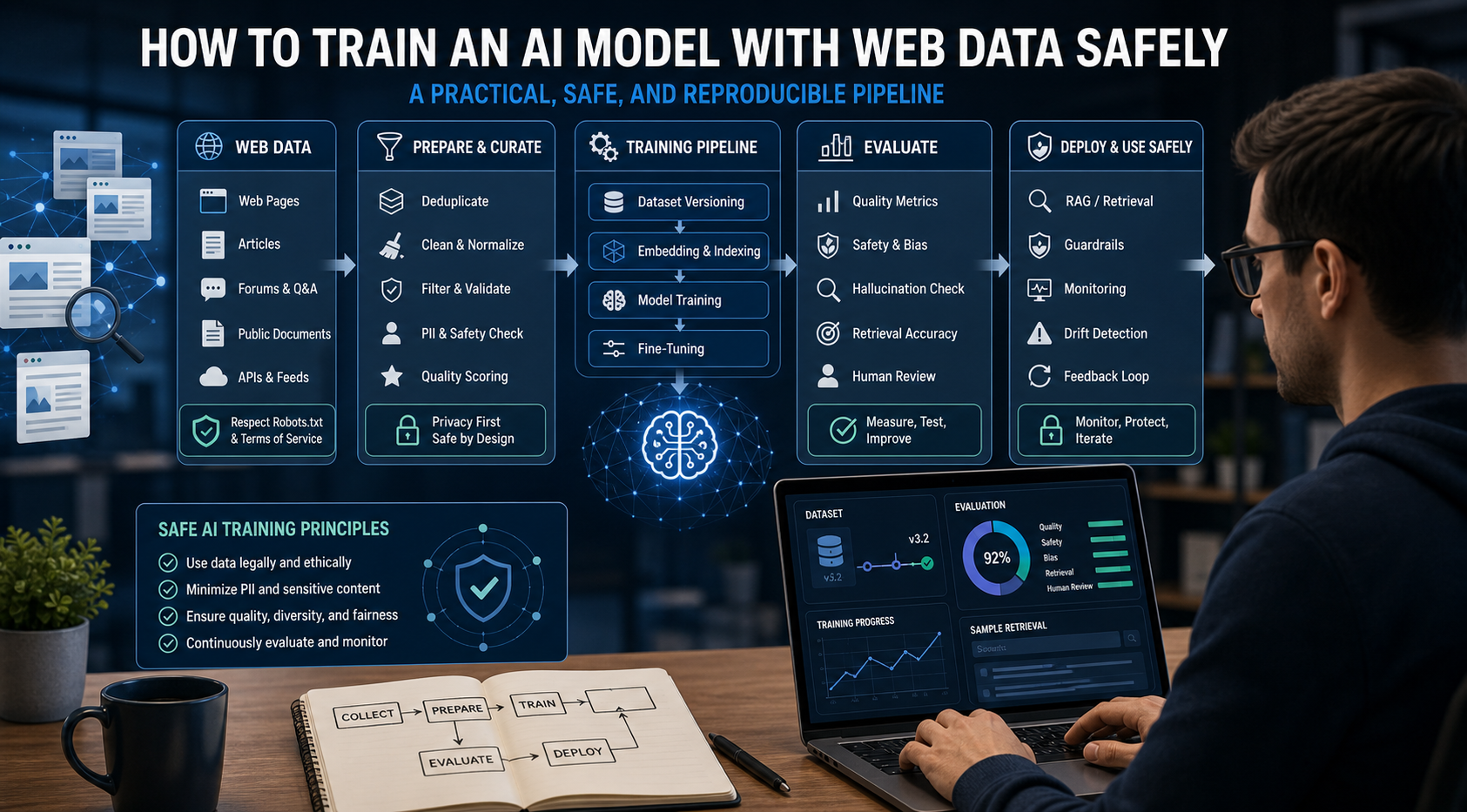
This guide presents a practical, model-agnostic pipeline for turning web data into an AI system you can evaluate and maintain.
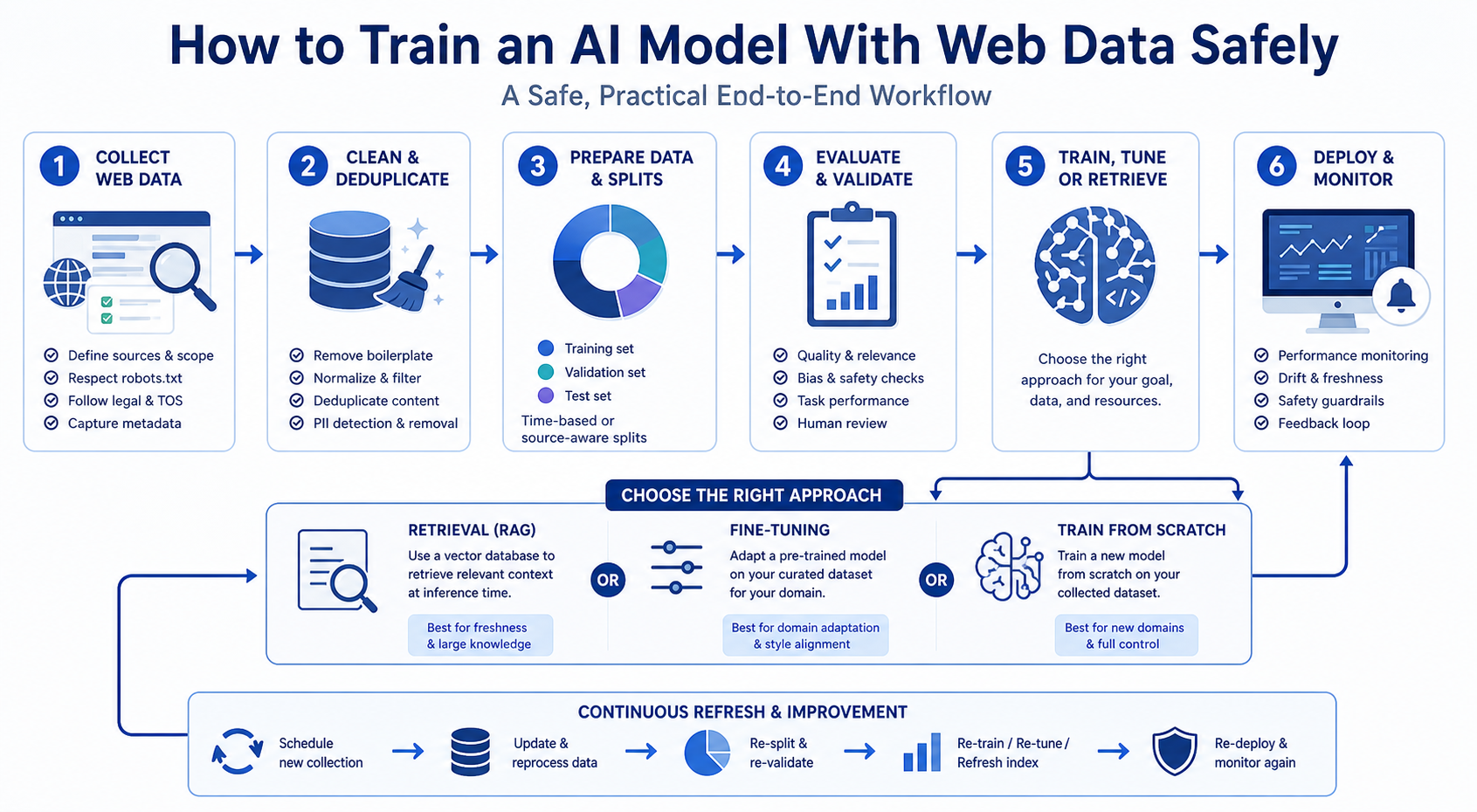
To train an AI model with web data, start by deciding whether you actually need training. Then collect representative sources, preserve provenance, remove duplicates and low-quality content, create leakage-resistant splits, build a baseline, fine-tune or train the appropriate model, and evaluate on real held-out examples before deployment.
The most common mistake is beginning with an API tutorial. A training command is usually the easiest part of the project. Data selection, evaluation design, and the decision between retrieval and parameter updates have a much larger effect on whether the finished system is useful.
Step Zero: Decide Whether You Need Training, Fine-Tuning, or Retrieval
Before scraping a single page, define the problem you are solving.
There are three very different projects that teams often describe as "training an AI model."
For the LycheeIP implementation details behind this step, review AI-powered browser automation hub.
For the LycheeIP implementation details behind this step, review scaling lead scraping with n8n.
For the LycheeIP implementation details behind this step, review AI browser automation setup guide.
For the official technical reference behind this point, see MDN HTTP overview.
For the official technical reference behind this point, see HTTP Semantics standard.
Training from scratch
You initialize a model and learn its parameters from a large corpus. This is appropriate when you are building a new architecture, working with a specialized modality, conducting research, or operating at a scale that justifies substantial compute and data engineering.
For most product teams, training a foundation model from scratch is not the first choice.
Fine-tuning a pretrained model
You start with a model that already learned general patterns and train it further on task-specific examples. Fine-tuning is useful when you want more consistent output behavior, a specialized format, a classification capability, or stronger performance on a defined task.
Current model optimization guidance from OpenAI, for example, places evaluation at the center of the optimization cycle and treats prompting and fine-tuning as tools for improving measured behavior. The exact supported models and fine-tuning methods change, so production tutorials should follow current provider documentation instead of hard-coding an old model name into the architecture.
Retrieval-augmented generation
You keep the base model and retrieve relevant web documents or structured data at inference time. This is usually the better approach when facts change frequently or answers need source traceability.
A simple rule helps:
- If you need the model to know a current fact, retrieve it.
- If you need the model to behave differently, consider fine-tuning.
- If you are developing a new model capability at the representation level, evaluate training from scratch or domain-adaptive pretraining.
Many strong AI products use all three patterns in different layers.
Step 1: Define the Task and the Evaluation Set First
Write the task as an input-output contract.
For example:
Input: a public product page.
Output: a JSON object containing product name, brand, price, currency, availability, and source timestamp.
A vague goal such as "train a model on ecommerce data" is not enough. You need to know what the model will receive, what it should return, what counts as correct, and which errors are expensive.
Before building the full training corpus, collect a small, representative evaluation set. Include normal cases and difficult cases. For a web extraction model, difficult cases may include:
- prices rendered after JavaScript execution
- multiple currencies on one page
- sale and list prices shown together
- schema markup that disagrees with visible text
- out-of-stock products
- variant-specific prices
- malformed or truncated pages
This evaluation set becomes the measuring stick for every later decision.
Step 2: Design a Web Data Source Strategy
A web dataset should be sampled, not simply accumulated.
List the source categories your production system will encounter. Then decide how much coverage each category needs.
For a technical support model, the source map might include official documentation, changelogs, developer forums, issue trackers, release notes, and troubleshooting pages. For an ecommerce model, it may include marketplaces, direct-to-consumer stores, retailer category pages, product detail pages, review pages, and structured feeds.
Track source-level metadata from the beginning:
- source URL or stable source ID
- domain
- collection timestamp
- page language
- country or market where relevant
- content type
- crawler or extraction version
- license or usage status where applicable
- document hash
This metadata is not administrative overhead. It is how you later investigate leakage, stale content, domain imbalance, and model regressions.
For the LycheeIP implementation details behind this step, review LycheeIP proxy infrastructure.
Step 3: Collect Web Data With a Reproducible Pipeline
Small experiments can begin with a simple HTTP client and parser. Production collection usually needs a more deliberate system.
A typical pipeline has five stages:
- discovery of URLs or source records
- access and rendering
- extraction of content and metadata
- normalization into a common schema
- storage of raw and processed versions
Keep the raw response when policy and storage constraints allow. A normalized dataset is easier to train on, but the raw source is invaluable when a parser bug or transformation error appears later.
For JavaScript-heavy pages, browser automation may be necessary. For high-volume public web collection, teams also have to manage rate limits, IP-based blocking, retries, geolocation, session behavior, and changing page structures.
Do not mix all of these concerns into the training script. Collection should be a separate, repeatable data engineering process.
Step 4: Filter for Quality Before You Optimize for Volume
Web data contains spam, templates, boilerplate, duplicates, autogenerated text, corrupted markup, and pages with almost no task-relevant information.
A quality pipeline can combine deterministic filters and model-assisted scoring.
Deterministic checks
Reject or flag records that fail basic requirements such as minimum content length, valid encoding, expected language, parsable schema, required fields, or HTTP integrity checks.
Boilerplate removal
Navigation, cookie notices, footers, and repeated sidebars can dominate scraped text. Use DOM-aware extraction or content density methods to preserve the main document.
Duplicate and near-duplicate detection
Exact hashes catch identical records. They do not catch template variants, syndicated copies, or pages with only minor edits.
At scale, teams often use MinHash, SimHash, locality-sensitive hashing, or embedding-based similarity to identify near duplicates.
Deduplication matters for two reasons. It prevents the model from over-weighting repeated content, and it reduces the chance that essentially the same document appears in both training and evaluation data.
Quality scoring
Create a scoring rubric tied to the task. A technical document might receive points for code examples, clear headings, version metadata, and source authority. A product record might be scored for complete attributes and visible price information.
The goal is not to create a universal "good page" score. It is to define quality for your model's job.
Step 5: Normalize the Data Without Erasing Useful Variation
Training pipelines need consistency, but over-cleaning can remove the very conditions the model will face in production.
Normalize obvious technical differences such as character encoding, date formats, whitespace, and known HTML artifacts. Standardize structured fields and units when the task requires it.
Be careful with spelling, grammar, casing, and punctuation. If production users write messy text, a dataset that corrects every sentence may create a distribution gap.
For document tasks, consider storing both a cleaned representation and selected raw fields.
A simple supervised record might look like this:
{
  "source_id": "product-page-18492",
  "collected_at": "2026-06-12T14:05:00Z",
  "input": "\<normalized product content>",
  "target": {
    "product_name": "Example Item",
    "price": 79.99,
    "currency": "USD",
    "availability": "in_stock"
  }
}
The final fine-tuning format depends on the model provider or training framework. Keep your canonical dataset provider-neutral, then create export adapters for JSONL, conversational messages, instruction pairs, or framework-specific dataset objects.
Step 6: Label the Data and Write Acceptance Rules
Labels should reflect the behavior you want, not the easiest annotation process.
Create a written annotation guide. Define ambiguous cases and include examples. If two annotators regularly disagree, the model will also receive inconsistent training signals.
For generated labels, use validation gates. A language model can help propose structured outputs, classify documents, or create candidate examples, but high-confidence automation should be earned with evaluation.
A useful workflow is:
- manually label a seed set
- measure annotator agreement
- use the seed set to evaluate automated labeling
- auto-label only high-confidence cases
- route uncertain cases to review
- periodically audit accepted automated labels
For critical tasks, keep a clear distinction between gold labels, reviewed labels, and machine-generated labels.
Step 7: Split the Dataset to Prevent Leakage
Random row splitting is often too weak for web data.
Imagine collecting 100 pages from the same documentation site. The header, navigation, terminology, and page template are nearly identical. A random 80/10/10 split may put very similar pages into training and test sets, producing an optimistic score.
Choose split boundaries that match the generalization challenge.
Split by source or domain
Useful when the model must generalize to unseen websites.
Split by entity
For product, company, or user-level tasks, keep the same entity out of multiple splits.
Split by time
Train on older data and test on newer data when freshness and concept drift matter.
Split by template family
Useful for document extraction and page understanding.
Run duplicate detection across splits after the split is created. If you generate synthetic variants, generate them inside the training partition so paraphrased training examples do not leak into evaluation.
Step 8: Build a Baseline Before Fine-Tuning
Do not train until you know how the current model performs.
Run the evaluation set against a strong baseline. Depending on the task, the baseline may be a pretrained model with a carefully designed prompt, a retrieval pipeline, a rule-based parser, or a classical machine learning model.
Record:
- overall task metric
- performance by source type
- performance by language or market
- rare-case performance
- cost per example
- latency
- invalid output rate
- human-review rate
This baseline is your control group. Without it, a lower training loss can be mistaken for a better product.
Step 9: Choose the Training Strategy That Matches the Failure
Fine-tuning is not one technique. Modern model platforms and open-source frameworks support multiple optimization methods.
Supervised fine-tuning
Use high-quality input-output demonstrations to teach a model a desired response pattern. This is a strong fit for classification, structured extraction, formatting consistency, and domain-specific instruction following.
Preference optimization
Use preference pairs or ranked outputs when the problem is choosing better responses rather than reproducing one exact answer.
Reinforcement-based optimization
Useful when a task has a robust grader or reward signal. The quality of the grader becomes part of the system design.
Domain-adaptive pretraining
Continue training on a large domain corpus when the model needs deeper exposure to specialized language or patterns before task-specific tuning.
Choose the smallest intervention that solves the measured problem. A retrieval fix may beat fine-tuning for stale knowledge. A schema validator may fix malformed JSON more cheaply than another training run.
Step 10: Train With Versioned Data and Reproducible Configuration
A training run should be reproducible enough to answer: "What changed?"
Version the dataset manifest, preprocessing code, split logic, model checkpoint, training configuration, and evaluation code.
A run record should identify the dataset and source date range, preprocessing and split versions, base model, optimization method, hyperparameters, training code, and evaluator version. Keep API keys and secrets out of notebooks and training files; use protected environment variables or a secret manager.
For hosted fine-tuning platforms, follow the current provider's upload and job APIs. OpenAI's current documentation, for example, separates model optimization concepts from specific fine-tuning methods and recommends an eval-driven iteration cycle. This is a more maintainable mental model than copying a tutorial tied to a retired model version.
Step 11: Evaluate the Model on Real Failure Categories
Training metrics describe optimization behavior. They do not prove that the product improved.
Evaluate the trained model on the untouched test set and compare it with the baseline.
Break results down by the failure taxonomy you created earlier. For a web extraction model, you might report:
- Standard product pages: baseline 94%; fine-tuned 96%; change +2 points.
- JavaScript-rendered price: baseline 71%; fine-tuned 85%; change +14 points.
- Multiple price values: baseline 62%; fine-tuned 81%; change +19 points.
- Variant-specific price: baseline 58%; fine-tuned 60%; change +2 points.
This example shows why slice analysis matters. The training run may have solved two failure categories and barely affected another. Your next data collection cycle should target the remaining gap.
Also evaluate operational behavior: latency, token usage, cost, refusal rate, schema validity, and human-review burden.
Step 12: Red-Team the Web Data Pipeline
Web data introduces risks that clean benchmarks may miss. Treat page content as data rather than trusted instructions so prompt-like text cannot easily steer a web-connected model. Watch for data poisoning through sudden source changes or abnormal duplication. Apply privacy and legal review based on the data category, purpose, jurisdiction, and collection method, and preserve provenance for rights or policy checks. Finally, run secret scanning because public pages, repositories, and logs can expose credentials or tokens.
Step 13: Deploy With Monitoring and a Data Refresh Loop
Web-trained models face concept drift as pages, products, terminology, and user behavior change. Capture production failures without automatically feeding model output back into training. A safer loop is: production sample -> failure review -> targeted collection -> labeling and deduplication -> training-only augmentation -> evaluation -> deployment decision. Keep a stable benchmark for version comparison and a rolling recent-data test set for freshness.
A Practical Architecture for Web-Data Model Training
Separate collection, raw storage, processing, dataset versioning, training, evaluation, and serving. Crawlers should not silently define training data, and deployment scripts should not be the only record of preprocessing. A versioned dataset registry between processing and training makes experiments easier to reproduce and audit.
Build web-data training pipelines on LycheeIP proxy infrastructure
Common Training Mistakes to Avoid
Common errors include collecting the largest dataset possible before defining the task, omitting collection timestamps, using random row splits that leak near-duplicates, letting one model both generate and grade every example, fine-tuning to memorize changing facts, and ignoring failed collection requests. Each mistake hides a different form of distribution mismatch.
Frequently Asked Questions
How much web data do I need to train an AI model?
There is no universal number. The required volume depends on task complexity, model size, data quality, label consistency, and how much the base model already knows. Track learning curves and slice-level performance instead of choosing a target row count without evidence.
Can I train an AI model directly on scraped HTML?
You can, but raw HTML often contains large amounts of template and navigation content. Most tasks benefit from DOM-aware extraction, metadata preservation, and a deliberate decision about which markup features are useful.
Is fine-tuning better than RAG for web data?
They solve different problems. Fine-tuning changes model behavior or task performance. RAG supplies current or source-specific information at inference time. Many systems fine-tune for behavior and use retrieval for facts.
What format should web training data use?
Keep a canonical, provider-neutral schema with source metadata and task labels. Export to the specific JSONL, conversational, instruction, or framework format required by the model you are training.
How do I stop web data from leaking into the test set?
Split by domain, entity, time, or template family, then run exact and near-duplicate detection across splits. Generate synthetic training variants only after the split. Conclusion The technical command that starts a training job is not the core of training an AI model with web data. The core is building a data system that can explain what was collected, how it was transformed, what the model is supposed to learn, and whether the new model performs better on real unseen cases. Start with the architecture decision. Define the evaluation set. Collect representative web data with provenance. Clean and deduplicate it without erasing useful production variation. Split by the real unit of generalization. Build a baseline. Then fine-tune or train only when the measured failure requires it. That process produces something more valuable than a successful training run: a model improvement loop you can repeat when the web changes.
Related LycheeIP Guides and Resources

Recommended Articles

Best Real Estate Scrapers in 2026
Best Real Estate Scrapers in 2026
View Details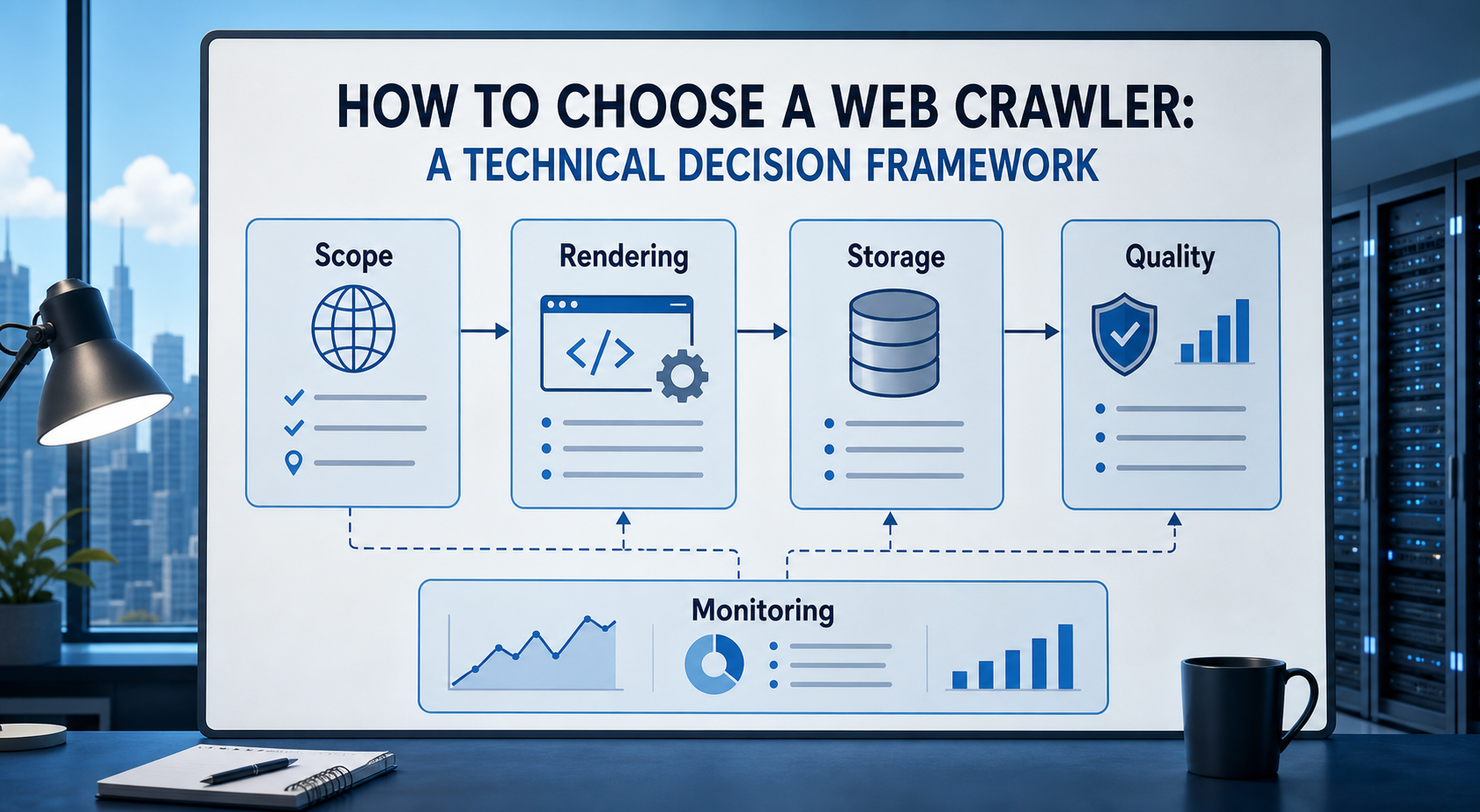
How to Choose a Web Crawler: A Technical Decision Framework
The wrong way to choose a web crawler is to begin with a list of products. The right starting point is the system you need to build. Before comparing tools, define:
View Details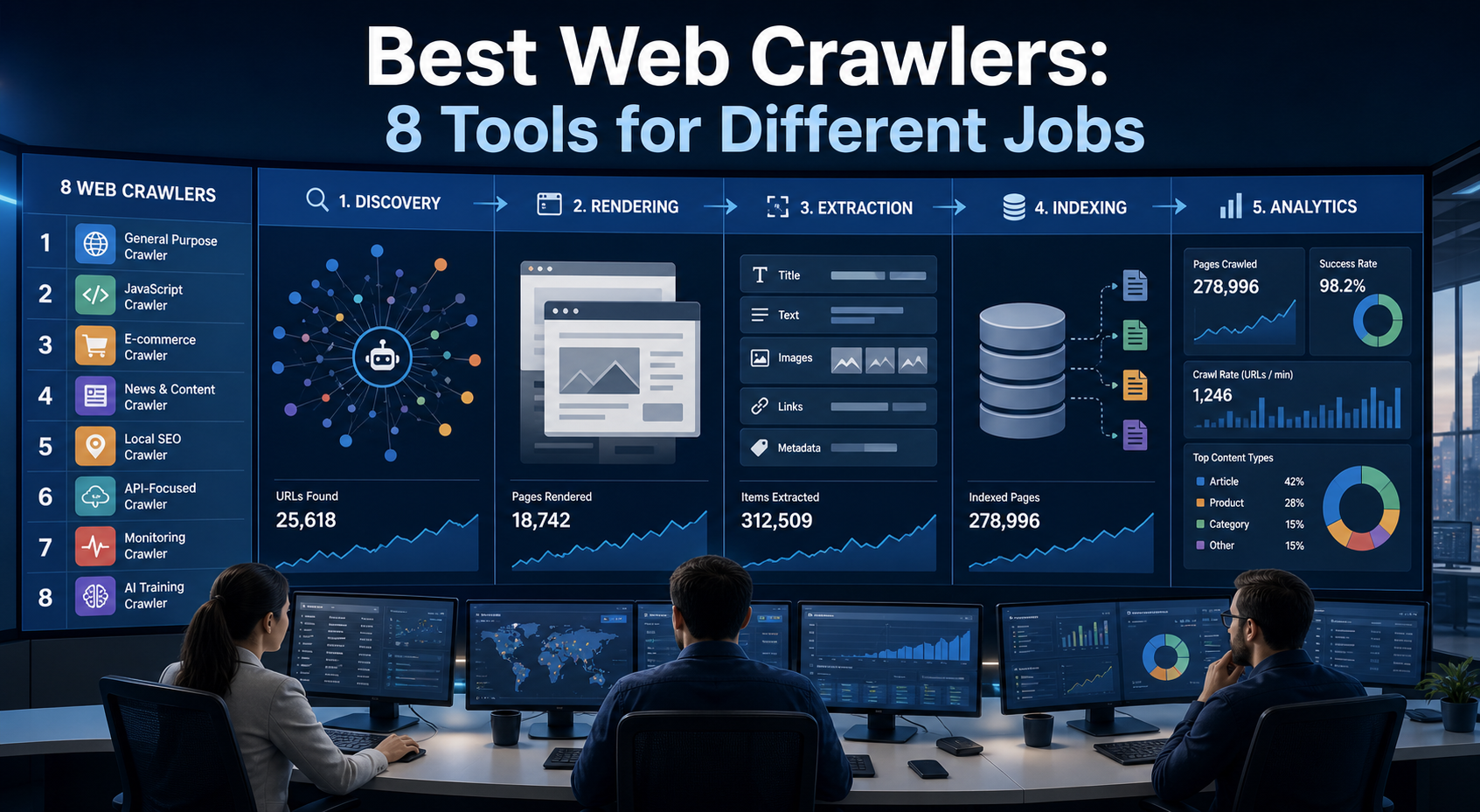
Best Web Crawlers: 8 Tools for Different Jobs
There is no single best web crawler for every project. A technical SEO audit, an AI knowledge pipeline, an internet archive, and a distributed search index may all involve crawling URLs, but they require different capabilities. The most useful way to compare web crawler tools is therefore to ask what job each one was designed to perform. This guide evaluates eight strong options across:
View Details
Web Scraping Ecommerce Websites With Python: A Practical Guide
Recommended meta title: Web Scraping Ecommerce Websites With Python: Guide Recommended meta description: Learn how to scrape ecommerce websites with Python using Requests, Beautiful Soup, Playwright, and Scrapy, with validation and scaling guidance. URL slug: /web-scraping-ecommerce-websites-python/
View Details
Synthetic Data vs Real Web Data for AI Training
The useful question is no longer whether synthetic data will replace real web data. For most AI teams, it will not. The better question is which data source should do which job.
View Details