
Web Scraping API Benchmark: Test Reliability and Cost

Web Scraping API Benchmark: Test Reliability and Cost
Web Scraping API Benchmark: Test Reliability and Cost
Web Scraping API Benchmark: How to Test Reliability, Speed, and Real Cost
A useful web scraping API benchmark should answer one question: which API produces valid, usable data for your target workload at an acceptable cost?
That is not the same as asking which API has the highest advertised success rate.
Modern scraping APIs cover different layers. Some focus on unblocking and HTML. Others render JavaScript, manage browsers, crawl sites, or return cleaned Markdown and structured JSON. Firecrawl documents scraping, crawling, Markdown, screenshots, and structured output; Zyte separates HTTP, browser, and extraction capabilities; Oxylabs exposes target-specific sources plus geo, parsing, and rendering options.
These products overlap, but they are not identical. One URL, one configuration, and one status-code check can produce a neat chart that says little about production performance.
This guide explains how data teams can build a more defensible web scraping API benchmark without inventing universal winners or relying on a provider's marketing claims.
For the LycheeIP implementation details behind this step, review LycheeIP proxy infrastructure.
For the LycheeIP implementation details behind this step, review rotating residential proxies.
For the LycheeIP implementation details behind this step, review datacenter proxies.
For the LycheeIP implementation details behind this step, review static residential proxies.
For the official technical reference behind this point, see MDN HTTP overview.
For the official technical reference behind this point, see HTTP Semantics standard.
First Define What "Success" Means
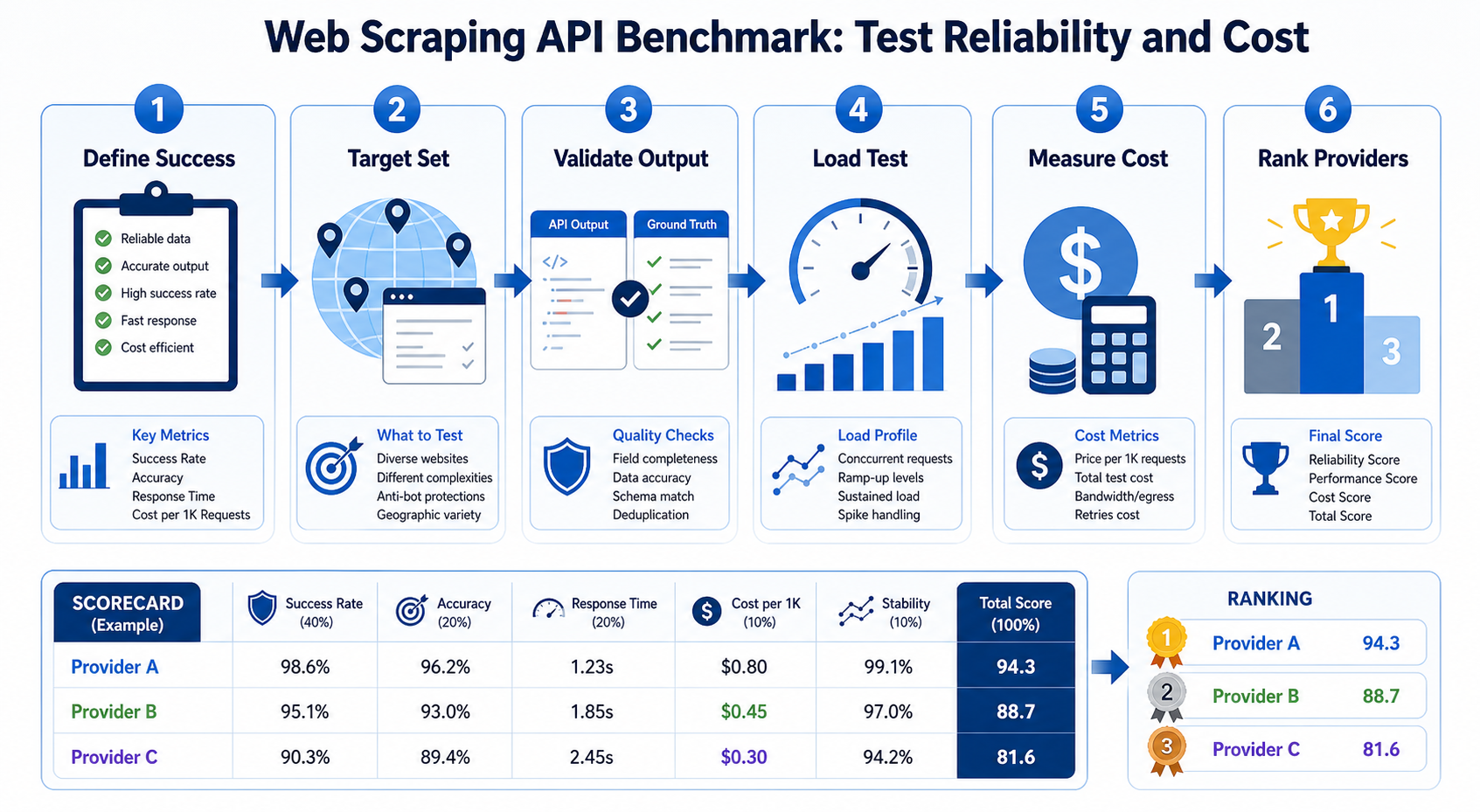
The biggest benchmarking mistake is treating every 200 OK response as a successful scrape.
A target can return HTTP 200 while serving:
- a bot challenge
- a consent wall
- a login page
- an empty application shell
- incomplete JavaScript content
- a localized page for the wrong market
- an error message embedded in HTML
- a valid page with the wrong product or record
A production benchmark needs content-level validation.
Before sending the first request, create a success contract for each target.
For an ecommerce product page, success might require the expected product ID, title, price, currency, no challenge marker, and a response before timeout. Search pages may require the query marker and a minimum result count. AI or RAG pipelines may need clean main content, consistent Markdown, metadata, or schema-valid fields.
The validator should reflect the downstream job.
Use multiple validation layers
A strong benchmark can validate at four levels.
Transport validation: Did the request complete? Record timeouts, connection failures, HTTP status, and API-level errors.
Page validation: Did the destination return the intended page? Check title, canonical URL, content markers, and challenge indicators.
Data validation: Are required fields present and plausible? Validate types, ranges, identifiers, and field relationships.
Downstream validation: Can the output be used by the system that consumes it? For example, does the JSON pass schema validation, or does the cleaned text contain the content required for retrieval?
This layered approach prevents a false success rate.
Benchmark APIs by Product Category Before Ranking Providers
A scraping API that returns raw HTML should not automatically lose to an API that performs LLM-assisted extraction. They solve different portions of the pipeline.
Group products by what you expect them to manage.
API category | What it primarily manages | Typical output Unblocking or fetch API | Proxy routing, retries, anti-bot handling | HTML or raw response Browser scraping API | JavaScript execution and browser lifecycle | Rendered HTML, screenshot, browser output Extraction API | Parsing fields from a page | JSON or structured records Crawl API | URL discovery plus repeated scraping | Multi-page content or job results AI-oriented web data API | Cleaning and model-ready transformation | Markdown, JSON, summaries, extracted fields
Many vendors now combine several categories. The table is a benchmark design tool, not a rigid market taxonomy.
The practical rule is simple: compare like with like first.
If your workload needs rendered product pages with structured fields, test that path. Do not compare one provider's raw HTTP mode with another provider's browser plus parser configuration and then attribute the difference entirely to "proxy quality."
Record the configuration used for every result
For each request, save:
- provider
- endpoint or product mode
- target
- requested geography
- rendering enabled or disabled
- parsing enabled or disabled
- session settings
- timeout
- request timestamp
- API parameters that affect difficulty or billing
Configuration is part of the result.
Without it, a future reviewer cannot explain why one run cost ten times more or why a target that worked last month now fails.
Build a Representative Target Set
A benchmark is only as useful as its targets.
Testing the fifteen hardest websites you can find may be interesting, but it can distort procurement decisions for a team that mostly crawls documentation sites and local business pages.
Start with your real URL distribution.
A representative sample should mix ordinary server-rendered pages, JavaScript-heavy templates, geo-sensitive pages, rate-limited targets, and a smaller set of difficult or high-value targets. Use production traffic logs to set the proportions when available.
Sample URLs across templates, not just domains
One domain can contain very different templates, such as category, search, product, review, and store-locator pages. Protection, rendering, and page weight may differ between them. If the pipeline targets products, a successful homepage request proves little. Sample page types by business value.
Keep a fixed benchmark set and a rotating set
Use a fixed set for longitudinal comparison and a rotating set for fresh URLs and templates. This reduces overfitting to a predictable sample. Public benchmarks may need to limit advance target disclosure; internal evaluations should prioritize the exact targets planned for production.
Measure Six Metrics That Matter in Production
A single "success rate" number hides too much. At minimum, separate six dimensions.
1. Valid Content Success Rate
Calculate:
valid success rate = validated successful outputs / total attempted requests
The word validated matters.
Keep error classes separate:
- proxy or connection failure
- timeout
- provider API error
- target 4xx
- target 5xx
- challenge page
- empty or incomplete render
- parse failure
- wrong geo result
- schema validation failure
Two APIs with the same 90 percent success rate may have very different operational profiles. One may fail predictably on three targets. Another may fail randomly across the entire dataset.
Predictable specialization can be easier to work around than random instability.
2. Latency Distribution
Do not report only average response time.
Track p50, p90, and p95 latency for valid responses. If your queue has strict service-level objectives, p99 may matter too.
Browser rendering and more aggressive unblocking can add latency. That is not necessarily bad if the result is valid. The benchmark should expose the tradeoff.
Measure:
- time to first accepted API response
- total job duration
- time to valid result after retries
- queue delay for asynchronous APIs
For asynchronous products, "API accepted my job in 200 ms" is not scrape latency.
3. Concurrency and Throughput
Requests per second and concurrency are related but different.
A client can send ten requests per second while jobs take thirty seconds, creating a large number of concurrent requests. Providers may enforce limits by request rate, active jobs, browser sessions, or account-level concurrency.
Increase load gradually.
Test at:
- expected normal traffic
- expected peak traffic
- a controlled burst
- sustained production-like load
Record throttling, queue behavior, latency changes, and failure rates.
When the destination returns HTTP 429, the server is asking the client to reduce request frequency. The response may include a Retry-After header indicating when to try again. Your benchmark should record whether the API handles rate pressure transparently or simply returns failures to your application.
Do not use proxy rotation or additional accounts to circumvent a service's documented API limits.
4. Extraction Accuracy
Structured output is increasingly important because many web data systems feed search, analytics, and AI applications directly.
Test extraction separately from page access.
Measure field precision, recall, schema validity, and consistency across equivalent pages. Create a human-reviewed gold dataset and compare each extraction path against it.
LLM-assisted extraction can help with irregular pages, but it still needs validation. Clean-looking JSON is not proof that every value came from the page.
5. Geographic Accuracy
If your use case depends on location, test it.
Request the same page from multiple countries or regions and compare:
- language
- currency
- inventory
- offers
- local domain or redirect
- page content
- exit IP geolocation
Some providers accept a geo parameter. Oxylabs, for example, documents geo_location as an optional request parameter for relevant sources. The presence of a parameter does not guarantee your exact target will localize the way you expect.
Destination websites may use cookies, account settings, URL parameters, GPS permissions, or prior session state in addition to IP location.
Geo benchmarking should therefore validate the returned content, not only the exit IP.
6. Cost per Valid Result
This is the commercial metric that should influence the final decision.
Calculate:
cost per valid result = total billed cost / validated successful outputs
Include the settings required to reach the success level you need.
A low base price can become expensive if difficult pages require premium routing, browser rendering, extra credits, or multiple retries. Conversely, a more expensive request can be economical if it consistently returns a ready-to-use record and removes your own browser and parsing infrastructure.
Track at least:
- billed API units
- bandwidth when relevant
- retries
- rendering or premium options
- parsing or extraction add-ons
- compute you still operate
- engineering time for target maintenance
Do not compare price per 1,000 requests without comparing what one billed request actually produces.
Design the Benchmark So It Can Be Repeated
A one-time test is a snapshot.
Websites change. Anti-bot systems change. Providers update routing, browsers, parsers, and pricing. Your workload changes too.
A useful benchmark is a small testing system.
Store raw evidence
For every run, retain request ID, timestamp, target reference, provider configuration, status, latency, validation result, error class, response fingerprint, cost units, and a redacted sample when policy permits.
Do not store proxy passwords, authorization headers, or sensitive page content in general application logs.
Version your validators
When a site redesign changes a selector, the benchmark can suddenly report a performance collapse even though the API still accesses the page correctly.
Store validator versions.
If validation logic changes, note the date and rerun a sample against old and new rules where possible.
Run repeated trials
One request per URL is not enough to estimate reliability.
Repeat targets across time windows. Randomize request order. Avoid running provider A during a calm period and provider B during a known target outage.
For a procurement test, run enough samples to reveal variance. The required sample size depends on how close the providers are and how confident you need to be. Do not attach false precision to a tiny test.
A Practical Web Scraping API Evaluation Workflow
Here is a repeatable seven-step process.
Step 1: Write the workload profile
Document target categories, volume, peak concurrency, required geographies, rendering needs, output format, and freshness requirements.
Step 2: Shortlist by capability
Remove products that cannot support a mandatory requirement.
If you need recursive crawling with URL discovery, evaluate crawl-capable products. Firecrawl's current crawl documentation, for example, describes sitemap handling, recursive link discovery, path filtering, depth limits, and asynchronous result handling.
If you only need an unblocked HTML response, a full crawl product may add unnecessary cost and complexity.
Step 3: Create a gold dataset
Choose representative URLs and manually validate the expected output.
Do not let each provider define "success" differently.
Step 4: Implement provider adapters
Create a common internal interface such as fetch(target, configuration) -> normalized_result. Each adapter translates the benchmark request into a provider's API format while preserving provider-specific metadata for diagnosis.
Step 5: Run baseline configurations
Start with the least expensive configuration that plausibly meets the workload.
Then escalate only where necessary:
- basic fetch
- target-specific endpoint
- JavaScript rendering
- premium or enhanced routing
- structured extraction
This creates a cost curve instead of a single number.
Step 6: Run production-like load
Test expected concurrency and sustained request volume within authorized and responsible limits.
Measure valid output, not just accepted jobs.
Step 7: Score providers by your priorities
A weighted model might prioritize valid content success, cost per valid result, p95 time to valid result, extraction accuracy, concurrency behavior, and observability. Set the weights around the workload. An AI pipeline may emphasize Markdown and schema consistency, while price monitoring may emphasize field accuracy and geography.
Where Raw Proxies Still Fit
A managed scraping API is not always the right abstraction.
Raw proxy infrastructure can make sense when your engineering team already owns:
- request scheduling
- browser orchestration
- retries
- parsing
- validation
- monitoring
In that case, a proxy provider such as LycheeIP can supply residential, ISP, datacenter, or mobile routing while your application controls the rest of the scraping pipeline.
The tradeoff is responsibility.
With raw proxies, you get more control over the client, request flow, and network selection. You also own more failure modes. You must distinguish proxy errors from target errors, implement rate handling, manage sessions, and maintain parsers.
Managed scraping APIs move more of that work to the vendor. Their value should be measured against the engineering layer they replace, not only against raw bandwidth prices.
For some teams, the best architecture is hybrid. Use a simple HTTP client and proxies for easy targets, then route difficult or JavaScript-heavy pages to a managed browser or scraping API.
Common Benchmarking Mistakes
Testing only famous protected websites
This produces an anti-bot contest, not a workload benchmark.
Include the ordinary pages that make up your actual traffic.
Counting every 200 response as success
Validate page content and required fields.
Using different features without recording them
Rendering, parsing, premium routing, and target-specific endpoints can change both success and cost.
Ignoring retries
A provider that succeeds on the third paid attempt has a different cost profile from one that succeeds immediately.
Reporting averages without distributions
A 3-second average can hide a 45-second p95.
Benchmark scraping stacks against LycheeIP proxy infrastructure
Benchmarking once and calling it a permanent ranking
Scraping performance is time-sensitive. Repeat the test and date the results.
Frequently Asked Questions
What is a web scraping API?
A web scraping API is a hosted interface that accepts a target URL or query and manages some combination of fetching, proxy routing, retries, browser rendering, crawling, and data extraction. Capabilities vary by product.
What is the most important metric in a web scraping API benchmark?
For most production workloads, validated success rate is the foundation. It should measure whether the API returned the correct usable content, not merely whether the HTTP request completed.
How do I compare scraping API pricing?
Calculate cost per valid result using the configuration required for your targets. Include retries, premium routing, browser rendering, extraction add-ons, and infrastructure you still operate.
Should I benchmark JavaScript rendering on every page?
No. Test rendering where the target or data requires it. Enabling a browser for every URL can increase latency and cost unnecessarily.
Is a scraping API better than residential proxies?
They solve different layers. Residential proxies provide network routing. A scraping API may also manage retries, rendering, parsing, crawling, and output transformation. The better choice depends on which layers your team wants to operate.
How often should I rerun a web scraping API benchmark?
Rerun critical targets regularly and review broadly when pricing, target mix, or production metrics change. Treat every benchmark as time-stamped evidence. Conclusion The best web scraping API is the one that produces the data your system needs under your real target mix, load pattern, and budget. Benchmark validated outputs. Separate fetching from rendering and extraction. Measure latency distributions, concurrency, geo accuracy, and cost per usable result, then preserve enough evidence to repeat the test. Resist universal rankings built from one configuration. Scraping APIs now span hard-target access, crawling, browser execution, and model-ready transformation. A fair benchmark must test the job you are hiring the API to do.
Related LycheeIP Guides and Resources

Recommended Articles

Best Real Estate Scrapers in 2026
Best Real Estate Scrapers in 2026
View Details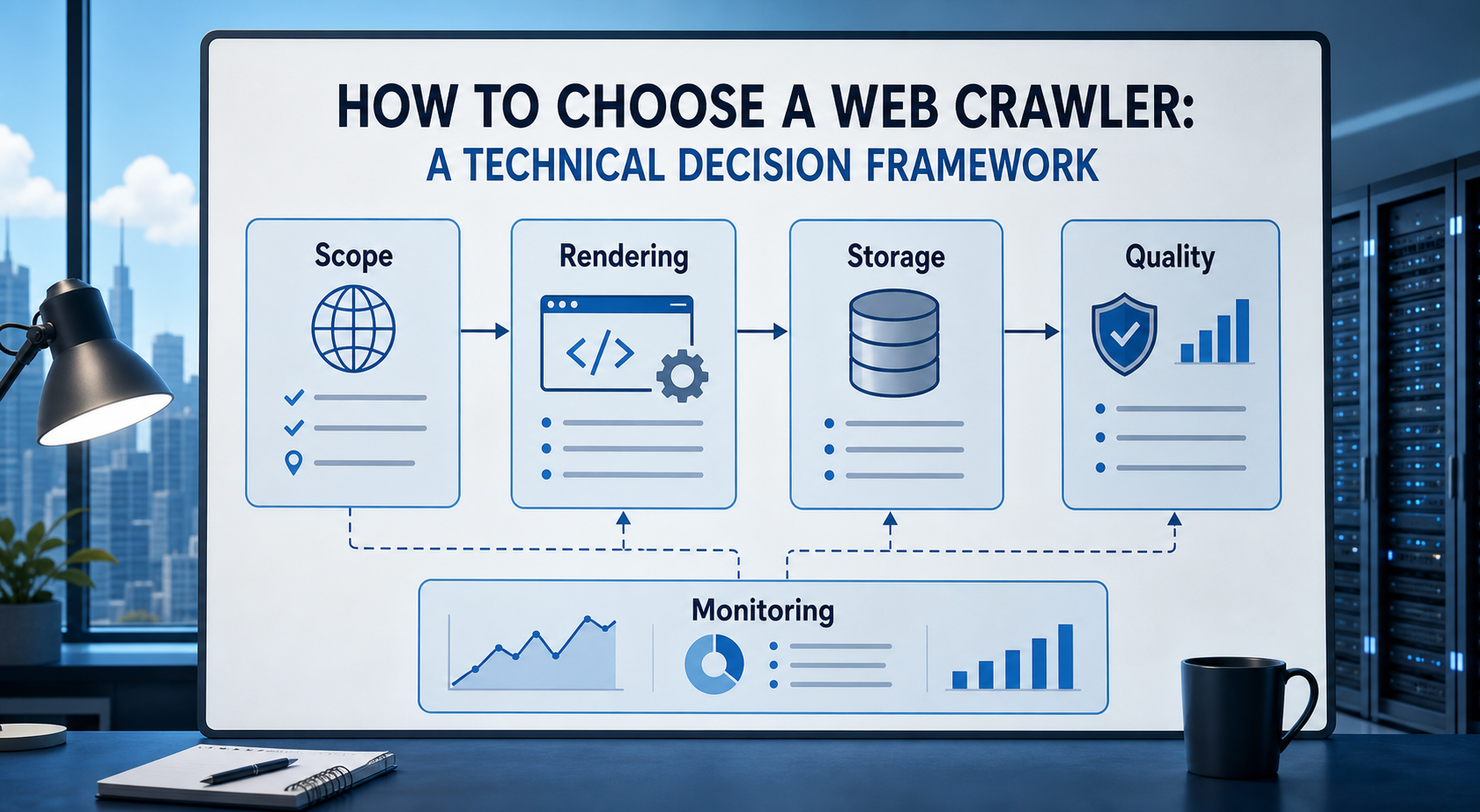
How to Choose a Web Crawler: A Technical Decision Framework
The wrong way to choose a web crawler is to begin with a list of products. The right starting point is the system you need to build. Before comparing tools, define:
View Details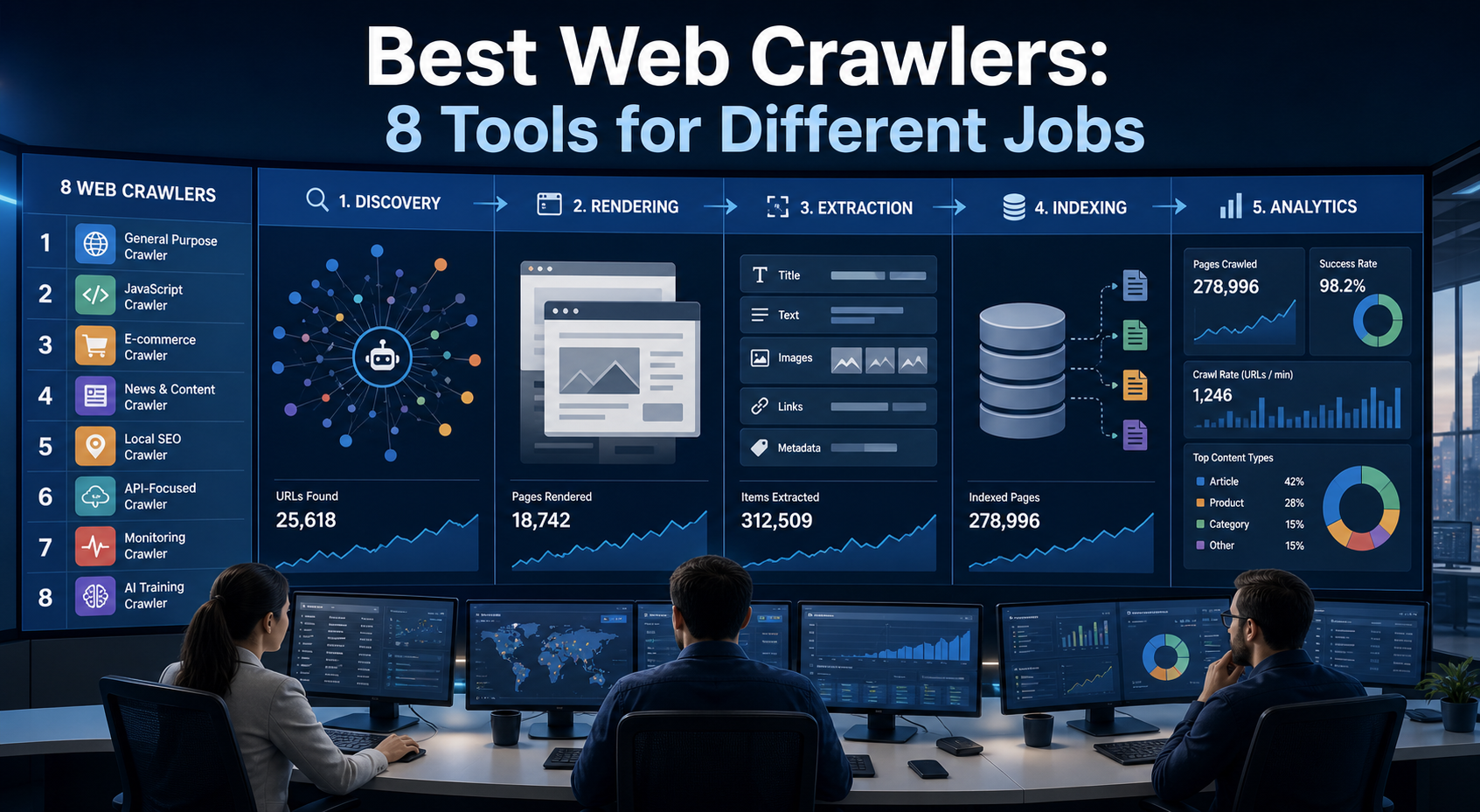
Best Web Crawlers: 8 Tools for Different Jobs
There is no single best web crawler for every project. A technical SEO audit, an AI knowledge pipeline, an internet archive, and a distributed search index may all involve crawling URLs, but they require different capabilities. The most useful way to compare web crawler tools is therefore to ask what job each one was designed to perform. This guide evaluates eight strong options across:
View Details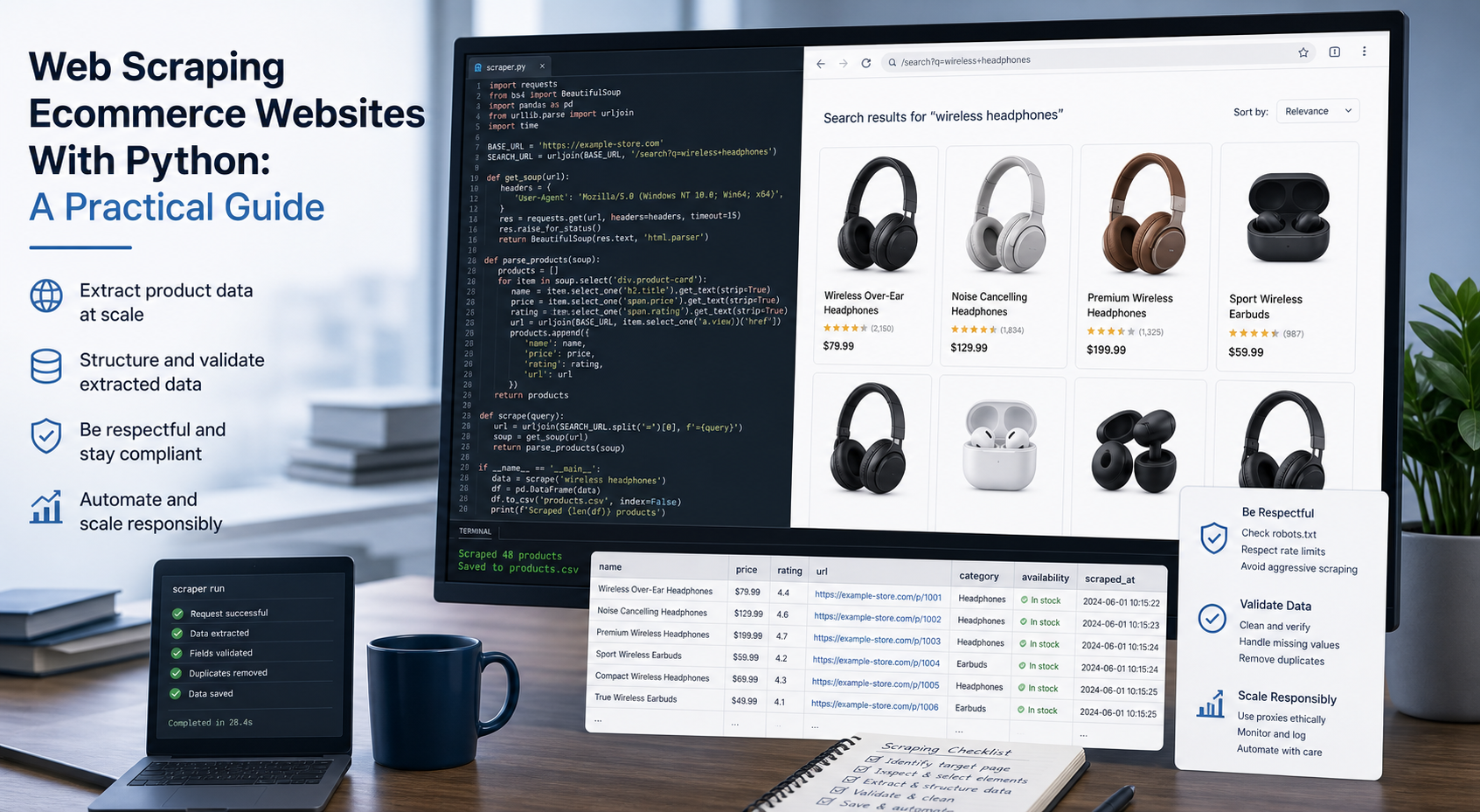
Web Scraping Ecommerce Websites With Python: A Practical Guide
Recommended meta title: Web Scraping Ecommerce Websites With Python: Guide Recommended meta description: Learn how to scrape ecommerce websites with Python using Requests, Beautiful Soup, Playwright, and Scrapy, with validation and scaling guidance. URL slug: /web-scraping-ecommerce-websites-python/
View Details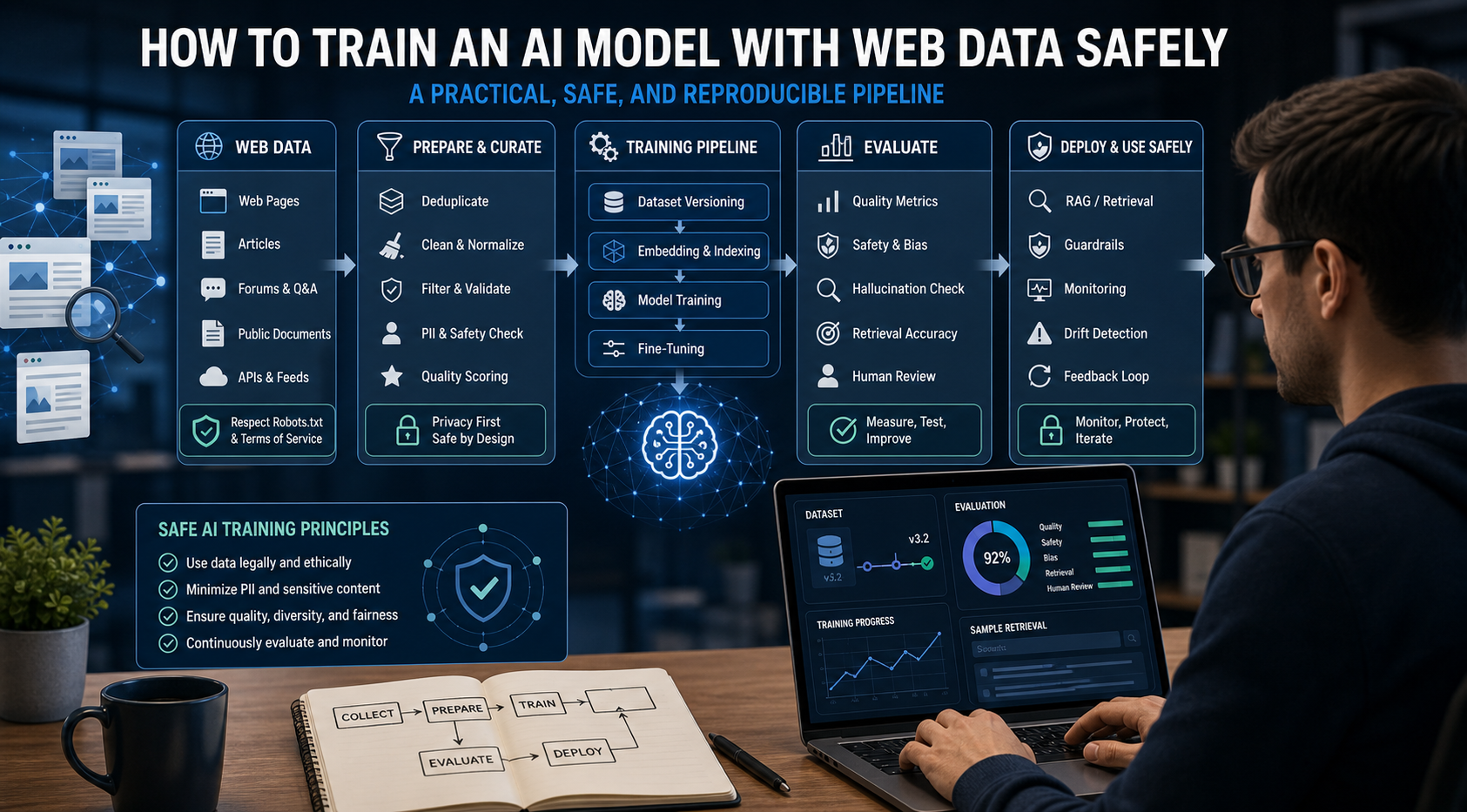
How to Train an AI Model With Web Data Safely
To train an AI model with web data, start by deciding whether you actually need training. Then collect representative sources, preserve provenance, remove duplicates and low-quality content, create leakage-resistant splits, build a baseline, fine-tune or train the appropriate model, and evaluate on real held-out examples before deployment.
View Details