
Open Source Security: Shannon AI Pen Testing Walkthrough
Watch this AI autonomously find security holes in a vulnerable app, no human intervention needed.
The landscape of application security testing is undergoing a fundamental transformation. Artificial intelligence is moving rapidly from being a supporting tool (like a smart autocomplete for bash scripts) to becoming a primary operator. Shannon AI represents this exact evolution: an open-source penetration testing framework that can independently discover, validate, and document security vulnerabilities without constant human guidance.
For penetration testers and security engineering teams drowning in Jira backlogs, the promise is highly compelling. Traditional manual pen-testing requires extensive expertise, significant time investment, and completely fails to scale across modern, agile application portfolios. Meanwhile, conventional automated scanners (like basic DAST tools) generate overwhelming false positives and miss contextual, logic-based vulnerabilities that require reasoning about how an application actually behaves.
Shannon AI attempts to bridge this gap by combining the reasoning capabilities of Large Language Models (LLMs) with structured, durable security testing methodologies. This walkthrough demonstrates exactly how to deploy Shannon AI against vulnerable applications, understand its autonomous decision-making process, and interpret the actionable results it produces.
Power your scans with LycheeIP
Setting Up Shannon AI for Penetration Testing
Prerequisites and Environment Preparation
Before diving into the Shannon AI deployment, your environment needs several foundational components. First, ensure you have Python 3.9 or higher installed, along with pip for package management. You will also need Docker to spin up containerized target applications—this is strictly recommended for safely running vulnerable test environments without compromising your host machine.
For this walkthrough, we will use as our target. DVWA provides a controlled, legal environment containing known vulnerabilities across multiple critical categories: SQL injection, Cross-Site Scripting (XSS), command injection, and more.
System Requirements:
- 8GB RAM minimum (16GB highly recommended for larger, complex scans).
- 20GB available disk space.
- Linux, macOS, or Windows with WSL2.
- Network access to your target application.
- An OpenAI API key or a local LLM endpoint (e.g., Ollama, LM Studio).
Installation Process
Clone the Shannon AI repository from GitHub and install the necessary dependencies:
Bash
git clone https://github.com/shannon-ai/shannon-pentest.git
cd shannon-pentest
pip install -r requirements.txt
This installation pulls in several critical libraries: requests for HTTP interactions, beautifulsoup4 for DOM parsing, langchain for LLM orchestration, and specialized security libraries for payload generation.
Next, you must configure your AI provider. Shannon AI is model-agnostic and supports multiple backends—OpenAI's GPT-4, Anthropic's Claude, or open-source models via Ollama. Create a .env file in the root directory:
Plaintext
LLM_PROVIDER=openai
OPENAI_API_KEY=your_key_here
MODEL_NAME=gpt-4-turbo
TARGET_URL=http://localhost:8080/dvwa
For privacy-conscious testing on proprietary codebases or within air-gapped environments, configure a local open-source model instead:
Plaintext
LLM_PROVIDER=ollama
OLLAMA_BASE_URL=http://localhost:11434
MODEL_NAME=mistral:latest
Target Configuration and Scope Definition
Shannon AI requires strict, explicit scope definition to prevent the agent from wandering and testing outside authorized boundaries. Create a scope.yaml file:
YAML
targets:
  - base_url: http://localhost:8080/dvwa
allowed_paths:
  - /dvwa/*
excluded_paths:
  - /dvwa/logout.php
authentication:
  type: form
  login_url: /dvwa/login.php
  credentials:
    username: admin
    password: password
rate_limit: 10 # requests per second
timeout: 30 # seconds
This configuration explicitly tells Shannon AI to stay within DVWA boundaries, strictly avoid logout endpoints (which would prematurely terminate the testing session), handle the form-based authentication, and respect hard rate limits to prevent accidental Denial of Service (DoS).
Now, launch DVWA via Docker:
Bash
docker run -d -p 8080:80 vulnerables/web-dvwa
Finally, verify Shannon AI can successfully reach and authenticate with the target:
Bash
python shannon.py --check-connectivity
You should see terminal output confirming HTTP 200 responses and successful session establishment.
Understanding the Five-Phase Autonomous Workflow
Shannon AI's true strength lies in its structured, multi-phase approach that perfectly mirrors how expert human penetration testers operate. Let's examine each phase with concrete terminal examples.
Phase 1: Reconnaissance and Application Mapping
When you initiate a scan with python shannon.py --run-scan, Shannon AI begins by building a mental model of the target application. Unlike traditional "dumb" spiders that blindly follow HTML href links, the AI makes contextual decisions about the application's logical structure.
Example reconnaissance output:
Plaintext
[RECON] Discovering endpoints from base URL...
[RECON] Found login form at /dvwa/login.php
[RECON] Authentication successful, session established
[RECON] Discovered 12 unique endpoints:
  - /dvwa/vulnerabilities/sqli/ (parameter: id, user_id)
  - /dvwa/vulnerabilities/xss_r/ (parameter: name)
  - /dvwa/vulnerabilities/exec/ (parameter: ip)
  - /dvwa/vulnerabilities/upload/ (file upload form)
[RECON] Technology fingerprinting:
  - Server: Apache/2.4.25
  - PHP Version: 7.0
  - Database: MySQL (inferred from error messages)
The AI doesn't just catalog URLs—it maps specific parameter names, analyzes form fields, and makes technology stack inferences that will directly inform its payload selection in later phases.
Phase 2: Vulnerability Identification
With the application successfully mapped, Shannon AI enters its reasoning phase. Here is where the LLM capabilities vastly outperform traditional scanners. The system examines each endpoint and generates intelligent hypotheses about potential vulnerabilities.
AI reasoning example for a SQL injection endpoint:
Plaintext
[ANALYSIS] Examining /dvwa/vulnerabilities/sqli/?id=1
[AI-REASONING] Endpoint accepts numeric 'id' parameter directly in URL
[AI-REASONING] Response time variations suggest database interaction
[AI-REASONING] Error messages leak SQL syntax information
[AI-REASONING] Hypothesis: Classic SQL injection via 'id' parameter
[AI-REASONING] Attack vectors to test:
  1. Boolean-based blind injection
  2. Error-based injection
  3. Union-based injection
  4. Time-based blind injection
Notice how the AI prioritizes its testing methodology based on observed application behavior, rather than blindly throwing a dictionary of 10,000 payloads at the wall to see what sticks.
Phase 3: Exploitation Attempts
Shannon AI now systematically tests its generated hypotheses. This is autonomous exploitation in action—the AI crafts surgical payloads, observes the HTTP responses, and adapts its approach on the fly.
Exploitation sequence for SQL injection:
Plaintext
[EXPLOIT] Testing boolean-based injection: id=1' AND '1'='1
[EXPLOIT] Response matches original (200 OK, same content length)
[EXPLOIT] Testing error condition: id=1' AND '1'='2
[EXPLOIT] Response differs! Potential boolean-based SQLi confirmed
[EXPLOIT] Escalating test: id=1' UNION SELECT NULL,NULL--
[EXPLOIT] Determining column count...
[EXPLOIT] Successfully extracted database name: dvwa
[EXPLOIT] Vulnerability confirmed: SQL Injection (Union-based)
The AI adapts in real-time. When basic boolean testing shows promise, it escalates to a union-based injection to prove data exfiltration. Each step logically builds on previous observations.
Phase 4: Privilege Escalation and Impact Analysis
After confirming a vulnerability, Shannon AI assesses its true exploitability and potential business impact:
Plaintext
[IMPACT] SQL Injection at /dvwa/vulnerabilities/sqli/
[IMPACT] Extracted data samples:
  - usernames: admin, gordonb, 1337
  - password hashes (MD5): 5f4dcc3b5aa765d6...
[IMPACT] Database permissions analysis:
  - SELECT: Yes
  - INSERT: Yes
  - FILE: No
[IMPACT] Severity: CRITICAL
[IMPACT] Exploitability: Easy (direct parameter injection)
[IMPACT] Business impact: Complete authentication bypass, data exfiltration
The AI doesn't just throw an alert saying "SQLi exists"—it demonstrates the actual, tangible risk by safely extracting data and assessing exactly what a malicious threat actor could accomplish.
Phase 5: Reporting and Documentation
Shannon AI automatically generates comprehensive, developer-ready reports:
JSON
{
  "vulnerability_id": "SHANNON-2024-001",
  "type": "SQL Injection",
  "severity": "critical",
  "location": "/dvwa/vulnerabilities/sqli/",
  "parameter": "id",
  "proof_of_concept": "id=1' UNION SELECT user,password FROM users--",
  "evidence": {
    "extracted_data": ["admin:5f4dcc3b5aa765d6..."],
    "response_codes": [200],
    "response_times": [342]
  },
  "remediation": "Implement parameterized queries using PDO prepared statements",
  "references": ["OWASP A03:2021", "CWE-89"]
}
Power your scans with LycheeIP
LycheeIP (Developer-First Proxy Infrastructure)
When running automated, AI-driven penetration testing frameworks like Shannon AI against external staging environments or authorized bug bounty targets, managing your network footprint is absolutely critical. Because Shannon generates rapid, highly suspicious requests during its reconnaissance and exploitation phases, testing from a single corporate IP address will inevitably trigger Web Application Firewalls (WAFs) or automated rate limits, halting the scan prematurely.
By integrating a robust developer-first proxy infrastructure, security teams can responsibly distribute their testing traffic. Utilizing dynamic IP networks allows your AI agents to smoothly rotate connections during intensive fuzzing or directory enumeration without getting blocked by standard perimeter defenses. Alternatively, when validating specific localized vulnerabilities or testing geo-restricted APIs, datacenter IP solutions provide the high-speed, persistent connections necessary for uninterrupted LLM analysis. (Note: Always ensure you have explicit, documented authorization before scanning any external target). Learn more about optimizing your team's authorized testing capabilities at LycheeIP.
Analyzing and Validating AI-Discovered Vulnerabilities
Manual Validation Techniques
Autonomous AI testing is incredibly powerful, but human validation remains essential. You must verify Shannon AI's findings before escalating them to engineering teams.
For SQL Injection findings:
- Reproduce the exact payload from Shannon's provided Proof-of-Concept (PoC).
- Examine the raw HTTP response differences between normal and injected requests.
- Test local remediation measures to confirm the proposed fix actually works.
Example validation via terminal:
Bash
curl "http://localhost:8080/dvwa/vulnerabilities/sqli/?id=1' UNION SELECT user,password FROM users--"
If you see backend database contents rendered in the terminal response, the vulnerability is 100% confirmed.
Identifying False Positives
LLM-based tools can occasionally hallucinate vulnerabilities. Watch carefully for these warning signs:
- Severity doesn't match evidence: The report claims a "Critical Remote Code Execution (RCE)" but the evidence only shows a standard 404 error page.
- Missing PoC data: The report claims successful database exploitation without showing any extracted sample data.
- Inconsistent reproduction: Manually testing the provided payload produces vastly different results than the AI reported.
- Logical impossibilities: The AI reports a file upload vulnerability on an endpoint that contains absolutely no file upload functionality.
Tip: Shannon AI includes a confidence score with each finding. Findings below a 0.7 confidence threshold warrant immediate manual scrutiny.
Prioritizing Vulnerabilities for Remediation
Not all vulnerabilities demand drop-everything, immediate attention. Use this standard triage framework:
- Critical Priority (Patch within 24 hours): Pre-authentication RCE, pre-auth SQL injection, or administrative credentials exposed in plaintext.
- High Priority (Patch within 1 week): Post-authentication RCE, Stored XSS affecting administrative functions, or Insecure Direct Object References (IDOR) exposing sensitive PII.
- Medium Priority (Patch within 30 days): Reflected XSS on low-privilege pages, basic information disclosure (like server version numbers), or missing security headers.
Integrating Results into Security Workflows
Shannon AI exports to multiple formats for frictionless DevSecOps pipeline integration.
For JIRA/GitHub Issues:
Bash
python shannon.py --export-format github-issues --repo yourorg/yourrepo
For continuous integration (CI/CD) pipelines:
YAML
.github/workflows/security-scan.yml

name: Shannon AI Security Scan
on: [pull_request]
jobs:
  pentest:
    runs-on: ubuntu-latest
    steps:
      - name: Run Shannon AI
        run: |
          python shannon.py --target ${{ secrets.STAGING_URL }}
          if [ $(jq '.critical_count' report.json) -gt 0 ]; then
            echo "Critical vulnerabilities found. Failing build."
            exit 1
          fi
This configuration automatically fails CI/CD builds when critical vulnerabilities are discovered, physically preventing insecure code from reaching production.
Best Practices and Limitations
When to Use Autonomous vs. Manual Testing
Autonomous AI excels at:
- Initial vulnerability discovery across massive, sprawling application surfaces.
- Rapid regression testing immediately after security patches are applied.
- Continuous monitoring inside CI/CD pipelines.
- Standardized compliance checks against the OWASP Top 10.
Manual testing remains essential for:
- Deep business logic vulnerabilities requiring specialized industry domain knowledge.
- Highly complex, multi-step attack chains (e.g., exploiting a race condition to bypass a multi-factor approval workflow).
- Zero-day research and the development of entirely novel attack techniques.
Known Limitations
Be highly aware of Shannon AI's current technical constraints:
- Context Window Limits: LLMs have finite token limits, restricting their ability to analyze massively complex, monolithic applications in a single pass.
- Cost Considerations: Commercial API-based models incur charges; running extensive, aggressive scans on large apps can become expensive quickly.
- Rate Limiting: Aggressive automated scanning will inevitably trigger WAF/IPS protections if not properly proxied or throttled.
- JavaScript-Heavy SPAs: The tool has a limited ability to interact with complex, dynamic Single Page Applications (SPAs) without integrated browser automation (like Playwright or Selenium).
Conclusion
Shannon AI demonstrates that autonomous penetration testing has officially moved from a theoretical whitepaper possibility to a highly practical reality. By combining LLM reasoning with structured security methodologies, it successfully automates the tedious reconnaissance and initial exploitation phases that historically consumed 80% of a penetration tester's time.
The five-phase workflow—reconnaissance, identification, exploitation, impact analysis, and reporting—perfectly mirrors expert human processes while operating at machine speed and scale. For DevSecOps teams managing dozens of applications, this automation is transformative.
However, AI-driven testing complements rather than replaces human expertise. The nuanced understanding of complex business logic, creative attack chaining, and contextual risk assessment still fundamentally require human judgment. Use Shannon AI to handle the wide breadth of testing across your application portfolio, freeing your skilled security professionals to focus their energy on depth in highly critical areas.
Start with controlled, local environments like DVWA to truly understand Shannon AI's capabilities. As you gain confidence, integrate it directly into your development pipelines for continuous security validation. The future of application security isn't choosing between human testers and AI—it's intelligently and aggressively combining both.
Power your scans with LycheeIP
Frequently Asked Questions
Q: Does Shannon AI require deep programming knowledge to use?
A: Basic command-line (CLI) familiarity is required for installation and configuration, but you do not need to write code to run the scans. The tool uses simple YAML configuration files for scoping and provides straightforward command-line options. However, understanding HTTP requests, REST APIs, and basic web security concepts will help you interpret the final JSON reports much more effectively.
Q: How much does it cost to run Shannon AI scans?
A: Costs depend entirely on your chosen LLM provider. Using OpenAI's GPT-4, a comprehensive scan of a medium-sized application typically costs $2 to $10 in API fees. You can eliminate these costs entirely by using free, locally-run open-source models through Ollama (like Mistral or Llama 3), though these local models may produce slightly less sophisticated reasoning than massive commercial models.
Q: Can Shannon AI test native mobile applications or backend APIs?
A: Shannon AI primarily targets web applications with HTTP/HTTPS interfaces. It can test REST and GraphQL APIs highly effectively by configuring the specific endpoints and authentication headers in the scope file. While testing native mobile app binaries (APK/IPA) isn't directly supported, you can easily test mobile app backends by pointing Shannon AI at the API endpoints the mobile app communicates with.
Q: How does Shannon AI compare to commercial tools like Burp Suite Pro or Acunetix?
A: Shannon AI offers autonomous, dynamic reasoning that can identify contextual logic vulnerabilities that traditional, signature-based scanners often miss. However, it currently lacks the mature, deep testing breadth and robust browser automation capabilities of established commercial tools like Burp Suite. It is best viewed as complementary—use Shannon AI for rapid, AI-driven contextual discovery, and commercial tools for comprehensive, regulated coverage.
Q: What should I do if Shannon AI finds a "Critical" vulnerability in our production environment?
A: First, manually validate the finding using the provided Proof-of-Concept to confirm it is not an AI hallucination or false positive. If confirmed, immediately notify your security team and relevant engineering stakeholders. Assess if the vulnerability is being actively exploited by checking your server logs. Implement temporary mitigations (e.g., deploying custom WAF rules or access restrictions) while the engineering team develops a proper code fix.

Recommended Articles
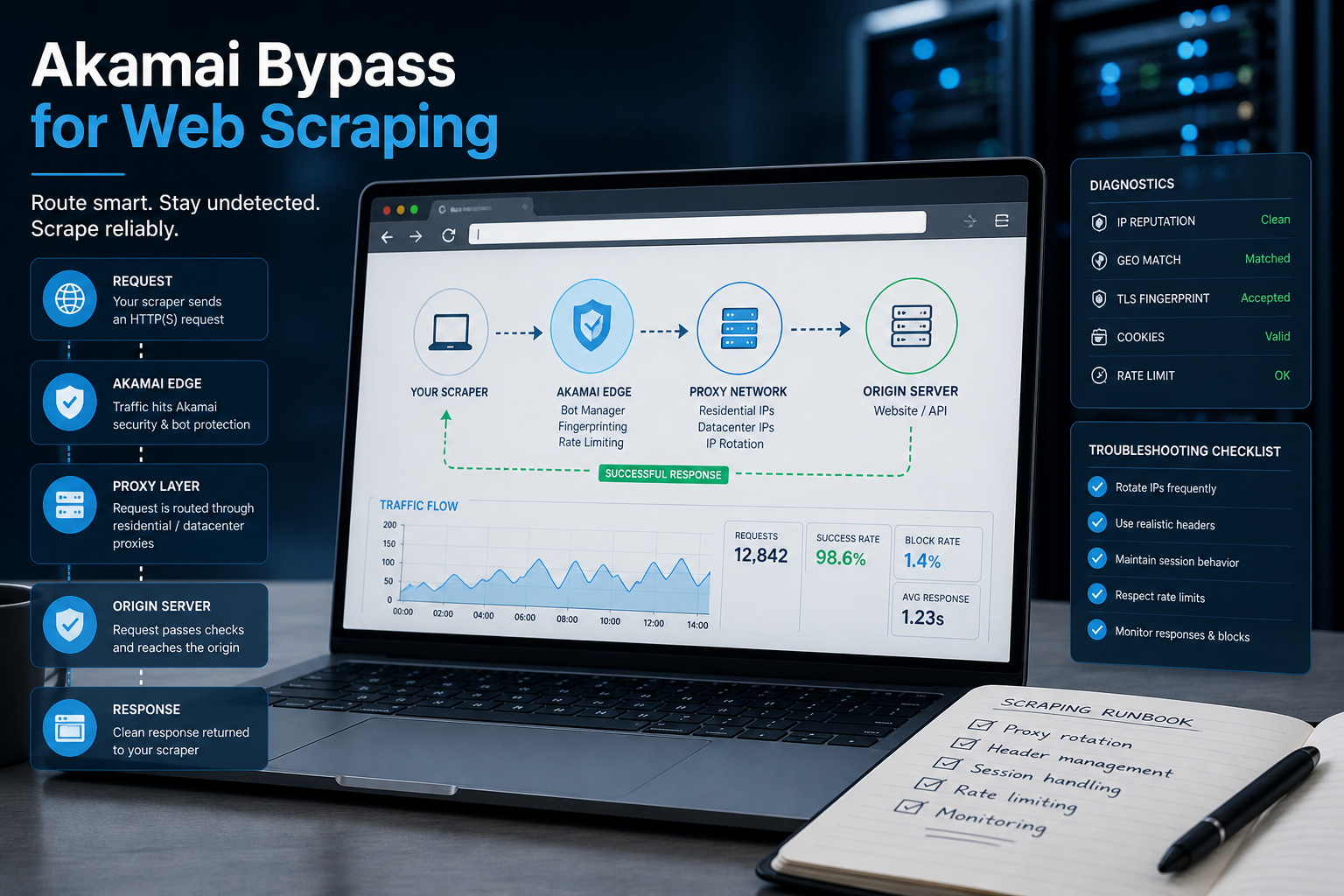
Akamai Bypass for Web Scraping
Akamai Bypass for Web Scraping
View Details
Browser Security Settings Most Users Never Touch
Stop leaving your personal data wide open. We reveal the crucial security toggles buried in your browser that instantly lock down your passwords and hide your daily web traffic.
View Details
Stop Saving Passwords in Your Browser
Letting Chrome or Safari remember your passwords feels incredibly convenient, but it is a massive security risk. Discover the hidden dangers of browser autofill and exactly what you should be using instead.
View Details
Should You Pay for a Browser? The Case For and Against
Are you currently paying for your free browser with your personal data? Discover if upgrading to a paid tool like Brave Origin is the ultimate privacy hack or just a complete waste of your cash.
View Details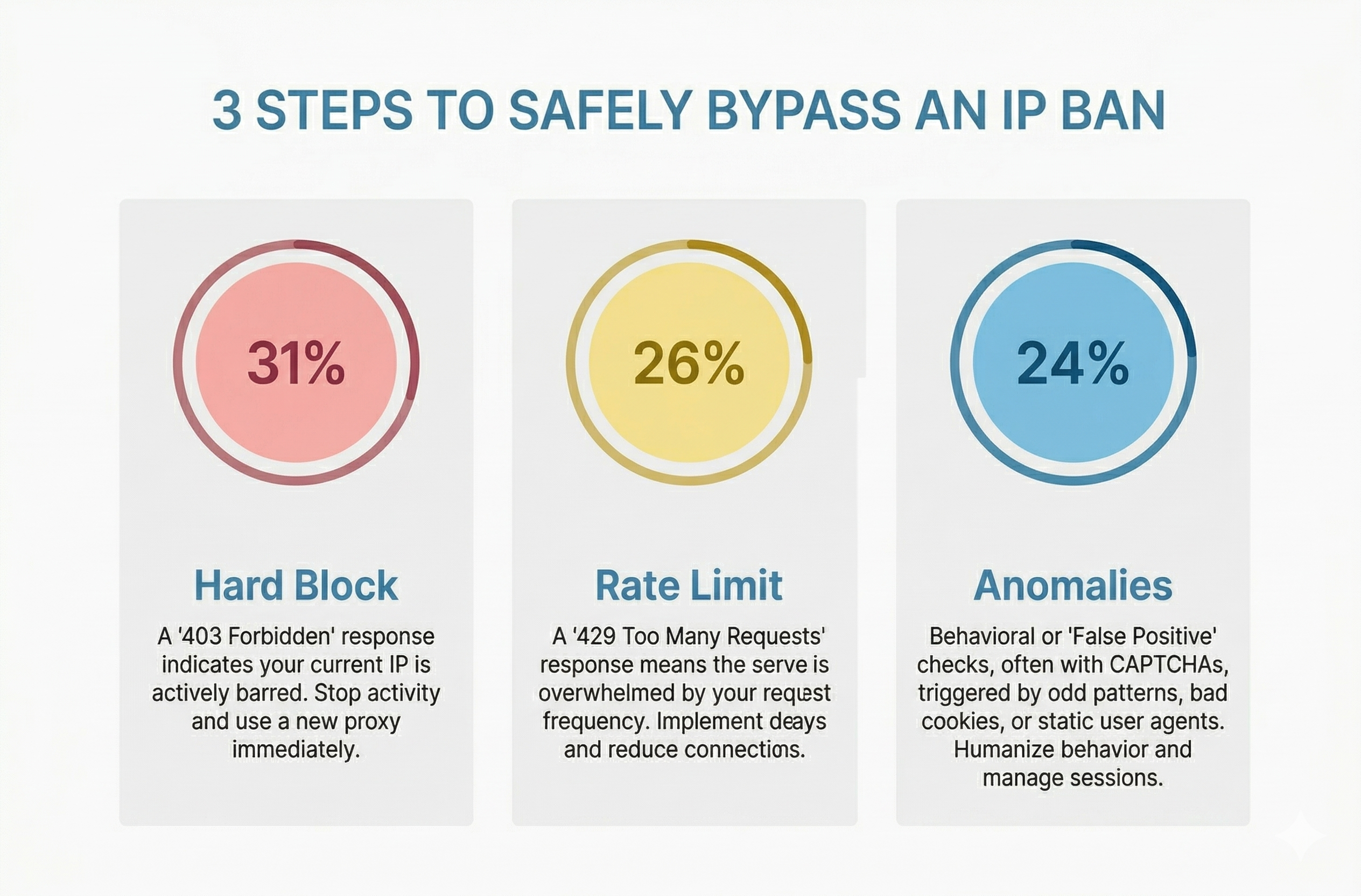
How to Bypass an IP Ban Safely by Diagnosing 403s, 429s, and False Positives
Diagnose 403s, 429s, and false positives quickly. Use this technical checklist to recover network access, reduce blocks, and scale data pipelines safely.
View Details