
Python Web Scraping: A Practical Guide for Clean, Reliable Data Extraction
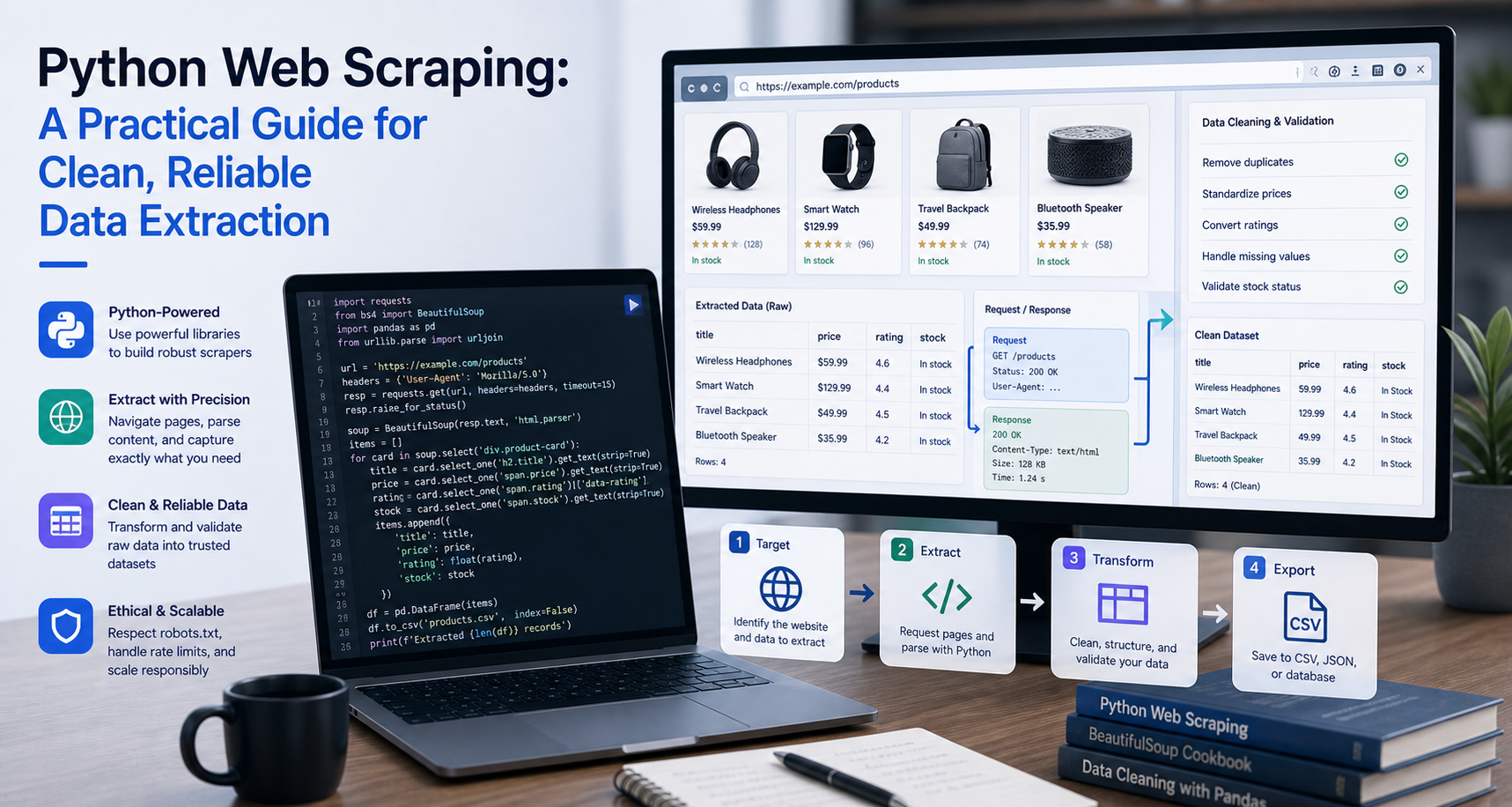
This guide explains how to scrape websites with Python in a practical, production-minded way.
Python web scraping is one of the most practical ways to collect public web data for research, analytics, price monitoring, SEO, AI workflows, competitor tracking, and data engineering.
At a basic level, web scraping means sending a request to a webpage, reading the HTML or rendered content, extracting the fields you need, and saving the result in a useful format such as CSV, JSON, Excel, or a database.
Python is especially popular for scraping because it has simple syntax, strong data libraries, and a mature ecosystem of tools for HTTP requests, HTML parsing, browser automation, crawling, and data cleanup.
What Is Python Web Scraping?
Python web scraping is the process of using Python code to collect and extract data from webpages.
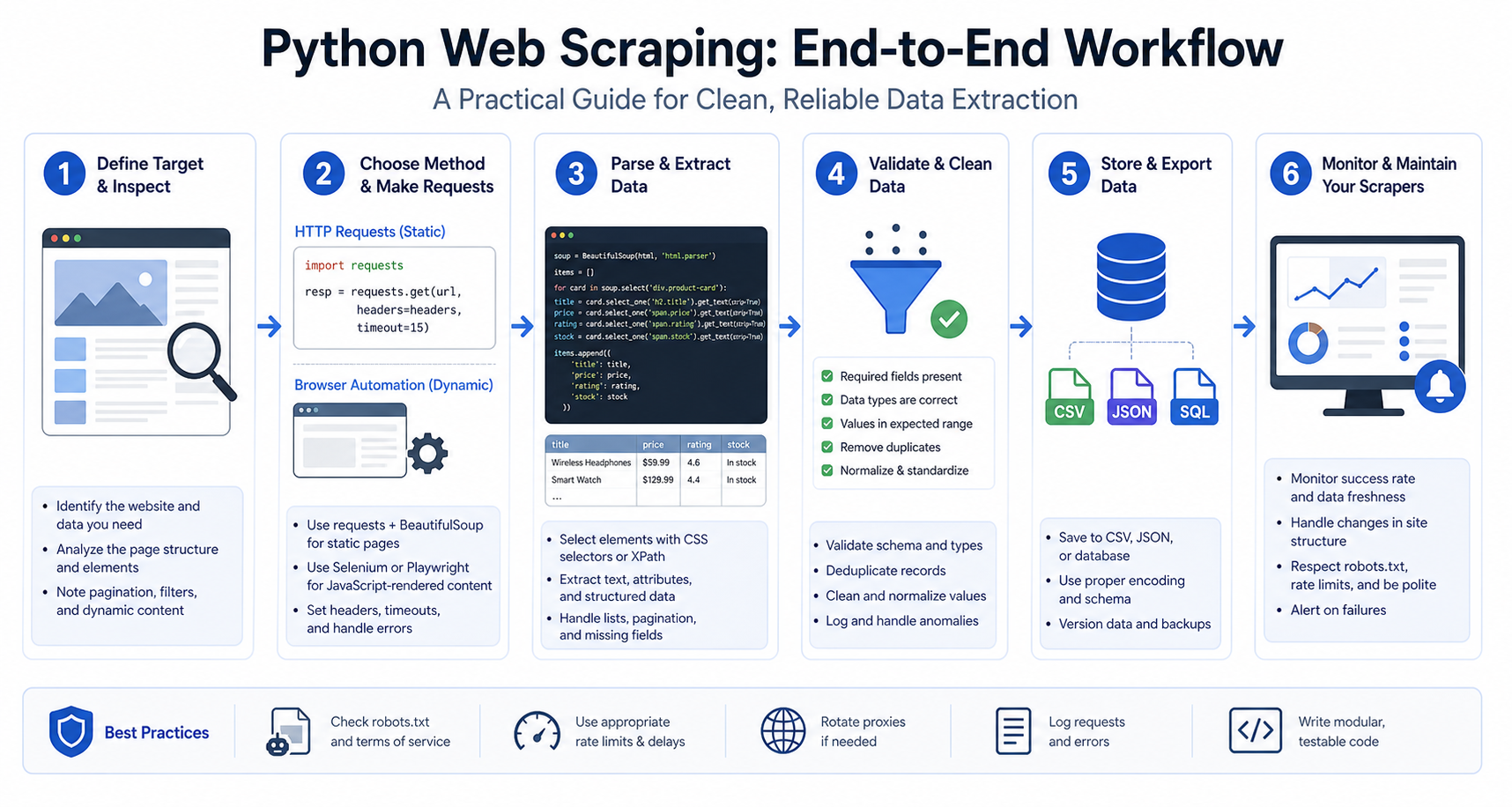
A simple Python scraper usually does four things:
- Sends a request to a webpage.
- Receives the page content.
- Parses the HTML or rendered page.
- Extracts selected data and saves it.
For example, a scraper may collect:
- Product names
- Prices
- Ratings
- Review counts
- Article titles
- Author names
- Job listings
- Real estate listings
- Search result data
- Public company information
- Product availability
- Market data
Python can handle small one-page scraping tasks and larger multi-page data pipelines. The right approach depends on the target website, the amount of data, the refresh frequency, and whether the content is static or JavaScript-rendered.
For the LycheeIP implementation details behind this step, review rotating residential proxies.
For the official technical reference behind this point, see MDN HTTP overview.
When Should You Use Python for Web Scraping?
Python is a good choice when you need flexibility and control.
It is useful for:
- Building custom scrapers
- Testing data extraction logic quickly
- Collecting structured public web data
- Automating repeated research tasks
- Feeding datasets into analytics or AI systems
- Scraping many pages with pagination
- Cleaning data after extraction
- Combining scraping with pandas, databases, or machine learning workflows
Python may not be the best choice if you only need a one-time manual export, if the website provides a clean official API, or if the site’s terms do not allow automated collection.
Before scraping, always check whether an API, data feed, or licensed dataset is available. Scraping should be used when it is appropriate, allowed, and technically necessary.
The Main Python Web Scraping Tools
Python has several scraping tools. Each one solves a different part of the workflow.
Requests
Requests is commonly used to send HTTP requests in Python. It helps you fetch webpage content, send headers, pass query parameters, handle status codes, and work with sessions. The official Requests documentation describes it as a simple HTTP library for Python.
Use Requests when:
- The target data is available in the raw HTML
- You do not need to click buttons or scroll
- You want a lightweight scraper
- You need speed and simplicity
BeautifulSoup
BeautifulSoup is used to parse HTML and XML. It helps you search through tags, classes, attributes, links, and text. The Beautiful Soup documentation explains that it provides Pythonic ways to navigate, search, and modify parse trees.
Use BeautifulSoup when:
- You already have HTML content
- You want to extract text, links, tables, or structured elements
- You are building a beginner-friendly scraper
- You need readable parsing logic
lxml
lxml is another parser often used with BeautifulSoup or directly through XPath. It is fast and useful when performance matters or when you prefer XPath selectors.
Use lxml when:
- You need faster parsing
- You are working with large HTML documents
- You prefer XPath over CSS selectors
Playwright
Playwright is useful for scraping dynamic websites that need JavaScript rendering. Its locators are designed around finding elements on the page and include auto-waiting and retry behavior, which helps with modern dynamic pages.
Use Playwright when:
- The page loads content with JavaScript
- You need to click buttons
- You need to scroll
- You need to wait for elements
- The raw HTML does not contain the data
- The website behaves like a single-page application
Scrapy
Scrapy is a full web crawling and scraping framework. Its official documentation describes it as a high-level framework for crawling websites and extracting structured data.
Use Scrapy when:
- You need to crawl many pages
- You want a structured project
- You need item pipelines
- You want built-in support for retries, throttling, and crawling rules
- You are building a long-term scraping system
Static vs Dynamic Websites
Before writing a scraper, you need to know whether the website is static or dynamic.
A static page sends the important content in the original HTML response. This means Requests and BeautifulSoup can usually extract the data.
A dynamic page loads content later through JavaScript. This means the original HTML may not contain the data you want. In that case, you may need Playwright, Selenium, or the underlying API endpoint that the page calls.
A simple way to test this is:
- Open the page in your browser.
- Right-click and choose “View Page Source.”
- Search for the text you want to scrape.
- If the data appears in the source, Requests and BeautifulSoup may work.
- If the data does not appear, open DevTools and inspect the Network tab.
- Check whether the data is coming from a JSON API request.
- Use browser automation only when static requests or API requests are not enough.
This step can save hours. Many beginners use browser automation too early, when a simple HTTP request would be faster and easier.
How to Set Up a Python Web Scraping Project
A clean project setup helps avoid dependency problems.
Create a project folder:
mkdir python-web-scraper cd python-web-scraper
Create a virtual environment:
python -m venv .venv
Activate it on macOS or Linux:
source .venv/bin/activate
Activate it on Windows:
.venv\Scripts\activate
Install the required packages:
pip install requests beautifulsoup4 lxml pandas
The Python Packaging User Guide recommends using virtual environments with pip so project dependencies stay isolated from the system Python installation.
Create your scraper file:
touch scraper.py
Now you are ready to build the scraper.
A Simple Python Web Scraper With Requests and BeautifulSoup
The example below shows a clean beginner-friendly scraper.
This script:
- Sends a request to a webpage
- Checks the response status
- Parses the HTML
- Extracts quote text and author names
- Saves the data to CSV
import csv
import requests
from bs4 import BeautifulSoup URL = "https://quotes.toscrape.com/" HEADERS = { "User-Agent": "Mozilla/5.0 (compatible; LearningScraper/1.0)"
} def fetch_html(url): try: response = requests.get(url, headers=HEADERS, timeout=15) response.raise_for_status() return response.text except requests.exceptions.RequestException as error: print(f"Request failed: {error}") return None def parse_quotes(html): soup = BeautifulSoup(html, "lxml") rows = [] quote_cards = soup.select(".quote") for card in quote_cards: text_element = card.select_one(".text") author_element = card.select_one(".author") quote_text = text_element.get_text(strip=True) if text_element else "" author = author_element.get_text(strip=True) if author_element else "" rows.append({ "quote": quote_text, "author": author }) return rows def save_to_csv(rows, filename="quotes.csv"): fieldnames = ["quote", "author"] with open(filename, "w", newline="", encoding="utf-8") as file: writer = csv.DictWriter(file, fieldnames=fieldnames) writer.writeheader() writer.writerows(rows) def main(): html = fetch_html(URL) if not html: print("No HTML returned.") return quotes = parse_quotes(html) if not quotes: print("No quotes found. Check your selectors.") return save_to_csv(quotes) print(f"Saved {len(quotes)} rows to quotes.csv") if __name__ == "__main__": main()
This is a basic scraper, but it already includes important habits: a custom user agent, request timeout, error handling, safe field extraction, and CSV export.
Understanding the Code
The script starts by importing the tools it needs.
__INLINEHTML0 fetches the webpage. INLINEHTML1 parses the HTML. INLINEHTML2__ saves the extracted data.
The __INLINEHTML0__ function handles the request. It uses a timeout so the scraper does not hang forever if the website fails to respond.
The __INLINEHTML0__ function reads the HTML and searches for elements using CSS selectors.
The __INLINEHTML0__ function writes the extracted records into a CSV file.
The __INLINEHTML0__ function connects everything.
This structure is better than writing all the logic in one block because each part of the scraper has a clear job.
How to Find the Right Selectors
Selectors tell your scraper where to find data inside the HTML.
To find selectors:
- Open the target page in your browser.
- Right-click the element you want.
- Click “Inspect.”
- Look at the surrounding HTML.
- Identify stable tags, classes, attributes, or parent containers.
- Test your selector in the browser console or inside Python.
Common selector examples:
soup.select(".product-card") soup.selectone(".product-title") soup.selectone("h1") soup.select("a") soup.select_one("[data-testid='price']")
Try to choose selectors that are specific enough to avoid wrong data but not so fragile that they break after a small design change.
For example, this may be too broad:
soup.select("div")
This is usually better:
soup.select(".product-card")
And this may be even better if the site uses stable data attributes:
soup.select("[data-testid='product-card']")
Scraping Multiple Pages With Pagination
Most useful scraping projects need more than one page.
Pagination can appear as:
- Page numbers
- “Next” buttons
- URL parameters like __INLINEHTML0__
- Infinite scroll
- Cursor-based API calls
- Load more buttons
Here is a simple example using page-number pagination:
import csv
import requests
from bs4 import BeautifulSoup BASE_URL = "https://quotes.toscrape.com/page/{page}/" HEADERS = { "User-Agent": "Mozilla/5.0 (compatible; LearningScraper/1.0)"
} def fetch_html(url): try: response = requests.get(url, headers=HEADERS, timeout=15) response.raise_for_status() return response.text except requests.exceptions.RequestException as error: print(f"Request failed for {url}: {error}") return None def parse_quotes(html): soup = BeautifulSoup(html, "lxml") rows = [] for card in soup.select(".quote"): text = card.select_one(".text") author = card.select_one(".author") rows.append({ "quote": text.get_text(strip=True) if text else "", "author": author.get_text(strip=True) if author else "" }) return rows def save_to_csv(rows, filename="quotes_paginated.csv"): fieldnames = ["quote", "author"] with open(filename, "w", newline="", encoding="utf-8") as file: writer = csv.DictWriter(file, fieldnames=fieldnames) writer.writeheader() writer.writerows(rows) def main(): all_rows = [] for page in range(1, 6): url = BASE_URL.format(page=page) print(f"Scraping {url}") html = fetch_html(url) if not html: continue rows = parse_quotes(html) if not rows: print(f"No rows found on page {page}.") continue all_rows.extend(rows) save_to_csv(all_rows) print(f"Saved {len(all_rows)} total rows.") if __name__ == "__main__": main()
This example loops through five pages, extracts the data from each page, combines the results, and saves everything into one CSV file.
Scraping Links and Following Detail Pages
Many websites have listing pages and detail pages.
For example:
- A product category page lists many products.
- Each product has its own detail page.
- The detail page contains more complete information.
In that case, your scraper should work in two stages:
- Collect URLs from listing pages.
- Visit each detail page and extract the full data.
Here is a simplified version:
import csv
import requests
from bs4 import BeautifulSoup
from urllib.parse import urljoin START_URL = "https://quotes.toscrape.com/" HEADERS = { "User-Agent": "Mozilla/5.0 (compatible; LearningScraper/1.0)"
} def fetch_html(url): try: response = requests.get(url, headers=HEADERS, timeout=15) response.raise_for_status() return response.text except requests.exceptions.RequestException as error: print(f"Request failed for {url}: {error}") return None def collect_author_links(html, base_url): soup = BeautifulSoup(html, "lxml") links = [] for link in soup.select(".quote span a"): href = link.get("href") if href: links.append(urljoin(base_url, href)) return list(set(links)) def parse_author_page(html, url): soup = BeautifulSoup(html, "lxml") name = soup.select_one(".author-title") birth_date = soup.select_one(".author-born-date") birth_location = soup.select_one(".author-born-location") description = soup.select_one(".author-description") return { "url": url, "name": name.get_text(strip=True) if name else "", "birth_date": birth_date.get_text(strip=True) if birth_date else "", "birth_location": birth_location.get_text(strip=True) if birth_location else "", "description": description.get_text(strip=True) if description else "" } def save_to_csv(rows, filename="authors.csv"): fieldnames = ["url", "name", "birth_date", "birth_location", "description"] with open(filename, "w", newline="", encoding="utf-8") as file: writer = csv.DictWriter(file, fieldnames=fieldnames) writer.writeheader() writer.writerows(rows) def main(): html = fetch_html(START_URL) if not html: print("Could not fetch start page.") return author_links = collect_author_links(html, START_URL) print(f"Found {len(author_links)} author links.") authors = [] for url in author_links: detail_html = fetch_html(url) if not detail_html: continue author_data = parse_author_page(detail_html, url) authors.append(author_data) save_to_csv(authors) print(f"Saved {len(authors)} authors.") if __name__ == "__main__": main()
This pattern is common in e-commerce, directories, job boards, real estate listings, documentation sites, and marketplaces.
Handling Dynamic Pages With Playwright
Requests and BeautifulSoup are fast, but they cannot execute JavaScript.
If the target data only appears after JavaScript runs, use Playwright.
Install Playwright:
pip install playwright playwright install
Example Playwright scraper:
import csv
from playwright.sync_api import sync_playwright URL = "https://quotes.toscrape.com/js/" def scrape_quotes(): rows = [] with sync_playwright() as p: browser = p.chromium.launch(headless=True) page = browser.new_page( user_agent="Mozilla/5.0 (compatible; LearningScraper/1.0)" ) page.goto(URL, wait_until="networkidle") quote_cards = page.locator(".quote") count = quote_cards.count() for index in range(count): card = quote_cards.nth(index) quote = card.locator(".text").inner_text() author = card.locator(".author").inner_text() rows.append({ "quote": quote.strip(), "author": author.strip() }) browser.close() return rows def save_to_csv(rows, filename="quotes_playwright.csv"): fieldnames = ["quote", "author"] with open(filename, "w", newline="", encoding="utf-8") as file: writer = csv.DictWriter(file, fieldnames=fieldnames) writer.writeheader() writer.writerows(rows) def main(): rows = scrape_quotes() save_to_csv(rows) print(f"Saved {len(rows)} rows.") if __name__ == "__main__": main()
Use Playwright only when you need it. Browser automation is more powerful, but it is also heavier and slower than direct HTTP requests.
When to Use Requests vs Playwright vs Scrapy
Use Requests and BeautifulSoup for simple static pages.
Use Playwright for JavaScript-rendered pages, interactive elements, infinite scroll, and pages that require browser-like behavior.
Use Scrapy for larger crawlers where you need structured crawling, concurrency, item pipelines, middleware, throttling, and long-term maintainability.
A practical rule:
Start with Requests and BeautifulSoup. Move to Playwright if the data is not in the HTML. Move to Scrapy if the project becomes too large for a single script.
Saving Scraped Data
CSV is the easiest format for beginners, but it is not always the best format for production.
Common export options include:
- CSV for spreadsheets and simple analysis
- JSON for nested data and API workflows
- Excel for business users
- SQLite for local structured storage
- PostgreSQL or MySQL for production databases
- BigQuery, Snowflake, or data warehouses for analytics
- S3 or cloud object storage for large files
Here is a JSON export example:
import json def save_to_json(rows, filename="data.json"): with open(filename, "w", encoding="utf-8") as file: json.dump(rows, file, ensure_ascii=False, indent=2)For small projects, CSV is fine. For structured data pipelines, JSON or a database may be better.
Cleaning Scraped Data
Raw scraped data is often messy.
Common cleanup tasks include:
- Removing extra whitespace
- Converting prices to numbers
- Standardizing dates
- Removing currency symbols
- Fixing broken characters
- Removing duplicates
- Normalizing URLs
- Handling missing fields
- Converting relative links to absolute links
- Removing boilerplate text
Example cleanup function:
def clean_price(price_text): if not price_text: return None cleaned = ( price_text .replace("$", "") .replace(",", "") .strip() ) try: return float(cleaned) except ValueError: return NoneGood scraping does not end at extraction. The data must be clean enough to use.
Adding Retries to a Python Scraper
Web requests can fail for many reasons, including temporary server errors, slow responses, dropped connections, and rate limits.
A simple retry function can make your scraper more reliable:
import time
import requests def fetch_with_retries(url, headers=None, retries=3, timeout=15): for attempt in range(1, retries + 1): try: response = requests.get(url, headers=headers, timeout=timeout) if response.status_code == 200: return response.text print(f"Attempt {attempt}: status {response.status_code}") except requests.exceptions.RequestException as error: print(f"Attempt {attempt}: {error}") time.sleep(2 * attempt) return None
Retries should be used carefully. If a website blocks or refuses access, do not hammer it repeatedly. Back off, review your approach, and confirm that your collection is allowed.
Using Proxies With Python Web Scraping
A proxy routes your request through another IP address.
Proxies are useful when you need:
- Geo-specific data
- Region-based search results
- Localized pricing
- Larger public data collection jobs
- More stable request distribution
- Session control
- Reduced failures from IP-based rate limits
- Separation between testing and production traffic
Here is a simple Requests proxy example:
import requests proxies = { "http": "http://username:password@proxy-host:port", "https": "http://username:password@proxy-host:port"
} response = requests.get( "https://example.com", proxies=proxies, timeout=15
)
print(response.status_code)
For Playwright:
from playwright.sync_api import sync_playwright proxy_config = { "server": "http://proxy-host:port", "username": "username", "password": "password"
} with sync_playwright() as p: browser = p.chromium.launch( headless=True, proxy=proxy_config ) page = browser.new_page() page.goto("https://example.com") print(page.title()) browser.close()
Proxies should not be used to ignore website rules, bypass private areas, or collect data you are not allowed to access. They are an infrastructure layer for reliability, routing, localization, and scale.
LycheeIP (Developer-First Proxy Infrastructure)
LycheeIP supports developers, scraping teams, data engineers, AI teams, SEO teams, and market intelligence workflows that need reliable proxy infrastructure for public web data collection.
Python gives you the scraper. LycheeIP supports the network layer.
A typical Python scraping workflow with LycheeIP may look like this:
- Build the scraper locally with Requests, BeautifulSoup, Playwright, or Scrapy.
- Test extraction on a small sample of URLs.
- Add error handling, logging, and data validation.
- Choose the right proxy type for the target.
- Use rotating sessions when collecting many pages.
- Use sticky sessions when a workflow needs session continuity.
- Monitor status codes, latency, failed requests, and data completeness.
- Adjust crawl speed based on source behavior.
- Store source URL, timestamp, and extraction status with every record.
- Review compliance before scaling.
LycheeIP can be positioned for use cases such as:
- Python web scraping
- E-commerce data collection
- SERP monitoring
- AI data collection
- RAG source refreshes
- Price intelligence
- Competitor tracking
- Public directory collection
- Localized data extraction
- Browser automation workflows
The key is to combine clean Python code with responsible scraping practices and stable proxy infrastructure.
For the LycheeIP implementation details behind this step, review LycheeIP proxy infrastructure.
Python Web Scraping Best Practices
Check Rules Before Scraping
Before scraping a site, review its terms of service, robots.txt file, and applicable privacy or copyright rules. The Robots Exclusion Protocol is defined in RFC 9309 as a way for service owners to communicate how automatic clients may access their content.
Start Small
Do not crawl thousands of pages with untested code. Start with one page, then five pages, then a small batch.
Use Timeouts
Every request should have a timeout. Without timeouts, your scraper can hang.
Use Clear Headers
Set a user agent and avoid sending strange or incomplete headers.
Avoid Aggressive Request Rates
Use reasonable delays. Do not overload websites.
Validate the Output
Check whether the data makes sense. A scraper can run successfully and still collect wrong data.
Handle Missing Fields
Webpages are not always consistent. Some cards may not have prices, ratings, dates, or descriptions.
Store Source URLs
Always save the source URL with each record. This helps debugging and auditing.
Log Errors
Track failed URLs, response codes, timeouts, and empty pages.
Use the Right Tool
Do not use browser automation when a simple request works. Do not use a single script when a structured crawler is needed.
Monitor Layout Changes
Websites change. Your selectors may break. Add checks that alert you when extracted row counts drop suddenly.
Common Python Web Scraping Errors
403 Forbidden
A 403 response means the server refused the request. This may happen because of headers, access rules, permissions, IP reputation, rate limits, or site policies.
404 Not Found
The page does not exist or the URL is wrong.
Empty CSV
The scraper ran, but selectors did not match the page. Inspect the HTML and update your selectors.
Timeout Error
The site did not respond quickly enough. Add retries, increase timeout carefully, or check whether the target is unstable.
AttributeError
This often happens when your code expects an element, but the element does not exist.
Instead of this:
title = soup.selectone(".title").gettext(strip=True)
Use this:
titleelement = soup.selectone(".title") title = titleelement.gettext(strip=True) if title_element else ""
JavaScript Content Missing
If Requests returns HTML but your target data is missing, the content may be loaded by JavaScript. Use DevTools to check network requests or switch to Playwright.
Duplicate Rows
Duplicates can happen when pages overlap, pagination repeats, or detail links appear more than once. Use unique IDs, URLs, or deduplication logic.
Python Web Scraping for AI Workflows
Python scraping is increasingly important for AI workflows.
AI systems may need public web data for:
- RAG knowledge bases
- AI agents
- Product intelligence
- Search result monitoring
- Review analysis
- Market research
- Dataset enrichment
- Trend tracking
- Brand monitoring
- Competitive research
For AI workflows, scraping quality matters even more. Poorly extracted data can lead to bad retrieval, weak summaries, hallucinations, duplicate context, and outdated responses.
If you are scraping for AI, add these checks:
- Save source URLs
- Save collection timestamps
- Remove boilerplate text
- Split long content into clean sections
- Deduplicate near-identical pages
- Preserve headings
- Store metadata
- Refresh sources regularly
- Track source trust level
- Review privacy and copyright issues
AI data pipelines should not treat scraped data as automatically reliable. They should validate, clean, and document it.
For the LycheeIP implementation details behind this step, review AI-powered browser automation hub.
For the LycheeIP implementation details behind this step, review scaling lead scraping with n8n.
Python Web Scraping for SEO and SERP Research
SEO teams can use Python scraping for:
- Collecting title tags
- Reviewing meta descriptions
- Checking H1 and H2 structures
- Monitoring competitor pages
- Finding broken internal links
- Tracking SERP patterns
- Collecting public search result snapshots
- Auditing page templates
- Checking schema markup
- Monitoring indexable pages
For SEO workflows, scraped data should be paired with careful interpretation. A scraper can collect page elements, but an SEO strategist still needs to decide what the data means.
Python Web Scraping for E-Commerce
E-commerce scraping workflows may collect:
- Product names
- Prices
- Discounts
- Availability
- Ratings
- Reviews
- Product URLs
- Images
- Variant data
- Delivery information
- Seller names
This data can support price monitoring, product matching, market intelligence, competitor research, assortment analysis, and catalog enrichment.
For e-commerce scraping, detail pages matter. Listing pages often contain partial data, while detail pages contain richer product information.
Python Web Scraping for Market Intelligence
Market intelligence teams may scrape:
- News pages
- Job listings
- Public directories
- Company pages
- Review platforms
- Product catalogs
- Real estate listings
- Public search results
- Industry reports
- Public funding announcements
The goal is not just to collect data. The goal is to identify useful signals, changes, and patterns.
A Production-Ready Python Scraper Checklist
Before moving a scraper into regular use, check the following:
- Does it respect source rules and access policies?
- Does every request have a timeout?
- Does it handle failed responses?
- Does it retry temporary errors responsibly?
- Does it avoid duplicate records?
- Does it save source URLs?
- Does it save collection timestamps?
- Does it handle missing fields?
- Does it validate output quality?
- Does it log failed pages?
- Does it support pagination?
- Does it avoid unnecessary browser automation?
- Does it use proxies only where appropriate?
- Does it have a clear refresh schedule?
- Does it alert you when extraction drops or breaks?
- Does it store data in the right format?
- Does it have documentation for selectors and assumptions?
A scraper that passes this checklist is much closer to a real data pipeline than a quick test script.
For the official technical reference behind this point, see Playwright documentation.
Scale Python Scrapers with LycheeIP Proxies
Final Thoughts
Python web scraping is a powerful skill for developers, SEO teams, data engineers, AI builders, researchers, and growth teams.
For small projects, Requests and BeautifulSoup are usually enough. For dynamic pages, Playwright can render JavaScript and interact with the page. For larger crawling systems, Scrapy gives you a more structured framework.
The most important thing is to build scrapers responsibly. Start small, inspect the page, choose the right tool, validate your data, respect website rules, and monitor your pipeline over time.
When scraping grows beyond a local script, infrastructure becomes important. That is where LycheeIP can support Python scraping teams with proxy routing, session control, geo-targeting, and more reliable public web data collection.
Python handles the extraction logic. LycheeIP supports the access layer. Together, they can help teams move from fragile scraping scripts to cleaner, more reliable data workflows.
Frequently Asked Questions
What is Python web scraping?
Python web scraping is the process of using Python code to collect and extract data from webpages. It usually involves fetching HTML, parsing it, selecting data fields, and saving the results.
Is Python good for web scraping?
Yes. Python is widely used for web scraping because it has simple syntax and strong libraries such as Requests, BeautifulSoup, Playwright, Scrapy, lxml, and pandas.
What is the easiest Python library for web scraping?
For beginners, Requests and BeautifulSoup are usually the easiest combination. Requests fetches the page, while BeautifulSoup parses the HTML.
When should I use Playwright for Python scraping?
Use Playwright when the target website loads data with JavaScript, requires clicking, scrolling, waiting for elements, or behaves like a modern web app.
Is Scrapy better than BeautifulSoup?
Scrapy and BeautifulSoup solve different problems. BeautifulSoup is a parser for extracting data from HTML. Scrapy is a full crawling framework for larger scraping projects.
Can Python scrape dynamic websites?
Yes, but not with Requests alone. For dynamic websites, Python can use Playwright, Selenium, or browser automation tools to render JavaScript and extract the final page content.
How do I avoid empty results when scraping?
Inspect the page source, confirm the data exists in the HTML, test your selectors, handle missing fields, and check whether the page loads data through JavaScript.
Do I need proxies for Python web scraping?
Not always. Small tests may not need proxies. Proxies become useful when you need geo-targeted data, larger-scale collection, session control, or more stable request routing.
Is Python web scraping legal?
It depends on the website, the data, the jurisdiction, and how the data is used. Always review terms of service, robots.txt, copyright restrictions, privacy rules, and applicable laws.
What is the best Python web scraping workflow?
A strong workflow is: inspect the page, check rules, start with Requests and BeautifulSoup, switch to Playwright only when necessary, add error handling, validate the output, use proxies responsibly if needed, and monitor the scraper over time.
Related LycheeIP Guides and Resources

Recommended Articles

Best Real Estate Scrapers in 2026
Best Real Estate Scrapers in 2026
View Details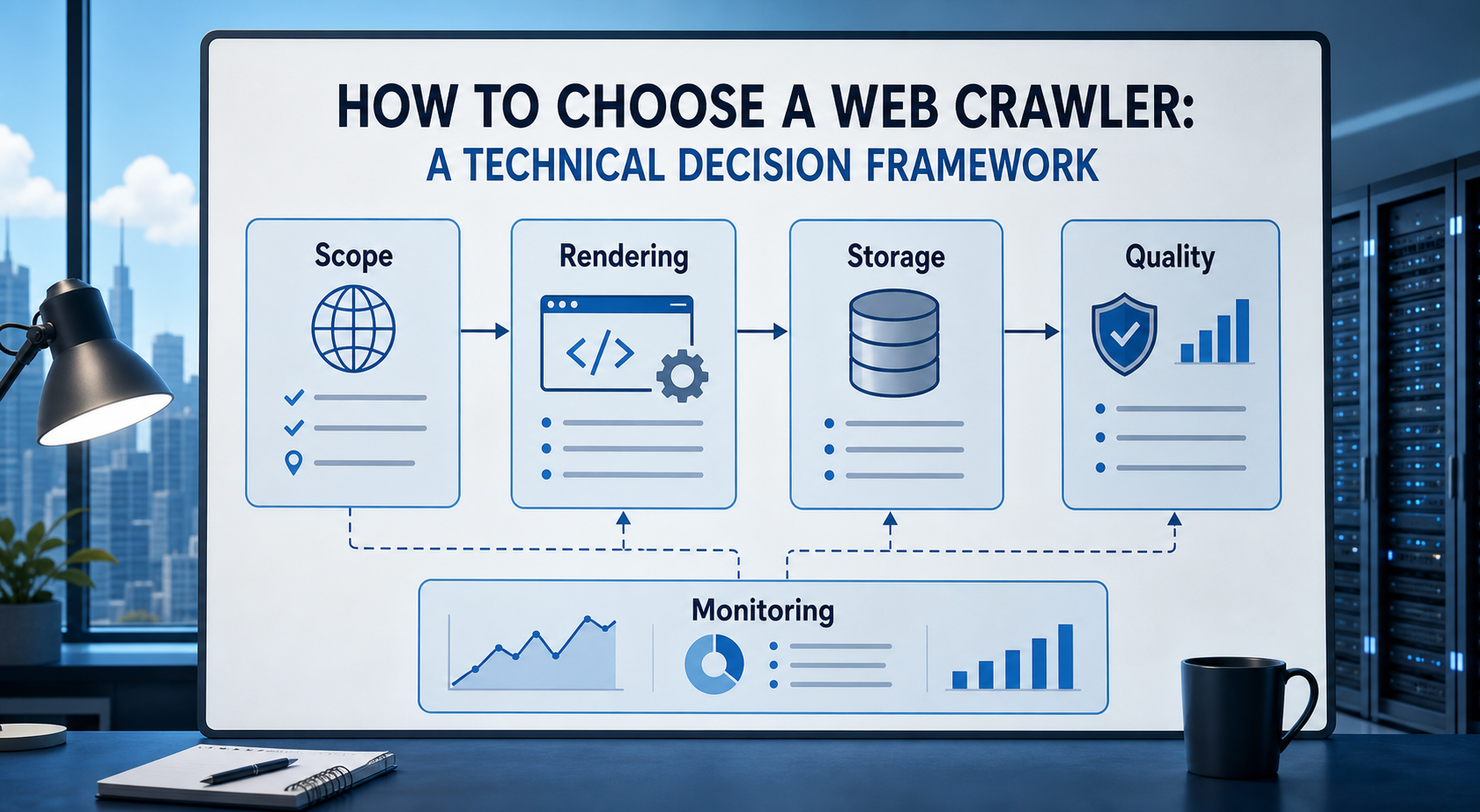
How to Choose a Web Crawler: A Technical Decision Framework
The wrong way to choose a web crawler is to begin with a list of products. The right starting point is the system you need to build. Before comparing tools, define:
View Details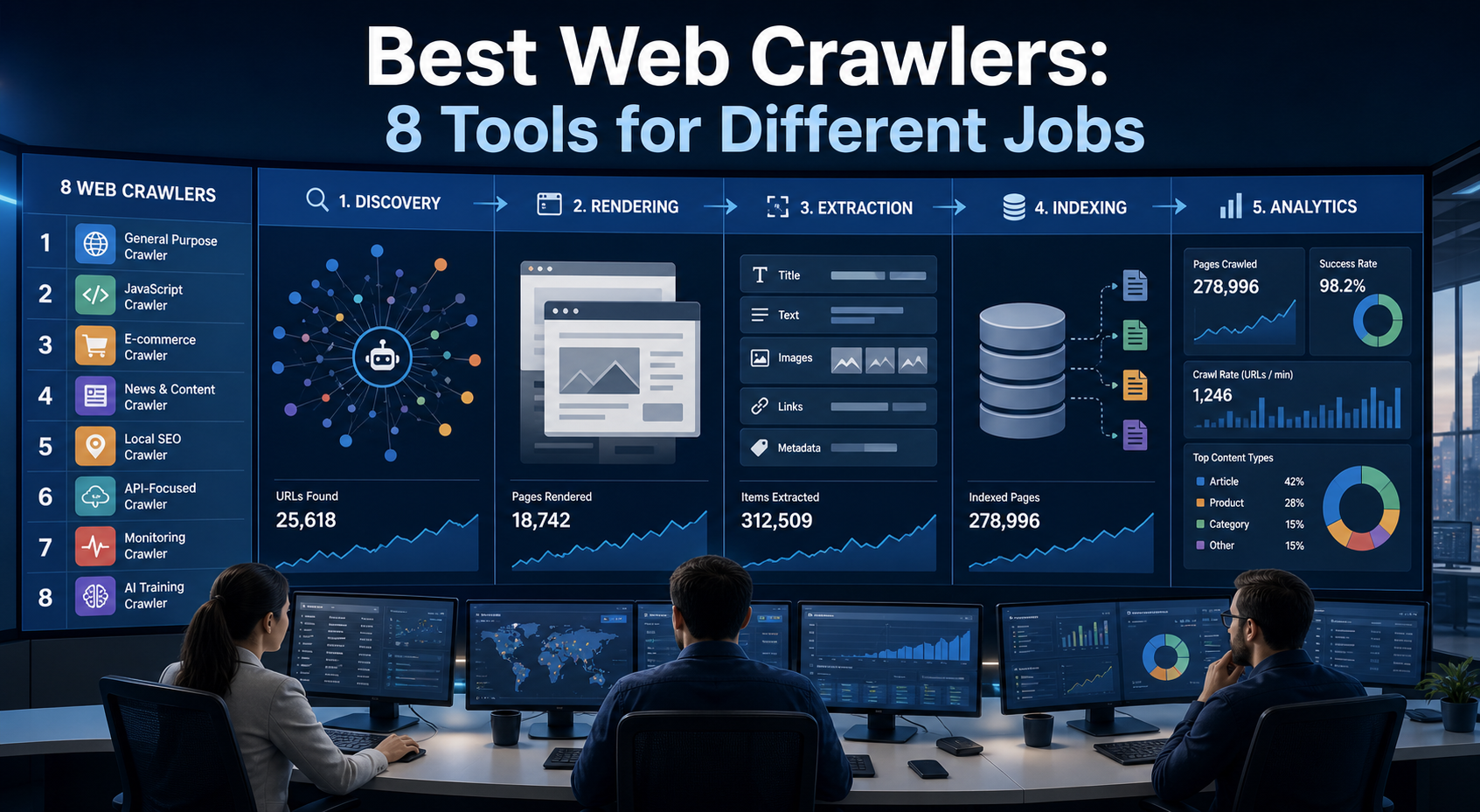
Best Web Crawlers: 8 Tools for Different Jobs
There is no single best web crawler for every project. A technical SEO audit, an AI knowledge pipeline, an internet archive, and a distributed search index may all involve crawling URLs, but they require different capabilities. The most useful way to compare web crawler tools is therefore to ask what job each one was designed to perform. This guide evaluates eight strong options across:
View Details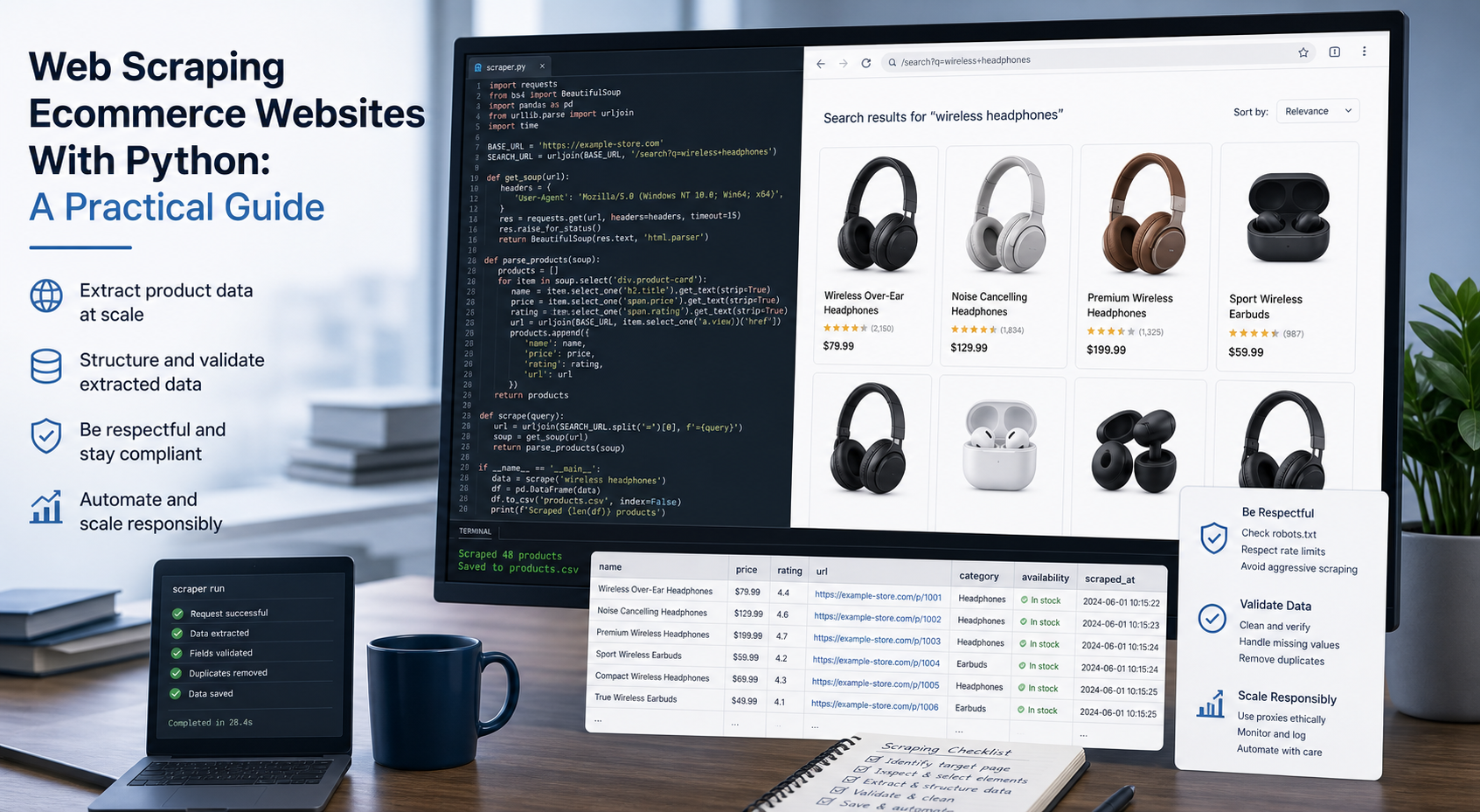
Web Scraping Ecommerce Websites With Python: A Practical Guide
Recommended meta title: Web Scraping Ecommerce Websites With Python: Guide Recommended meta description: Learn how to scrape ecommerce websites with Python using Requests, Beautiful Soup, Playwright, and Scrapy, with validation and scaling guidance. URL slug: /web-scraping-ecommerce-websites-python/
View Details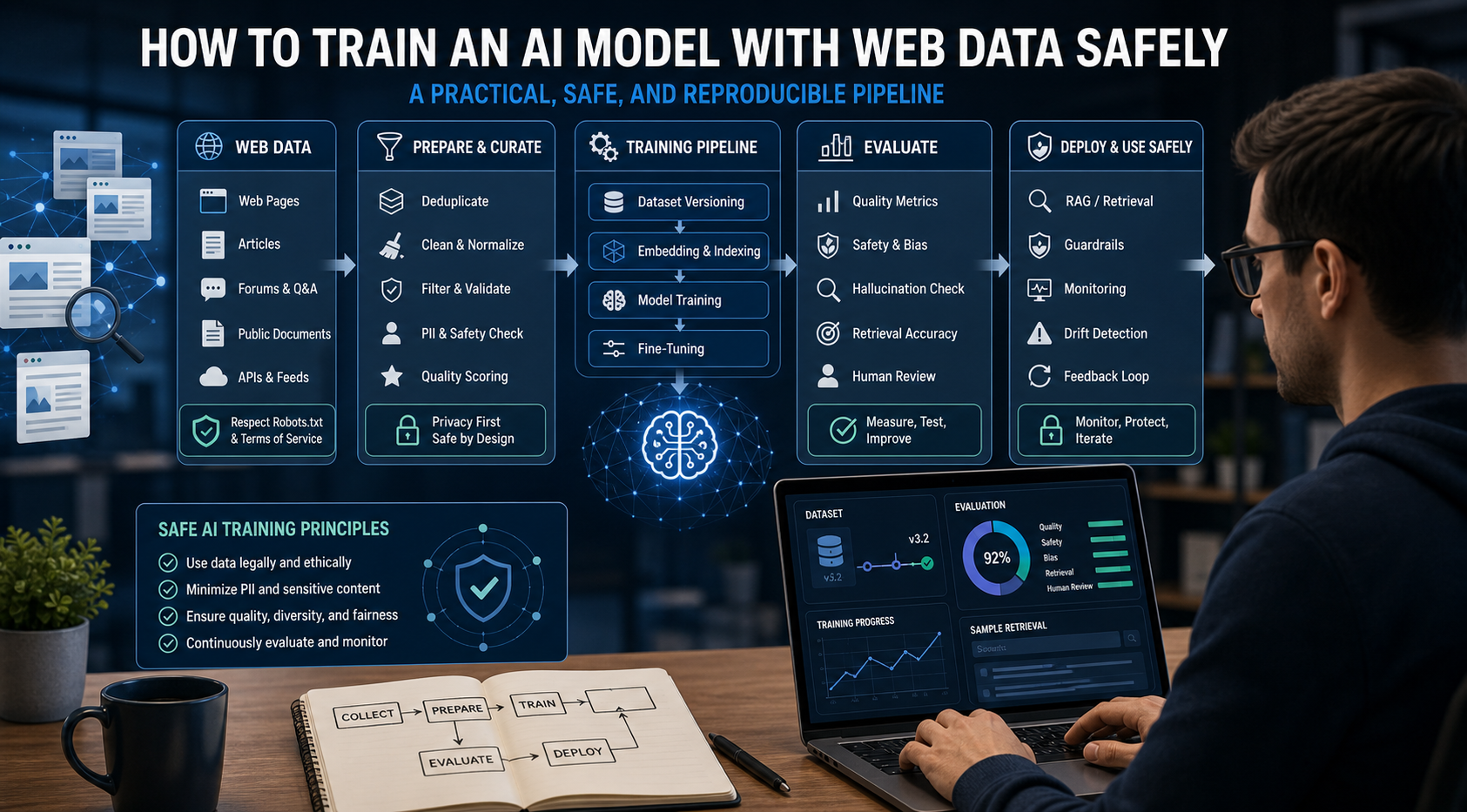
How to Train an AI Model With Web Data Safely
To train an AI model with web data, start by deciding whether you actually need training. Then collect representative sources, preserve provenance, remove duplicates and low-quality content, create leakage-resistant splits, build a baseline, fine-tune or train the appropriate model, and evaluate on real held-out examples before deployment.
View Details