
Python Web Scraping Pipeline: How to Clean, Validate, Store, and Refresh Scraped Data
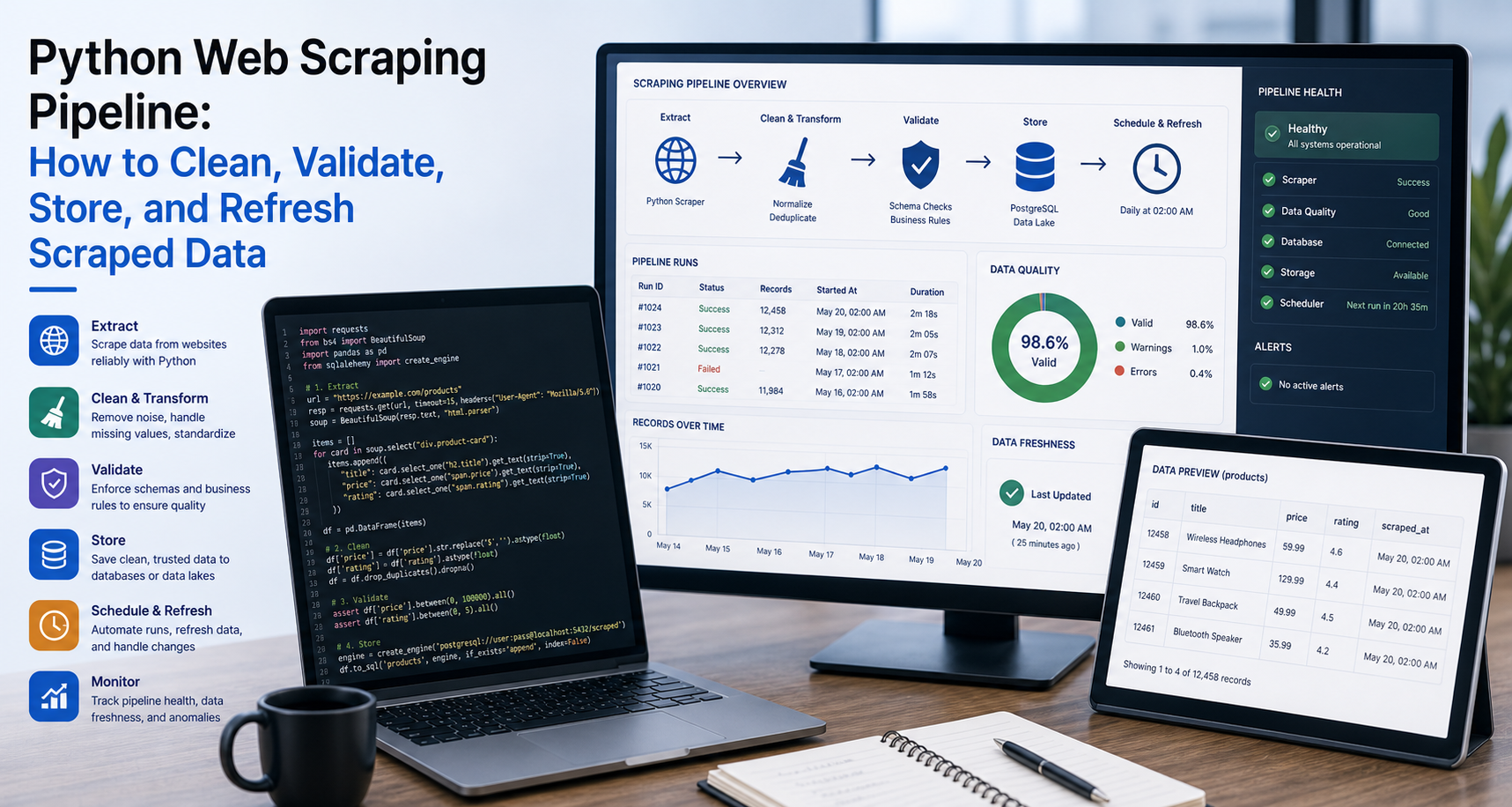
Scraping a webpage is only the first step.
A Python scraper can successfully extract data and still produce a dataset that is messy, duplicated, incomplete, outdated, or difficult to use. This is where many beginner scraping projects fail. The script runs, the CSV file is created, and the job looks complete. But when someone opens the output, prices are inconsistent, URLs are broken, dates are unclear, important fields are missing, and duplicate rows are everywhere.
That is not a reliable data workflow.
A useful Python web scraping pipeline does more than collect raw HTML and extract text. It turns webpage data into structured, clean, validated, and refreshable data that can be used by teams, tools, dashboards, databases, AI systems, RAG workflows, and business reports.
What Is a Python Web Scraping Pipeline?
A Python web scraping pipeline is a repeatable workflow for turning webpage content into usable structured data.
A quick scraper focuses on extraction. It answers one basic question:
Can I collect this data from this webpage?
A pipeline answers a bigger question:
Can I collect, clean, validate, store, and refresh this data reliably over time?
That difference matters.
A quick scraper may be enough for learning, testing selectors, or collecting a one-time sample. A pipeline is needed when scraped data supports a real workflow, such as price monitoring, SEO research, AI data collection, competitor tracking, product intelligence, public directory analysis, or RAG source refreshes.
A strong Python web scraping pipeline should be:
- Repeatable
- Easy to monitor
- Safe around missing fields
- Clear about source URLs
- Consistent in data formatting
- Able to remove duplicates
- Able to detect broken output
- Easy to refresh on a schedule
- Structured enough to connect with storage systems
The goal is not just to scrape data. The goal is to make the data usable.
For the official technical reference behind this point, see MDN HTTP overview.
Why Scraped Data Usually Needs Cleaning
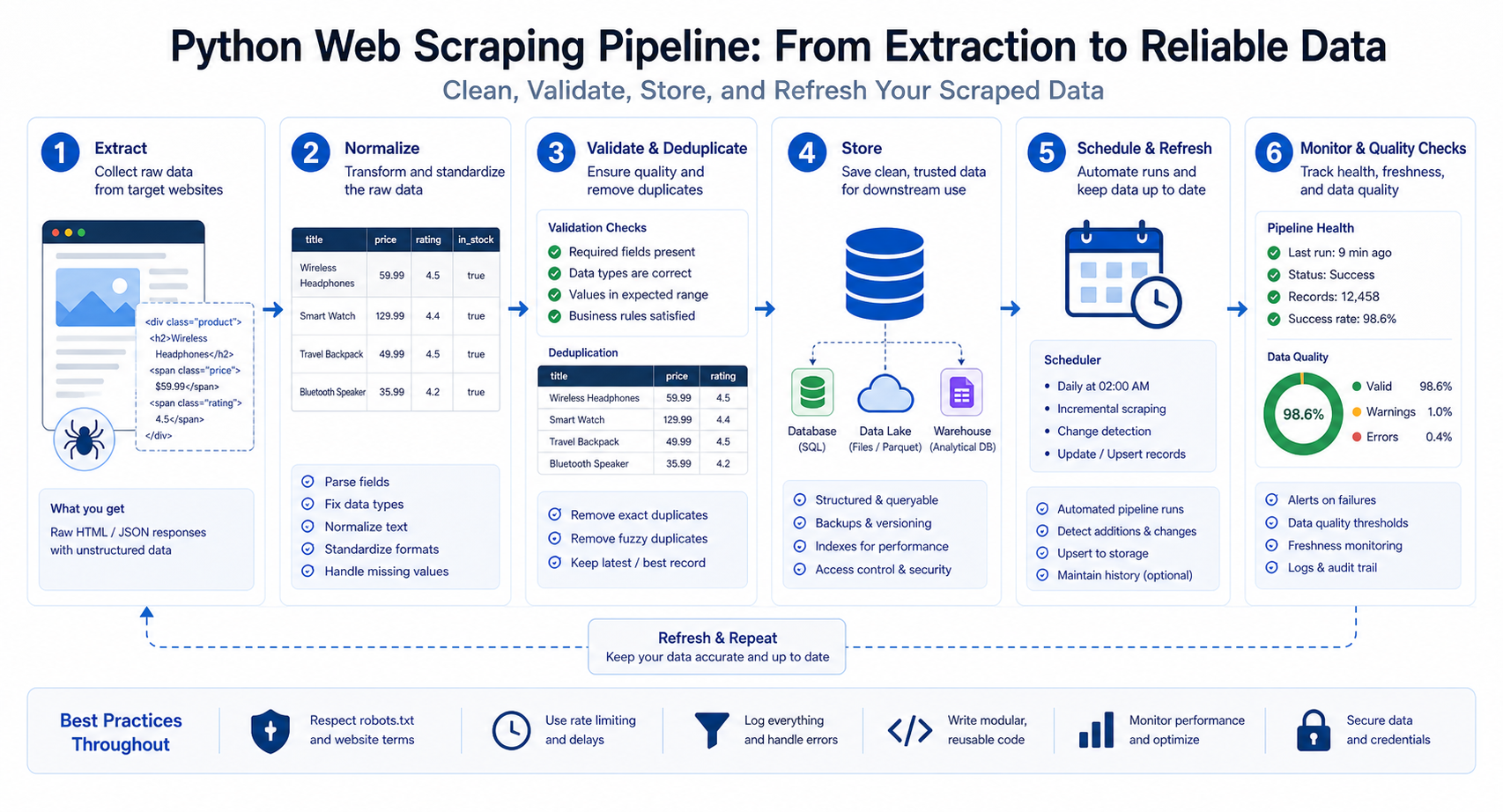
Raw scraped data is rarely clean.
Webpages are designed for people, not always for clean machine extraction. They contain navigation menus, sidebars, tracking links, inconsistent formatting, scripts, hidden elements, extra whitespace, promotional labels, duplicate content blocks, and layout-specific markup.
Common scraped data problems include:
- Extra whitespace
- HTML tags inside fields
- Broken characters
- Duplicate entries
- Missing fields
- Mixed date formats
- Relative URLs
- Currency symbols inside price fields
- Boilerplate text
- Inconsistent product names
- Tracking parameters in URLs
- Repeated category labels
- Empty rows
- Unexpected redirects
- Soft-block or error pages
- Different page templates under the same website
For example, a raw price field may look like this:
$1,299.00
That may be readable to a person, but it is not ideal for analysis. A cleaner version would separate the currency and numeric value:
currency = "USD" price = 1299.00
The same applies to URLs. A scraped product link may be relative:
/products/wireless-headphones
A pipeline should convert it into an absolute URL:
https://example.com/products/wireless-headphones
Cleaning is not an extra step. It is how scraped data becomes useful.
Stage 1: Extract the Right Fields
A scraping pipeline starts before the first request is sent. It starts with clear field definitions.
Do not scrape everything just because it is available. Define what the dataset needs to contain and why each field matters.
For a product scraping pipeline, useful fields may include:
- Source URL
- Page title
- Product name
- Product ID
- Price
- Currency
- Availability
- Category
- Rating
- Review count
- Image URL
- Date collected
- Region or country
- Scraper run ID
For a blog or content scraping pipeline, useful fields may include:
- Source URL
- Canonical URL
- Page title
- Meta description
- H1
- Article body
- Author
- Published date
- Modified date
- Category
- Word count
- Date collected
For AI or RAG workflows, useful fields may include:
- Source URL
- Page title
- Section heading
- Extracted text
- Content type
- Source domain
- Collection timestamp
- Refresh status
- Trust level
- Chunk ID
Every record should include at least two fields: the source URL and the date collected.
The source URL helps you trace the data back to where it came from. The collection timestamp tells you when the information was captured. Without these two fields, it becomes harder to debug errors, refresh stale data, or audit the dataset later.
Stage 2: Normalize the Data
Normalization means converting scraped data into consistent formats.
Without normalization, your dataset may look clean at first but become difficult to analyze. For example, a price column may contain values like $99, 99 USD, USD 99.00, Out of stock, and empty strings. A date column may contain Jan 4, 2026, 01/04/26, 2026-01-04, and yesterday.
A pipeline should standardize those values.
Clean Text Fields
Text fields often contain extra spaces, line breaks, tabs, or invisible characters.
A simple text cleaner may look like this:
def clean_text(value): if value is None: return "" return " ".join(str(value).split()).strip()This function converts messy text like this:
Wireless
Headphones
Into this:
Wireless Headphones
Be careful with capitalization. Do not automatically title-case product names, brand names, or article titles unless you know it is safe. Some names intentionally use lowercase, uppercase, or mixed formatting.
Normalize Prices
Prices should usually be stored as numeric values, not raw text.
For example, this raw value:
$255.00
Can become:
price = 255.00 currency = "USD"
Here is a simple Python function:
import re def clean_price(price_text): if not price_text: return None cleaned = re.sub(r"[^\d.]", "", price_text) if not cleaned: return None try: return float(cleaned) except ValueError: return NoneThis removes symbols and converts the value to a number. For production pipelines, you may need more advanced logic for decimals, European number formats, multiple currencies, discount ranges, or “from” pricing.
Normalize Dates
Dates should be converted into a consistent format, ideally ISO-style formatting such as:
2026-07-04
When working across countries or time zones, store timezone information when relevant.
For example:
2026-07-04T09:30:00-04:00
This matters for price tracking, product availability, news monitoring, SERP tracking, and any workflow where freshness affects decisions.
Normalize URLs
Scraped URLs are often relative, duplicated, or polluted with tracking parameters.
A useful URL normalization process may include:
- Convert relative URLs to absolute URLs
- Remove unnecessary tracking parameters
- Standardize trailing slashes
- Preserve canonical URLs where available
- Store both source URL and final URL after redirects when needed
Example:
from urllib.parse import urljoin, urlparse, urlunparse, parse_qsl, urlencode TRACKING_PARAMS = {"utm_source", "utm_medium", "utm_campaign", "utm_term", "utm_content"} def normalize_url(base_url, href): if not href: return "" absolute_url = urljoin(base_url, href) parsed = urlparse(absolute_url) filtered_query = [ (key, value) for key, value in parse_qsl(parsed.query) if key not in TRACKING_PARAMS ] cleaned = parsed._replace(query=urlencode(filtered_query)) return urlunparse(cleaned)Clean URLs improve deduplication, auditing, and source tracking.
Stage 3: Handle Missing Fields
Missing fields are normal in web scraping.
One product card may have a price while another does not. Some listings may include ratings while others have no reviews. Some article pages may have author names, while others only show a publication date.
A scraper should not crash because one field is missing.
Instead of doing this:
price = card.selectone(".price").gettext(strip=True)
Use safer logic:
priceelement = card.selectone(".price") price = priceelement.gettext(strip=True) if price_element else ""
Missing fields should also be tracked.
For example, if 5% of records are missing prices, that may be normal. If 95% of records are missing prices, your selector may be broken or the page structure may have changed.
Track missing field rates for important fields such as:
- Product name
- Price
- Availability
- Source URL
- Title
- Published date
- Extracted body content
A good pipeline does not only handle missing fields. It measures them.
Stage 4: Remove Duplicates
Duplicates are one of the most common scraped data problems.
They can happen when:
- The same listing appears on multiple category pages
- Pagination overlaps
- The same product has multiple tracking URLs
- Canonical and non-canonical URLs both appear
- A website repeats promoted items
- A scraper revisits the same detail page
- A page appears in both search and category results
The right deduplication method depends on the data.
Useful deduplication keys include:
- URL
- Canonical URL
- Product ID
- Listing ID
- Title plus price
- Title plus source domain
- Hash of important fields
For product data, a product ID or canonical URL is usually stronger than product title alone. Product titles may change or repeat across sellers.
For article data, canonical URL is often useful. For AI datasets, a hash of cleaned content can help detect near-duplicate pages.
Example deduplication logic:
def remove_duplicates(records, key_name): seen = set() unique_records = [] for record in records: key = record.get(key_name) if not key or key in seen: continue seen.add(key) unique_records.append(record) return unique_recordsThis keeps only the first record for each unique key.
For more advanced pipelines, you may need fuzzy matching or content hashes to detect near-duplicates.
Stage 5: Validate the Output
Validation checks whether the scraped data is fit for use.
This is important because a scraper can run successfully and still return bad data. It may collect an error page. It may parse the wrong element. It may save empty rows. It may collect navigation text instead of article body content.
Validation questions include:
- Did the scraper collect the expected number of rows?
- Are prices numeric?
- Are required fields populated?
- Are URLs valid?
- Are dates parseable?
- Are duplicate rates acceptable?
- Did the row count suddenly drop?
- Did the page return real content or an error page?
- Are required categories present?
- Are important fields empty across most rows?
- Does the output match the expected schema?
A simple validation function may look like this:
def validate_records(records): issues = [] if not records: issues.append("No records collected.") return issues required_fields = ["source_url", "title", "date_collected"] for index, record in enumerate(records, start=1): for field in required_fields: if not record.get(field): issues.append(f"Row {index} is missing required field: {field}") price = record.get("price") if price not in [None, ""] and not isinstance(price, (int, float)): issues.append(f"Row {index} has non-numeric price: {price}") return issuesFor larger projects, you may want stricter schema validation, automated alerts, and test datasets.
Stage 6: Save Data in the Right Format
Once the data is cleaned and validated, it needs to be stored.
The right storage format depends on who will use the data, how often it updates, and what the next system expects.
CSV
CSV is simple and easy to open in spreadsheet tools. Python’s standard csv module supports reading and writing tabular data in CSV format, which makes it a practical choice for basic scraping outputs and business-friendly exports.
CSV is useful for:
- Simple exports
- Spreadsheet analysis
- Manual review
- One-time reports
- Small datasets
CSV is less ideal for nested data, complex schemas, or production systems with frequent updates.
JSON
JSON is useful for nested or API-style data. Python’s json module provides encoding and decoding support for working with JSON objects.
JSON is useful for:
- Nested product data
- API workflows
- AI pipelines
- Storing structured records
- Passing data between systems
JSON is often a better fit when each record has nested fields such as variants, images, reviews, or metadata.
SQLite
SQLite is a good option for local structured storage. Python includes sqlite3, which provides a DB-API interface for SQLite databases.
SQLite is useful for:
- Local databases
- Small scraping projects
- Prototypes
- Deduplication by key
- Querying scraped data without a full database server
SQLite can be a strong middle step between CSV files and a production database.
PostgreSQL or MySQL
Use a production database when scraped data needs to support dashboards, applications, scheduled jobs, APIs, or multiple users.
A relational database is useful for:
- Large structured datasets
- Querying by date, category, region, or source
- Preventing duplicate records
- Connecting with dashboards
- Running scheduled updates
- Supporting team workflows
Cloud Storage
Cloud storage is useful for larger files, archives, and scheduled pipeline outputs.
It can work well for:
- Raw HTML archives
- JSONL files
- Large scraped datasets
- Backups
- Data lake workflows
- AI training or RAG source storage
A strong pipeline may use more than one storage format. For example, it may save raw HTML to cloud storage, cleaned records to a database, and a CSV export for manual review.
Stage 7: Add Logging and Error Tracking
Logging is what separates a reliable scraping pipeline from a fragile script.
Python’s standard logging module provides a flexible framework for emitting log messages from programs.
A scraping pipeline should log:
- Failed URLs
- Status codes
- Empty pages
- Timeout errors
- Parsing errors
- Row counts
- Collection time
- Retry attempts
- Redirects
- Proxy used, if applicable
- Source domain
- Final output location
Here is a simple logging setup:
import logging
logging.basicConfig(
 filename="scraper.log", level=logging.INFO, format="%(asctime)s - %(levelname)s - %(message)s"
)
logging.info("Scraper started.") logging.warning("Missing price field on product page.") logging.error("Request failed for https://example.com/product-123")
Logs help answer questions like:
- Which URLs failed?
- Did the target website change?
- Did the scraper collect fewer rows than usual?
- Did failures increase after adding proxies?
- Are parsing errors coming from one template?
- Did the scraper save the output correctly?
Without logs, debugging becomes guesswork.
Stage 8: Refresh the Dataset
Scraped data becomes stale at different speeds.
A product price may change daily. A job posting may disappear within days. Search results can shift often. A documentation page may stay stable for months. A blog article may only need occasional refreshes.
Refresh frequency should match the data type and business use case.
Examples:
- Product prices: frequent refresh
- Product availability: frequent refresh
- Search results: scheduled tracking
- Job listings: frequent refresh
- Blog articles: less frequent refresh
- Static documentation: occasional refresh
- Public directories: periodic refresh
- AI knowledge base pages: refresh based on update frequency
- News monitoring: frequent or event-based refresh
Refreshing everything too often can waste resources and increase request volume. Refreshing too slowly can make the dataset unreliable.
A good pipeline balances freshness, cost, source behavior, and business value.
For each source, define:
- Refresh frequency
- Last collected date
- Last successful refresh
- Failure count
- Expected row count
- Stale-data threshold
- Owner or alert recipient
This makes the pipeline easier to maintain.
Stage 9: Monitor Data Quality Over Time
Monitoring helps you detect when a scraping pipeline breaks or degrades.
Track metrics such as:
- Row count changes
- Missing field rate
- Duplicate rate
- Failed request rate
- Average response time
- Status code distribution
- Source changes
- Parsing error count
- Empty output count
- Average records per page
- Freshness by source
- Validation issue count
For example, if your scraper usually collects 2,000 products daily and suddenly collects 150, something changed. Maybe the website layout changed. Maybe a selector broke. Maybe a category page redirected. Maybe the scraper collected a soft-block page instead of real product data.
Monitoring helps you catch these problems early.
A production scraping pipeline should not only ask, “Did the script run?”
It should ask:
Did the script collect complete, accurate, fresh, and usable data?
Python Example: Cleaning Scraped Product Data
The code below focuses on cleaning already-scraped product records. It does not show extraction logic because this article is about the pipeline after scraping.
from datetime import datetime, timezone
from urllib.parse import urljoin, urlparse, urlunparse, parse_qsl, urlencode
import re TRACKING_PARAMS = {"utm_source", "utm_medium", "utm_campaign", "utm_term", "utm_content"} raw_products = [ { "source_url": "https://example.com/category", "product_url": "/products/headphones?utm_source=newsletter", "name": " Wireless Headphones ", "price": "$1,299.00", "availability": " In Stock " }, { "source_url": "https://example.com/category", "product_url": "/products/headphones?utm_campaign=sale", "name": "Wireless Headphones", "price": "$1,299.00", "availability": "In Stock" }, { "source_url": "https://example.com/category", "product_url": "/products/speaker", "name": " Bluetooth Speaker ", "price": "", "availability": "Out of Stock" }
] def clean_text(value): if value is None: return "" return " ".join(str(value).split()).strip() def clean_price(price_text): if not price_text: return None cleaned = re.sub(r"[^\d.]", "", price_text) if not cleaned: return None try: return float(cleaned) except ValueError: return None def normalize_url(base_url, href): if not href: return "" absolute_url = urljoin(base_url, href) parsed = urlparse(absolute_url) filtered_query = [ (key, value) for key, value in parse_qsl(parsed.query) if key not in TRACKING_PARAMS ] cleaned = parsed._replace(query=urlencode(filtered_query)) return urlunparse(cleaned) def clean_product(record): base_url = record.get("source_url", "") return { "source_url": base_url, "product_url": normalize_url(base_url, record.get("product_url", "")), "name": clean_text(record.get("name")), "price": clean_price(record.get("price")), "currency": "USD", "availability": clean_text(record.get("availability")), "date_collected": datetime.now(timezone.utc).isoformat() } def remove_duplicates(records, key_name): seen = set() unique_records = [] for record in records: key = record.get(key_name) if not key or key in seen: continue seen.add(key) unique_records.append(record) return unique_records cleaned_products = [clean_product(product) for product in raw_products]
unique_products = remove_duplicates(cleaned_products, "product_url") for product in unique_products: print(product)
This example handles several pipeline tasks:
- Cleans text fields
- Normalizes price values
- Converts relative URLs to absolute URLs
- Removes tracking parameters
- Adds a collection timestamp
- Handles missing price values
- Removes duplicate product URLs
This is the type of logic that makes scraped data more useful after extraction.
Python Example: Saving Clean Data to CSV and JSON
After cleaning and deduplicating the data, you can export it.
Here is a CSV and JSON export example:
import csv
import json def save_to_csv(records, filename="clean_products.csv"): if not records: print("No records to save.") return fieldnames = records[0].keys() with open(filename, "w", newline="", encoding="utf-8") as file: writer = csv.DictWriter(file, fieldnames=fieldnames) writer.writeheader() writer.writerows(records) def save_to_json(records, filename="clean_products.json"): with open(filename, "w", encoding="utf-8") as file: json.dump(records, file, ensure_ascii=False, indent=2)savetocsv(uniqueproducts) savetojson(uniqueproducts)
CSV is useful when a person needs to open the data in a spreadsheet. JSON is useful when another system, API, or AI workflow needs structured records.
For larger projects, you may also save records into SQLite, PostgreSQL, MySQL, or cloud storage.
Using Scraped Data for AI and RAG Workflows
Scraped data is increasingly used in AI systems, especially retrieval-augmented generation workflows, AI agents, market intelligence systems, and training or evaluation datasets.
But AI systems need clean, traceable data.
For RAG workflows, scraped content should preserve:
- Source URLs
- Page titles
- Section headings
- Collection timestamps
- Canonical URLs
- Content type
- Source domain
- Refresh date
- Chunk IDs
- Metadata for filtering
RAG pipelines should also remove clutter such as navigation text, cookie banners, repeated footers, unrelated sidebars, and duplicated boilerplate. If that clutter is indexed, the AI system may retrieve low-quality context.
For RAG, the pipeline should also think carefully about chunking. A long page may need to be split into sections that preserve meaning. Headings should often be stored alongside the text because they help retrieval and source context.
For training or evaluation datasets, the pipeline should focus on:
- Label accuracy
- Duplicate removal
- Source lineage
- Bias review
- Format consistency
- Sensitive data handling
- Version control
- Clear dataset documentation
AI systems should not treat scraped data as automatically trustworthy. The pipeline must make the data clean, traceable, and reviewable.
For the LycheeIP implementation details behind this step, review AI-powered browser automation hub.
For the LycheeIP implementation details behind this step, review AI browser automation setup guide.
Using Scraped Data for SEO and Market Intelligence
A Python web scraping pipeline can also support SEO, SERP research, competitor monitoring, and market intelligence.
SEO teams may use scraped data to collect:
- Title tags
- Meta descriptions
- H1s and H2s
- Canonical tags
- Internal links
- Schema markup
- Word counts
- Competitor page structures
- SERP snapshots
- Indexable page lists
Market intelligence teams may collect:
- Product prices
- Availability
- Reviews
- Seller names
- Job postings
- Public directories
- News mentions
- Real estate listings
- Competitor product launches
- Public company pages
For these workflows, the pipeline should not only collect the data. It should track what changed.
For example:
- Did a competitor change pricing?
- Did a product go out of stock?
- Did a page title change?
- Did a ranking page add new sections?
- Did a public directory add new companies?
- Did a job listing disappear?
Change detection makes scraped data more valuable than one-time extraction.
Where Proxies Fit Into the Pipeline
Proxies support the collection layer of a scraping pipeline.
They can help with:
- More stable public web data collection
- Geo-specific results
- Session consistency
- Request distribution
- Testing localized pages
- Reducing some request failures
- Separating development and production traffic
However, proxies do not clean data. They do not validate fields. They do not remove duplicates. They do not decide whether the data is accurate.
That is why this article focuses on what happens after extraction.
For a full guide to proxy setup, rotation, sticky sessions, and request failures, link this article to your related guide: Python Web Scraping With Proxies: How to Rotate IPs, Manage Sessions, and Reduce Failed Requests.
The two articles should work together:
Python Web Scraping With Proxies = access layer Python Web Scraping Pipeline = data quality layer
Both are necessary for serious scraping workflows.
LycheeIP (Developer-First Proxy Infrastructure) and Reliable Web Data Pipelines
LycheeIP supports the access layer of public web data collection for developers, SEO teams, AI teams, data engineers, and scraping teams.
In a Python web scraping pipeline, LycheeIP can help improve the collection side of the workflow by supporting:
- More stable scheduled collection
- Geo-targeted data gathering
- Session control where needed
- Public web data access at larger scale
- Browser automation workflows
- SERP monitoring
- AI data collection
- RAG source refreshes
- E-commerce price tracking
- Competitor monitoring
This connects directly to data quality.
If a scraper frequently fails, collects partial pages, receives inconsistent regional content, or loses session continuity, the final dataset may become incomplete or unreliable. A strong proxy layer can help reduce those collection problems when the use case requires it.
But LycheeIP is only one part of the pipeline.
A reliable workflow still needs:
- Clean extraction logic
- Normalization
- Deduplication
- Validation
- Logging
- Storage
- Monitoring
- Refresh schedules
- Compliance review
Python handles the pipeline logic. LycheeIP supports the access layer where routing, location, session control, and scale matter.
For the LycheeIP implementation details behind this step, review LycheeIP proxy infrastructure.
Suggested Python Web Scraping Pipeline Structure
A clean project structure makes your pipeline easier to maintain.
Example:
scraping_pipeline/ config.py fetcher.py parser.py cleaner.py validator.py storage.py monitor.py main.py logs/ output/
Each file has a clear responsibility.
fetcher.py handles requests, headers, proxies, retries, and status codes.
parser.py extracts raw fields from HTML.
cleaner.py normalizes text, prices, dates, and URLs.
validator.py checks required fields and data quality rules.
storage.py saves data to CSV, JSON, SQLite, databases, or cloud storage.
monitor.py tracks row counts, missing field rates, duplicate rates, and failures.
main.py connects everything into one pipeline.
This structure is easier to debug than one long script.
Production Checklist for a Python Web Scraping Pipeline
Before using a scraping pipeline regularly, check the following:
- Are source URLs stored with every record?
- Are collection timestamps stored?
- Are field names consistent?
- Are text fields cleaned?
- Are prices converted to numbers?
- Are currencies stored separately?
- Are dates normalized?
- Are URLs absolute and cleaned?
- Are missing fields handled safely?
- Are duplicates removed?
- Are required fields validated?
- Are failed URLs logged?
- Are row counts tracked?
- Are output files saved correctly?
- Is the data refreshed on the right schedule?
- Are sudden drops in data detected?
- Are proxies used only where needed?
- Are website rules and privacy requirements reviewed?
- Is the dataset ready for its actual use case?
A pipeline is only production-ready when it can fail safely, explain what happened, and produce data that people or systems can trust.
For the LycheeIP implementation details behind this step, review rotating residential proxies.
For the official technical reference behind this point, see HTTP Semantics standard.
Internal Linking Opportunities
When publishing this article, link it naturally to related LycheeIP articles and product pages.
Recommended internal links:
- Python Web Scraping: A Practical Guide
- Python Web Scraping With Proxies
- AI Data Collection
- ChatGPT Web Scraping
- RAG Data Collection or AI Data Pipelines
- Rotating Proxies
- Residential Proxies
- ISP Proxies
- Datacenter Proxies
- Playwright Browser Automation
Suggested anchor placements:
- In the introduction, link Python web scraping to the broad beginner guide.
- In the proxy section, link Python web scraping with proxies to the proxy-specific article.
- In the AI section, link AI data collection to the AI data article.
- In the LycheeIP section, link proxy-type terms to the relevant product or explainer pages.
Stabilize Scraping Pipelines with LycheeIP
Final Thoughts
A Python scraper is not the same thing as a Python web scraping pipeline.
A scraper extracts data. A pipeline turns that data into something reliable, structured, validated, traceable, and ready for use.
That difference matters when scraped data supports AI workflows, SEO research, market intelligence, price monitoring, RAG systems, dashboards, or recurring business reports.
The best pipelines do not stop at extraction. They clean text, normalize prices and dates, fix URLs, handle missing fields, remove duplicates, validate output, log failures, store data properly, monitor quality, and refresh sources on a schedule.
For teams collecting public web data at scale, LycheeIP can support the access layer with proxy infrastructure for routing, localization, session control, and stability. But the pipeline still needs strong Python logic, data validation, and responsible scraping practices.
Clean extraction gets the data. A strong pipeline makes the data useful.
Frequently Asked Questions
What is a Python web scraping pipeline?
A Python web scraping pipeline is a repeatable workflow that collects webpage data, cleans it, validates it, removes duplicates, stores it, monitors quality, and refreshes it over time.
Why does scraped data need cleaning?
Scraped data often contains extra whitespace, HTML clutter, broken characters, missing fields, duplicate rows, mixed date formats, relative URLs, currency symbols, and inconsistent formatting. Cleaning makes the data usable.
What format should I save scraped data in?
CSV is good for simple exports and spreadsheets. JSON is better for nested records and API-style workflows. SQLite works well for small local databases. PostgreSQL, MySQL, or cloud storage are better for larger production workflows.
How do I remove duplicates from scraped data?
Use a stable deduplication key such as canonical URL, product ID, listing ID, or a hash of important fields. For product pages, URL or product ID is usually stronger than title alone.
How often should scraped data be refreshed?
It depends on how quickly the source changes. Prices, availability, job listings, and search results may need frequent refreshes. Static documentation or blog articles may only need occasional refreshes.
Why should I store source URLs with scraped data?
Source URLs help you trace every record back to its origin. They are useful for debugging, auditing, refreshing stale data, validating output, and supporting AI or RAG source attribution.
How do I validate scraped data?
Check row counts, required fields, numeric values, valid URLs, parseable dates, duplicate rates, missing field rates, and sudden changes in output. A scraper can run successfully and still return bad data.
Can scraped data be used for AI?
Yes, scraped data can support AI systems, RAG pipelines, AI agents, market intelligence, and model evaluation. It should be cleaned, deduplicated, documented, and reviewed for source quality, privacy, and compliance.
What is the difference between scraping and a data pipeline?
Scraping is the extraction step. A data pipeline includes extraction, cleaning, normalization, validation, deduplication, storage, monitoring, and refresh logic.
Do proxies improve data quality?
Proxies can improve collection stability, geo-targeting, and session control, which may reduce incomplete or inconsistent data collection. But proxies do not clean, validate, or deduplicate data. Data quality still depends on the pipeline.
Related LycheeIP Guides and Resources

Recommended Articles

Best Real Estate Scrapers in 2026
Best Real Estate Scrapers in 2026
View Details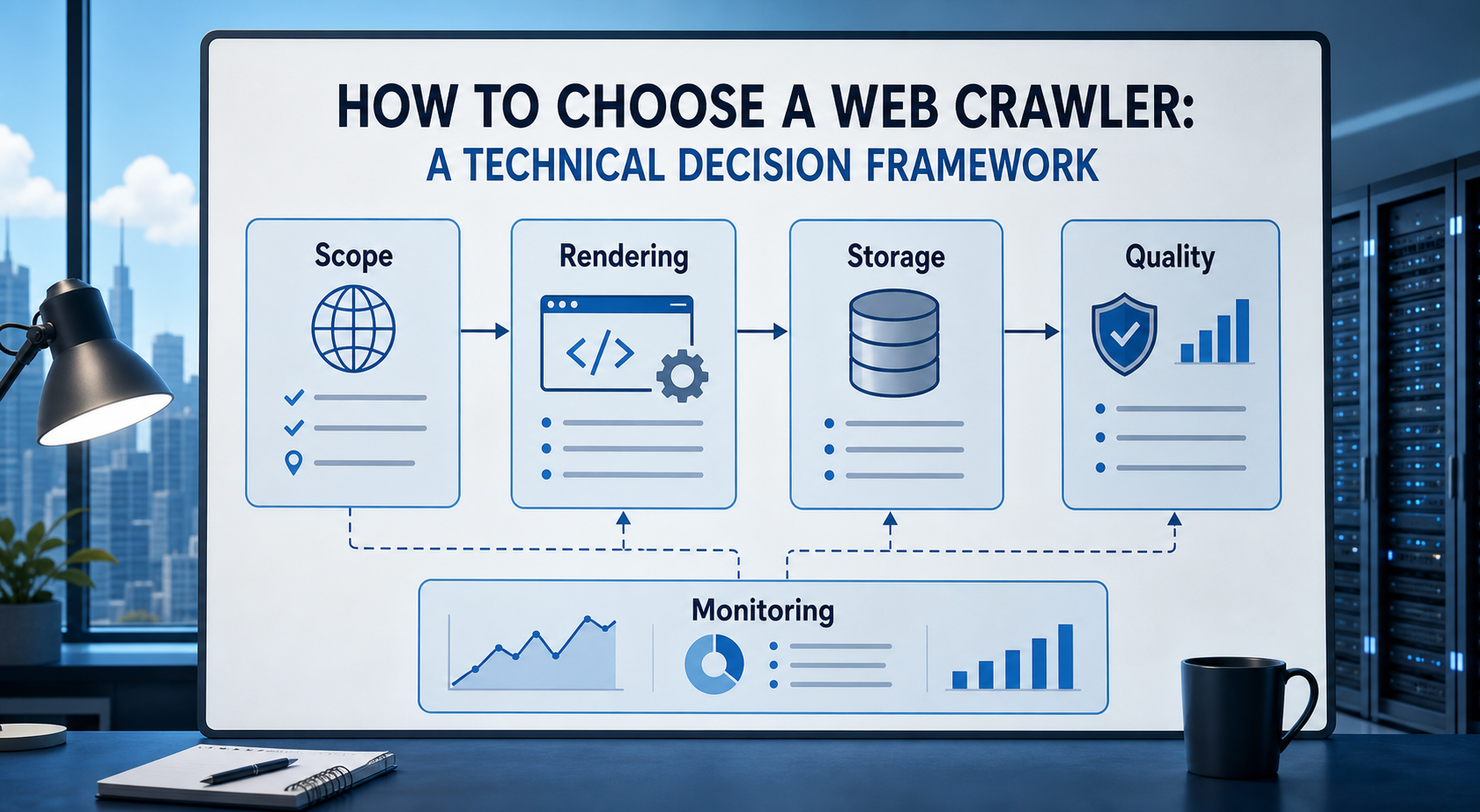
How to Choose a Web Crawler: A Technical Decision Framework
The wrong way to choose a web crawler is to begin with a list of products. The right starting point is the system you need to build. Before comparing tools, define:
View Details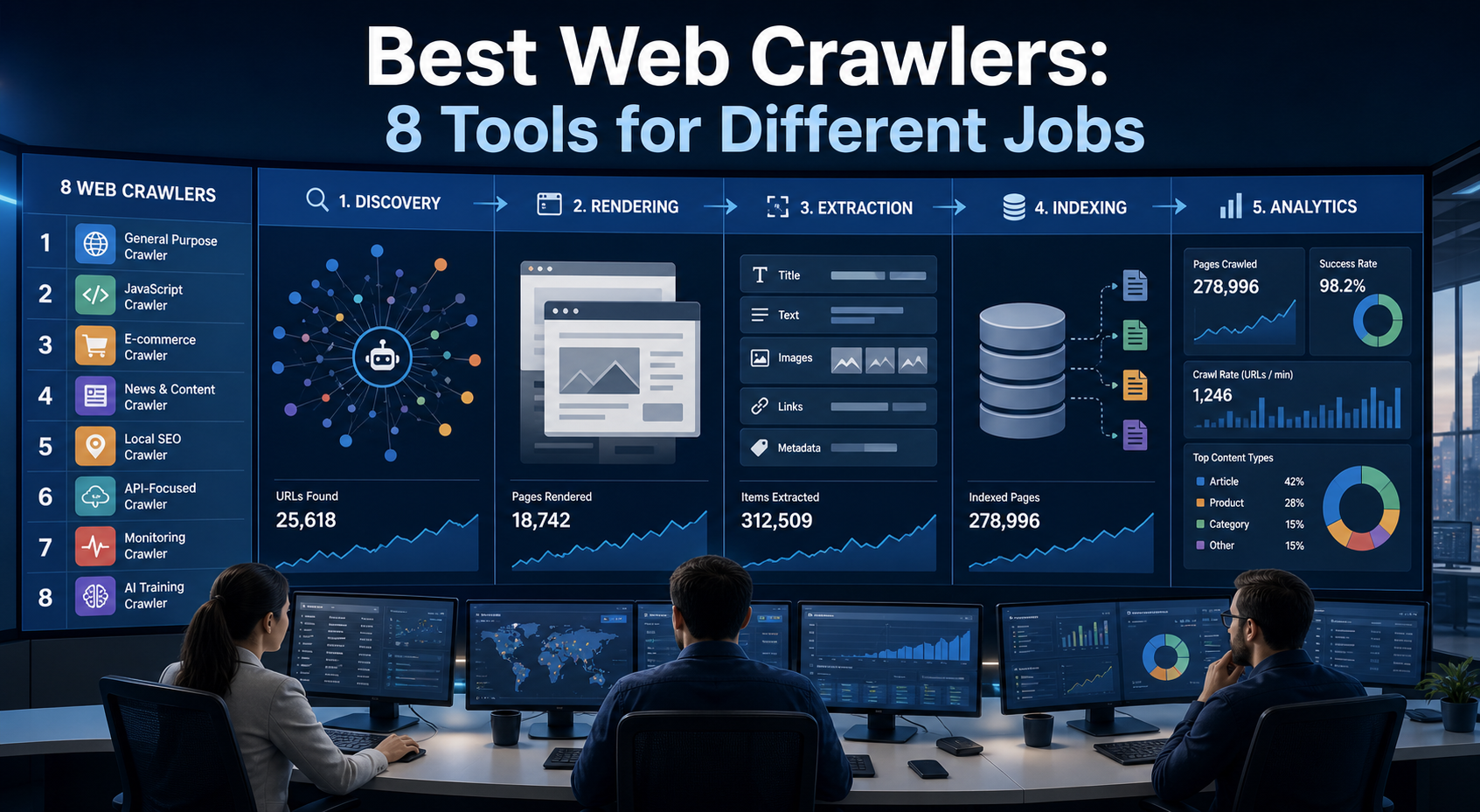
Best Web Crawlers: 8 Tools for Different Jobs
There is no single best web crawler for every project. A technical SEO audit, an AI knowledge pipeline, an internet archive, and a distributed search index may all involve crawling URLs, but they require different capabilities. The most useful way to compare web crawler tools is therefore to ask what job each one was designed to perform. This guide evaluates eight strong options across:
View Details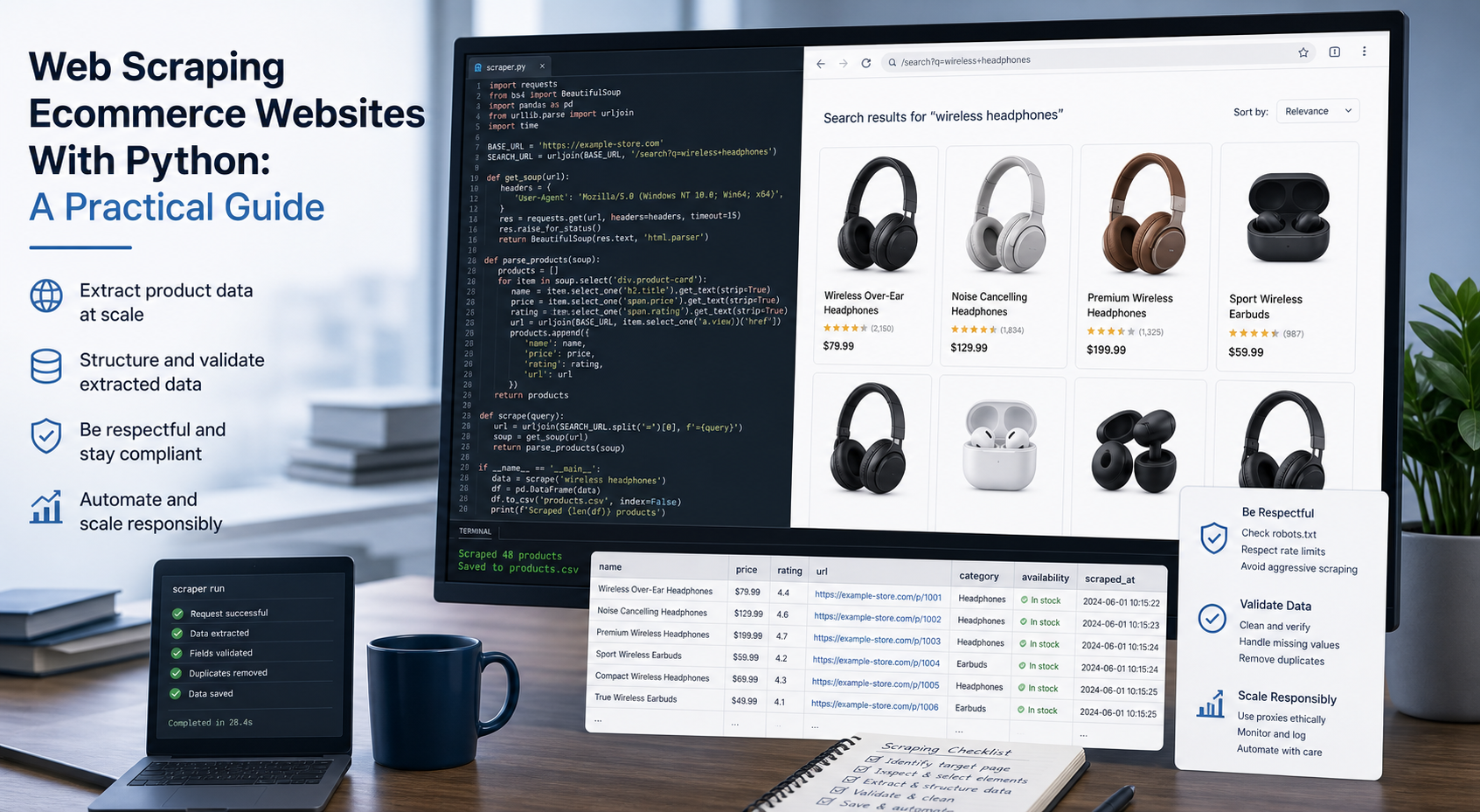
Web Scraping Ecommerce Websites With Python: A Practical Guide
Recommended meta title: Web Scraping Ecommerce Websites With Python: Guide Recommended meta description: Learn how to scrape ecommerce websites with Python using Requests, Beautiful Soup, Playwright, and Scrapy, with validation and scaling guidance. URL slug: /web-scraping-ecommerce-websites-python/
View Details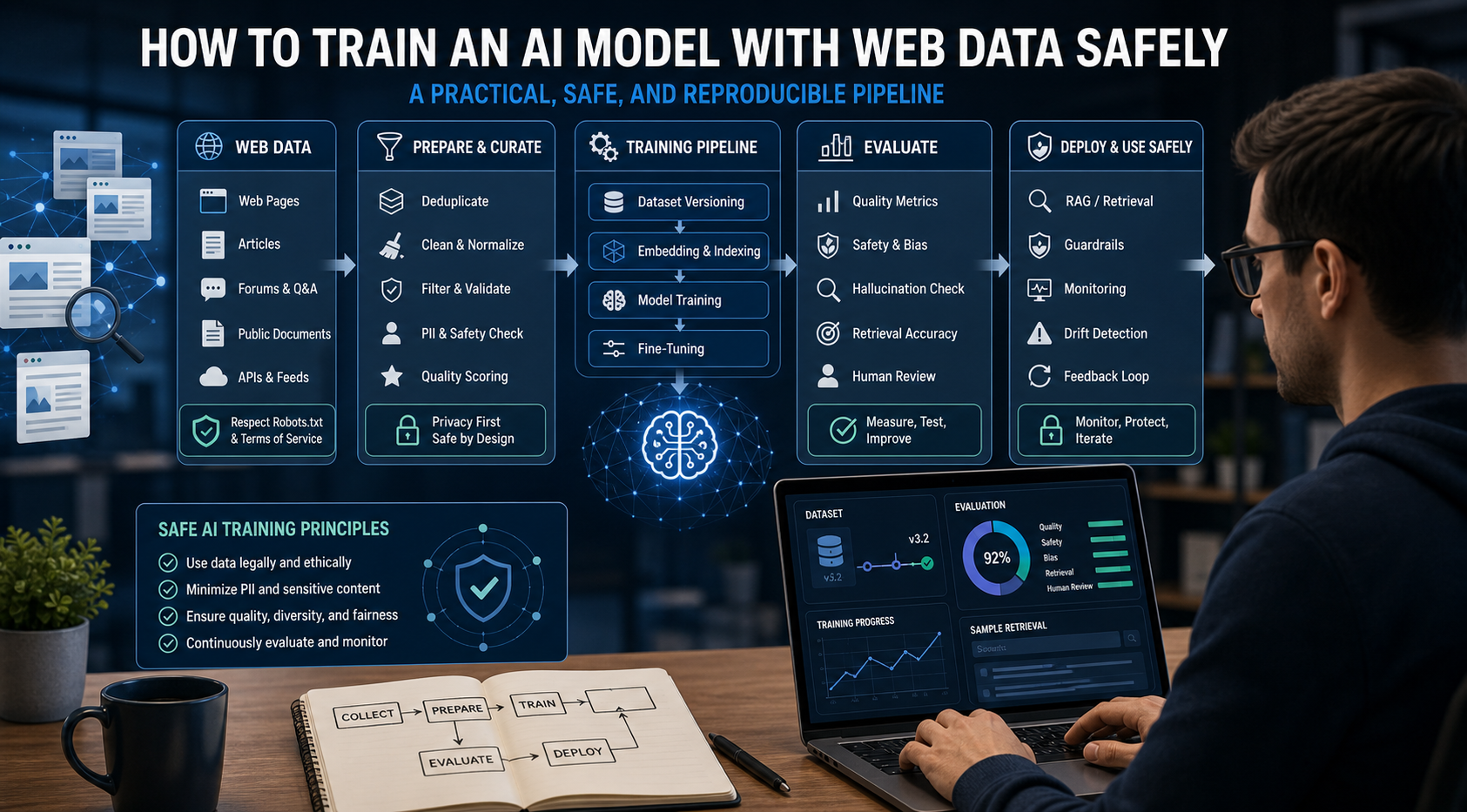
How to Train an AI Model With Web Data Safely
To train an AI model with web data, start by deciding whether you actually need training. Then collect representative sources, preserve provenance, remove duplicates and low-quality content, create leakage-resistant splits, build a baseline, fine-tune or train the appropriate model, and evaluate on real held-out examples before deployment.
View Details