
Network Security Fundamentals You Can't Skip
Network Security Fundamentals You Can't Skip
You can't secure what you don't understand.
This simple truth separates effective cybersecurity professionals from those who struggle despite having expensive certifications and the latest security tools. Every week, aspiring security analysts dive headfirst into penetration testing frameworks, memorize exploit commands, and rush through certification boot camps, only to hit a wall when they can't explain how a TCP handshake works or why DNS is a critical attack vector.
The uncomfortable reality? Most cybersecurity learners jump to advanced topics without understanding core networking concepts. They can run nmap scans but can't interpret the results. They know Wireshark exists but freeze when asked to filter for suspicious traffic. They've heard of man-in-the-middle attacks but don't understand the protocol vulnerabilities that make them possible.
This foundation-first approach isn't just academic advice, it's career survival. Whether you're a cybersecurity student preparing for your first SOC analyst role, an IT professional pivoting into security, or a self-learner building skills from scratch, your effectiveness is directly proportional to how well you understand the networks you're trying to protect.
Let's build that foundation properly.
Explore LycheeIP security guides
Act 1: TCP/IP Fundamentals That Every Security Professional Must Know
The OSI Model vs. TCP/IP Model: Why You Need Both
Most networking courses start here, and for good reason. The OSI (Open Systems Interconnection) model and TCP/IP model provide the conceptual framework for understanding how data moves from one device to another across networks.
The OSI model has seven layers (Physical, Data Link, Network, Transport, Session, Presentation, Application), while the TCP/IP model condenses these into four practical layers (Network Access, Internet, Transport, Application). Security professionals need both perspectives:
- OSI gives you precision: When troubleshooting or analyzing attacks, you can pinpoint exactly where a vulnerability exists. Is it a Layer 2 ARP poisoning attack? A Layer 3 routing exploit? Layer 7 application vulnerability?
- TCP/IP gives you practicality: This is how networks actually function in the real world. Understanding TCP/IP helps you analyze packet captures, configure firewalls, and comprehend how attackers move through network stacks.
Without this layered understanding, security becomes a black box. You might know that "something bad happened," but you won't know where* or *how to investigate.
IP Addressing and Subnetting: The Geography of Networks
Every security assessment begins with understanding network topology. IP addressing is the addressing system that makes internet communication possible, and subnetting is how networks are logically divided.
IPv4 basics you must know:
- Class A, B, C address ranges and their default subnet masks
- Private vs. public IP addresses (RFC 1918)
- CIDR notation (192.168.1.0/24)
- Network address, broadcast address, and usable host range
Why this matters for security:
- Reconnaissance: Attackers use subnetting knowledge to identify network ranges and potential targets
- Firewall rules: Misconfigured subnet masks can expose entire networks
- Lateral movement: Understanding subnets helps you detect when attackers move between network segments
- Segmentation: Proper network design isolates critical assets, but only if you understand subnetting
When you see a firewall log showing traffic from 10.0.5.47 to 192.168.1.100, you should immediately recognize that one is a private RFC 1918 address and question why traffic is routing this way. This instinct comes from foundational knowledge.
TCP vs. UDP: Two Protocols, Different Security Implications
Transmission Control Protocol (TCP) and User Datagram Protocol (UDP) are the two primary transport layer protocols, and they have fundamentally different characteristics:
TCP (Connection-Oriented):
- Requires three-way handshake (SYN, SYN-ACK, ACK)
- Guarantees delivery and order
- Used for HTTP/HTTPS, SSH, FTP, email
- Security angle: The handshake process can be exploited (SYN flood attacks), but connection tracking makes TCP easier to firewall
UDP (Connectionless):
- No handshake or acknowledgment
- Faster but unreliable
- Used for DNS, streaming media, VoIP, online gaming
- Security angle: Harder to firewall effectively, commonly used in DDoS amplification attacks
Understanding these differences explains why DNS (UDP port 53) is frequently targeted for cache poisoning attacks, while HTTPS (TCP port 443) is vulnerable to different attack types like SSL stripping.
Ports and Services: The Gateway to Understanding Attacks
Ports are logical endpoints for network communication, ranging from 0 to 65535. They're divided into:
- Well-known ports (0-1023): HTTP (80), HTTPS (443), SSH (22), FTP (21), DNS (53)
- Registered ports (1024-49151): Application-specific
- Dynamic/private ports (49152-65535): Temporary client-side ports
Critical security knowledge:
When you run a port scan and see port 3389 open, you should instantly recognize RDP (Remote Desktop Protocol), a high-value target for attackers. Port 445? SMB, notorious for WannaCry and other ransomware attacks. Port 1433? Microsoft SQL Server, often targeted for database exploits.
Every open port is a potential attack surface. Every service listening on a port has its own vulnerability history. This is why the first step in network security assessment is inventory: what ports are open, what services are running, and what versions are deployed.
DNS: The Phonebook of the Internet and Its Vulnerabilities
Domain Name System (DNS) translates human-readable domain names (example.com) into IP addresses (93.184.216.34). It's essential for internet functionality, and deeply insecure by design.
DNS security concerns:
- DNS spoofing/cache poisoning: Attackers inject false DNS records, redirecting users to malicious sites
- DNS tunneling: Malware uses DNS queries to exfiltrate data or establish command-and-control channels
- DDoS amplification: Public DNS resolvers can be weaponized to amplify attack traffic
- DNS hijacking: Compromising DNS servers to control domain resolution
Understanding DNS isn't optional. It's involved in nearly every network attack chain, from initial reconnaissance (DNS enumeration) to credential phishing (homograph attacks) to data exfiltration.
Explore LycheeIP security guides
Act 2: How Network Protocols Create Attack Surfaces
Protocol Weaknesses Inherent in Design
Many network protocols were designed in the 1970s-1990s when security was an afterthought. The internet was built on trust, not verification.
Key inherited vulnerabilities:
ARP (Address Resolution Protocol):
- Maps IP addresses to MAC addresses on local networks
- No authentication mechanism
- Attack: ARP spoofing allows attackers to intercept traffic by claiming to be the default gateway
HTTP (Hypertext Transfer Protocol):
- Transmits data in plaintext
- No encryption or integrity checking
- Attack: Packet sniffing captures credentials, session tokens, and sensitive data
FTP (File Transfer Protocol):
- Sends credentials in cleartext
- Uses separate control and data channels
- Attack: Credential harvesting, man-in-the-middle interception
SMTP (Simple Mail Transfer Protocol):
- Originally designed without sender authentication
- Attack: Email spoofing, phishing, spam
These aren't implementation bugs, they're design limitations. Modern security layers (TLS, DNSSEC, SPF/DKIM/DMARC) were added later as band-aids on fundamentally insecure protocols.
Common Protocol-Based Attacks
TCP SYN Flood (Denial of Service):
Attackers send massive volumes of SYN packets without completing the three-way handshake, exhausting server resources. Understanding the TCP handshake is prerequisite knowledge for comprehending why this works and how SYN cookies mitigate it.
DNS Cache Poisoning:
Attackers exploit the trust relationship between DNS resolvers and authoritative servers, injecting false records. Without understanding DNS query/response mechanisms, this attack makes no sense.
Session Hijacking:
Attackers steal or predict session tokens to impersonate legitimate users. This requires understanding how session state is maintained in stateless protocols like HTTP.
Man-in-the-Middle (MITM) Attacks:
The classic protocol exploitation. An attacker positions themselves between two communicating parties, intercepting and potentially modifying traffic. MITM attacks exploit:
- ARP spoofing on local networks
- Rogue DHCP servers
- DNS spoofing
- SSL/TLS stripping (downgrading HTTPS to HTTP)
Why Encryption Protocols Matter: TLS/SSL Deep Dive
Transport Layer Security (TLS) and its predecessor SSL provide encryption, authentication, and integrity for network communications. When you access a website via HTTPS, TLS protects your data.
What TLS actually does:
1. Handshake: Client and server negotiate encryption algorithms and exchange keys
2. Authentication: Server proves identity via digital certificates (client certificates optional)
3. Encryption: Symmetric encryption protects data in transit
4. Integrity: Hash functions ensure data isn't modified
Security implications:
- Weak cipher suites (RC4, DES) can be broken
- Certificate validation failures enable MITM attacks
- SSL stripping downgrades secure connections
- Version vulnerabilities (SSLv3's POODLE, TLS 1.0's BEAST)
When analyzing network traffic on platforms handling sensitive data—whether e-commerce, banking, or cryptocurrency exchanges—verifying proper TLS implementation is fundamental. Users should always confirm HTTPS connections and valid certificates, especially when conducting financial transactions online.
How Attackers Exploit Protocol Trust Relationships
Networks function on trust assumptions:
- DHCP clients trust DHCP servers to provide correct network configuration
- DNS clients trust DNS servers to provide accurate IP addresses
- Routing protocols trust neighboring routers to provide accurate routing information
Attackers exploit these trust relationships:
Rogue DHCP Server: Attacker sets up unauthorized DHCP server, configuring clients with attacker-controlled DNS servers
BGP Hijacking: Attackers announce false routing information, redirecting internet traffic through malicious infrastructure
SMB Relay Attacks: Attackers intercept and relay authentication requests, gaining unauthorized access
Understanding these trust models, and their failures, is what separates basic IT knowledge from security expertise.
Explore LycheeIP security guides
Act 3: Practical Network Security Assessment Techniques for Beginners
Essential Tools: Your Security Toolkit
Wireshark (Packet Analysis):
The industry-standard packet analyzer lets you capture and inspect network traffic at the packet level. Essential skills:
- Capture filters vs. display filters
- Following TCP streams
- Identifying protocols and services
- Detecting anomalies (unusual ports, excessive retransmissions, suspicious payloads)
Nmap (Network Scanning):
The network mapper is your reconnaissance tool for discovering hosts, open ports, services, and operating systems. Key techniques:
- TCP SYN scan (-sS): Stealthy half-open scanning
- Service version detection (-sV): Identify specific software versions
- OS fingerprinting (-O): Determine target operating system
- Script scanning (--script): Automated vulnerability detection
tcpdump (Command-Line Packet Capture):
The command-line alternative to Wireshark, essential for headless servers and quick captures. Master basic filter syntax:
```
tcpdump -i eth0 'tcp port 80'
tcpdump -n host 192.168.1.100
tcpdump -w capture.pcap
```
How to Read Packet Captures
Packet analysis is where theory meets practice. When examining captures:
Look for:
- Three-way handshake completions: Failed handshakes indicate port filtering or service issues
- Unusual port combinations: Database ports communicating with external IPs
- Plaintext credentials: Unencrypted protocols transmitting sensitive data
- Repeated connection attempts: Possible reconnaissance or brute-force attacks
- DNS queries to suspicious domains: Malware command-and-control communication
- Excessive traffic volume: DDoS attacks or data exfiltration
Practice exercise:
Capture your own web browsing session. Identify:
1. DNS queries resolving domain names
2. TCP handshake establishing connection
3. HTTP GET request (or encrypted TLS handshake for HTTPS)
4. Server response with content
5. Connection termination
This single exercise connects protocol theory to observable reality.
Basic Network Scanning and Reconnaissance
Ethical reconnaissance follows a methodical approach:
1. Network Discovery:
```
nmap -sn 192.168.1.0/24
```
Identifies live hosts without port scanning (ping sweep).
2. Port Scanning:
```
nmap -sS -p- 192.168.1.50
```
Scans all 65,535 TCP ports on target host.
3. Service Enumeration:
```
nmap -sV -p 22,80,443 192.168.1.50
```
Identifies specific service versions on discovered ports.
4. Vulnerability Assessment:
```
nmap --script vuln 192.168.1.50
```
Runs vulnerability detection scripts against target.
Legal and ethical note: Only scan networks you own or have explicit permission to test. Unauthorized scanning is illegal in most jurisdictions.
Identifying Suspicious Traffic Patterns
Anomaly detection is core to defensive security:
Baseline vs. anomaly:
- Establish normal traffic patterns (bandwidth, protocols, connection frequency)
- Alert on deviations (traffic spikes, unusual protocols, off-hours activity)
Common suspicious indicators:
- Port scanning signatures: Sequential connection attempts across port ranges
- Beaconing: Regular, periodic connections to external IPs (C2 communication)
- Lateral movement: Internal hosts connecting to multiple other internal hosts
- Data exfiltration: Large outbound transfers, especially to unusual destinations
- Protocol mismatches: HTTP traffic on non-standard ports, encrypted tunnels over DNS
Building a Home Lab for Practice
Theory without practice is worthless. Build a safe environment:
Minimum setup:
- Virtualization platform: VirtualBox or VMware (free options)
- Attacker machine: Kali Linux (pre-loaded with security tools)
- Target machines: Metasploitable, DVWA, vulnerable VMs
- Network configuration: Isolated host-only network
Learning progression:
1. Set up packet capture between VMs
2. Perform port scans and analyze traffic
3. Attempt basic exploits and observe network behavior
4. Configure firewall rules and test effectiveness
5. Practice incident response scenarios
Advanced additions:
- pfSense firewall VM
- Security Onion for traffic analysis
- Windows Active Directory environment
- IDS/IPS systems (Snort, Suricata)
The investment is minimal, your laptop and free software, but the learning outcomes are professional-grade.
Explore LycheeIP security guides
Strategic Infrastructure: How LycheeIP Completes Your Security Lab
Local virtual machines are perfect for learning the absolute basics of TCP/IP. However, professional security analysts and penetration testers must evaluate external, internet-facing assets. Modern enterprise firewalls and Web Application Firewalls (WAFs) will instantly drop traffic originating from a standard home network or a known cloud provider.
To simulate real-world, global threat actors in your advanced lab setups, you must manage your network fingerprint.
How LycheeIP fits (when you need more than a basic unblocker)
- Realistic Threat Simulation: LycheeIP provides dynamic and static residential proxies that appear as legitimate home internet users. This allows your authorized Nmap scans or Burp Suite traffic to bypass basic reputation filters, giving you an accurate assessment of a target's perimeter defenses.
- Testing Geographic Controls: With coverage across 200+ countries, LycheeIP allows you to test whether your organization's "Geo-fencing" rules (e.g., blocking traffic from specific countries) actually work.
- Purity for Accurate Baselines: Standard proxy networks often recycle IPs rapidly. LycheeIP enforces a strict cooling period of more than six months before reusing an IP. This ensures your security research isn't skewed by an IP address that was recently blacklisted by threat intelligence feeds.
- Protocol Support: LycheeIP fully supports HTTP/HTTPS and SOCKS5, ensuring seamless integration with command-line tools like Nmap, Metasploit, and custom Python automation scripts via tools like proxychains.
- API-Driven Automation: Professional attackers automate their infrastructure. LycheeIP’s near real-time API allows you to programmatically rotate IPs during your lab exercises, teaching you how modern adversaries evade rate-limiting.
Conclusion: Foundation-First for Long-Term Success
Cybersecurity is not about memorizing commands or collecting certifications. It's about understanding systems deeply enough to recognize when something is wrong, why it's wrong, and how to fix it.
The networking fundamentals covered here, TCP/IP architecture, protocol vulnerabilities, packet analysis, aren't preliminary topics to rush through. They're the foundation that supports everything else in your security career:
- Incident response: You can't investigate what you can't understand
- Penetration testing: Exploits target protocol weaknesses
- Security architecture: Proper network segmentation requires subnetting knowledge
- Threat hunting: Anomaly detection depends on protocol baselines
- Compliance: Standards like PCI-DSS require network security controls
The security professionals who advance fastest aren't those who jump to advanced topics, they're those who build unshakeable foundations and then build systematically upward.
In an industry obsessed with the latest exploits and zero-days, the competitive advantage comes from mastering what never changes: how networks actually work. Build your local lab, practice reading packets, and when you are ready to simulate global, external threats, integrate professional infrastructure like LycheeIP to ensure your tests reflect reality.
Your next steps:
1. Deepen protocol knowledge: Read RFC documents for protocols you use daily
2. Practice packet analysis: Capture and analyze your own network traffic daily
3. Build your lab: Set up a virtualized environment this week
4. Study attack techniques: Understand how exploits work at the protocol level
5. Join communities: Engage with cybersecurity forums, CTF competitions, and local security meetups
In an industry obsessed with the latest exploits and zero-days, the competitive advantage comes from mastering what never changes: how networks actually work.
You can't secure what you don't understand. Now you understand where to start.
Explore LycheeIP security guides
Frequently Asked Questions
Q: Do I need to know programming to understand network security?
A: No, programming is not required for fundamental network security knowledge. Understanding TCP/IP, protocols, and packet analysis requires logical thinking and attention to detail, not coding skills. However, learning scripting languages like Python or Bash will enhance your capabilities later, especially for automation and advanced analysis tasks.
Q: What's the difference between TCP and UDP?
A: TCP (Transmission Control Protocol) is connection-oriented, requires a three-way handshake, and guarantees reliable, ordered delivery of data. UDP (User Datagram Protocol) is connectionless, faster, but doesn't guarantee delivery or order. TCP is used for web browsing, email, and file transfers where accuracy matters. UDP is used for DNS, streaming, and gaming where speed is prioritized over perfect delivery.
Q: How long does it take to learn network security fundamentals?
A: With dedicated study, you can grasp core concepts in 2-3 months, but practical proficiency takes 6-12 months of hands-on practice. Spend 1-2 hours daily studying protocols, practicing with Wireshark and nmap, and building lab environments. The timeline varies based on your existing IT knowledge, those with networking backgrounds will progress faster than complete beginners.
Q: What tools should beginners start with for network security?
A: Start with three essential free tools: Wireshark for packet capture and analysis, nmap for network scanning and reconnaissance, and VirtualBox or VMware for building practice labs. Once comfortable, add tcpdump for command-line packet capture and explore vulnerable VMs like Metasploitable for safe practice environments. Avoid jumping to advanced exploitation tools until you master these fundamentals.
Q: Can I learn network security without a computer science degree?
A: Absolutely. Many successful cybersecurity professionals are self-taught or come from non-CS backgrounds. Network security relies more on understanding protocols and practical skills than theoretical computer science. Focus on hands-on practice, build a home lab, pursue industry certifications (Network+, Security+, CEH), and contribute to open-source projects or CTF competitions to demonstrate practical skills to employers.

Recommended Articles
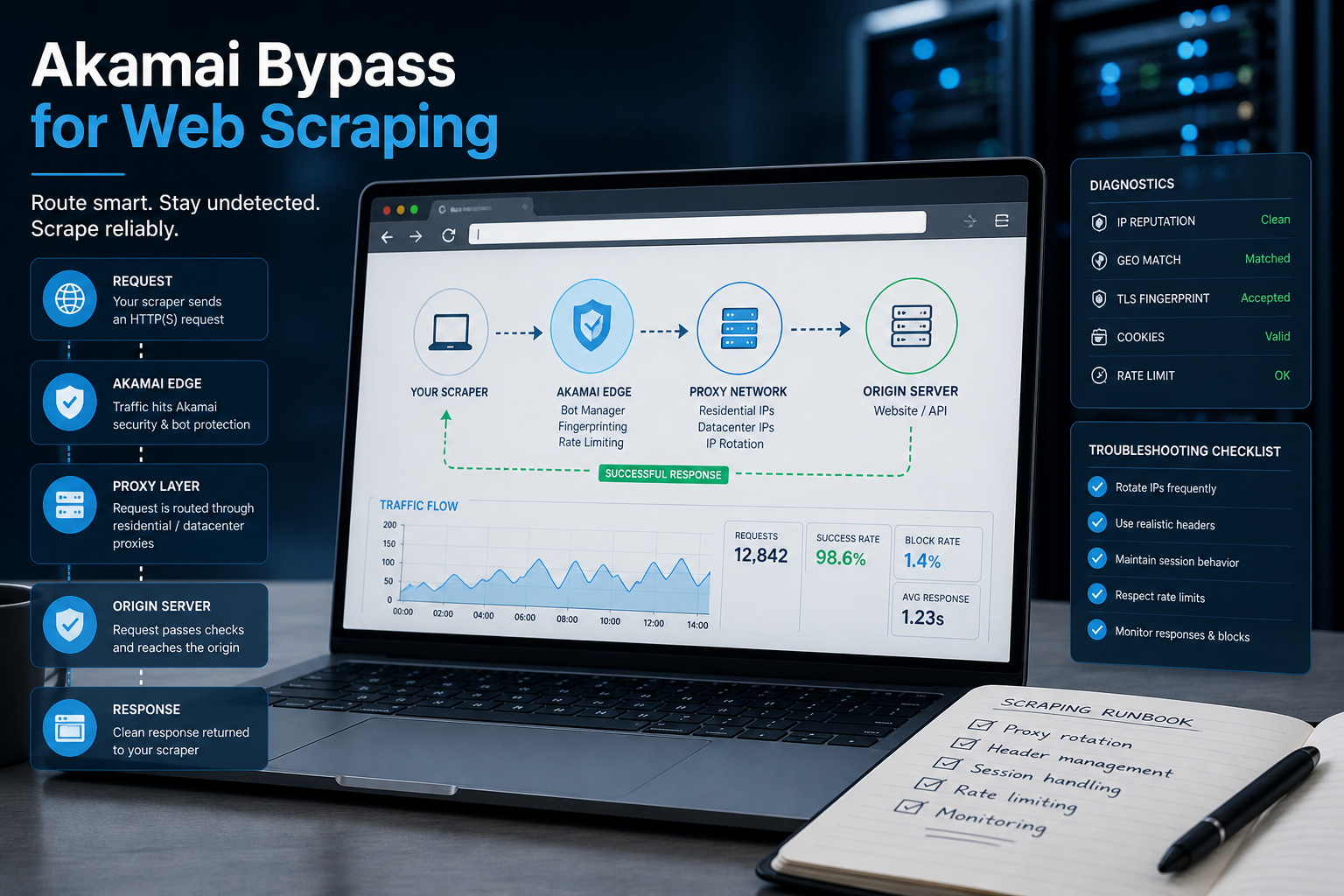
Akamai Bypass for Web Scraping
Akamai Bypass for Web Scraping
View Details
Browser Security Settings Most Users Never Touch
Stop leaving your personal data wide open. We reveal the crucial security toggles buried in your browser that instantly lock down your passwords and hide your daily web traffic.
View Details
Stop Saving Passwords in Your Browser
Letting Chrome or Safari remember your passwords feels incredibly convenient, but it is a massive security risk. Discover the hidden dangers of browser autofill and exactly what you should be using instead.
View Details
Should You Pay for a Browser? The Case For and Against
Are you currently paying for your free browser with your personal data? Discover if upgrading to a paid tool like Brave Origin is the ultimate privacy hack or just a complete waste of your cash.
View Details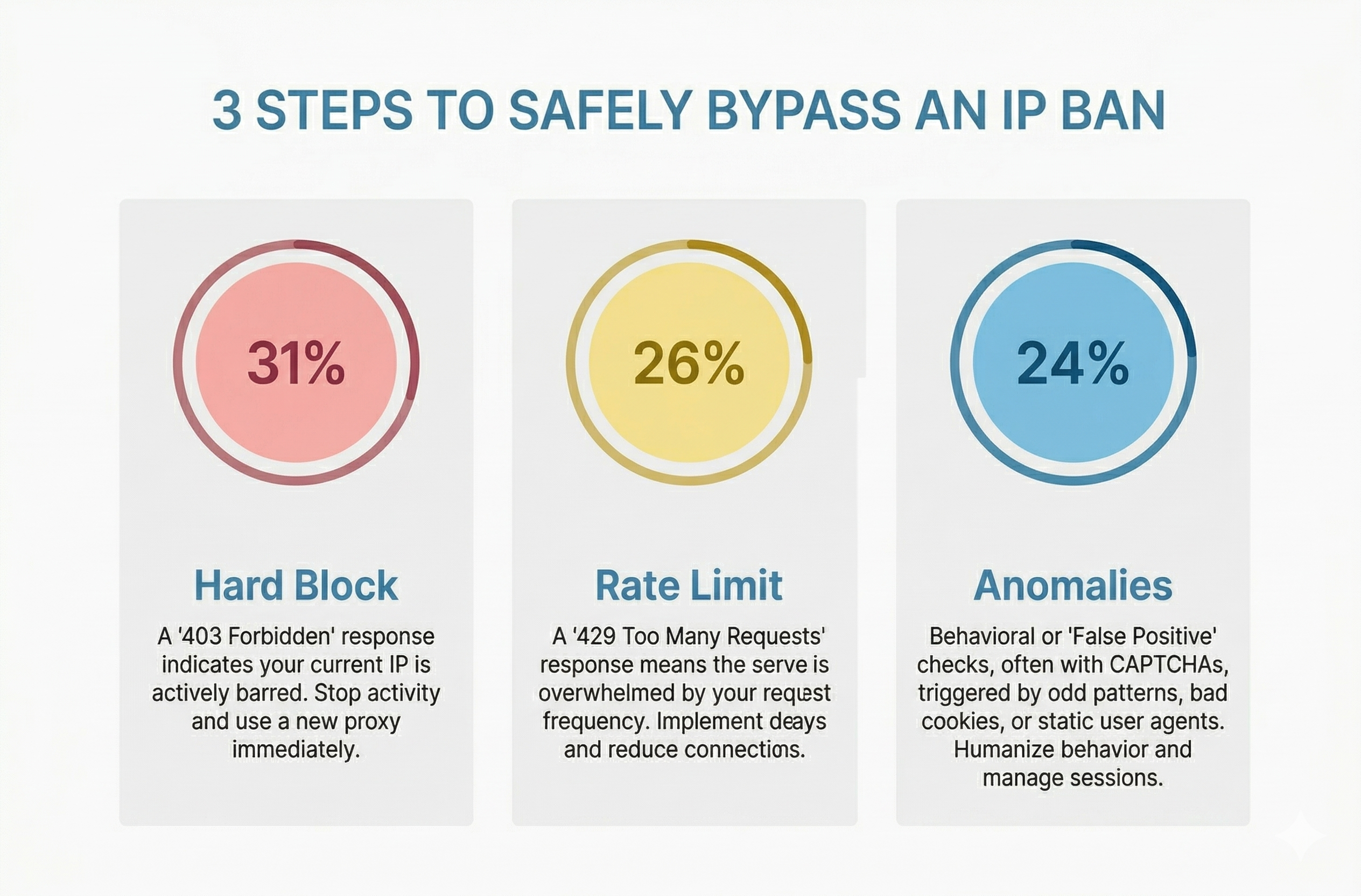
How to Bypass an IP Ban Safely by Diagnosing 403s, 429s, and False Positives
Diagnose 403s, 429s, and false positives quickly. Use this technical checklist to recover network access, reduce blocks, and scale data pipelines safely.
View Details