
ChatGPT Web Scraping: How to Use AI to Build Better Scrapers
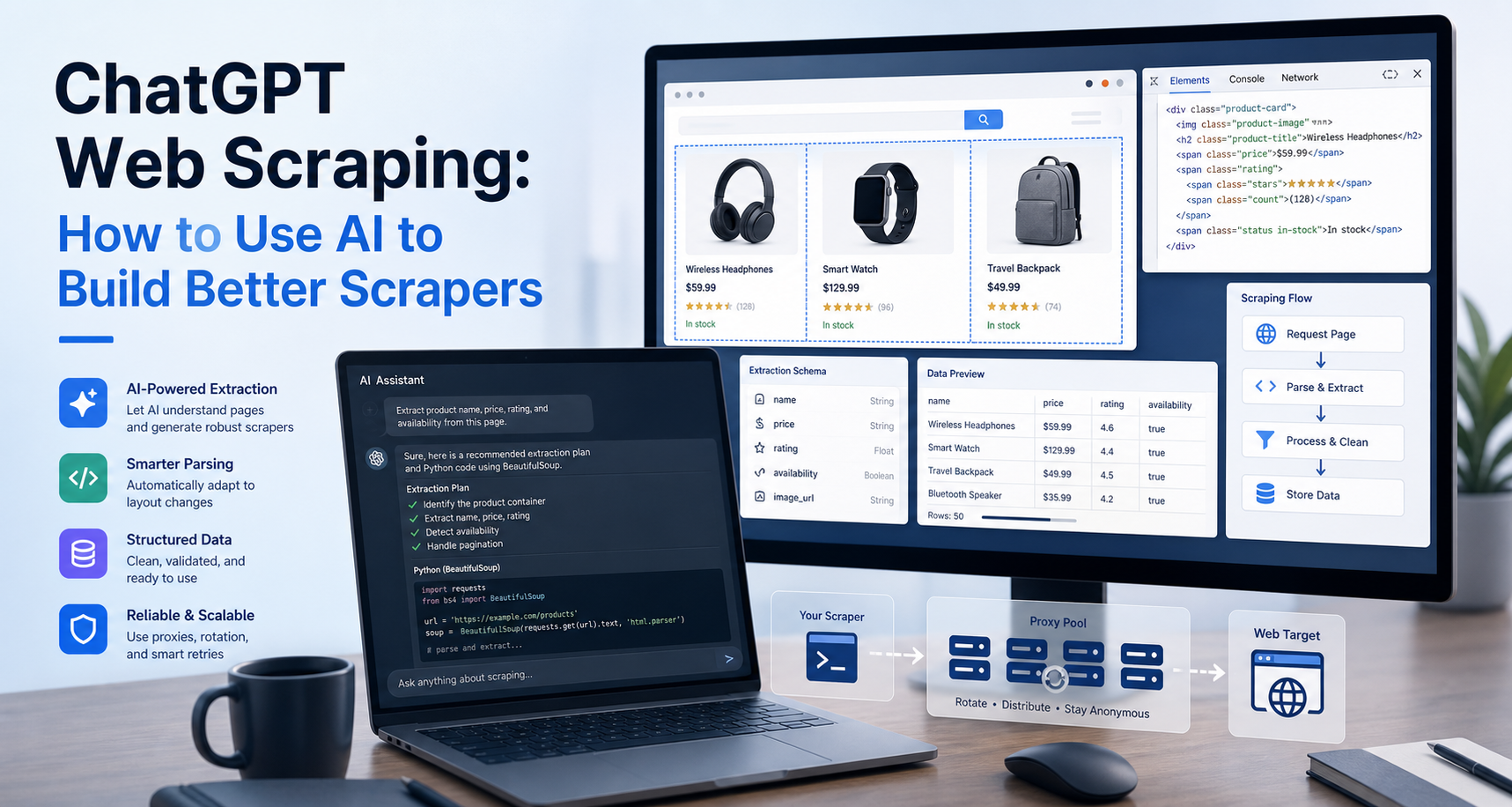
But there is an important distinction: ChatGPT is not a replacement for a production scraping system.
ChatGPT has changed the way many developers, data teams, marketers, and researchers approach web scraping. Instead of starting every scraper from a blank file, you can now use AI to plan the workflow, generate starter code, explain page structure, debug errors, and suggest better ways to extract data.
ChatGPT can help you build and improve a web scraper. It can also search the web in some ChatGPT experiences and provide timely answers with links to sources. However, serious web scraping still requires actual code, infrastructure, request handling, parsing logic, compliance checks, and, in many cases, proxies or browser automation. OpenAI describes ChatGPT Search as a feature for getting timely answers with relevant web sources, not as a full-scale scraping runtime.
In this guide, you will learn how to use ChatGPT for web scraping responsibly, how to prompt it properly, what code it can help generate, where it fails, and how to turn AI-generated scraper code into something more reliable.
Can ChatGPT Scrape Websites?
ChatGPT can assist with web scraping, but it should not be treated as the scraper itself.
In a practical workflow, ChatGPT can help you:
- Understand the structure of a webpage
- Choose between Requests, BeautifulSoup, Scrapy, Selenium, or Playwright
- Generate starter Python or JavaScript scraping code
- Write CSS selectors or XPath patterns
- Debug broken selectors
- Handle pagination logic
- Clean scraped data
- Save data to CSV, JSON, databases, or spreadsheets
- Explain errors in your scraper
- Suggest proxy, retry, and rate-limit strategies
However, ChatGPT does not automatically give you a scalable scraping pipeline. It can produce code, but that code still needs to be tested against the target website, reviewed for legal and ethical compliance, and adapted for real-world issues such as JavaScript rendering, bot protection, IP blocking, CAPTCHAs, unstable selectors, pagination changes, and inconsistent HTML.
A better way to think about it is this:
ChatGPT is a scraper-building assistant, not a complete scraping infrastructure.
For the LycheeIP implementation details behind this step, review static residential proxies.
How ChatGPT Fits Into a Web Scraping Workflow
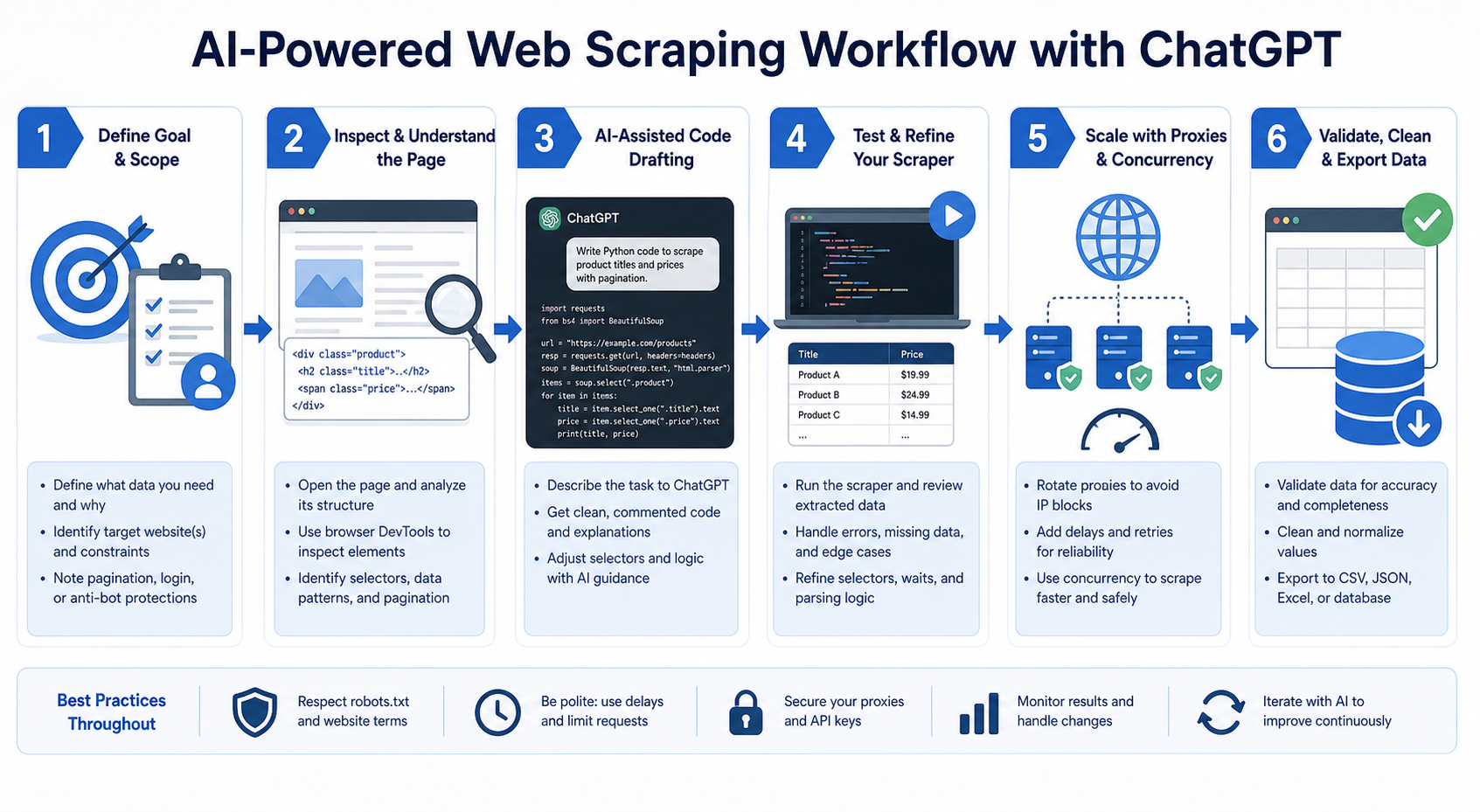
A strong ChatGPT web scraping workflow usually has five stages.
First, you define the scraping goal. This includes the target website, the fields you want to collect, the output format, and how often the scraper should run.
Second, you inspect the page. You need to know whether the data is available in the raw HTML, loaded through JavaScript, returned by an API request, hidden behind login, or blocked by access controls.
Third, you ask ChatGPT to generate a scraper based on your exact requirements. The more specific your prompt is, the better the result will be.
Fourth, you test and improve the code. AI-generated code should never be trusted blindly. You need to run it, check the output, review error handling, and confirm that the data is accurate.
Fifth, you prepare the scraper for scale. This may involve proxies, retries, rotating user agents, browser automation, structured logging, scheduling, and compliance reviews.
For the LycheeIP implementation details behind this step, review rotating residential proxies.
For the LycheeIP implementation details behind this step, review AI-powered browser automation hub.
For the official technical reference behind this point, see MDN HTTP overview.
What to Prepare Before Asking ChatGPT to Build a Scraper
Before prompting ChatGPT, gather the following information:
- The target URL
- The data fields you want to extract
- Example page elements or CSS selectors
- Whether the page is static or JavaScript-rendered
- Whether pagination is involved
- The preferred programming language
- The preferred libraries
- The output format
- Any limits, such as crawl speed or number of pages
- Compliance requirements, including terms of service, robots.txt, copyright, and privacy rules
This preparation matters because vague prompts often produce weak scraper code.
For example, this is too vague:
Write a web scraper for this website.
This is much better:
Write a Python web scraper that uses requests and BeautifulSoup.
Target page: [insert URL] Goal: Extract product name, price, rating, and product URL. Output: Save results to a CSV file. Requirements:
- Add a timeout to all requests.
- Use a custom User-Agent.
- Skip empty fields safely.
- Print clear error messages.
- Do not scrape pages blocked by robots.txt or terms of service.
- Explain how the code works after the script.
The second prompt gives ChatGPT enough context to generate a more useful first draft.
For the official technical reference behind this point, see Playwright documentation.
Best Tools for ChatGPT-Assisted Web Scraping
The best tool depends on the website.
Requests + BeautifulSoup
Use this combination when the data is available in the page’s HTML.
Requests is a Python HTTP library used to send web requests, while BeautifulSoup is commonly used to parse HTML and XML documents.
This setup is good for:
- Static pages
- Simple product listings
- Blog pages
- Directories
- Tables
- Basic HTML extraction
It is usually faster and lighter than browser automation.
Playwright
Use Playwright when the website relies heavily on JavaScript, dynamic rendering, user interactions, infinite scroll, or client-side navigation.
Playwright’s locator system is designed around finding elements on a page and includes auto-waiting and retry behavior, which can be helpful for dynamic interfaces.
This setup is useful for:
- JavaScript-heavy sites
- Pages that load content after scrolling
- Buttons or filters that must be clicked
- Single-page applications
- Pages where raw HTML does not contain the target data
Scrapy
Use Scrapy for larger crawling projects where you need structure, concurrency, item pipelines, and more advanced crawling logic.
It is better for:
- Multi-page crawlers
- Large datasets
- Scheduled crawls
- More formal extraction pipelines
- Data cleaning and export workflows
Proxies
Use proxies when you need stable access, geo-targeted testing, or request distribution across a larger scraping job.
Proxies are not a shortcut for ignoring website rules. They are infrastructure for reliability, routing, and scale when used responsibly.
Example: ChatGPT Prompt for a Basic Python Scraper
Here is a reusable prompt you can give ChatGPT:
Act as a senior Python web scraping engineer.
Create a Python scraper for the target page below.
Target URL: [insert target URL]
Data to extract:
- Product name
- Price
- Rating
- Product URL
Technical requirements:
- Use requests and BeautifulSoup.
- Add request timeout.
- Add a custom User-Agent header.
- Handle missing fields without crashing.
- Save results to a CSV file.
- Include clear comments in the code.
- Add basic error handling for non-200 responses.
- Explain how I can modify the selectors later.
Compliance requirements:
- Remind me to check robots.txt, the site’s terms of service, and privacy rules before scraping.
This type of prompt works better because it tells ChatGPT the role, goal, tools, fields, output, and safety requirements.
Example Python Scraper Generated With ChatGPT
Below is an example of the type of scraper ChatGPT can help you build. You would still need to replace the selectors with the correct selectors from your target page.
import csv
import requests
from bs4 import BeautifulSoup
from urllib.parse import urljoin

TARGET_URL = "https://example.com/products"

HEADERS = {
    "User-Agent": "Mozilla/5.0 (compatible; ResearchBot/1.0; +https://example.com/bot-info)"
}

def fetch_page(url):
    try:
        response = requests.get(url, headers=HEADERS, timeout=15)
        response.raise_for_status()
        return response.text
    except requests.exceptions.RequestException as error:
        print(f"Request failed: {error}")
        return None

def parse_products(html, base_url):
    soup = BeautifulSoup(html, "html.parser")
    products = []

    product_cards = soup.select(".product-card")

    for card in product_cards:
        name_element = card.select_one(".product-title")
        price_element = card.select_one(".product-price")
        rating_element = card.select_one(".product-rating")
        link_element = card.select_one("a")

        name = name_element.get_text(strip=True) if name_element else ""
        price = price_element.get_text(strip=True) if price_element else ""
        rating = rating_element.get_text(strip=True) if rating_element else ""
        product_url = urljoin(base_url, link_element["href"]) if link_element and link_element.get("href") else ""

        products.append({
            "name": name,
            "price": price,
            "rating": rating,
            "product_url": product_url
        })

    return products

def save_to_csv(products, filename="products.csv"):
    fieldnames = ["name", "price", "rating", "product_url"]

    with open(filename, "w", newline="", encoding="utf-8") as file:
        writer = csv.DictWriter(file, fieldnames=fieldnames)
        writer.writeheader()
        writer.writerows(products)

def main():
    html = fetch_page(TARGET_URL)

    if not html:
        print("No HTML returned. Exiting.")
        return

    products = parse_products(html, TARGET_URL)

    if not products:
        print("No products found. Check your selectors.")
        return

    save_to_csv(products)
    print(f"Saved {len(products)} products to products.csv")

if __name__ == "__main__":
    main()
This script is intentionally simple. A production scraper would usually need more features, such as retry logic, pagination support, proxy configuration, structured logs, validation, and monitoring.
How to Ask ChatGPT to Improve Scraper Code
Once you have a basic scraper, you can paste your code back into ChatGPT and ask for specific improvements.
For example:
Review this scraper like a senior Python engineer.
Improve it for:
- Better error handling
- Cleaner function structure
- Retry logic
- Pagination support
- CSV output reliability
- Selector maintainability
Do not change the main scraping goal. Explain every major change.
You can also ask:
The scraper runs but returns an empty CSV. Diagnose the likely causes and show me how to debug the selectors step by step.
Or:
Rewrite this scraper to use Playwright because the page content is loaded with JavaScript.
These prompts are useful because they keep ChatGPT focused on a specific problem instead of asking it to rebuild everything from scratch.
Common Problems With ChatGPT Web Scraping Code
ChatGPT can generate useful code, but it often makes assumptions. These are the most common issues to watch for.
1. Wrong Selectors
ChatGPT may invent selectors if you do not provide real ones. Always inspect the page yourself and confirm that the selectors match the current HTML.
2. Missing JavaScript Content
If the target data is loaded after the page renders, Requests and BeautifulSoup may not see it. In that case, you may need Playwright, Selenium, or the underlying API endpoint.
3. Weak Error Handling
Many AI-generated scripts assume every request will succeed. Real scraping jobs need timeouts, retries, status-code checks, logging, and fallback behavior.
4. No Pagination Logic
A scraper that only extracts one page may be useless for large datasets. If the website has pagination, infinite scroll, or category pages, include that in your prompt.
5. No Data Validation
A scraper can run successfully and still return bad data. Always check for empty fields, duplicate rows, broken URLs, wrong currency symbols, and mismatched columns.
6. No Compliance Review
Web scraping should be done responsibly. Before scraping, review the website’s terms, robots.txt rules, privacy requirements, copyright restrictions, and applicable laws. The Robots Exclusion Protocol gives site owners a way to communicate crawler access preferences through robots.txt.
How to Handle Dynamic Websites With ChatGPT
If a site uses JavaScript to load content, ask ChatGPT to help you inspect the problem before choosing a tool.
Use a prompt like this:
I am scraping a page, but requests + BeautifulSoup does not return the product data.
Help me determine whether the content is:
- Present in the initial HTML
- Loaded through JavaScript
- Returned from an API endpoint
- Hidden behind authentication
- Blocked by anti-bot protection
Give me a step-by-step debugging process using browser DevTools.
If the page is JavaScript-rendered, ask for a Playwright version:
Rewrite this scraper using Playwright in Python.
Requirements:
- Open the page in a browser context.
- Wait for product cards to load.
- Extract product name, price, and URL.
- Handle missing fields safely.
- Save output to CSV.
- Include comments explaining where selectors should be updated.
For dynamic sites, ChatGPT can also help you inspect network requests, identify JSON endpoints, and decide whether browser automation is actually necessary.
Where Proxies Fit Into ChatGPT Web Scraping
For small tests, you may not need proxies. But once you start scraping at scale, proxies often become part of the infrastructure.
Proxies can help with:
- Geo-specific data collection
- Reducing failed requests caused by IP-based rate limits
- Separating development, testing, and production traffic
- Running distributed scraping jobs
- Improving reliability when collecting public data at scale
However, proxies should be used carefully. They do not remove the need to follow legal, ethical, and website-specific rules.
LycheeIP: Developer-First Proxy Infrastructure for Web Scraping Teams
For teams building scraper workflows with ChatGPT, LycheeIP can support the infrastructure layer that AI-generated code does not provide on its own.
ChatGPT can help you write the scraper, but LycheeIP can help with the network side of scraping, including residential proxies, ISP proxies, datacenter proxies, sticky sessions, rotating sessions, and geo-targeted access.
A practical workflow may look like this:
- Use ChatGPT to plan the scraper and generate starter code.
- Test the scraper locally on a small number of pages.
- Add structured error handling, logging, and data validation.
- Use LycheeIP proxies when you need reliable routing, geo-testing, or larger collection jobs.
- Monitor request success rates, blocked responses, latency, and data quality.
- Adjust crawl rate and proxy type based on the target site’s behavior.
This keeps ChatGPT in the right role: code assistant, debugging partner, and workflow planner. LycheeIP supports the infrastructure layer needed for more serious scraping operations.
For the LycheeIP implementation details behind this step, review LycheeIP proxy infrastructure.
ChatGPT Web Scraping Prompt Framework
Use this framework whenever you want ChatGPT to help with scraping:
Role: Act as a senior web scraping engineer.
Goal: I want to scrape [specific data] from [target website or page type].
Target: [URL or description of target pages]
Data fields:
- Field 1
- Field 2
- Field 3
Page behavior: The page is [static / JavaScript-rendered / paginated / infinite scroll / behind login / unknown].
Preferred stack: Use [Python requests + BeautifulSoup / Playwright / Scrapy / JavaScript / Node.js].
Output: Save the data as [CSV / JSON / database rows / Google Sheets-ready format].
Reliability requirements:
- Add timeout
- Add retries
- Handle missing fields
- Avoid duplicate rows
- Log failed URLs
- Validate output
Compliance requirements:
- Remind me to check robots.txt
- Respect terms of service
- Avoid personal or sensitive data unless properly authorized
- Use a reasonable crawl rate
Deliverable: Generate the code, explain how it works, and tell me what I must customize before running it.
This framework reduces vague output and helps ChatGPT produce code that is closer to your actual use case.
How to Make ChatGPT-Generated Scrapers More Reliable
Do not stop at the first code output. Treat it as a first draft.
To make the scraper more reliable:
- Replace placeholder selectors with real selectors
- Test on one page before crawling many pages
- Save raw HTML samples for debugging
- Add retries for temporary failures
- Use timeouts on all requests
- Validate the number of items extracted per page
- Log failed URLs
- Avoid aggressive request rates
- Check for duplicate rows
- Monitor changes in HTML structure
- Keep selectors simple and maintainable
- Use Playwright only when static requests are not enough
- Use proxies responsibly when scaling
A good scraper is not just code that runs once. It is code that keeps producing accurate data even when pages change, requests fail, or layouts shift.
Is ChatGPT Web Scraping Legal?
The legality of web scraping depends on what you scrape, how you access it, how you use the data, and which jurisdiction applies.
In general, scraping publicly accessible information is not automatically illegal everywhere. But scraping can create legal or compliance risks when it involves copyrighted content, personal data, login-protected pages, confidential information, aggressive access patterns, or violations of website terms.
Before running a scraper, check:
- The website’s terms of service
- The robots.txt file
- Copyright restrictions
- Privacy laws
- Whether the data includes personal information
- Whether you have permission or a legitimate basis to collect the data
- Whether your request rate could harm the website
This is especially important for commercial scraping projects. When in doubt, speak with legal counsel before collecting or using the data.
ChatGPT Web Scraping Limitations
ChatGPT is helpful, but it has limitations.
It can generate code that looks correct but fails when executed. It can invent selectors. It can assume a page is static when it is dynamic. It may miss rate-limit concerns, compliance issues, or edge cases unless you ask for them directly.
Use ChatGPT for acceleration, not blind automation.
The safest workflow is:
- Ask ChatGPT to draft the scraper.
- Review the code manually.
- Test it on a small sample.
- Confirm data accuracy.
- Add reliability features.
- Review compliance.
- Scale only after the scraper behaves predictably.
Use LycheeIP Proxies in Your ChatGPT Scraping Stack
Final Thoughts
ChatGPT web scraping is powerful when you use it correctly. It can shorten the time between idea and working prototype, explain unfamiliar code, debug extraction issues, and suggest better tools for static or dynamic pages.
But ChatGPT is not the full scraping stack.
For real projects, you still need good prompts, accurate selectors, tested code, responsible crawling practices, data validation, and reliable infrastructure. For larger jobs, that may include proxies, retries, browser automation, monitoring, and compliance workflows.
Use ChatGPT to build smarter. Use proper scraping tools to execute. Use infrastructure like LycheeIP when your project needs reliability, scale, and controlled access.
Frequently Asked Questions
Can ChatGPT scrape a website by itself?
ChatGPT can help you search, reason, and generate scraping code, but it is not a full production scraper. For scalable scraping, you still need code, infrastructure, and testing.
What is the best language for ChatGPT web scraping?
Python is one of the most common choices because it has mature libraries such as Requests, BeautifulSoup, Scrapy, Selenium, and Playwright. JavaScript is also useful, especially for browser automation workflows.
Can ChatGPT create a Python scraper?
Yes. ChatGPT can generate Python scraper code if you provide the target page, fields to extract, preferred libraries, output format, and requirements.
Why does ChatGPT-generated scraper code fail?
It may fail because selectors are wrong, the page uses JavaScript, the site blocks automated requests, pagination is missing, or the generated code does not handle errors properly.
Should I use BeautifulSoup or Playwright?
Use BeautifulSoup when the data is available in the HTML. Use Playwright when the page requires JavaScript rendering, scrolling, clicking, or waiting for dynamic elements.
Do I need proxies for web scraping with ChatGPT?
You do not need proxies for every small test. Proxies become more useful when you need scale, geo-targeted data, session control, or more reliable access patterns.
Is web scraping with ChatGPT safe?
It can be safe if you review the generated code, respect website rules, avoid sensitive or restricted data, use reasonable request rates, and follow applicable laws.
Can ChatGPT handle dynamic websites?
ChatGPT can help you write Playwright or Selenium scripts for dynamic websites, but you still need to test the code and confirm that the data is extracted correctly.
Can ChatGPT bypass anti-bot systems?
You should not use ChatGPT to bypass security systems or access controls. Use scraping tools responsibly, follow website policies, and collect data only where you have the right to do so.
What is the best way to prompt ChatGPT for web scraping?
The best prompt includes the target URL, data fields, page behavior, preferred language, libraries, output format, reliability requirements, and compliance instructions.
Related LycheeIP Guides and Resources

Recommended Articles

Best Real Estate Scrapers in 2026
Best Real Estate Scrapers in 2026
View Details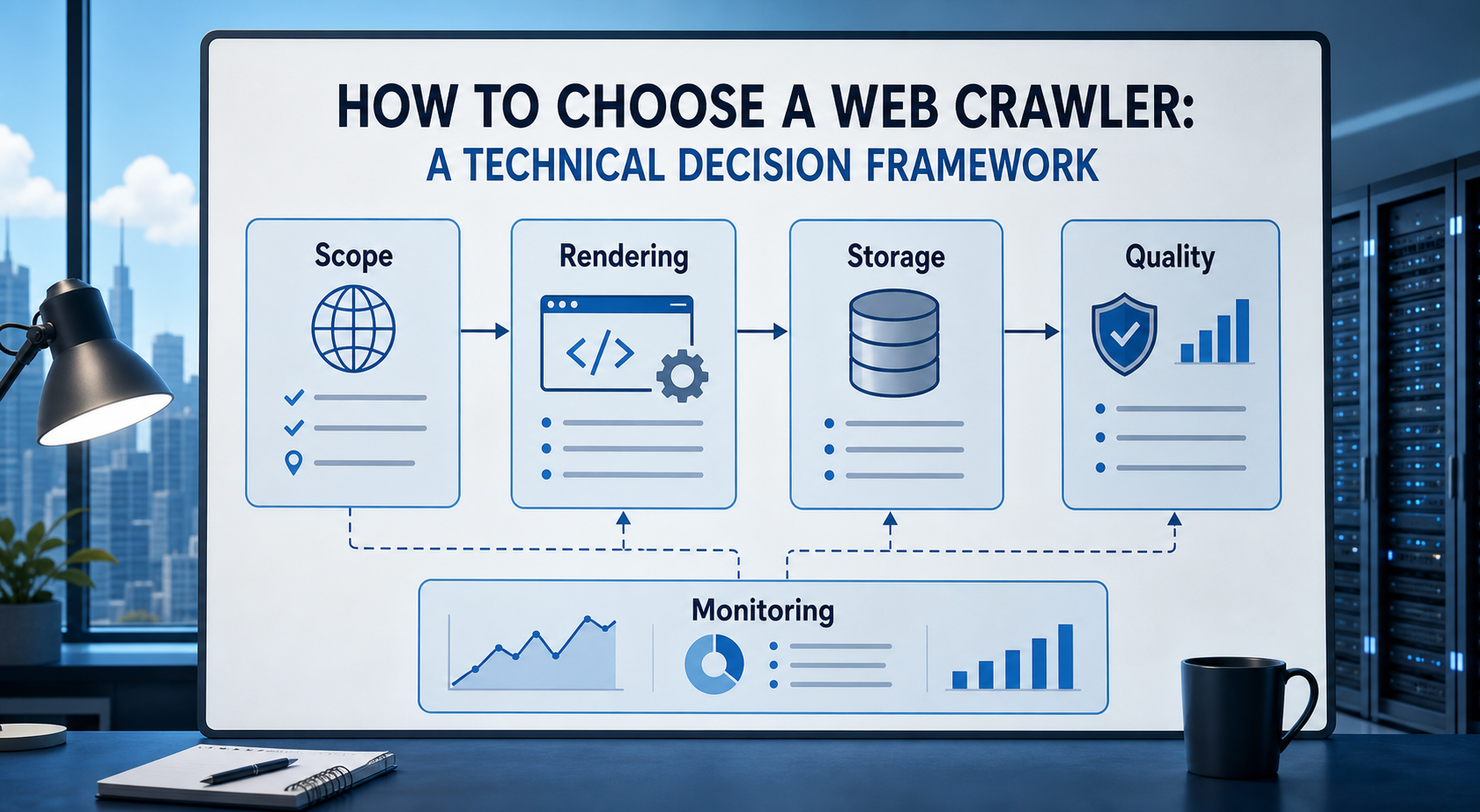
How to Choose a Web Crawler: A Technical Decision Framework
The wrong way to choose a web crawler is to begin with a list of products. The right starting point is the system you need to build. Before comparing tools, define:
View Details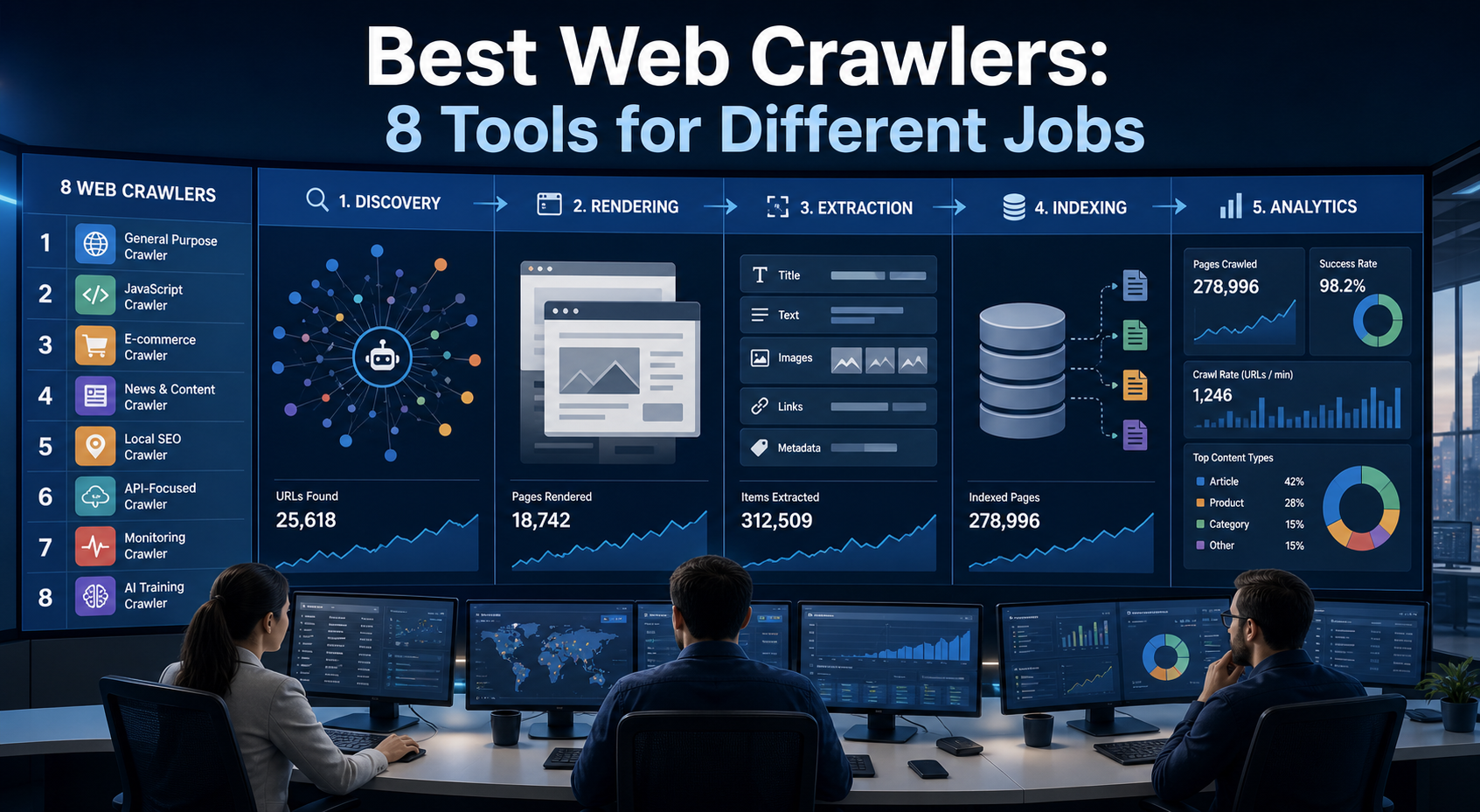
Best Web Crawlers: 8 Tools for Different Jobs
There is no single best web crawler for every project. A technical SEO audit, an AI knowledge pipeline, an internet archive, and a distributed search index may all involve crawling URLs, but they require different capabilities. The most useful way to compare web crawler tools is therefore to ask what job each one was designed to perform. This guide evaluates eight strong options across:
View Details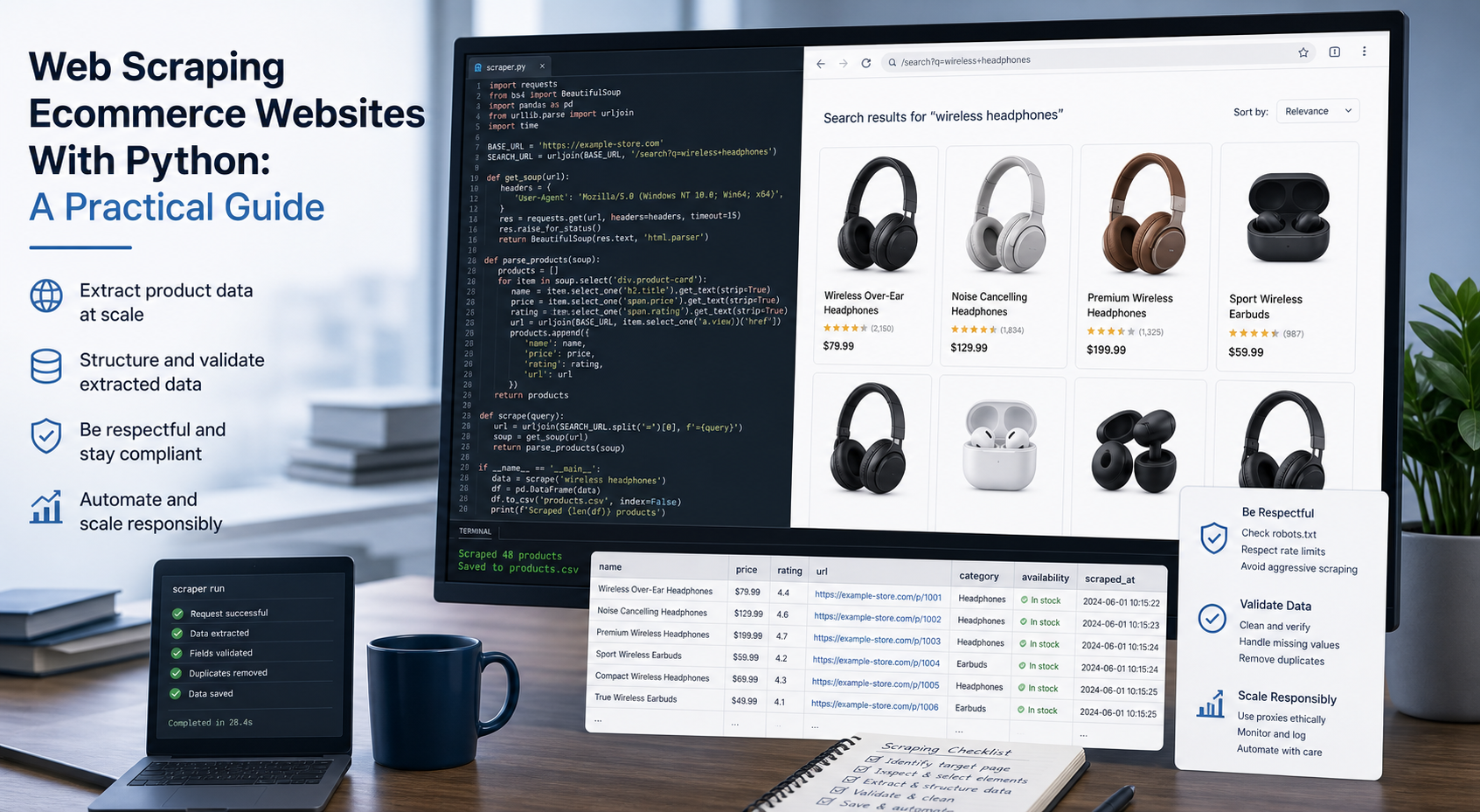
Web Scraping Ecommerce Websites With Python: A Practical Guide
Recommended meta title: Web Scraping Ecommerce Websites With Python: Guide Recommended meta description: Learn how to scrape ecommerce websites with Python using Requests, Beautiful Soup, Playwright, and Scrapy, with validation and scaling guidance. URL slug: /web-scraping-ecommerce-websites-python/
View Details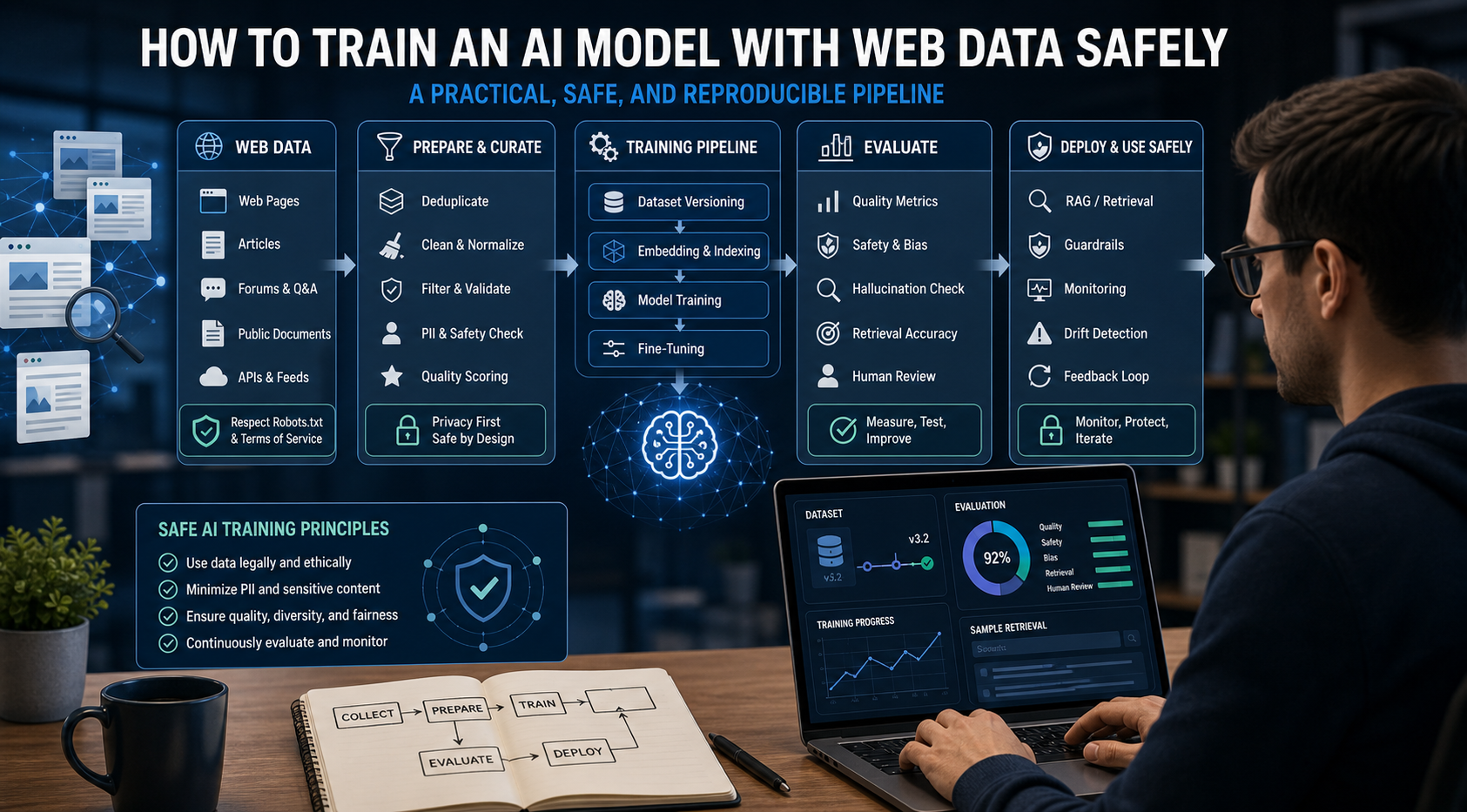
How to Train an AI Model With Web Data Safely
To train an AI model with web data, start by deciding whether you actually need training. Then collect representative sources, preserve provenance, remove duplicates and low-quality content, create leakage-resistant splits, build a baseline, fine-tune or train the appropriate model, and evaluate on real held-out examples before deployment.
View Details