
Best Residential Proxy Providers in 2026: Nodemaven vs Decodo vs Smartproxy
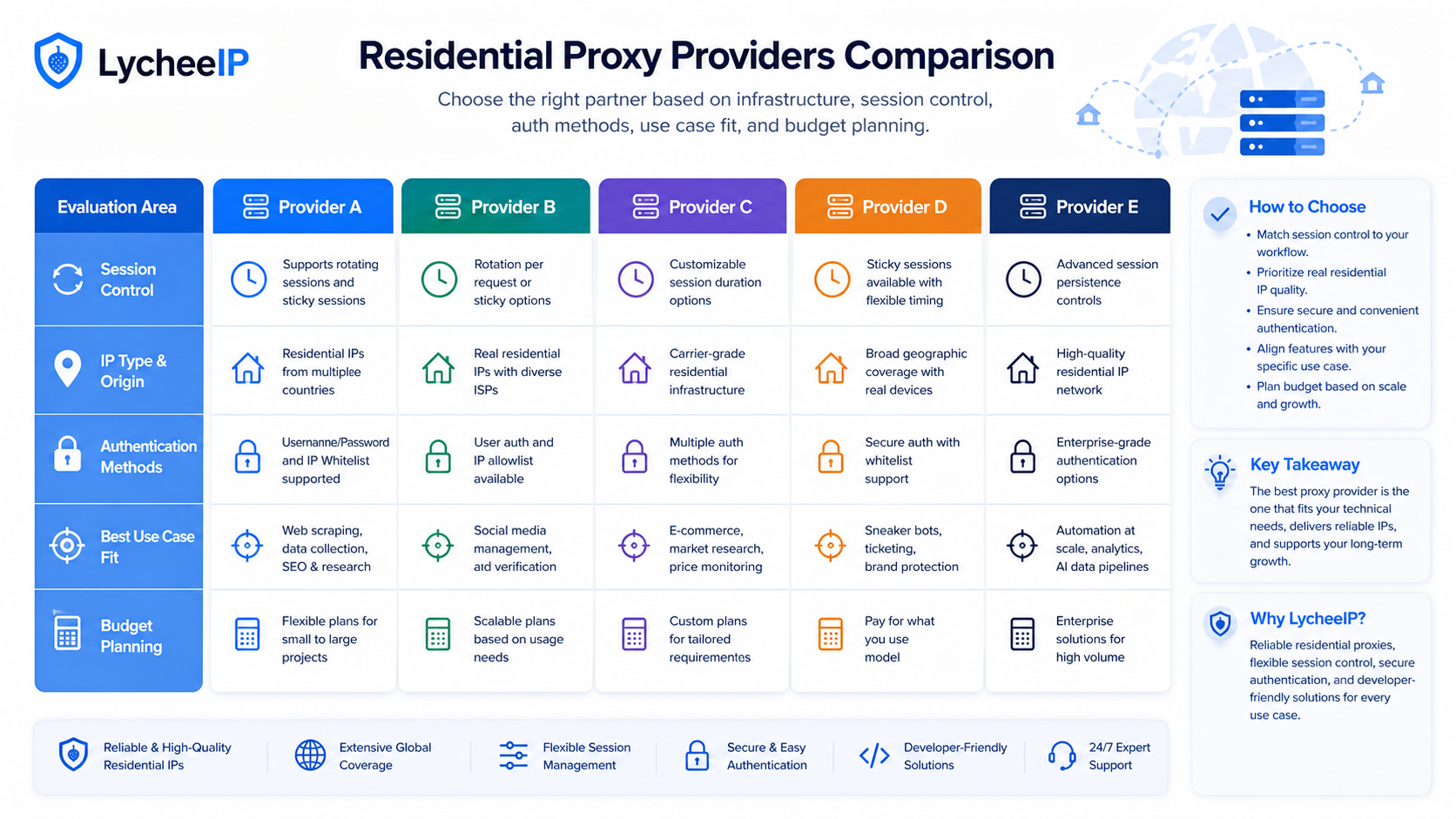
The best residential proxy provider is the one whose pricing model, session controls, authentication, documentation, support, and IP strategy match your workload.
Search Console shows strong comparison and pricing intent on this page. Readers are not only asking which provider is “best.” They are asking how to compare Nodemaven, Decodo, and Smartproxy without relying on stale claims, hidden assumptions, or one shallow pricing screenshot. This repair keeps the original evidence-based tone, but restores the missing provider-selection depth so the page answers the real decision questions.
Quick Answer: Compare Workload Fit Before You Compare Price
The strongest provider comparison starts with workload fit: session length, concurrency, rotation rules, auth options, and debugging support usually matter more than the headline entry price.
If the concept is new, start with the residential proxy guide. Then decide whether your workflow actually needs static residential proxies, rotating residential proxies, datacenter proxies, or a mixed setup. Many “provider comparison” mistakes happen earlier than the vendor shortlist because teams choose the wrong IP category before they compare vendors inside that category.
Evaluation Criteria That Actually Change the Decision
| Criterion | What to verify | Why it changes cost or risk |
|---|---|---|
| Pricing model | Bandwidth billing, overages, trials, committed minimums, and whether unused allocation expires | A cheap entry plan can become expensive if overages, concurrency limits, or commitment rules do not match usage. |
| Session control | Sticky-session duration, manual rotation, forced rotation, and region pinning | Login flows, shopping carts, and account work break if the session model is wrong. |
| Authentication | Username/password, IP allowlisting, sub-users, and credential scope | Operations overhead matters when teams must onboard multiple apps or teammates. |
| Documentation and API | Language examples, proxy formatting guidance, dashboard clarity, and error visibility | Better docs reduce integration time and shorten debugging loops. |
| Support and operations fit | Response times, escalation paths, invoice process, and account management quality | When a workflow fails in production, operational support becomes part of the product. |
Read “Pricing” Queries Carefully
Users searching for Nodemaven pricing, Decodo pricing, or Smartproxy pricing often want certainty that the cheapest line item is the best value. That is rarely true. Residential proxy spending is shaped by how the plan measures traffic, how quickly a team burns bandwidth, whether sticky sessions are stable enough to avoid waste, and whether the documentation keeps developers from spending days on integration churn.
This article intentionally avoids quoting unsupported live prices because those change. The safer comparison is to verify current billing units, overage policy, refund language, trial limits, and whether the plan encourages you to overspend for the workflow you actually have. If your team only needs a small validation run, a cheaper entry plan may win. If your team needs reliable long-lived sessions with internal documentation and debugging support, the headline price may matter less than operations fit.
Session Control and Rotation Questions to Ask
Provider comparisons become shallow when they reduce everything to “rotating” versus “static.” The real questions are more specific. How long can a sticky session stay stable? Can the team trigger rotation intentionally? Is geo-targeting granular enough for the use case? Are concurrent sessions capped in a way that collides with your app architecture? Those details determine whether browser automation, account flows, or public-data collection stays coherent.
- Ask whether the workflow needs one IP for a full login sequence or many IPs for distributed collection.
- Ask whether region pinning must be country-level or whether city/ASN behavior matters operationally.
- Ask how the provider communicates session expiration, failures, or auth errors to developers.
- Ask how easy it is to reproduce a bug with one stable route before scaling the rotation strategy.
Readers comparing residential options should also review the rotating proxies guide and the broader best residential proxies guide. Those pages help separate “I need residential origin” from “I need this exact provider.”
Authentication, Dashboard Workflow, and API Usability
Teams often underestimate the cost of weak operational ergonomics. A provider can look acceptable on a comparison chart and still slow down deployment because credentials are confusing, IP allowlisting is brittle, dashboard actions are opaque, or debugging information is weak. For one-person testing this is annoying. For a team, it becomes a recurring tax.
That is why dashboard and API fit belong in the same conversation as price. If a provider makes it easy to separate environments, rotate credentials safely, and test routing patterns quickly, the engineering cost of adoption drops. If it hides critical constraints or makes support the only way to answer simple billing questions, the “cheap” plan may be expensive in internal time.
Do Not Treat Pool Size or Performance Claims as Enough
Residential proxy marketing often leans on pool-size, country-count, or performance claims. Those numbers can be directionally useful, but they do not answer whether the provider works for your actual job. Pool size alone does not tell you how easy it is to keep sessions sticky, how stable region targeting is, or how support behaves when a target starts failing.
For detection-sensitive work, pair provider evaluation with browser fingerprinting basics and Playwright stealth planning. A provider can be excellent while still being the wrong fit for a poorly designed browser workflow. Likewise, a strong browser stack can still fail if the session model and IP strategy are wrong.
Use-Case Matrix: Which Questions Matter Most?
| Use case | Questions that matter most | Common mistake |
|---|---|---|
| Browser automation with logged-in flows | Sticky session duration, auth ergonomics, debugging support, and region stability | Buying only on bandwidth price and discovering the login flow needs cleaner session control. |
| E-commerce or public-data monitoring | Rotation behavior, concurrent session policy, request pacing flexibility, and dashboard visibility | Assuming all residential rotation behaves the same under sustained scraping. |
| Mobile or device-level routing tests | Geo targeting, protocol support, and whether a simpler proxy or device-specific guide would solve the job | Overbuying a provider package when the workflow is narrower than expected. |
| General experimentation | Trial clarity, small-run economics, docs, and support quality | Committing to a large plan before one controlled test pass confirms the fit. |
If the workflow is adjacent to Android or region-mismatch problems, the right comparison may involve implementation guides rather than provider selection alone. Review Android proxy use, geo-restriction troubleshooting, and the operational tradeoffs in VPS vs VPN decision-making if your team is still unsure which layer should own the routing problem.
Testing Checklist Before You Commit
- Define one or two real target workflows instead of a vague “we need proxies” requirement.
- Run a small, measurable test with one consistent success metric.
- Document sticky-session needs, concurrency needs, and auth constraints before comparing plans.
- Check dashboard and API ergonomics with the same people who will operate the system.
- Record support responsiveness, failure visibility, and billing clarity during the trial period.
- Only then compare the real cost of operating the workflow across providers.
The MDN guides to proxy servers and tunneling and the HTTP request/response model are useful anchors here. They keep the comparison grounded in how routing and requests actually behave instead of in brand-level marketing language.
Where LycheeIP Fits
LycheeIP fits teams that need developer-focused proxy infrastructure, explicit session planning, and a cleaner link between IP type and workload. The right question is not whether every reader should switch. The right question is whether the team needs a provider comparison that centers operations fit, auth workflow, and session design rather than a simple cheapest-plan ranking.
Explore LycheeIP Proxy Infrastructure
Support, Documentation, and Team Operations
Documentation quality deserves more weight than most comparison roundups give it. A provider that forces engineers to guess at proxy formatting, auth scope, or dashboard behavior can burn more time than a higher-priced alternative with clearer examples. For a solo experimenter that cost is annoying. For a team with multiple environments, it becomes recurring operational drag.
Support quality matters for the same reason. When a target begins to fail, the business question is rarely “is the list price low?” It is whether the team can isolate the failure quickly, understand the plan limits clearly, and get answers before a deployment window closes.
Geography, Pool Health, and Verification Discipline
Pool-size and country-count claims can be useful screening signals, but they are not enough on their own. The better question is whether the provider can place stable sessions where your workload actually needs them, and whether your own tests confirm that the route behaves the way the workflow requires. Readers should treat provider claims as prompts for verification, not as final proof of fitness.
That discipline is especially important for region-sensitive browser work, account flows, and data collection that must stay coherent across multiple requests. The provider question is not just “how many IPs exist?” It is whether the IP behavior, session control, and operational experience stay aligned with the workflow over time.
Shortlisting Worksheet for a Real Trial
| Question | Why to ask it before you buy |
|---|---|
| What exact workload will this plan support? | A generic “scraping” label is too broad to compare vendors meaningfully. |
| How many sticky sessions do we truly need? | This directly changes both cost and provider fit. |
| Who will operate credentials, dashboards, and debugging? | Operational burden should be visible before purchase, not after. |
| What does a failed proof of concept look like? | Defining failure protects teams from paying to continue a bad fit. |
| What must be true for us to renew after the first month? | Renewal logic should be tied to measurable workflow success, not sunk-cost thinking. |
Browser Automation, Monitoring, and QA Are Not the Same Job
One reason provider comparisons become misleading is that they flatten different workflows into one bucket. Browser automation with logins rewards stable sessions and debugging support. Monitoring public listings at scale may reward rotation flexibility and clean dashboard visibility. Regional QA may care more about placement and reproduction speed than about large concurrency. Once the job is named clearly, the shortlist gets easier.
This is also where infrastructure pages such as Android proxy use and geo-restriction troubleshooting become useful supporting reads: they remind teams that the routing layer has to serve a real workflow rather than a vague procurement checklist.
What a Good Proof of Concept Looks Like
- Choose one realistic workflow rather than a synthetic benchmark alone.
- Define a success metric before the first trial run.
- Measure support responsiveness, auth ergonomics, and debugging visibility alongside request success.
- Document the true cost of operating the workflow for a week, not just the signup page price.
Residential, ISP, and Datacenter Fit Before Provider Fit
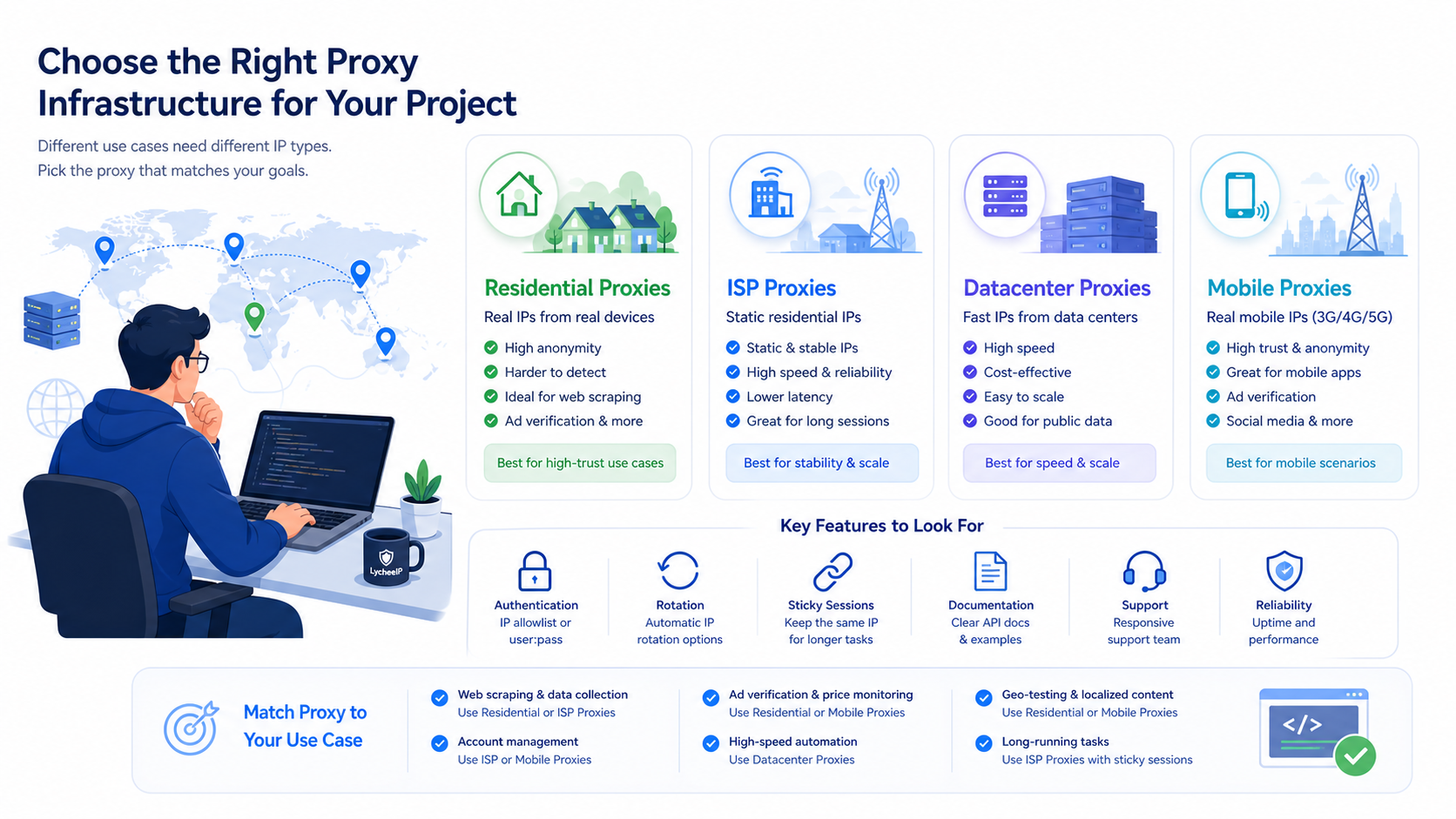
A provider comparison is premature until the IP category is correct. Residential proxies route through addresses associated with consumer networks and are often chosen when the destination evaluates network type or geography. ISP proxies usually provide longer-lived addresses hosted on server infrastructure but registered to an ISP, which can suit stable sessions. Datacenter proxies are generally easier to operate at scale and may be appropriate when the destination does not require a residential network identity.
The practical question is which signal the destination actually evaluates. If the job only needs reliable HTTP transport, paying for residential routing may add cost without improving results. If the job requires long account sessions, aggressive rotation may be less useful than a smaller set of sticky or static routes. Test the least complex IP type that satisfies the authorized workflow before comparing vendor marketing pages.
Network Source Transparency and Compliance Questions
Ask how addresses enter the network, how participants are informed, what traffic is prohibited, and how abuse reports are handled. A large network claim does not answer whether the sourcing model is appropriate for your organization. Procurement teams should request the current acceptable-use policy, privacy terms, subprocessor information where relevant, and a clear escalation path for abuse or data-handling questions.
Compliance is workload-specific. Public web research, ad verification, account testing, and regulated-data collection create different obligations. A provider cannot make an unauthorized workflow acceptable simply by supplying an IP. Document the target data, authorization basis, retention policy, request rate, and stop conditions before a proof of concept begins.
Geo-Targeting and Session-Control Requirements
Country targeting may be enough for broad localization checks, while state, city, or carrier targeting can be necessary for narrower tests. Verify the exact targeting levels in the current dashboard or documentation and test whether the selected location remains stable for the required session duration. Do not infer fine-grained targeting from a country list alone.
Rotation controls should match the unit of work. Per-request rotation works for independent fetches. Sticky sessions work for login flows, paginated journeys, browser profiles, and workflows where a changing address invalidates cookies or risk checks. Confirm session lifetime, renewal behavior, and what happens after a failed upstream connection; these details often matter more than the headline pool size.
Integration, Authentication, and Operational Fit
A good trial includes the same runtime that production will use. Test username/password and IP allowlisting options, HTTPS and SOCKS support where required, error formats, retry guidance, usage reporting, and whether credentials can be scoped or rotated. For teams, check whether projects, sub-users, limits, and audit-friendly usage views exist in the current product rather than assuming they do.
Documentation quality is part of reliability. A provider may have usable infrastructure but still create operational risk if error codes, session syntax, targeting parameters, and status communication are unclear. Review code examples critically, run them in a clean environment, and verify that support can answer a specific integration question without relying on sales language.
Pricing Verification Without Stale Tables
Proxy pricing changes frequently, so compare current checkout or account-dashboard terms on the same day. Normalize plans by the unit your workload consumes: bandwidth, successful requests, ports, concurrent sessions, or reserved addresses. Include minimum commitments, overage behavior, expiration, trial limits, refunds, taxes, and add-ons for targeting or dedicated access.
Then estimate cost using a measured pilot rather than an assumed success rate. Record bytes transferred per completed task, retries, blocked responses, and unusable results. A lower nominal price per gigabyte can cost more when pages are heavy or retries are frequent; a higher nominal price can still be poor value if the controls do not fit the workflow. The comparison should expose the assumptions instead of declaring a universal cheapest provider.
Provider Comparison Checklist
Use one written checklist for every shortlisted provider so the trial produces comparable evidence.
- Define the authorized target sites, locations, session length, concurrency, and expected monthly transfer before opening an account.
- Verify the required IP type and targeting level in current documentation or the live dashboard.
- Run the same representative workflow, request rate, retry policy, and measurement code against each provider.
- Measure completed tasks, response categories, transfer per task, session continuity, and operational errors; do not reduce the result to raw latency.
- Review sourcing, acceptable use, privacy, support escalation, and credential-management requirements with the appropriate internal owner.
- Calculate expected monthly cost from pilot data and document which assumptions could change the estimate.
- Choose the provider whose controls and evidence fit the workload, and keep a re-test plan because networks and commercial terms change.
Turn the Trial Into a Decision Record
A provider trial should end with a decision record that another engineer or procurement reviewer can reproduce. Write down the exact plan tested, test dates, target regions, IP type, session configuration, client library, concurrency, retry policy, and sample size. Record raw outcomes and the definition of a completed task. Without those fields, a later network change or pricing update makes the original recommendation impossible to audit.
Score each provider on workload fit, session control, targeting, integration effort, documentation, support response quality, sourcing and policy fit, and measured cost per completed task. Weight the categories before reviewing results so one impressive metric does not dominate the decision after the fact. A team running long browser sessions may weight stability and support above raw throughput; a public-data fetch pipeline may weight cost, error transparency, and geographic availability differently.
Set explicit stop conditions. End or pause a trial when the workflow violates target-site authorization, produces unexplained account challenges, cannot maintain the required location, exceeds the approved retry rate, or lacks a usable abuse-escalation path. A disciplined stop condition protects both the target and the buyer from turning a weak integration into a larger operational problem.
Re-Test After Selection
Residential networks, routing, destination defenses, and commercial plans change. Keep a small representative test suite and rerun it after major integration changes, sustained failure-rate movement, a new target region, or a material pricing update. Re-testing is also the responsible way to verify whether a provider-specific conclusion still holds; the article should not freeze one short pilot into a permanent universal ranking.
Store the test definition separately from provider credentials so a replacement can be evaluated without rebuilding the methodology. The result is a maintainable shortlist, not a winner claim that becomes stale as soon as plans or network conditions change.
Frequently Asked Questions
Should pricing be the main factor?
No. Pricing matters, but wasted bandwidth, weak docs, poor session control, and slow support can cost more than the cheapest entry plan saves.
Are residential proxies always better than datacenter proxies?
No. Residential origin helps where realism matters, but datacenter proxies can still be the better fit for speed-sensitive or lower-risk workflows.
What should I test before I commit?
Test a real workflow, measure success, verify sticky-session behavior, and confirm that dashboard, auth, and support fit your operations.
Why not publish exact current provider prices here?
Because those prices change. A stale comparison is worse than a principled checklist. Verify live pricing pages with your real usage model in hand.
How many providers should I trial?
At least enough to compare operational fit on a real workload. One small structured trial is more useful than five superficial price screenshots.
Can one provider win for every use case?
Usually not. Browser automation, public-data monitoring, and simple experimentation can reward different session and billing models.
Why keep the dated URL?
Because the existing slug already ranks and attracts the comparison query set. The content can be modernized without changing the URL.
What belongs in a renewal decision?
Measured workflow success, support quality, operational burden, and true spending pattern all belong in the renewal decision, not just the first invoice.

Recommended Articles

SERP API Troubleshooting: Fix Empty, Wrong, or Inconsistent Search Results
SERP API failures are not limited to obvious HTTP errors. A request can return successfully and still produce empty, incomplete, geographically wrong, duplicated, or misinterpreted search data. Production troubleshooting therefore has to separate transport problems from provider processing, SERP differences, and downstream parsing errors.
View Details
SERP API Python: How to Build a Reliable Search Data Pipeline
This guide shows a provider-neutral workflow for building that pipeline. It does not rank SERP API vendors. Instead, it focuses on the implementation choices that make a Python integration easier to operate, test, and migrate.
View Details
SERP Scraping API: How to Choose the Right Provider
Recommended Meta Description: Compare SERP scraping APIs by data coverage, localization, reliability, workflow fit, and cost structure, then choose and validate the right provider.
View Details
Free Web Proxy vs VPN vs Rotating Proxy: Which Should You Use?
Compare free web proxies, VPNs, rotating proxies, static proxies, and datacenter proxies by scope, encryption, IP control, automation, streaming, and account workflows.
View Details
BlockAway Not Working? Fix Common Proxy, Video, and Access Problems
Troubleshoot BlockAway when pages are blocked, YouTube fails, JavaScript breaks, speed drops, sessions expire, or mobile access behaves differently.
View Details