
Best Web Crawlers: 8 Tools for Different Jobs
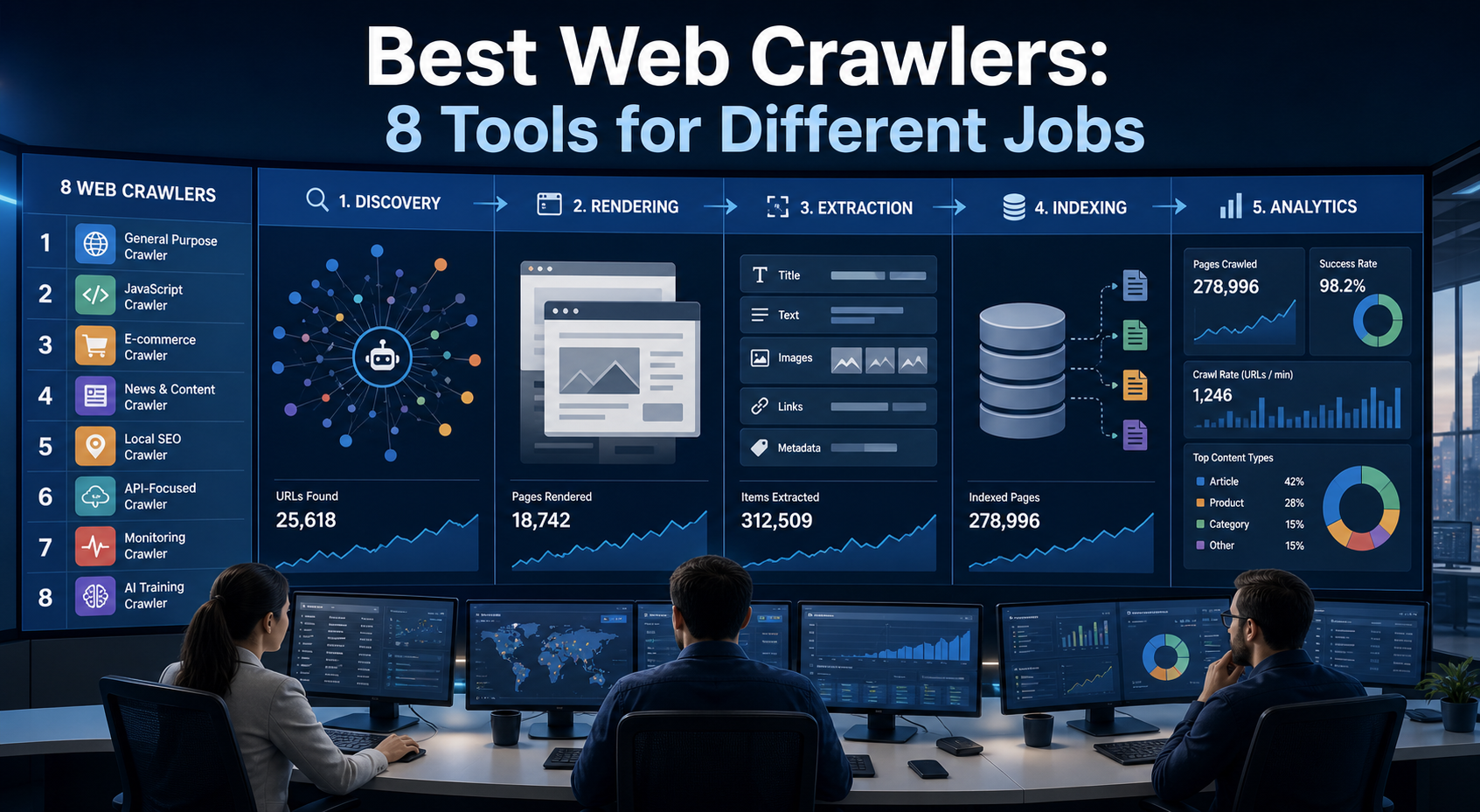
There is no single best web crawler for every project. A technical SEO audit, an AI knowledge pipeline, an internet archive, and a distributed search index may all involve crawling URLs, but they require different capabilities. The most useful way to compare web crawler tools is therefore to ask what job each one was designed to perform. This guide evaluates eight strong options across:
Best Web Crawlers at a Glance
The ordering above is not a universal ranking. It reflects different technical jobs.
First, Distinguish Crawling From Related Tasks
Crawling
Crawling discovers URLs by following links, reading sitemaps, processing feeds, or expanding a queue of known locations.
Fetching
Fetching sends a request and obtains a resource, such as HTML, JSON, an image, or a PDF.
Rendering
Rendering executes JavaScript in a browser environment so dynamically generated content becomes available.
Extraction
Extraction converts the retrieved page into useful fields, such as:
- Product name
- Price
- Publication date
- Article body
- Job title
- Review rating
Indexing
Indexing stores content in a system that supports later retrieval, search, filtering, or analysis. A product may handle one of these jobs or combine several. Comparing tools without identifying the required stages leads to poor purchasing decisions.
1. Scrapy: Best for Custom Python Data Pipelines
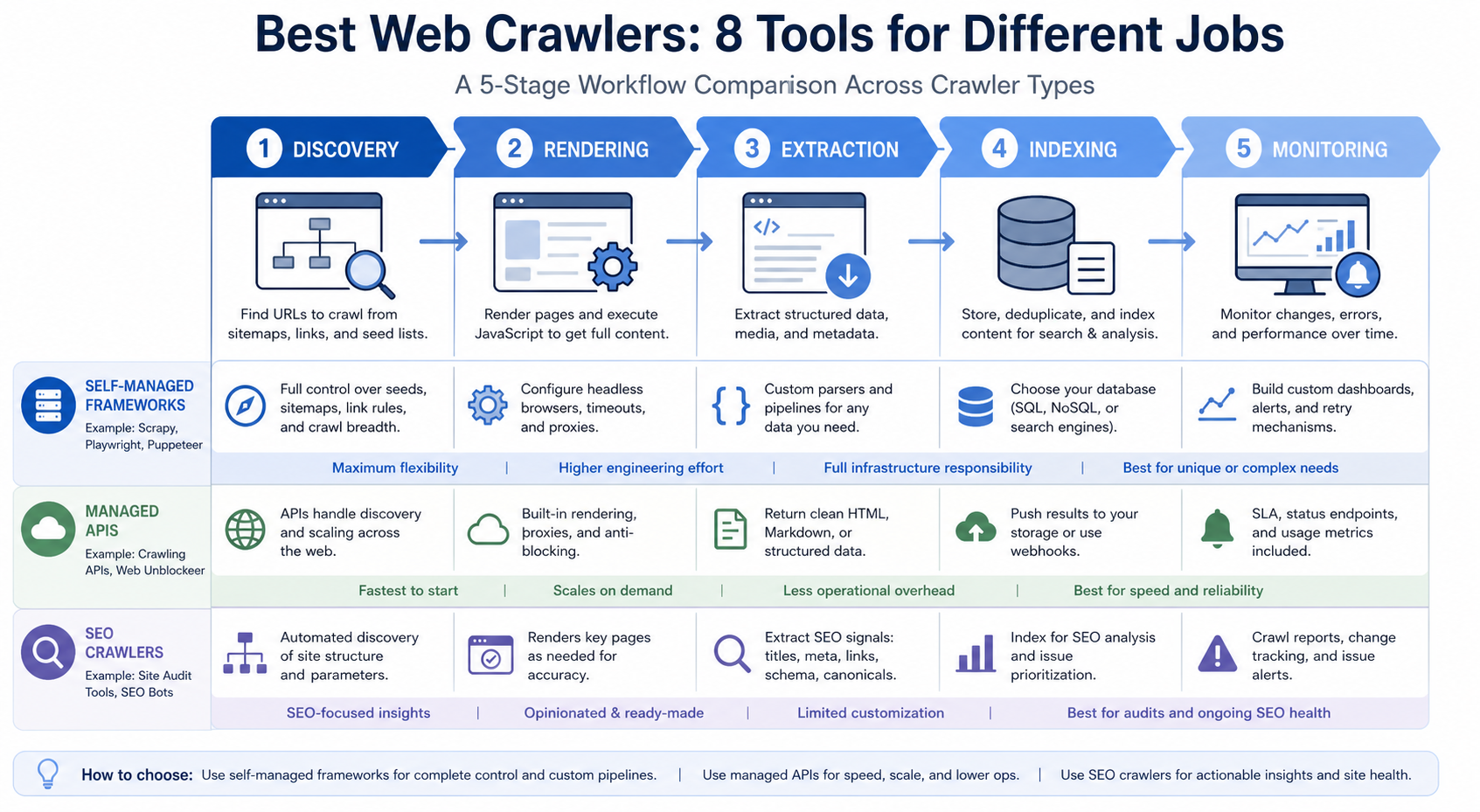
Scrapy is a mature, open-source Python framework for crawling and scraping. Its architecture separates major responsibilities across components such as spiders, a scheduler, downloader middleware, item pipelines, and extensions. Requests extracted by spiders can return to the scheduler, while structured items move through configurable processing pipelines. (doc.scrapy.org)
Why teams choose Scrapy
Scrapy is a strong fit when developers need:
- Precise crawl logic
- Custom URL prioritisation
- CSS or XPath extraction
- Middleware
- Retry and throttling controls
- Item validation
- Database integration
- Reusable spiders
- Deployment flexibility
Important limitation
Scrapy is primarily an HTTP crawling framework. JavaScript-heavy websites normally require an additional browser-rendering component or separate browser service.
Best for
- Python engineering teams
- Custom product-data pipelines
- Research datasets
- Repeated structured extraction
- Organisations that want infrastructure control
Avoid when
Choose another option when the project owner cannot maintain Python code, deployment, monitoring, parsing rules, and target-site changes.
For the LycheeIP implementation details behind this step, review LycheeIP proxy infrastructure.
2. Crawlee: Best for Combined HTTP and Browser Crawling
Crawlee provides crawling libraries for JavaScript and Python. Its JavaScript implementation offers a common toolkit for HTTP crawling and browser-based crawling through Playwright or Puppeteer. It includes request queues, persistent storage, retries, session handling, proxy integration, concurrency controls, and automatic scaling based on available resources. (crawlee.dev)
Why teams choose Crawlee
Crawlee is useful when one project contains a mixture of:
- Simple HTML pages
- JavaScript applications
- API endpoints
- Interactive browser steps
- Structured datasets
- File downloads
A team can use lightweight HTTP retrieval for simple pages and reserve browser rendering for targets that require it.
Important limitation
Crawlee supplies the application framework, but your team still owns the crawler’s code, hosting, observability, extraction logic, and maintenance.
Best for
- JavaScript and TypeScript teams
- Python teams wanting a modern crawler abstraction
- Mixed HTTP and browser workflows
- Automation projects that need request queues and session management
Avoid when
It may be excessive for a one-time spreadsheet extraction or a simple SEO crawl.
For the LycheeIP implementation details behind this step, review AI-powered browser automation hub.
For the LycheeIP implementation details behind this step, review AI browser automation setup guide.
For the official technical reference behind this point, see MDN HTTP overview.
For the official technical reference behind this point, see Playwright documentation.
3. Apache Nutch: Best for Distributed Crawling and Search Indexing
Apache Nutch is an extensible, scalable open-source crawler designed for broad data-acquisition and indexing workflows. The project supports plugins for parsing and integration with technologies such as Apache Tika, Apache Solr, and Elasticsearch. (nutch.apache.org)
Why teams choose Apache Nutch
Nutch is relevant when the requirement resembles building a search index rather than extracting a few fields from selected pages. Potential use cases include:
- Domain-wide discovery
- Large distributed crawls
- Enterprise search
- Research corpora
- Custom indexing systems
Important limitation
Nutch involves more infrastructure and configuration than developer frameworks designed for targeted scraping. It is not the simplest option for modern interactive websites.
Best for
- Search engineering teams
- Distributed crawling
- Broad URL discovery
- Organisations already operating search-index infrastructure
Avoid when
Do not select Nutch merely because the crawl is “large.” A managed platform or a simpler framework may still be easier and less expensive to operate.
4. Heritrix: Best for Web Archiving
Heritrix is a crawler associated with web-archiving workflows. Its documentation includes crawl-job configuration, checkpoints, state recovery, and a REST interface for controlling crawler jobs. Checkpointing allows a crawl to resume from stored state after a failure. (heritrix.readthedocs.io)
Why teams choose Heritrix
Archiving has different priorities from ordinary extraction. The objective may be to:
- Preserve complete responses
- Maintain historical versions
- Record crawl metadata
- Produce replayable archives
- Resume long-running collection jobs
- Crawl politely across many hosts
Heritrix documentation recommends conservative request behaviour unless a website has explicitly permitted more aggressive crawling. (heritrix.readthedocs.io)
Important limitation
Heritrix is not designed primarily for point-and-click extraction or modern application automation.
Best for
- Libraries
- Universities
- Public archives
- Digital-preservation programmes
- Historical research collections
Avoid when
Use another tool when the primary output is a small, structured business dataset rather than an archival record.
5. Firecrawl: Best for AI and RAG Content Ingestion
Firecrawl is designed to convert webpages and websites into cleaner formats for AI applications. Its API supports page scraping, website crawling, URL mapping, and content extraction into formats such as Markdown or structured JSON. (docs.firecrawl.dev)
Why teams choose Firecrawl
AI teams often want usable page content rather than low-level response handling. Typical requirements include:
- Main-content extraction
- Markdown output
- Metadata
- Website mapping
- Dynamic-page retrieval
- RAG ingestion
- Agent research workflows
This reduces the amount of parsing and boilerplate required before content enters an embedding, search, or analysis pipeline.
Important limitation
A content-focused API may expose less control over scheduling, frontier logic, middleware, and site-specific extraction than a full crawler framework.
Best for
- RAG applications
- Documentation assistants
- AI research agents
- Teams that want clean web content quickly
Avoid when
Choose a lower-level framework if your competitive advantage depends on highly customised crawling or extraction logic.
6. Apify: Best for Managed Crawling and Automation
Apify is a cloud platform for web scraping, browser automation, and data-processing jobs. Its core execution units, called Actors, accept structured input, run a task, and save output to platform storage such as datasets. Actors can be started through the interface, API, CLI, or a schedule. (docs.apify.com)
Why teams choose Apify
Apify can reduce infrastructure work by providing:
- Managed execution
- Request queues
- Datasets
- Scheduling
- API invocation
- Webhooks
- Browser automation
- Existing crawler templates
- Deployment of custom Actors
Teams can use an existing Actor or build their own.
Important limitation
A prebuilt Actor still needs evaluation. Its output quality, maintenance history, permissions, source coverage, and reliability may vary. Cloud convenience also introduces platform dependency and usage-based operating costs.
Best for
- Teams that need managed execution
- Recurring automation
- Rapid prototypes
- Workflows combining crawling and browser actions
- Organisations that want APIs without maintaining crawler servers
Avoid when
Self-hosted tools may be preferable when complete infrastructure control or strict deployment isolation is required.
For the LycheeIP implementation details behind this step, review scaling lead scraping with n8n.
7. Screaming Frog SEO Spider: Best for Desktop SEO Audits
Screaming Frog SEO Spider is a desktop website crawler for technical SEO analysis. It reports on broken links, status codes, redirects, metadata, directives, duplicate content, internal links, structured data, and site architecture. It can crawl raw HTML or use headless Chromium to render JavaScript. (screamingfrog.co.uk)
Why SEO teams choose it
It provides a practical interface for investigating:
- Indexability
- Crawl depth
- Redirect chains
- Canonical tags
- Hreflang
- Duplicate pages
- Internal linking
- XML sitemaps
- JavaScript-rendered content
- Custom extraction
The application can store crawl data in memory or on disk, with hardware becoming increasingly important as crawl size grows.
Important limitation
It is primarily an audit tool, not a general-purpose distributed data-extraction framework. Desktop execution may also be inconvenient for continuous team monitoring.
Best for
- SEO consultants
- Agencies
- Small and medium-sized websites
- Migration checks
- One-off technical audits
- Local investigation of crawl problems
Avoid when
Use a cloud SEO platform when scheduled monitoring, multi-user access, server logs, and very large recurring crawls are central requirements.
8. Oncrawl: Best for Enterprise SEO and Log Analysis
Oncrawl is a cloud technical SEO platform that combines website crawl data with logs, rankings, performance information, and other datasets. Its crawler supports JavaScript rendering, scheduled configurations, internal-link analysis, indexability analysis, and large crawl scopes. The platform also connects crawl findings with server logs showing how search engines and AI bots actually access the site. (oncrawl.com)
Why teams choose Oncrawl
Enterprise SEO teams often need more than a list of errors. They may need to:
- Segment millions of URLs
- Compare crawler findings with bot behaviour
- Monitor technical regressions
- Share dashboards
- Maintain crawl history
- Trigger crawls through an API
- Analyse several websites or environments
Important limitation
The platform is specialised for technical SEO and search visibility. It is not a replacement for a custom extraction framework.
Best for
- Large ecommerce websites
- Publishers
- Marketplaces
- International sites
- Enterprise SEO teams
- Organisations combining crawl and log analysis
Avoid when
A desktop crawler may be more proportionate for small websites or occasional audits.
How to Choose the Right Web Crawler
Use the following questions to narrow the options.
What is the output?
Choose based on whether you need:
- A URL graph
- Structured records
- Clean article text
- Search-index documents
- Archived responses
- An SEO report
- Browser screenshots
- A continuously refreshed dataset
Are your target pages dynamic?
Do not pay the cost of browser rendering when ordinary HTTP retrieval provides the required content. Conversely, do not select a static crawler when essential data appears only after JavaScript execution.
How much control do you need?
A framework provides control over:
- Scheduling
- Request ordering
- Parsing
- Storage
- Retries
- Proxies
- Validation
- Deployment
A managed platform exchanges some of that control for faster implementation and lower infrastructure responsibility.
Who will maintain the project?
The required skills differ substantially.
- Scrapy requires Python engineering
- Crawlee aligns well with JavaScript, TypeScript, or Python teams
- SEO applications are designed for analysts
- Managed platforms reduce deployment work
- Nutch and Heritrix fit specialised technical operations
How will the crawler behave after the first successful run?
Production systems need:
- Monitoring
- Retry policies
- Parser-change detection
- Duplicate prevention
- Alerting
- Cost controls
- Versioning
- Recrawl policies
- Failure recovery
The best proof of concept is not necessarily the best production system.
Test Tools Against a Representative Crawl
Do not select a web crawler from a feature table alone. Build a test set containing:
- Static pages
- Dynamic pages
- Redirects
- Pagination
- Duplicate content
- Canonical tags
- Large pages
- Rate-limited pages
- Structured data
- Missing pages
- Different languages
- PDFs or files where relevant
Measure:
- Successful retrieval rate
- Complete-content rate
- Duplicate rate
- Pages per minute
- Browser-rendering frequency
- Memory and CPU use
- Manual setup time
- Parsing accuracy
- Recovery after errors
- Estimated monthly operating cost
Use the same URLs, output schema, crawl limits, and success definitions across every candidate.
Use LycheeIP Proxies in Your Web Crawler Stack
Responsible Crawling Matters
A crawler should identify its permitted scope and avoid causing unnecessary load. The Robots Exclusion Protocol allows website operators to provide crawler rules, although it does not function as authentication or access control. (rfc-editor.org) A responsible crawler should also implement:
- Per-domain rate limits
- Bounded concurrency
- Retry backoff
- Clear user-agent identification where appropriate
- Domain allowlists
- Data-retention controls
- Respect for applicable terms and permissions
Technical ability to retrieve a page does not automatically establish permission to use its contents for every purpose.
Frequently Asked Questions
What is the best open-source web crawler?
Scrapy is a strong choice for custom Python pipelines. Crawlee is attractive for JavaScript, TypeScript, Python, and mixed HTTP-browser workflows. Nutch is more appropriate for distributed search-oriented crawling, while Heritrix specialises in archiving.
What is the best web crawler for AI applications?
Firecrawl can reduce the work required to convert websites into AI-friendly content. Crawlee or Scrapy may be better when the team needs complete control over collection and parsing.
What is the best web crawler for SEO?
Screaming Frog is well suited to desktop audits. Oncrawl is designed for larger recurring crawls, collaboration, segmentation, and log analysis.
Is Playwright a web crawler?
Playwright is primarily a browser-automation library. It can be used inside a crawler, but it does not by itself provide every component of a production crawl system, such as a durable URL frontier, deduplication, crawl policy, and structured storage.
Should I use an open-source crawler or a managed service?
Use open source when control and customisation justify the engineering work. Use a managed service when implementation speed and reduced infrastructure maintenance are more important.
Can one tool crawl every website?
No tool can guarantee complete and stable access to every website. Authentication, website changes, rendering requirements, network conditions, access restrictions, and legal or contractual boundaries all affect results. Conclusion The best web crawler is the one that matches the actual job. Use Scrapy or Crawlee for programmable extraction. Consider Nutch for distributed search crawling and Heritrix for archiving. Use Firecrawl for AI-ready content, Apify for managed automation, Screaming Frog for desktop SEO audits, and Oncrawl for large-site SEO monitoring and log analysis. Before committing, test representative pages and calculate the operational burden after launch. The crawler that produces one successful demo is not always the crawler your team can maintain reliably.
Related LycheeIP Guides and Resources
