
How to Choose a Web Crawler: A Technical Decision Framework
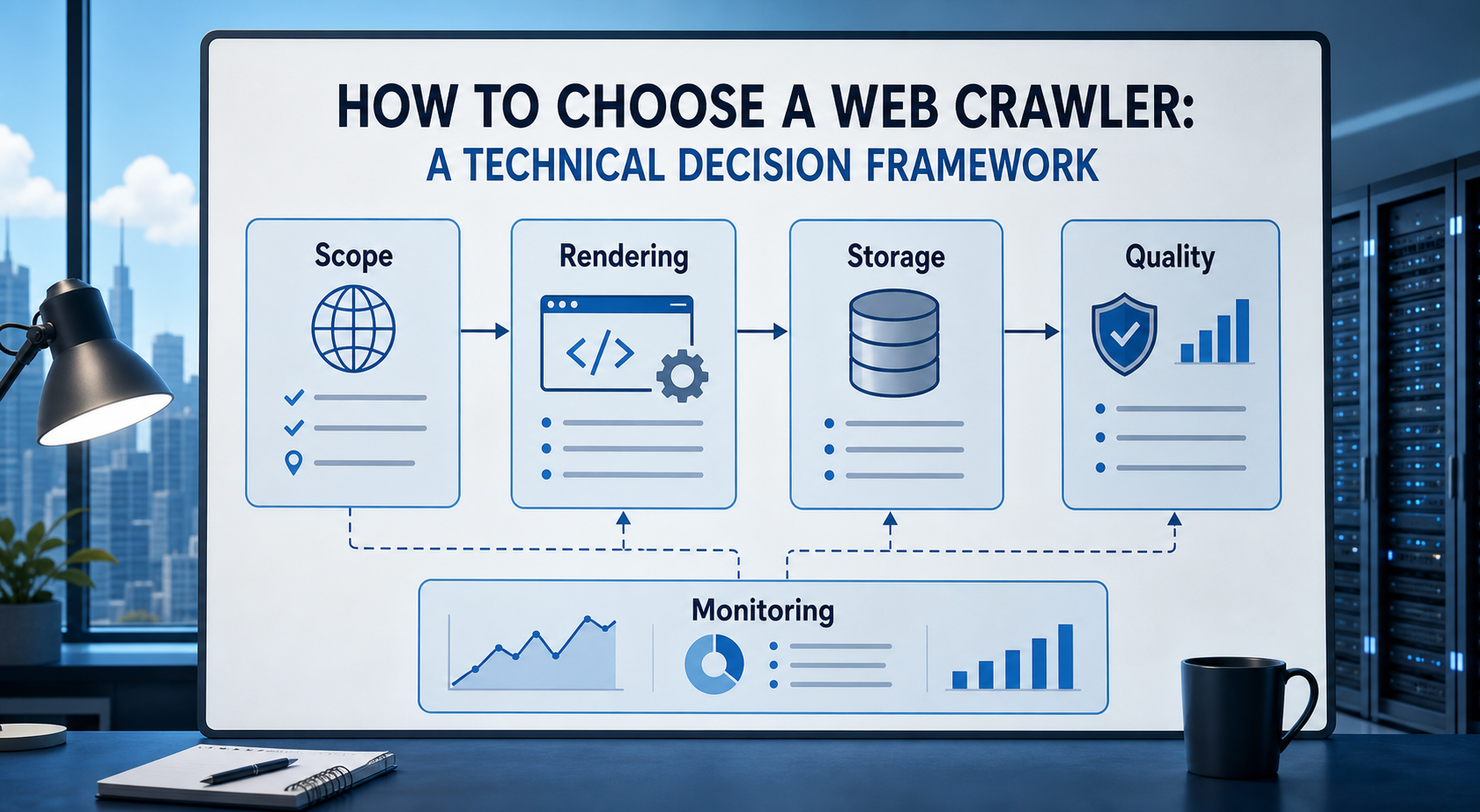
Once these questions are answered, the tool category usually becomes much clearer.
The wrong way to choose a web crawler is to begin with a list of products. The right starting point is the system you need to build. Before comparing tools, define:
Begin With the Job, Not the Tool
A crawler can support several fundamentally different jobs.
Website discovery
The crawler maps URLs, follows links, processes sitemaps, and builds a picture of site structure.
Structured data extraction
The crawler locates pages and extracts repeatable fields such as prices, product names, addresses, dates, and reviews.
Search indexing
The system discovers broad collections of documents and sends them to a lexical or semantic index.
Change monitoring
The crawler revisits known pages, detects meaningful differences, and alerts downstream systems.
AI grounding
The pipeline converts webpages into clean, attributable content for retrieval, research, or agent workflows.
Technical SEO
The crawler analyses status codes, directives, canonicalisation, internal links, rendering, metadata, structured data, and site architecture.
Web archiving
The crawler preserves responses, files, metadata, and crawl history for later replay or research. A tool that performs well at one of these jobs may be poorly suited to another.
For the LycheeIP implementation details behind this step, review AI-powered browser automation hub.
For the LycheeIP implementation details behind this step, review scaling lead scraping with n8n.
Translate the Project Into Measurable Requirements
Avoid vague requirements such as “crawl at scale” or “support dynamic websites.” Write testable statements. For example: The system must retrieve 95% of eligible product pages. New products must appear in the dataset within two hours. Price and availability fields must be present on 98% of accepted records. The system must stop crawling a domain after repeated 429 responses. No crawl may leave an approved domain allowlist. Every record must retain its source URL and retrieval timestamp. These requirements make vendor demonstrations and technical proofs of concept easier to evaluate.
Define the Crawl Scope
Scope determines architecture and cost. Document:
- Number of domains
- Approximate URLs per domain
- Expected crawl depth
- Public or authenticated access
- Geographic requirements
- File types
- Languages
- Frequency
- Historical retention
- Whether URLs are known or must be discovered
- Whether the system follows external links
- Whether user-supplied URLs are permitted
A crawler processing 50,000 known product pages each night has different needs from one discovering millions of unknown documents across the public web.
Understand the Components of a Production Crawler
A production crawler is not merely a loop that downloads URLs. It normally includes several components.
For the LycheeIP implementation details behind this step, review rotating residential proxies.
For the official technical reference behind this point, see Playwright documentation.
Crawl Frontier
The frontier stores URLs waiting to be visited. It may track:
- Priority
- Crawl depth
- Discovery source
- Domain
- Retry count
- Earliest permitted fetch time
- Previous crawl status
- Expected content type
The frontier controls what the crawler visits next.
Scheduler
The scheduler applies crawl policy. It may prioritise:
- Important pages
- Recently changed pages
- Newly discovered URLs
- Domains with available request capacity
- Pages required by a current job
Scrapy, for example, separates scheduling, downloading, spider logic, and item processing into distinct components. (doc.scrapy.org)
Fetcher
The fetcher retrieves the resource. Possible modes include:
- Direct HTTP
- Proxy-assisted HTTP
- Headless browser rendering
- Authenticated browser session
- API request
- File download
The system should not use the most expensive retrieval method for every page.
Parser and Extractor
The parser interprets the response. The extractor converts it into structured fields or clean content. These functions should be versioned because website changes can break extraction without causing an obvious network error.
Deduplication Layer
Deduplication prevents repeated work. It can operate on:
- Normalised URLs
- Canonical URLs
- Redirect destinations
- Exact content hashes
- Near-duplicate text
- Business identifiers
Storage Layer
Different outputs may require:
- Request queues
- Object storage
- Relational databases
- Document databases
- Search indexes
- Vector indexes
- Data warehouses
- Web-archive files
Monitoring Layer
The monitoring layer tracks what the crawler is doing and whether the resulting data remains usable. A product that handles fetching but leaves every other component to your team is different from a managed end-to-end platform.
Decide Whether JavaScript Rendering Is Actually Necessary
Browser rendering is one of the most important cost and complexity decisions. Use ordinary HTTP when the required content is already present in:
- Server-rendered HTML
- Embedded JSON
- A documented API
- An accessible application endpoint
Use a browser when:
- Content appears only after scripts execute
- The workflow requires clicking or scrolling
- Authentication depends on browser state
- Data is rendered after client-side requests
- The page needs interaction before content becomes available
Browser automation tools such as Playwright can control Chromium, Firefox, and WebKit, but browser processes require more compute and introduce more state than ordinary HTTP retrieval. (playwright.dev) A hybrid crawler is often the most efficient design:
- Attempt HTTP retrieval.
- Check whether expected content exists.
- Escalate to browser rendering only when necessary.
- Record why browser rendering was used.
- Re-evaluate that decision when the target changes.
Compare Open Source, Managed Platforms, and APIs
For the official technical reference behind this point, see MDN HTTP overview.
Open-source framework
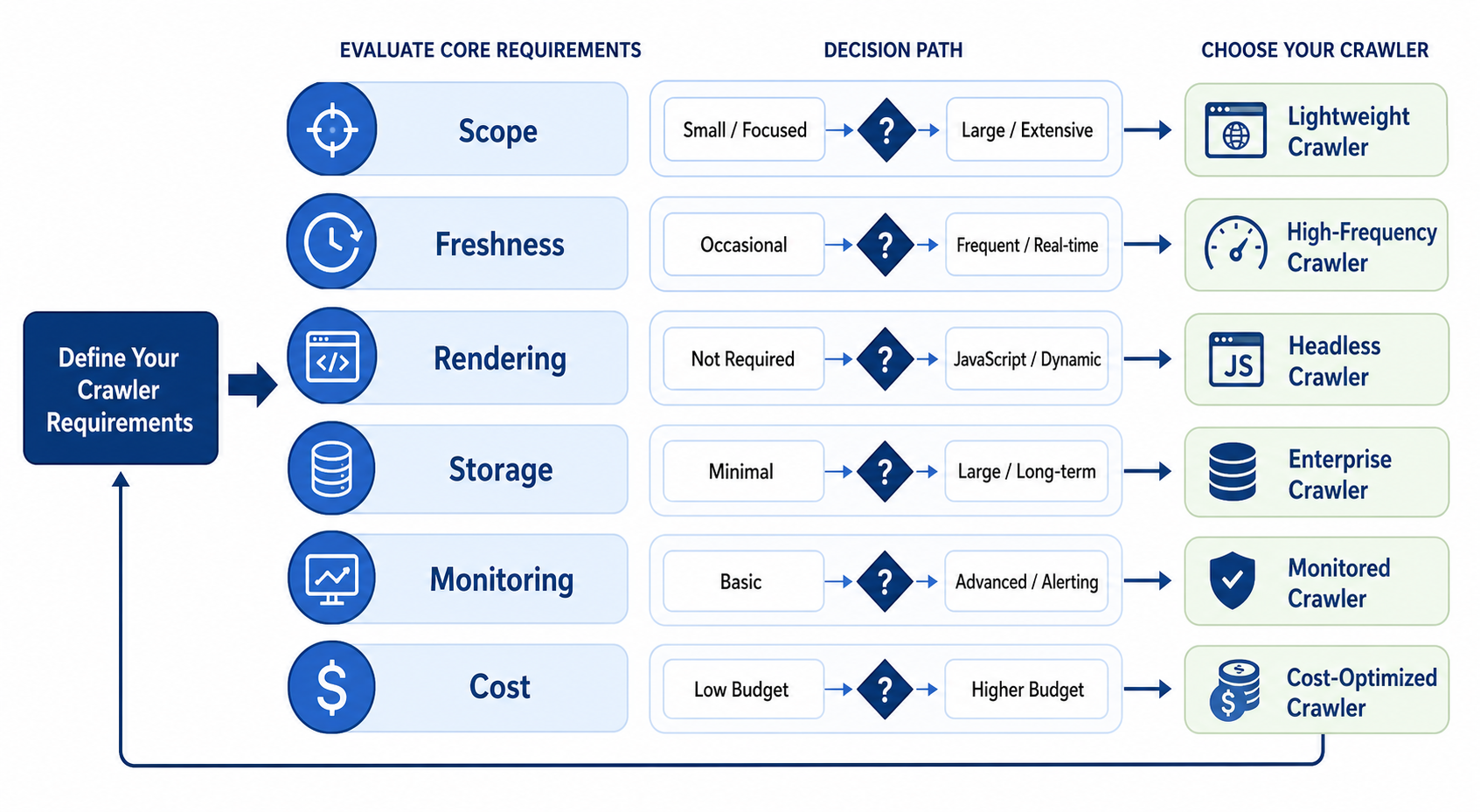
Examples include Scrapy and Crawlee.
Advantages
- Detailed control
- Flexible extraction logic
- Deployment choice
- Extensible middleware
- Reduced platform dependency
- Easier integration with proprietary systems
Responsibilities
- Hosting
- Scaling
- Proxies
- Browser capacity
- Monitoring
- Security updates
- Storage
- Retries
- Deployment
- Parser maintenance
Open source is not free in an operational sense. Licence cost may be low while engineering cost remains substantial.
Managed crawling platform
Managed platforms may provide execution, scheduling, storage, browser infrastructure, datasets, APIs, and monitoring. Apify, for example, runs structured crawling and automation jobs as Actors that can be triggered through an interface, API, CLI, or schedule. (docs.apify.com)
Advantages
- Faster deployment
- Reduced infrastructure management
- Built-in scheduling
- Managed storage
- APIs and webhooks
- Easier scaling
Responsibilities that remain
- Defining crawl scope
- Validating output
- Reviewing permissions
- Monitoring business-level quality
- Maintaining extraction logic
- Managing costs
Retrieval or extraction API
An API may hide proxies, browser rendering, retries, and extraction behind a single request. Zyte API, for example, documents browser automation and automatic extraction for supported data types. (docs.zyte.com)
Advantages
- Small integration surface
- Less infrastructure
- Fast proof of concept
- Managed access and rendering
Limitations
- Less crawl-frontier control
- Usage-based costs
- Provider-specific constraints
- Possible difficulty reproducing internal behaviour
- Data-residency or deployment concerns
Specialist crawler
SEO and archival crawlers should be evaluated within their intended domains. Screaming Frog concentrates on technical SEO audits, while Heritrix supports archival crawl jobs, checkpoints, and recovery. (screamingfrog.co.uk) Do not reject a specialist tool for lacking features that its intended workflow does not require.
Calculate Total Cost of Ownership
Comparing licence prices alone is misleading. A useful cost model includes:
Direct costs
- Subscription or usage fees
- Compute
- Bandwidth
- Storage
- Proxy traffic
- Browser execution
- Database services
- Monitoring services
Engineering costs
- Initial implementation
- Deployment
- Parsing rules
- Integrations
- Testing
- Security review
- Maintenance
- Incident response
Data-quality costs
- Missing records
- Incorrect fields
- Duplicate records
- Stale information
- Manual review
- Downstream corrections
- Decisions made from bad data
Opportunity costs
- Delayed launch
- Engineers diverted from product work
- Slow onboarding of new sources
- Dependence on one specialist developer
A managed service that appears expensive may be economical when it removes months of infrastructure work. A self-hosted framework may be preferable when crawl logic is a core differentiator.
Evaluate Data Quality Separately From Retrieval Success
An HTTP 200 response does not prove that the correct data was collected. The response may contain:
- A login page
- A consent screen
- An empty application shell
- A CAPTCHA
- A regional error
- A soft 404
- A generic category page
- Stale cached content
- Partial mobile content
Define an accepted record. For a product page, that might require: valid product identifier non-empty product name recognised currency numeric price where applicable canonical URL retrieval timestamp expected page type no access-denied indicators Reject, retry, or quarantine responses that fail the contract.
For the LycheeIP implementation details behind this step, review LycheeIP proxy infrastructure.
Plan for Incremental Crawling
Repeatedly downloading an entire website is rarely efficient. An incremental strategy can use:
- Previously seen URLs
- Sitemaps
lastmodhints- ETags
- Last-Modified headers
- Content hashes
- Change frequency
- Page importance
- Newly discovered links
The Sitemap protocol can expose page URLs and modification information, while HTTP supports validators used in conditional requests. (sitemaps.org) Maintain separate states such as:
- Discovered
- Queued
- Successfully retrieved
- Unchanged
- Changed
- Blocked
- Failed temporarily
- Failed permanently
- Removed
- Redirected
- Excluded by policy
This creates a reliable recrawl process rather than a sequence of independent scraping jobs.
Require Observability
Before selecting a crawler, ask whether you can answer these questions:
- Which URLs are currently queued?
- Which domains are failing?
- Why was a URL skipped?
- How many requests were retried?
- Which pages required rendering?
- Which parsers are producing invalid output?
- How old is the newest successful record?
- How much did each domain cost to process?
- Can a failed crawl resume?
- Can one bad domain slow the entire queue?
- Which data version produced a downstream answer?
Useful metrics include:
- Crawl success rate
- Valid-record rate
- Duplicate rate
- Retry rate
- Block rate
- Rendering rate
- Cost per accepted record
- Data freshness
- Change yield
- Extraction completeness
- Queue age
- Domain-level latency
Without observability, crawler failures often become data-quality failures before anyone notices.
Include Security in the Selection Process
Crawlers process attacker-controlled inputs. A malicious page may contain:
- Extremely large responses
- Infinite link patterns
- Redirect loops
- Decompression bombs
- Unexpected file formats
- Links to internal network addresses
- Scripts designed to consume browser resources
- Instructions targeting an attached AI agent
Implement:
- URL allowlists or clear scope policies
- Private-network and localhost blocking
- Response-size limits
- Redirect limits
- File-type restrictions
- Browser timeouts
- Sandboxing
- Secret isolation
- Tool permission boundaries
- Audit logs
For AI-connected crawlers, external webpage content must be treated as untrusted data because indirect prompt injection can attempt to influence model actions. (cheatsheetseries.owasp.org)
Review Permissions and Crawl Behaviour
Responsible crawling requires more than avoiding technical blocks. Review:
- Robots.txt rules
- Terms of service
- Authentication boundaries
- Data licences
- Copyright considerations
- Privacy requirements
- Personal-data collection
- Retention
- Intended downstream use
RFC 9309 standardises the Robots Exclusion Protocol while clarifying that robots.txt is not an access-control system. (rfc-editor.org) Your crawler should also use appropriate request rates, bounded concurrency, and backoff when servers signal overload.
Run a Controlled Proof of Concept
Use the same test for every candidate.
Step 1: Build a representative URL set
Include ordinary pages and difficult cases.
Step 2: Define expected outputs
Create verified records for a sample of pages.
Step 3: Freeze the test conditions
Use the same:
- URL count
- Locations
- Concurrency
- Time window
- Output schema
- Retry rules
- Success criteria
Step 4: Measure both speed and quality
A fast crawler that produces incomplete records is not the winner.
Step 5: Introduce failures
Test:
- Timeouts
- 429 responses
- 500 responses
- Redirect loops
- Invalid HTML
- Browser crashes
- Database interruptions
- Parser changes
Step 6: Estimate production costs
Scale the measured cost to the expected monthly volume and recrawl schedule.
Step 7: Evaluate maintenance
Ask a new engineer to understand, modify, and rerun the workflow. The best crawler is not merely the one its original developer can operate.
A Crawler Selection Scorecard
Score each candidate from 1 to 5.
Adjust the weights to match the project. For an SEO audit, extraction accuracy may matter less than indexability and internal-link reporting. For a price-monitoring pipeline, field accuracy and freshness may dominate. For an archive, preservation and recoverability may be most important.
Choose the Right LycheeIP Proxy Setup for Your Crawler
Common Selection Mistakes
Choosing by the number of features
A long feature list does not show whether the tool performs well on your target websites.
Assuming no-code means no maintenance
Visual extraction rules can still break when layouts change.
Treating browser rendering as mandatory
Rendering every page can multiply cost without improving output.
Ignoring downstream requirements
The crawler’s output must fit the database, index, analytics, or AI system that consumes it.
Selecting only for the current volume
A solution should support reasonable growth without forcing unnecessary enterprise complexity from the beginning.
Ignoring exit costs
Understand how to export:
- Crawl configurations
- Source lists
- Datasets
- Logs
- Historical versions
- Parsing rules
Avoid making essential business data inaccessible outside one platform.
Frequently Asked Questions
What criteria matter most when choosing a web crawler?
Start with retrieval success, output accuracy, JavaScript requirements, scale, maintenance, observability, permissions, and total cost. Product features should be evaluated against those requirements.
Is a managed crawler better than an open-source crawler?
Neither is inherently better. Managed systems reduce infrastructure work. Open-source systems offer more control. The correct choice depends on team skills and whether crawling is a core capability.
How do I know whether I need browser rendering?
Inspect the page source and network behaviour. Use rendering only when required content or navigation is unavailable through ordinary HTTP or an accessible API.
How should web crawlers be benchmarked?
Test the same representative URLs, expected records, crawl limits, error conditions, and output requirements. Measure quality, reliability, resource use, cost, and maintenance effort.
What is the difference between a crawler and a scraping API?
A crawler usually manages URL discovery and visitation. A scraping API may focus on retrieving or extracting one requested page. Some products combine both.
How often should a crawler revisit pages?
Base the interval on source-change frequency, data value, freshness requirements, and retrieval cost. Adaptive schedules are usually more efficient than one universal interval. Conclusion Crawler selection is an architecture decision. Define the job, freshness requirement, source scope, output contract, rendering needs, risk boundaries, and operating model before comparing products. Then test representative pages, introduce realistic failures, calculate total cost, and evaluate how the system will be maintained after launch. The best web crawler is not the product with the longest feature list. It is the system that consistently produces permitted, accurate, current, traceable data at an operational cost your team can sustain.
Related LycheeIP Guides and Resources
