
Google Account Verification Issues: Safe Troubleshooting Guide
What to do when Google requests verification
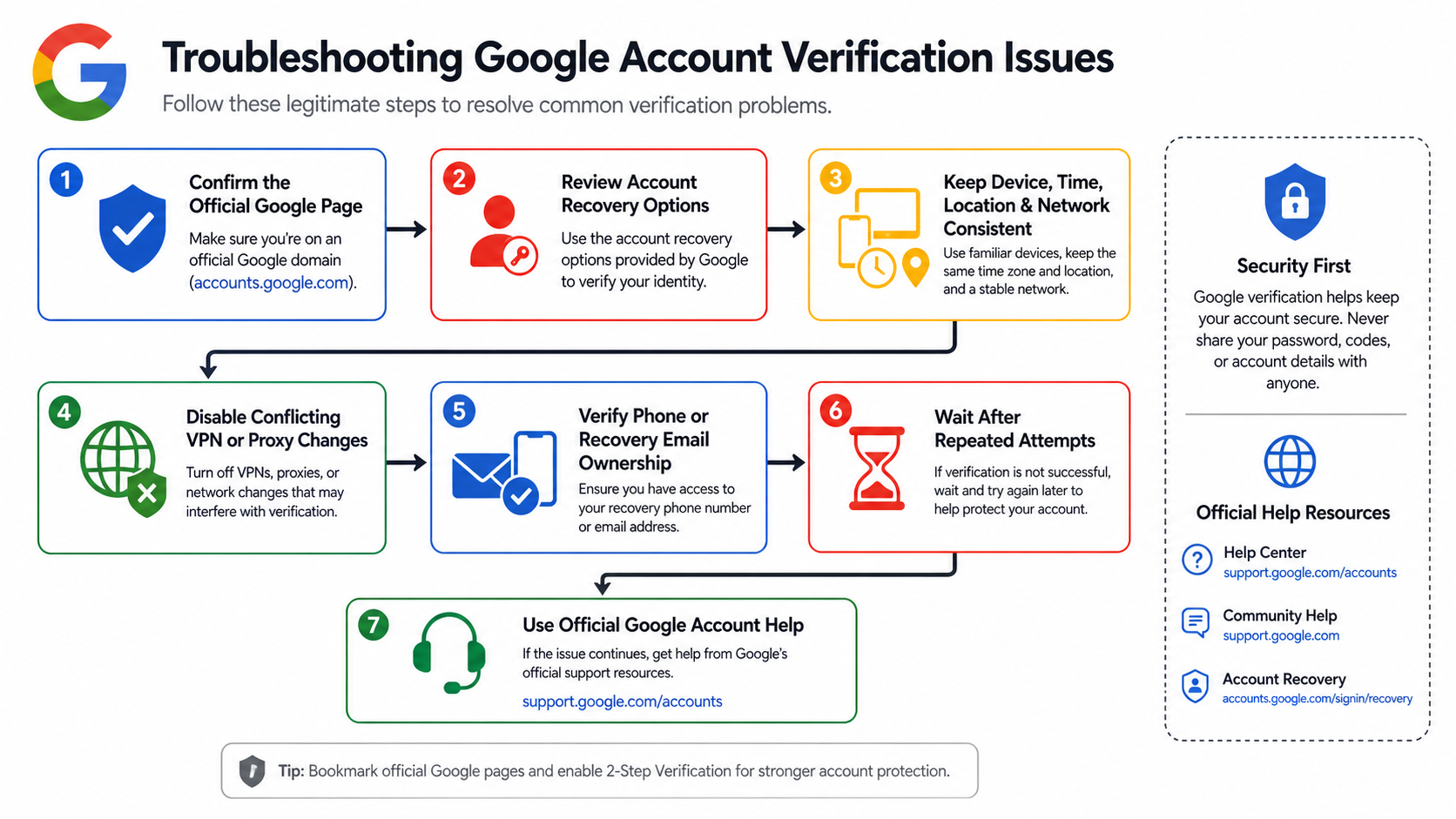
- Confirm the page is on an official Google domain and never share passwords or one-time codes.
- Use a device, browser profile, location, and network you normally use for the account.
- Complete the offered challenge honestly with recovery information you control.
- If attempts fail, stop repeating them and use Google's official recovery flow.
- For work or school accounts, contact the organization's administrator.
Google's official account recovery guidance explains the supported path when you cannot sign in. The account recovery tips emphasize familiar devices, browsers, and locations. These are the two authoritative references for this guide.
Why verification can appear
Verification can be triggered by a new device, cleared cookies, unusual location, changed recovery details, repeated failed attempts, sensitive account actions, or other risk signals. A prompt is not proof that one IP address is bad, and a successful attempt does not prove that a particular proxy type is universally trusted.
Review the event as a complete session: account history, device state, browser storage, time, location, network, and the action being attempted. The browser fingerprinting guide explains why network and browser signals are separate. The region-mismatch checklist helps identify contradictory location settings without encouraging evasion.
Why residential proxies are usually the wrong fix
A residential proxy changes the apparent network egress. It does not prove identity, ownership of a phone number, control of a recovery email, or continuity of a device. Repeatedly changing IPs or countries during recovery can create more inconsistency. Never use proxy infrastructure to misrepresent identity, create accounts at scale, defeat platform controls, or access an account you do not own.
Residential proxies have legitimate uses in authorized regional QA and public-web testing. If that is the real task, read the residential proxy evaluation guide, provider comparison framework, and ISP proxy session guide. Keep those test environments separate from personal or production Google accounts.
Safe recovery paths by account type
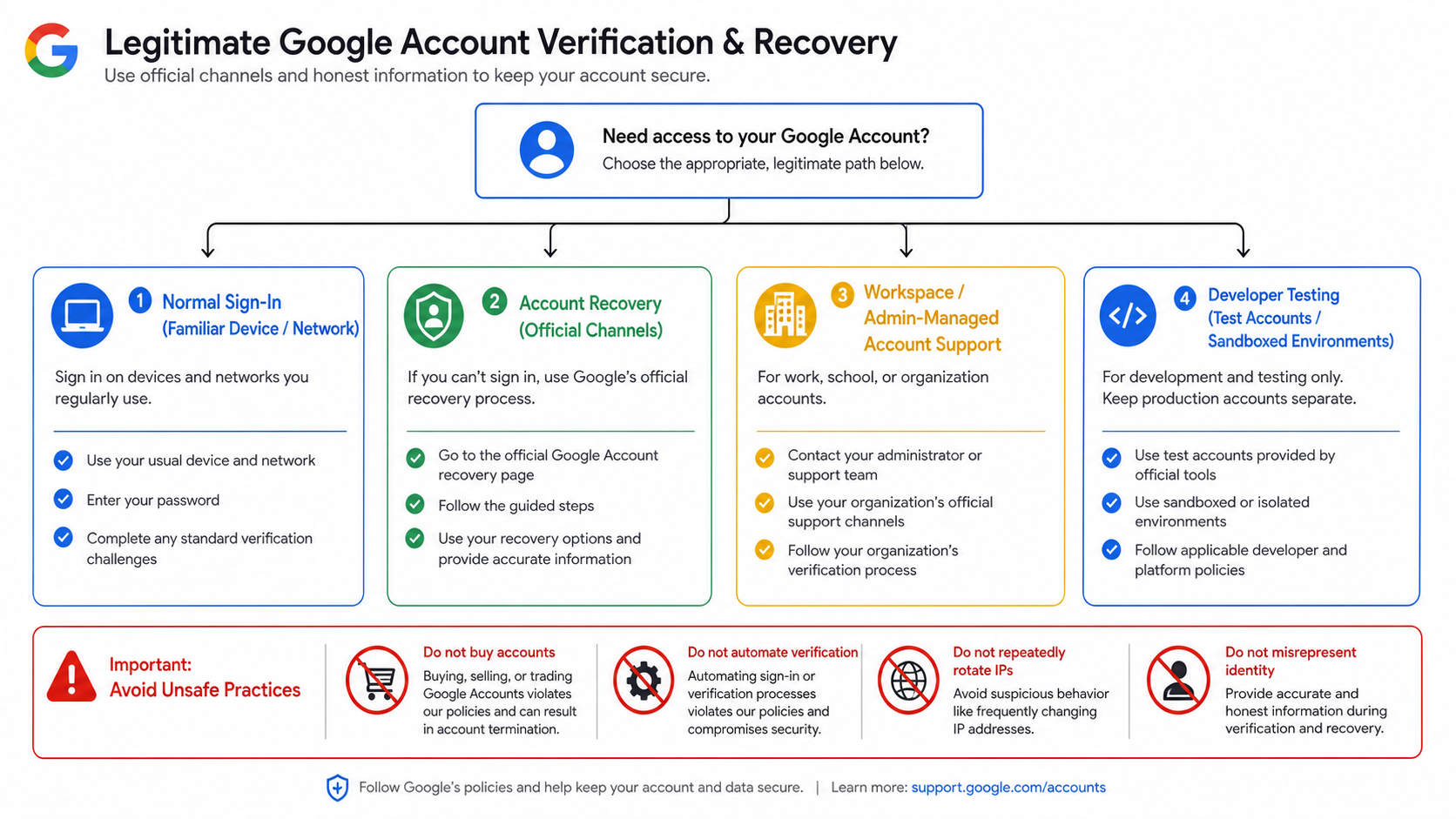
Personal account
Use official recovery, answer questions accurately, and provide the most recent password you remember. Work from a familiar browser profile with its existing cookies when possible.
Google Workspace account
Contact the domain administrator. Administrators can verify organizational ownership, review account status, and follow supported admin procedures. Do not create replacement identities to work around an organizational control.
Developer or QA environment
Use test accounts, supported OAuth test users, sandboxed services, and documented rate limits. Mock identity dependencies in unit and integration tests where possible. Do not automate real consumer-account verification.
A stable-environment troubleshooting checklist
- Disable unnecessary VPN or proxy changes during recovery.
- Use the usual device, browser, and network.
- Confirm system time and time zone are correct.
- Check access to the recovery email and phone you previously configured.
- Do not clear cookies or reset the browser repeatedly between attempts.
- Wait after repeated failures instead of creating more attempts.
- Record the exact official error message without posting private codes.
Phone number and recovery-email problems
If a number cannot receive a message, confirm country code, carrier service, device connectivity, and whether the number is actually associated with the account. Do not buy access to a number or use a temporary SMS service. If the recovery email is unavailable, use another challenge offered by the official recovery flow and provide accurate historical information.
Network consistency versus network reputation
Consistency means the account sees a coherent sequence from a familiar environment. Reputation is only one possible network signal and cannot be reduced to labels such as residential or datacenter. If a corporate gateway, hotel network, or mobile carrier changes addresses, that does not automatically make the session illegitimate; account and device continuity still matter.
For approved network testing, understand the difference between a VPN, VPS, and proxy, SOCKS5 application routing, and mobile proxy infrastructure. None should be represented as a verification bypass.
Practices to avoid
- Purchasing aged or pre-verified accounts.
- Using temporary phone numbers or someone else's recovery details.
- Automating registration or verification challenges.
- Rotating IPs, countries, devices, and browser profiles between attempts.
- Using anti-detect software to misrepresent device identity.
- Trusting a provider's unsupported pass-rate or guaranteed-verification claim.
How teams should test sign-in flows
Document the authorized environment, use dedicated test tenants and accounts, and keep production credentials out of browser-automation logs. The Puppeteer vs Playwright guide explains session isolation, while the automation validation workflow covers controlled evidence. Test your own application's fallback and recovery UX without attempting to defeat Google's controls.
When to stop and escalate
Stop when the account may be compromised, recovery details are unknown, attempts are being rate-limited, or the page is not an official Google property. Use Google support channels or the Workspace administrator. Do not send passwords, codes, cookies, or identity documents to an unverified third party.
Detailed decision sequence for a failed verification
The password works but a challenge appears
Complete the challenge offered on the official page. If the recovery method is no longer yours, do not attempt to intercept it or substitute a temporary method. Use the recovery flow and provide historical information that only the legitimate account owner is expected to know.
The challenge code does not arrive
Confirm that the phone or email account is functioning, that messages are not filtered, and that the displayed destination is one you control. Wait before requesting additional codes; repeated requests can invalidate earlier codes or trigger rate limits. Contact the mobile carrier for delivery issues without revealing the Google password.
The device is recognized but recovery still fails
Review whether the browser profile was reset, recovery details recently changed, or the sign-in is occurring from a different location. Keep the environment stable and answer accurately. Do not manufacture activity or attempt to "warm" an account.
The account may be compromised
Use a clean trusted device, navigate directly to Google's account recovery and security pages, and secure the recovery email and phone. After access is restored, review devices, sessions, forwarding rules, third-party access, and two-step verification. Organizations should involve their administrator or security team.
Consumer, Workspace, and Cloud identities differ
A consumer Google Account, a managed Workspace identity, and a Google Cloud service account have different ownership and recovery models. Workspace administrators can manage users and organization policies but should still follow documented admin controls. Service accounts are workload identities and should use managed keys or federation rather than interactive phone verification.
Do not apply consumer-account workarounds to automated systems. Design applications with OAuth consent, test users, least-privilege scopes, token revocation, and explicit error handling. Keep production and test tenants separate.
Evidence to collect for support
- The exact error text and timestamp, without passwords or codes.
- The official domain and page path.
- Whether the account is personal or organization-managed.
- The familiar device/browser and whether its profile was reset.
- Which recovery methods are still controlled by the owner.
- Whether the problem follows one device or every approved device.
- Any relevant administrator event ID for a managed account.
Why success-rate claims are not reliable
A percentage attributed to a proxy, phone-number service, or browser configuration cannot be generalized without a defined population, time period, account state, country, challenge type, and independent methodology. Platform controls change, and providers cannot legitimately guarantee a verification outcome. This guide therefore removes the old provider ranking, discount-code, cost-calculation, and pass-rate sections rather than refreshing unsupported claims.
Legitimate uses of stable network infrastructure
Organizations may need stable egress for allowlisted APIs, regional quality assurance, remote staff access, or controlled browser testing. In those cases, document the owner, target, allowed regions, retention, and rate limits. Use a static endpoint for allowlists or a managed self-hosted tunnel for an explicit device trust boundary. Do not conflate those uses with account verification.
Account recovery preparation
Prevention is safer than emergency workarounds. Keep recovery methods current, store backup codes securely, use a password manager, enable appropriate multi-factor authentication, and periodically review signed-in devices. For business accounts, document administrator succession and emergency access. Recovery information should be controlled by the person or organization that owns the account.
Testing your own verification UX
Application teams should model normal success, challenge required, code delayed, code expired, recovery unavailable, and administrator escalation. Use deterministic test fixtures rather than real phone-number farms. Measure whether error messages are clear, secrets are excluded from logs, and users can recover without revealing sensitive information to support staff.
When browser automation is approved, use isolated state from the Playwright guide and stable routing from the Android network guide only as engineering tools. They do not authorize bypassing a third party's controls.
Recovery information hygiene
Keep recovery phone numbers and email addresses current before an incident. Use addresses controlled by the account owner or organization, not by a contractor or temporary service. Store backup codes offline in an approved secure location and replace them after use. For managed accounts, document which administrators can assist and how their identity is verified before changes are made.
How to recognize phishing during recovery
Attackers exploit urgent account warnings. Navigate to Google directly, check the hostname, and do not follow unsolicited links that request passwords, codes, cookies, or remote access. Google verification codes should be entered only in the official flow that requested them. A support agent should never ask for a current password or one-time code.
After access is restored
Review signed-in devices, recent security activity, recovery methods, forwarding rules, connected applications, OAuth grants, and multi-factor settings. End sessions you do not recognize and rotate any credential that may have been exposed. If the account contains organizational data, follow the incident-response and notification process rather than treating restoration as the end of the event.
Frequently Asked Questions
Can a residential proxy pass Google verification?
No proxy can legitimately guarantee verification. A proxy changes network egress but does not prove account ownership, device continuity, or control of recovery methods.
Why does Google keep asking me to verify?
Common causes include a new device, cleared state, changed location, repeated attempts, sensitive actions, or inconsistent account context. Use official recovery from a familiar environment.
Should I turn off my VPN during account recovery?
If it is not part of your normal environment, a stable familiar connection may reduce inconsistency. Follow the official prompts and your organization's security policy.
Can I use a temporary phone number?
Do not use a number you do not control. Temporary or purchased access can prevent future recovery and may violate platform rules.
What should a developer use for sign-in testing?
Use supported test users, OAuth test settings, sandboxed environments, mocks, and dedicated organizational test accounts.
What if the official recovery process fails?
Wait after repeated attempts, retry from a familiar device and location, provide accurate information, or contact the Workspace administrator when applicable.

Recommended Articles
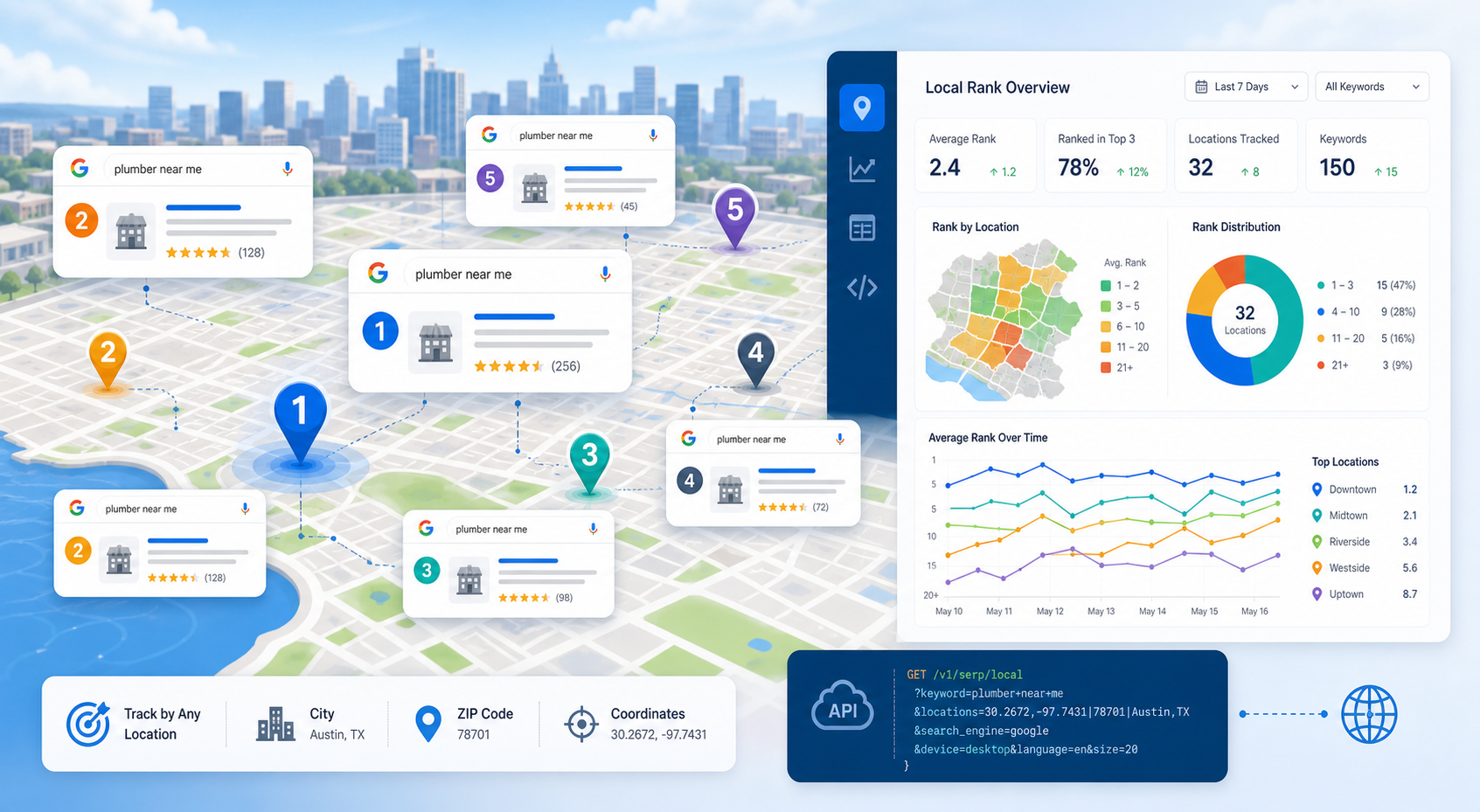
SERP Tracking API: How to Track Local Google Rankings by Location
A SERP tracking API collects search-result positions on a repeatable schedule so SEO teams can measure visibility over time. For local SEO, the useful question is not simply “What rank are we?” It is “What rank are we from this location, on this device, for this result type, at this time?”
View Details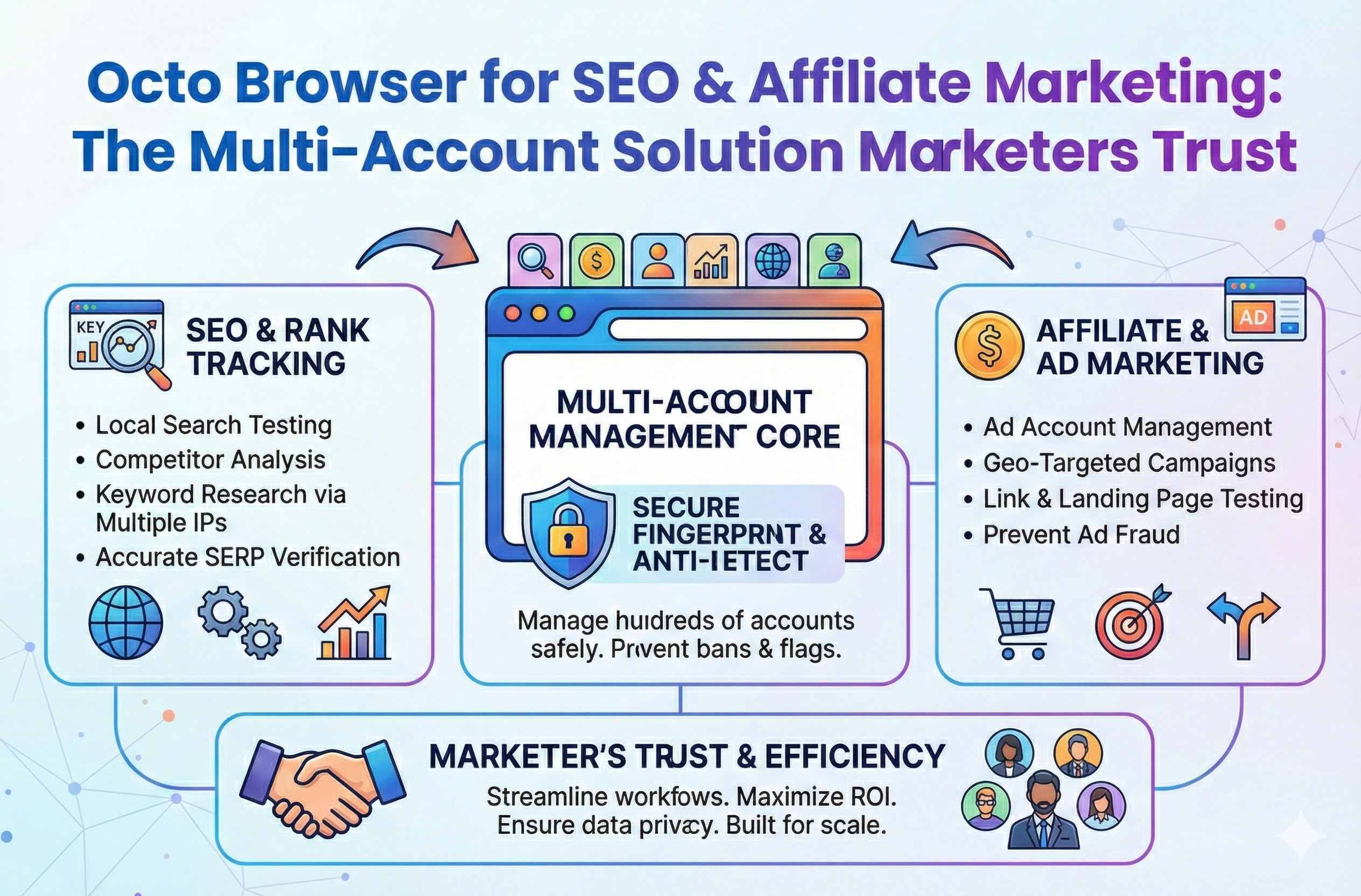
Octo Browser for SEO & Affiliate Marketing: The Multi-Account Solution Marketers Trust
Stop losing your hard earned revenue to sudden account suspensions. Discover how to completely isolate your outreach profiles and scale your campaigns without ever triggering a security flag.
View Details
Stop Earning Pennies: Scale with Anti-Detect Tools
Stop letting the fear of account bans limit your business growth. Discover how modern antidetect browsers and clean proxies keep your digital identities isolated so your team can scale securely.
View Details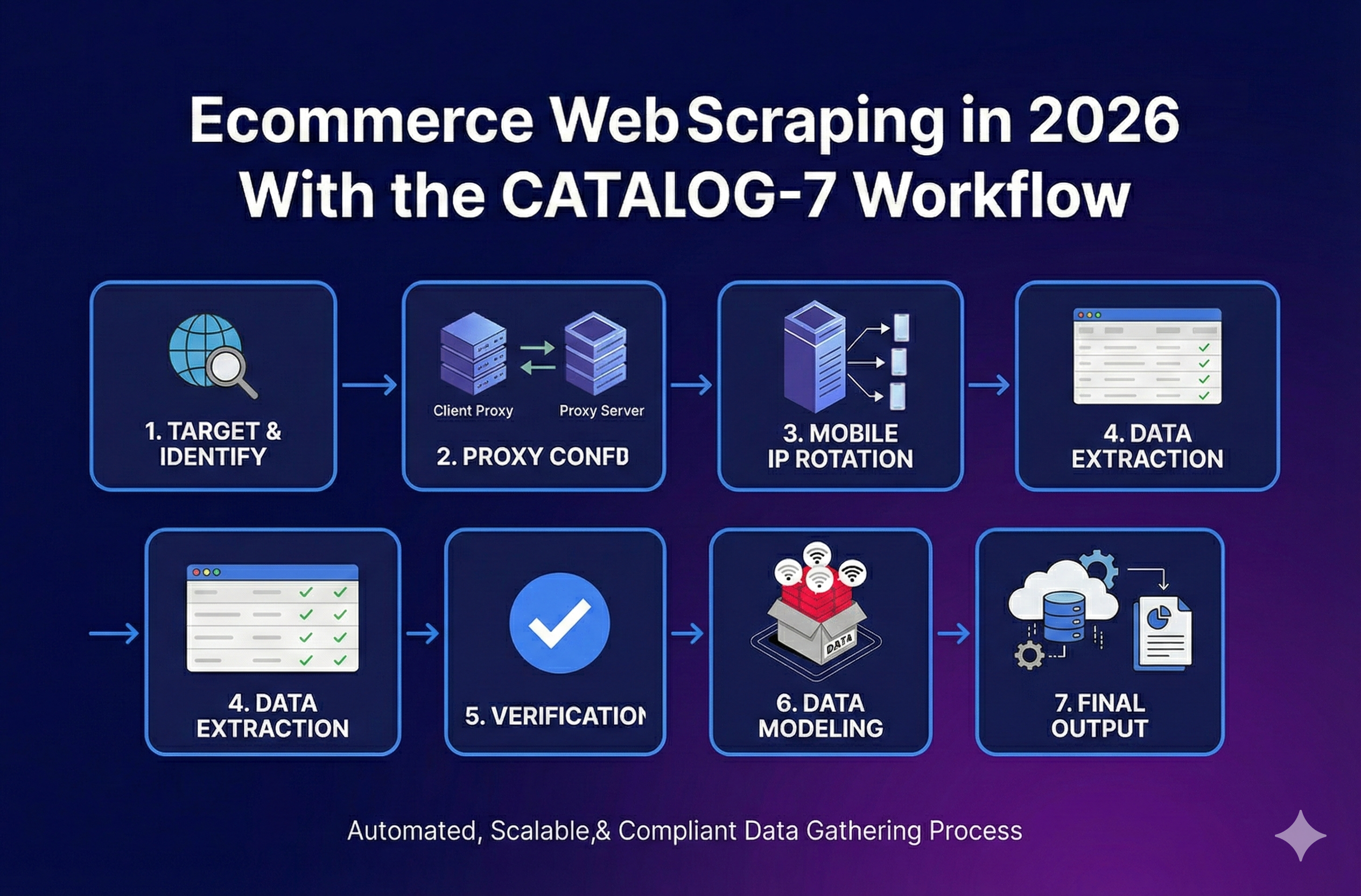
Ecommerce Web Scraping in 2026 With the CATALOG-7 Workflow
Stop broken feeds. Get a reliable ecommerce web scraping workflow, a Python stack picker, and a troubleshooting guide to handle variants and blocks.
View Details
Shopify Markets pricing: how it works, how to set it, and how to model landed cost
Use a decision matrix to pick converted, adjusted, or fixed market prices. See how exchange rates, conversion fees, and rounding affect margin, and prevent checkout mismatch
View Details