Scientific Internet Tutorial
Step 1 Check the hardware and software of your cell phone
Hardware and environment problems of your cell phone
- Selection of cell phone model: It is not recommended to use domestic Android cell phone, because domestic Android cell phones often have poor compatibility with Google framework, and there are many strange problems, which will lead to 0 playback. At the same time with the TikTok software updates and development, some cell phone models will also be affected, for example, in the past two weeks around the use of iPhone6 this model of cell phone partners according to incomplete statistics, 40% have encountered can not break the 0 problem, then you should replace the phone in a timely manner.
- Whether the phone is plugged into the card: If the phone is plugged into the card, must remember to pull out the card.
- Whether to leave the operator information: If the operator information can still be detected after pulling out the card and can not be erased after brushing the machine (this problem may occur in the contract machine), it is recommended to replace the phone.
- Used modified phone: Please avoid choosing a used modified phone whose price is significantly lower than the market price because the hardware has been replaced to be recognized.
Software and network environment problems
- Mailbox: using domestic mailbox to register TikTok account is easy to be restricted by the wind control, it is recommended to use foreign mailboxes or mailboxes with unlimited domain names, for example, you can use gmail mailbox to register TikTok account.
- Turn off location: If you are using an Apple phone, you must turn off the location function. In General→Privacy→Advertising, you need to turn on “Restrict ad tracking” for versions below ios14, and turn off “Personalized ads” for versions above ios14.
- IP address: locating the IP address overseas is the basic condition to use TikTok, otherwise you can't use TikTok normally, so it depends on your target country or region, for example, if you want to do TikTok in UK, you need to locate the IP address in UK. And it is best to use a static home.
- Special attention should be paid to one point: you can't change the IP address at will after it is set, otherwise it will be detected by the system and tagged with the account, and once the account is tagged with the account, it can't be broken even if the environment is set up at a later stage.
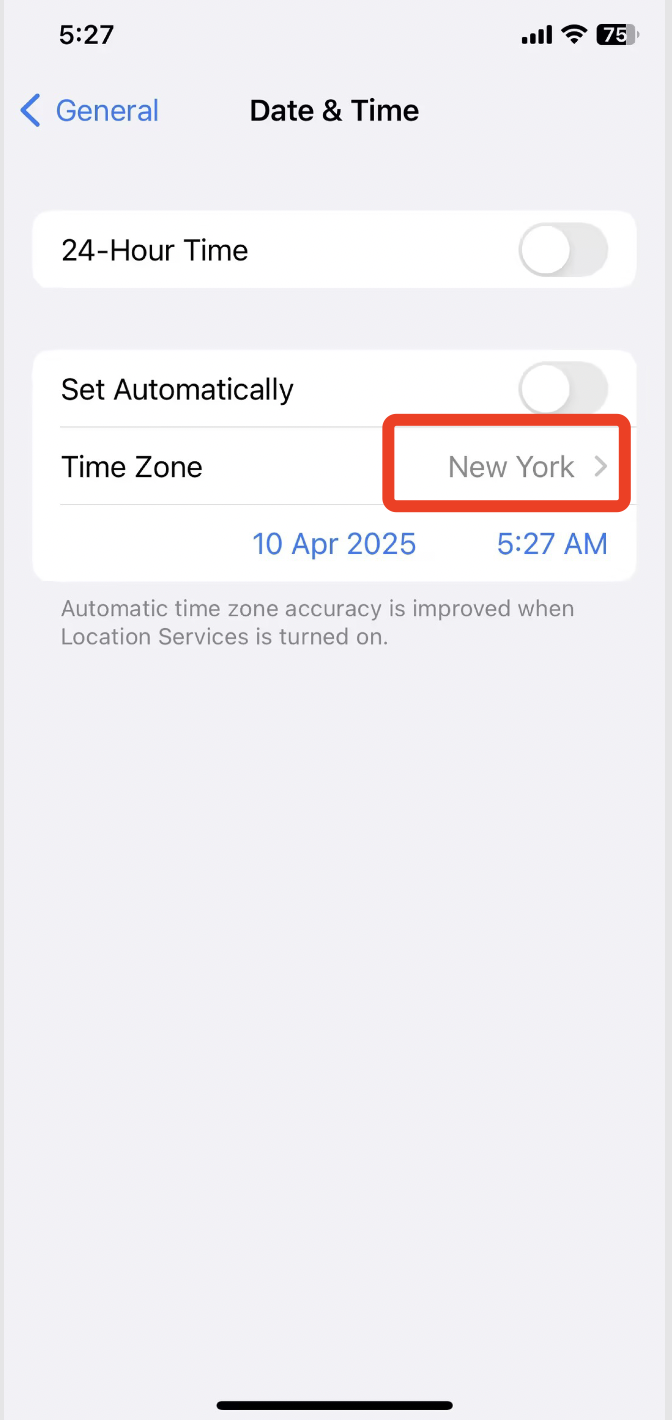
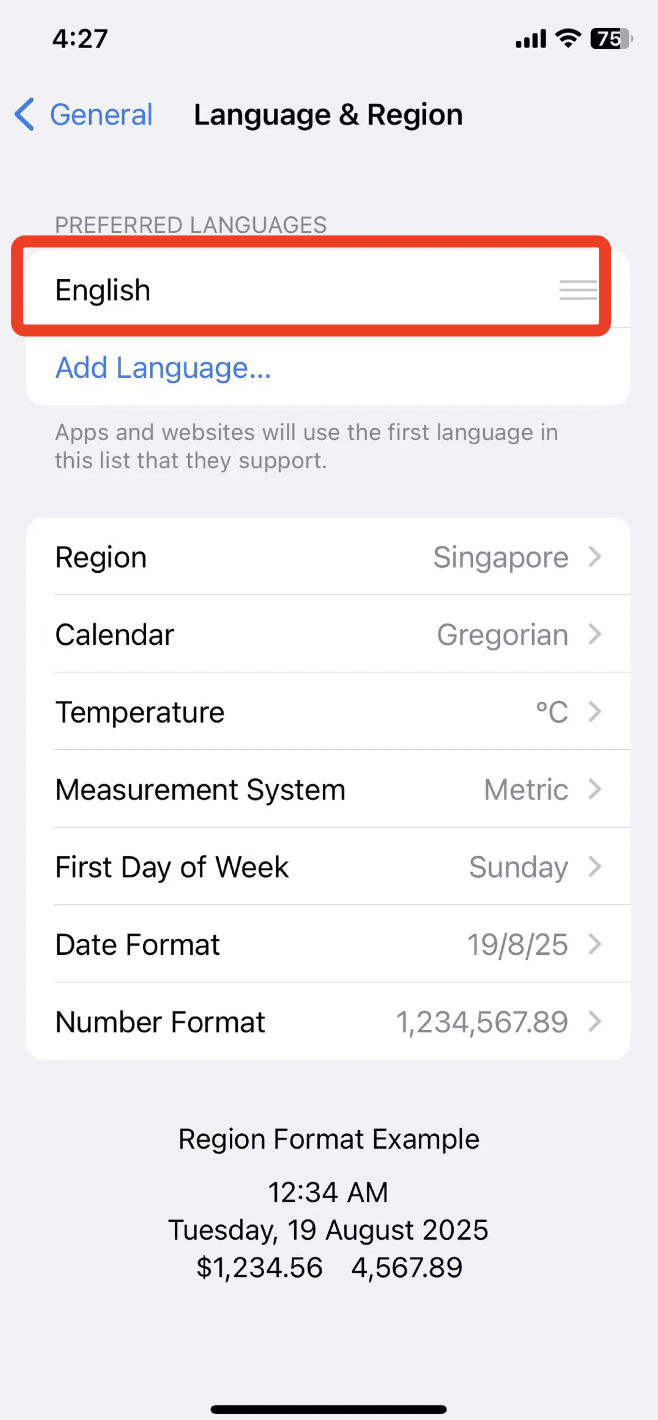
- System time zone and language: At the same time, the system time zone and language should be consistent with the country and region of the IP address, for example, if you make an account in the United Kingdom, the system language should be changed to English, and if you make an account in Japan, the language should be changed to Japanese. The system time requirement is more detailed, it needs to be determined according to the specific city of the IP address, not according to the country, because the time zones of different cities in some countries are different, for example, the United States straddles the West 5 to West 10 zones.
If the above conditions are met, you can open the https://ipinfo.io website. The results of this website are based on browser cookies only and are not 100% reliable for TikTok. Of course, in addition to these indicators, there is also the problem of IP line contamination, some IP is used too much, it will still be detected abnormally resulting in 0 playback, then you should look for a new IP to start
Step 2 Network Configuration
PC - Fingerprinting Browser:
Instructional Video
needs to be operated under the environment of foreign networks, this demonstration is based on the connection of foreign networks to operate
Instructional Video https://www.youtube.com/watch?v=i7ldMovwkRs
network settings
1. Download the fingerprint browser (we recommend using morelogin fingerprint browser)
download address: https://www.morelogin.com/?from=AAVf6Dn4fXn4
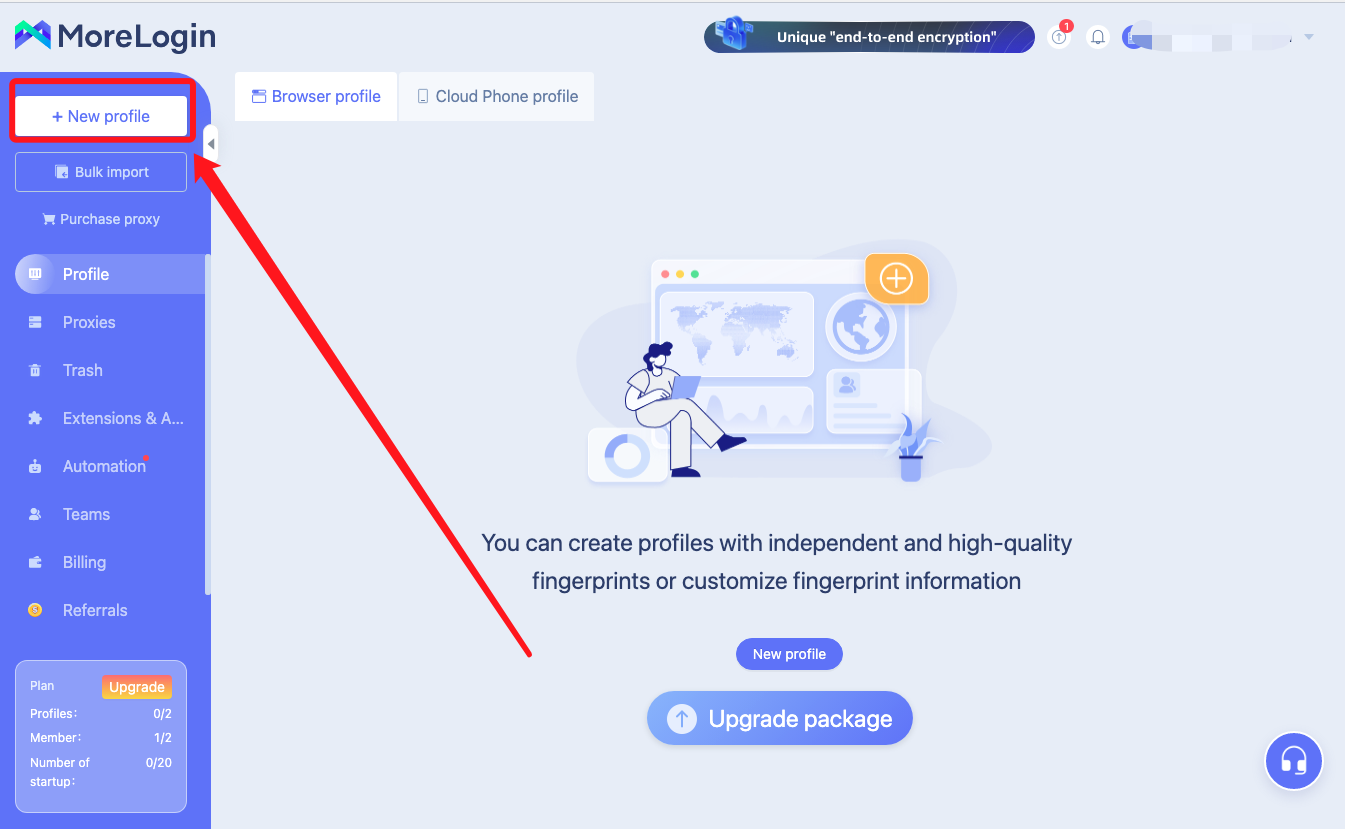
2. Open the Fingerprint Browser, after registration, click on the new window (new accounts are free to create two windows) Steps are as follows ↓ ↓
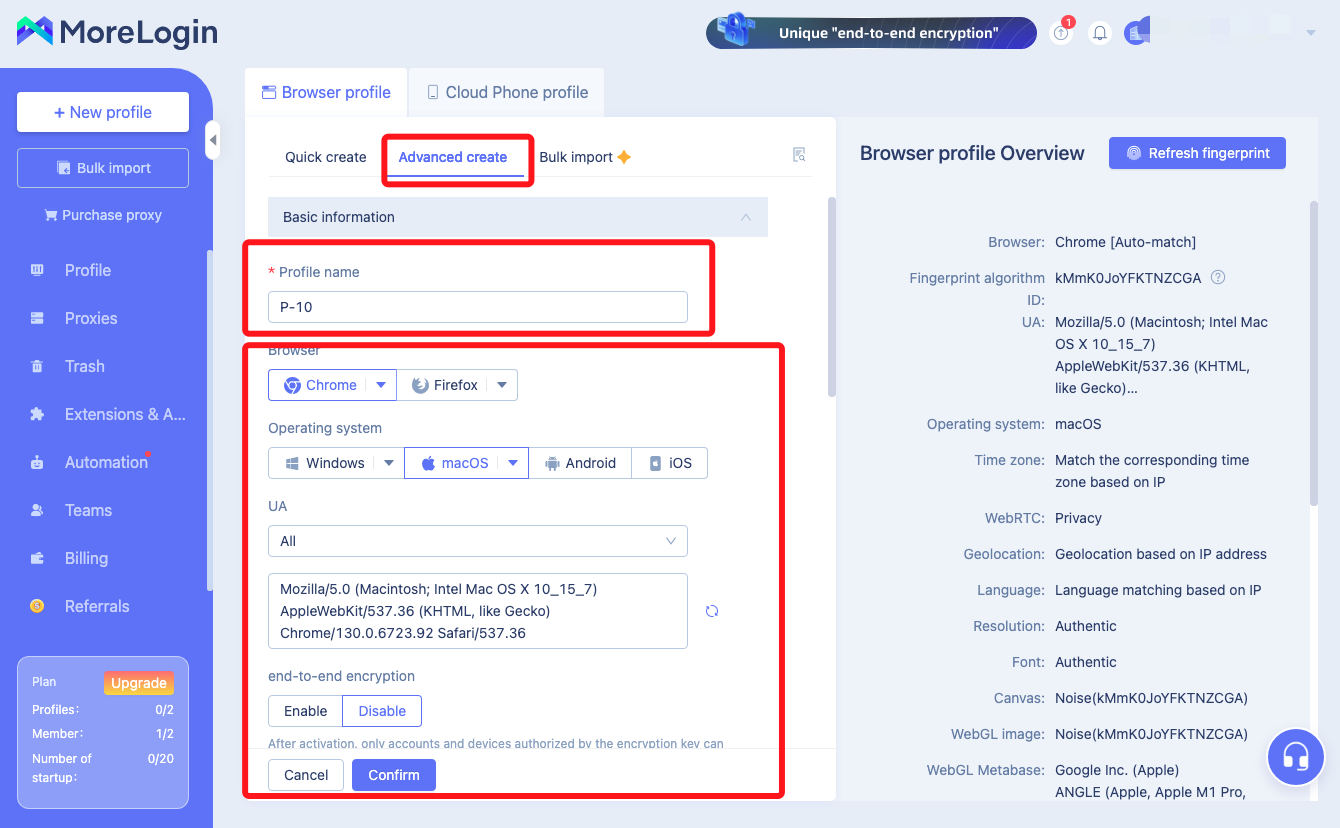
3. Select Advanced Create, and then fill in the name, operating system, browser (usually choose the default)
4. Scroll down to the “Proxy” here to choose the type of proxy IP protocols that you have purchased
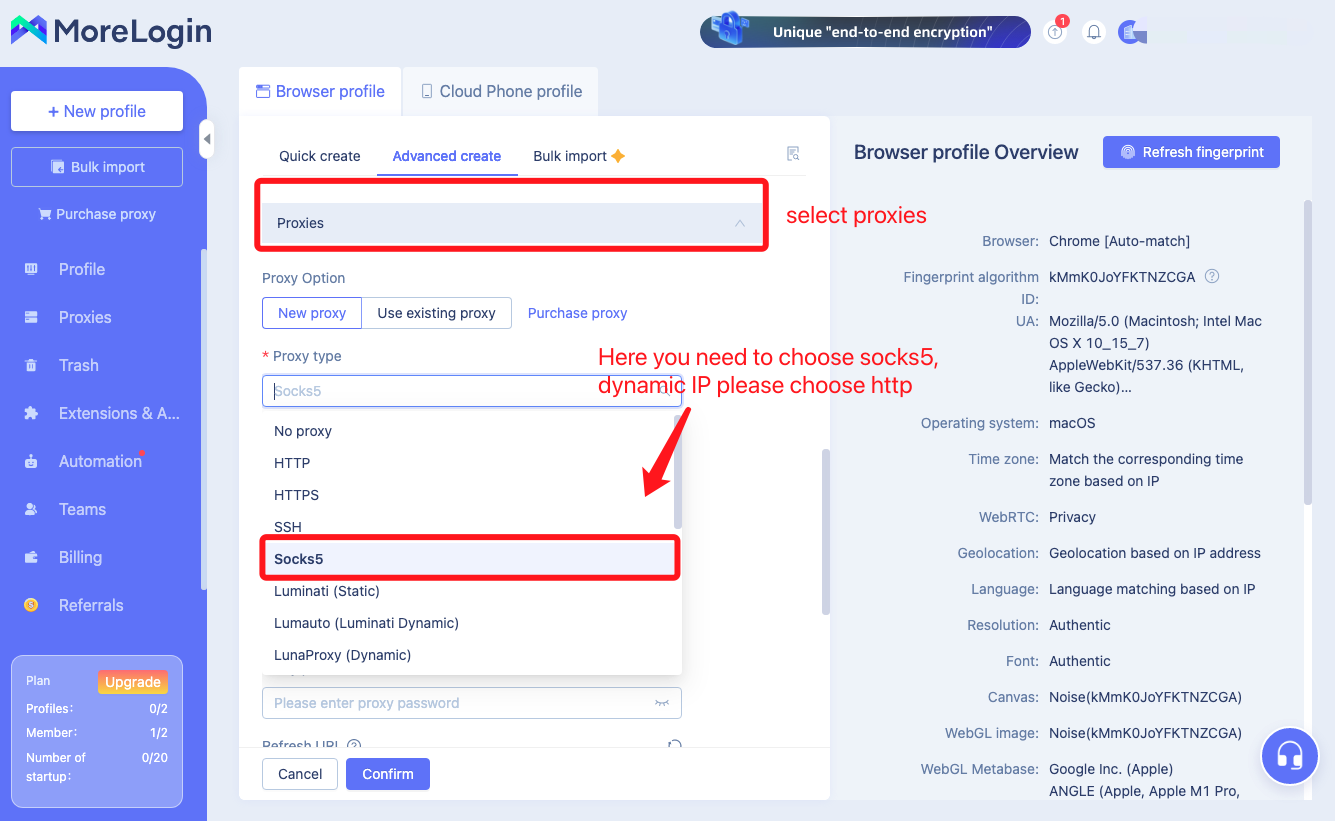
5. Just purchased residential IP information to fill in one by one 6. Fill in the residential IP information just purchased
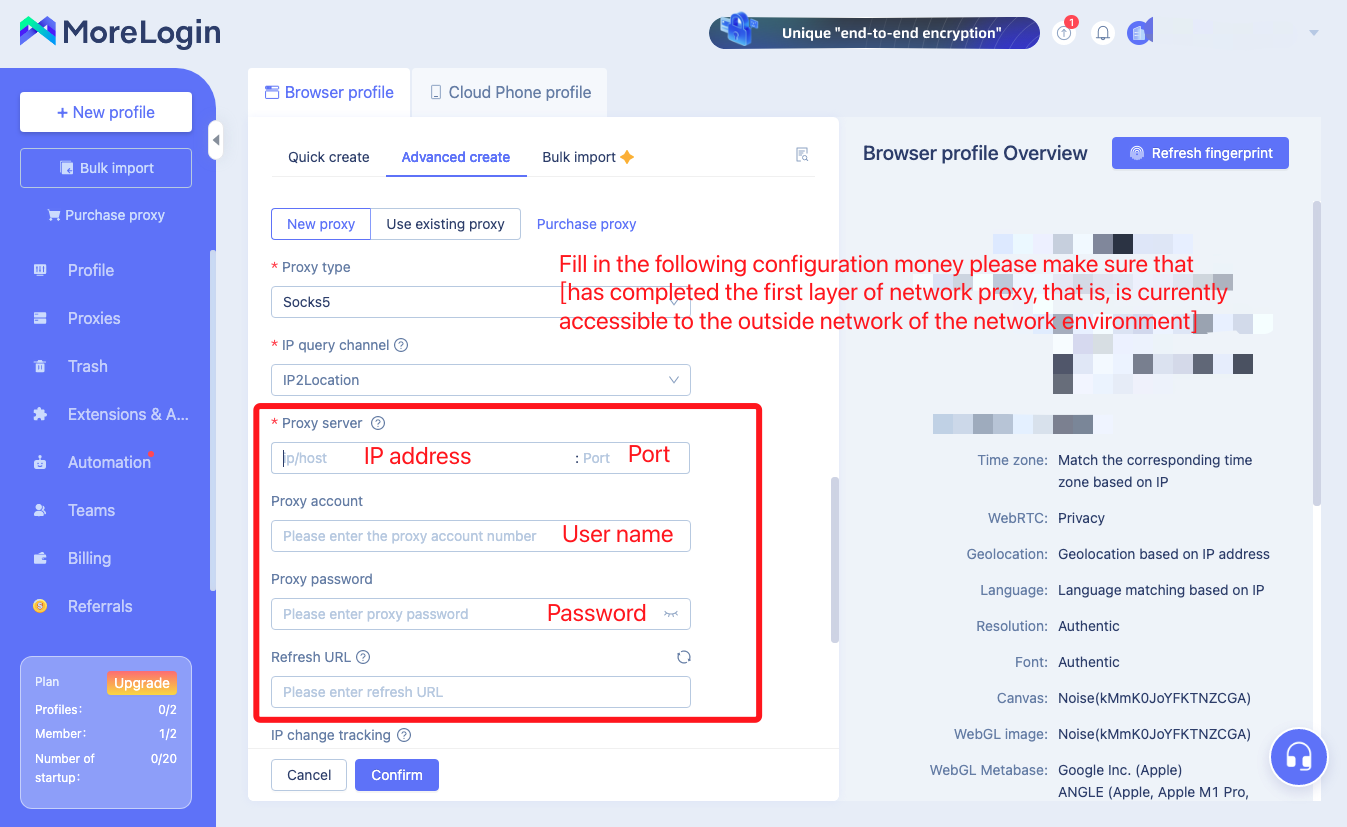
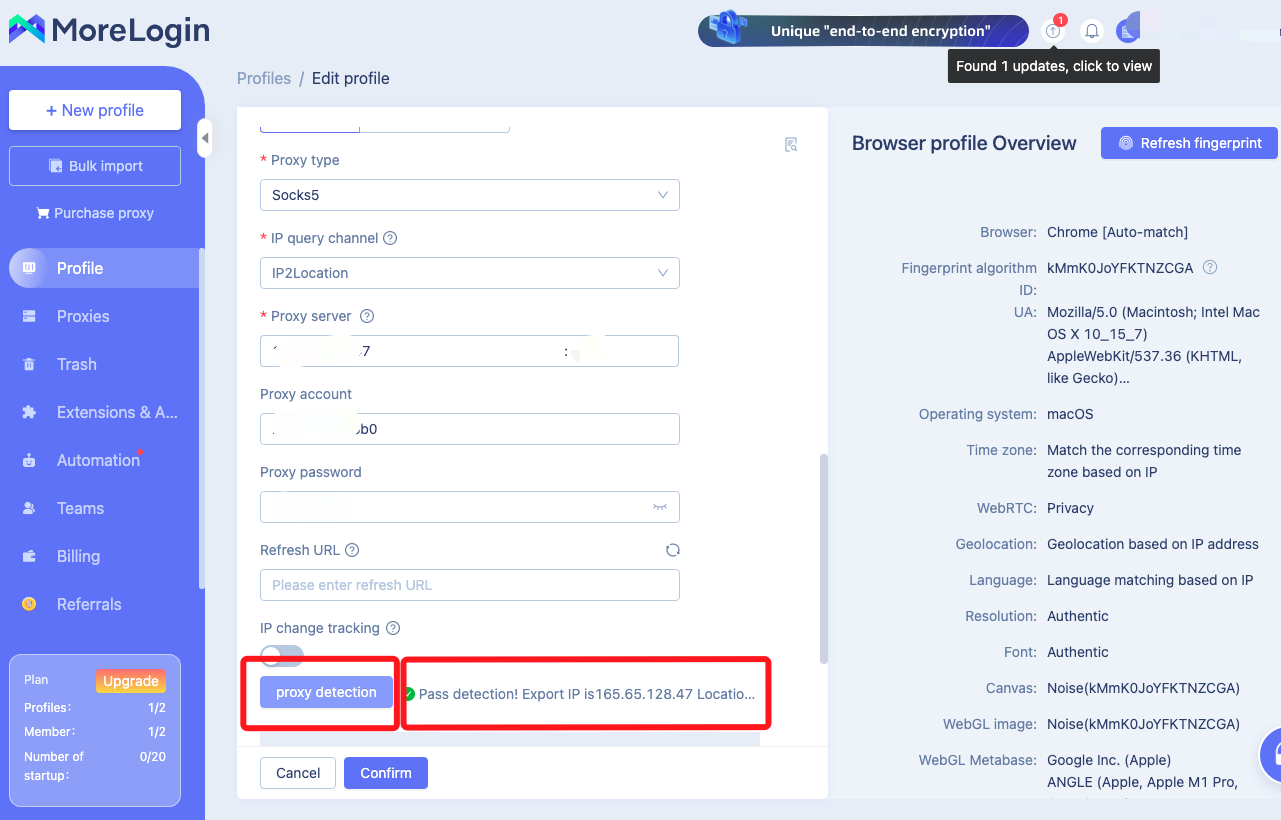
6. Fill in the completion of the click on the check proxy to see if the proxy IP connection is successful, successful click to confirm
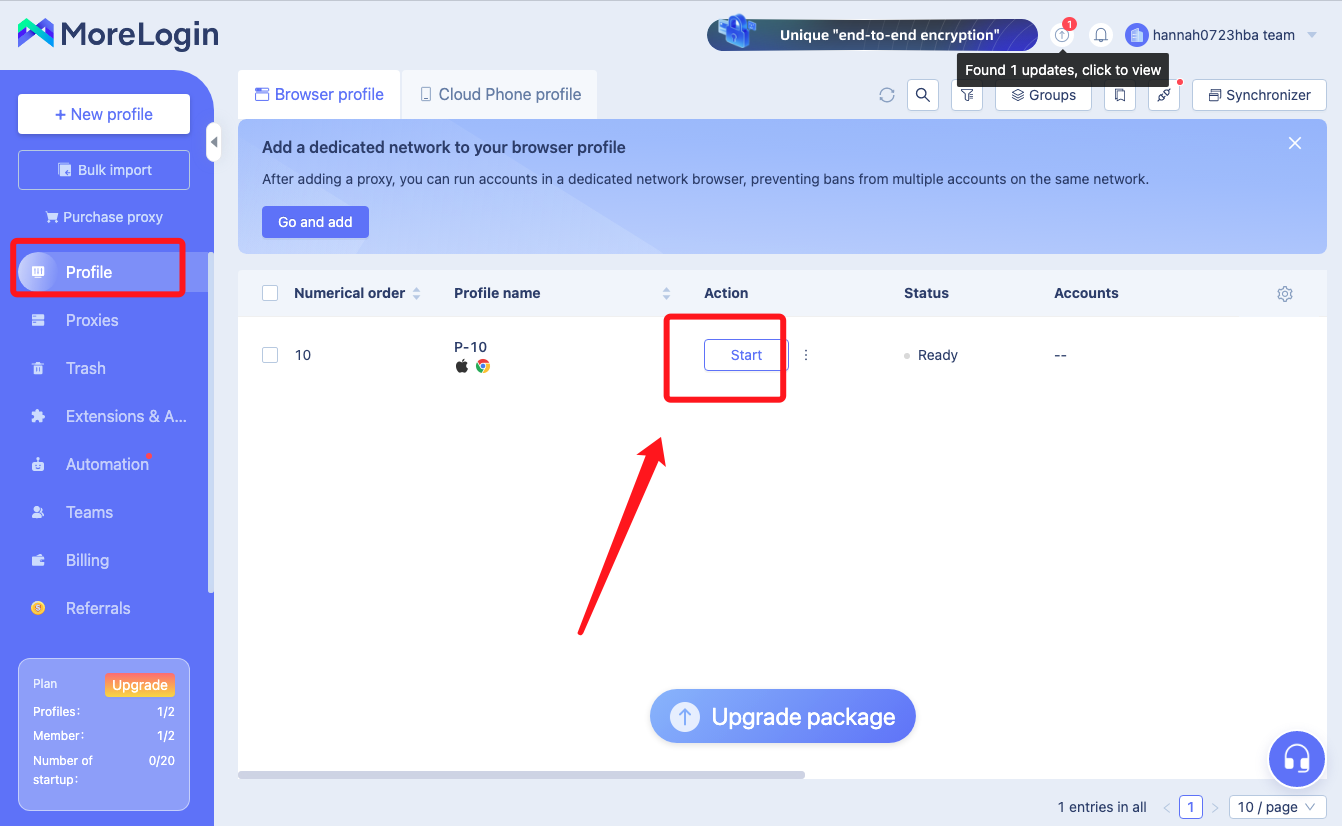
7. After confirming, you can see the information of the window you just built in the "Environment" here, click "Enable", then you can use it.
iOS terminal (Apple cell phone):
Teaching Video
https://www.youtube.com/watch?v=Pn8OmzO03XM&t=68s
System Settings
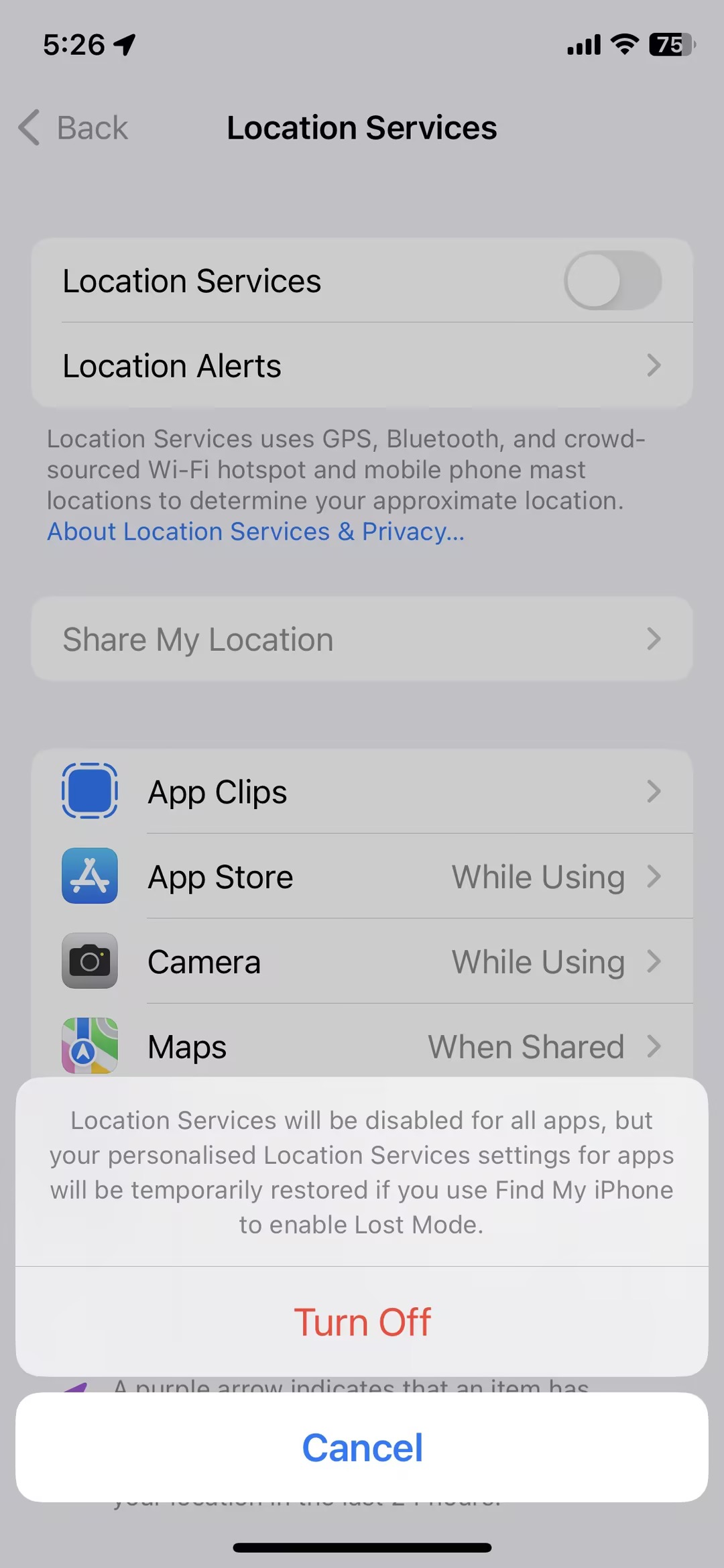
1. Open Settings, search “Location” in the upper search bar, open Location Services, turn off Location Services to prevent the software from recognizing your IP information
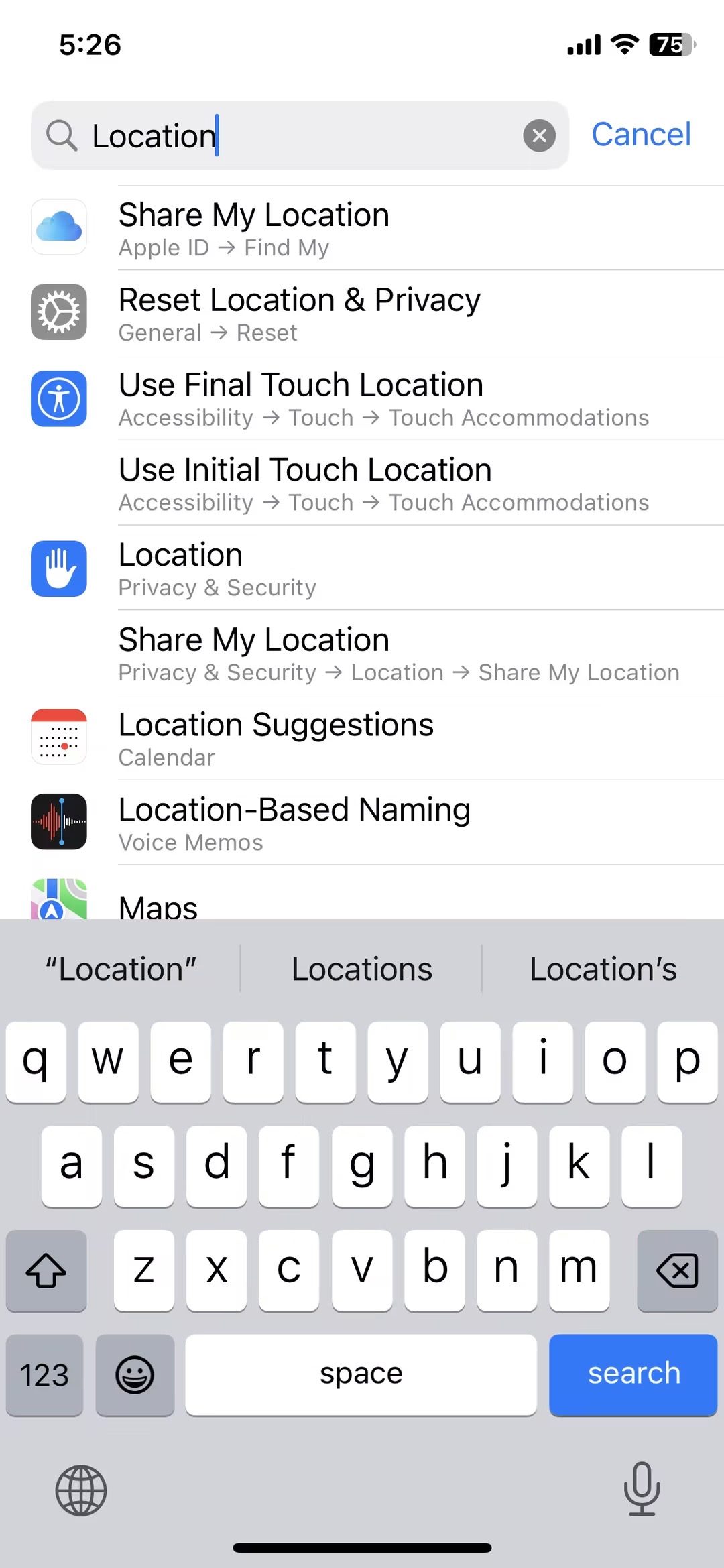
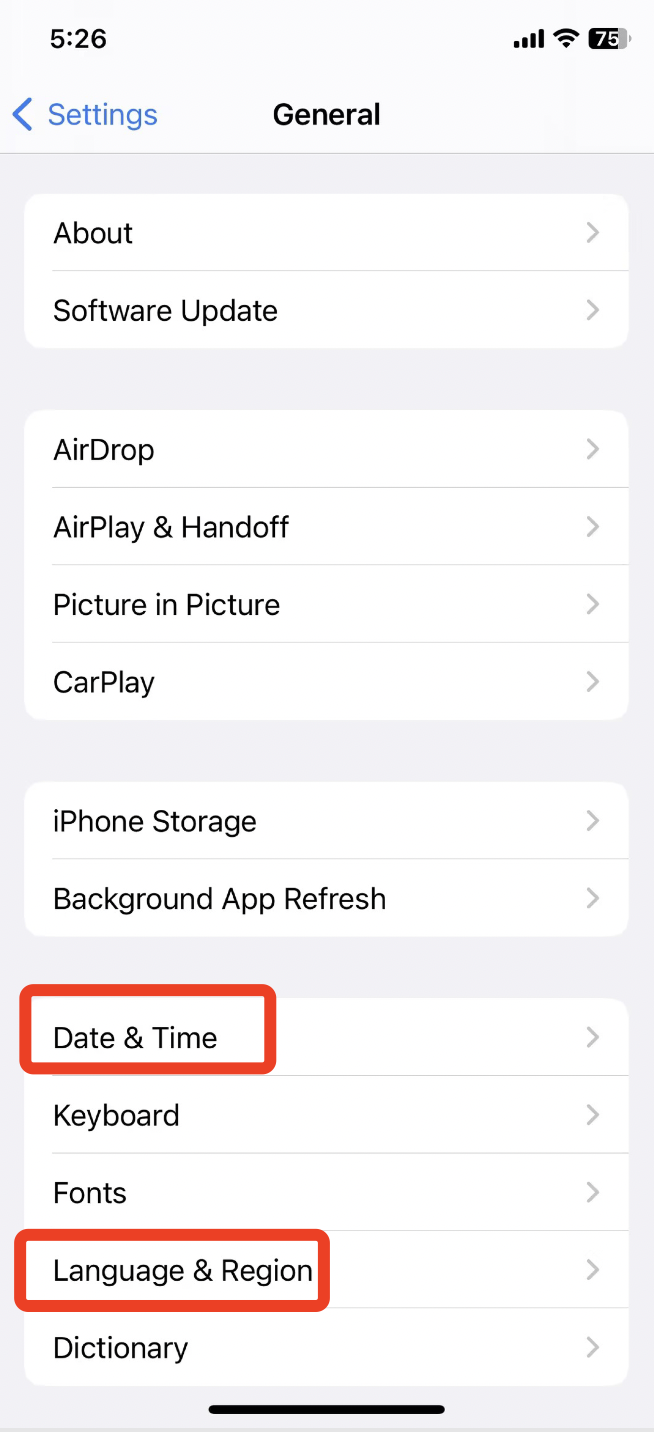
2. Find General (General), set the date and time of your phone to the date and time of the target country. And change the language and region to a language other than Simplified Chinese, preferably the language of your target country; change the region to the region of your target country
Network Configuration
⚠️ Pre-preparation:
a. Installed Little Rocket, and already have the first layer of the extranet environment of the cell phone (this first layer of the extranet environment needs to be self-prepared)
b. Need to carry out the second layer of the proxy Socks5 proxy jiedian (cell phone, please make sure that the use of) Socks5 protocol jiedian)
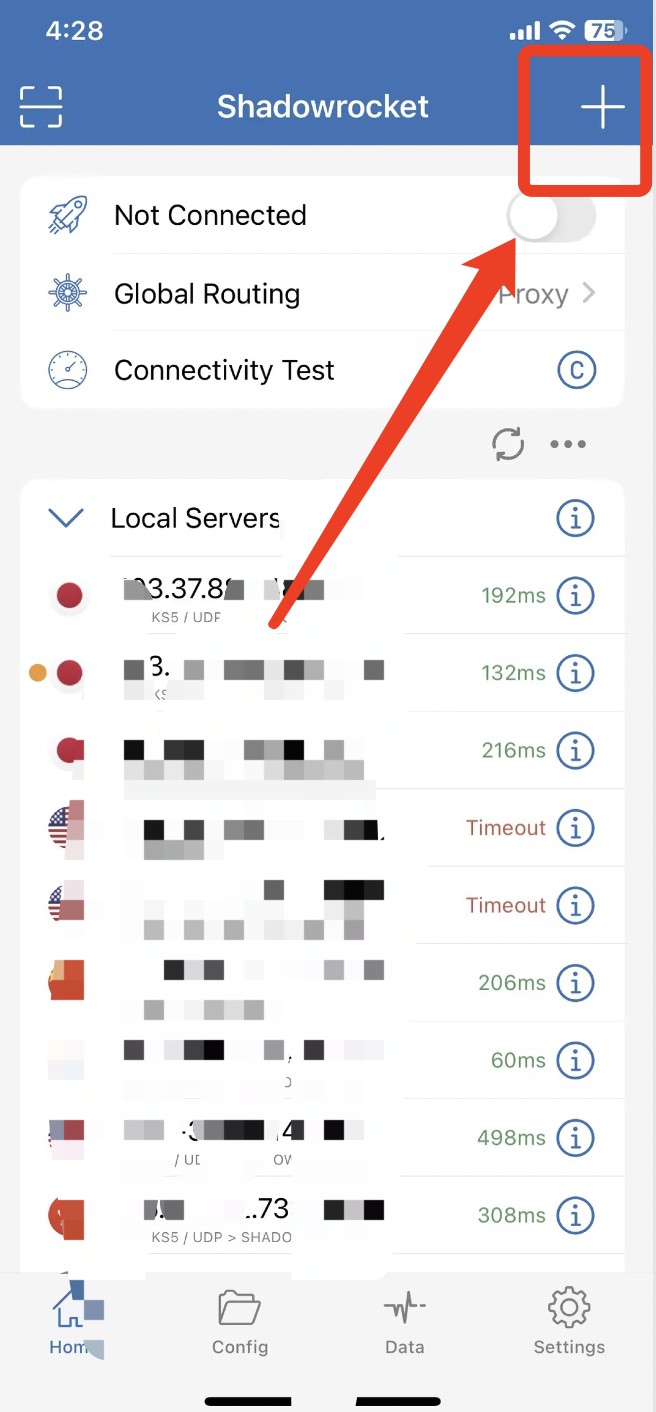
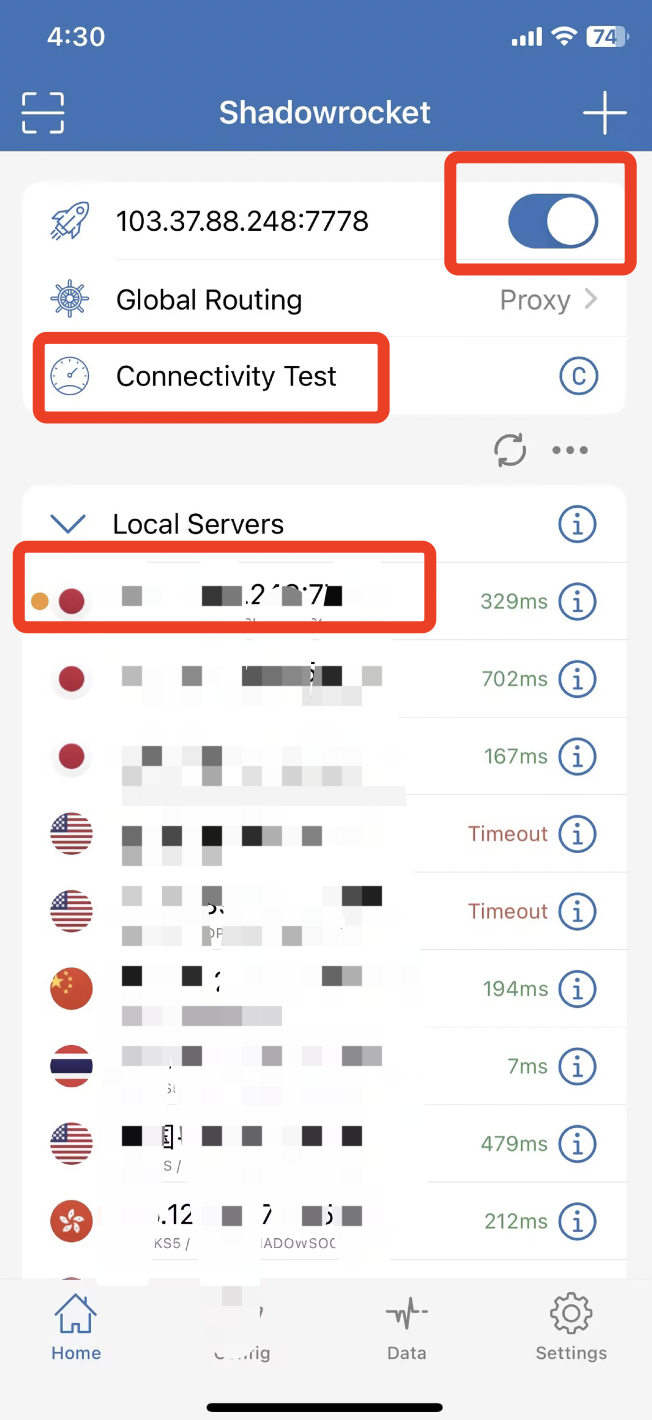
1. Open the little rocket that already has an extranet environment (this first layer extranet environment needs to be self-provided) and click the plus sign in the upper right corner to add a server.
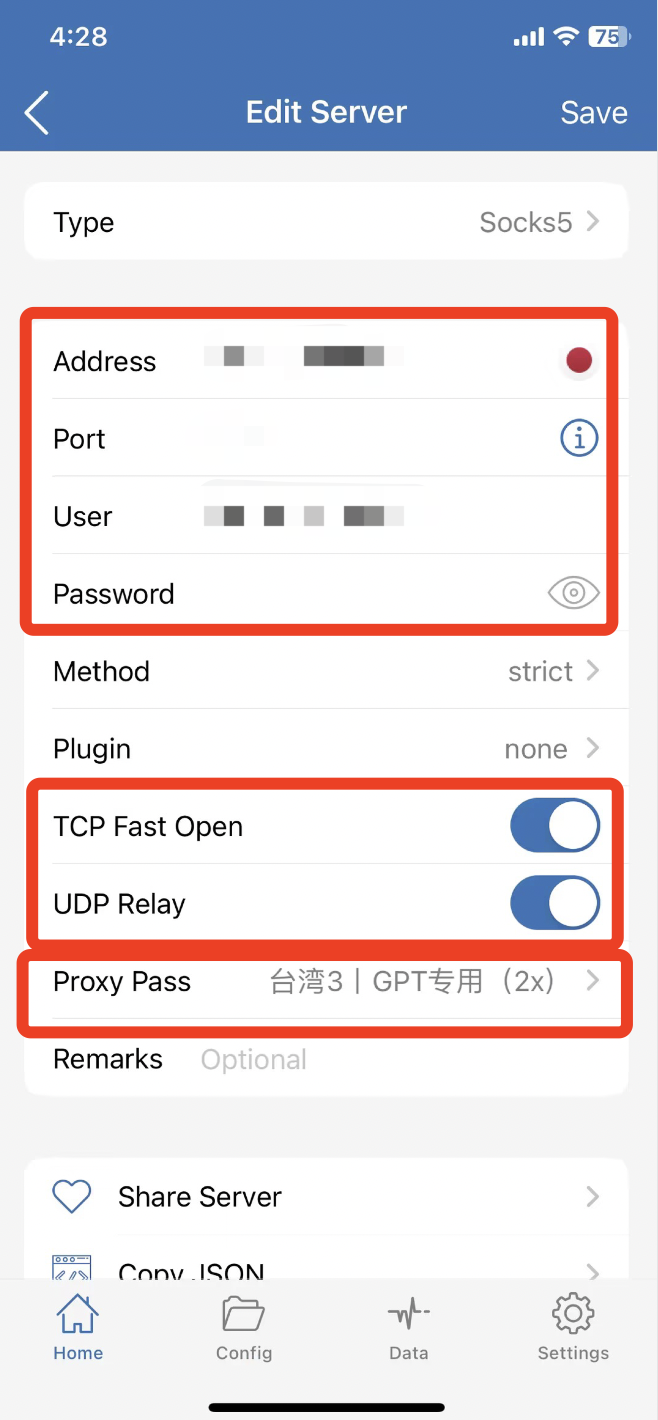
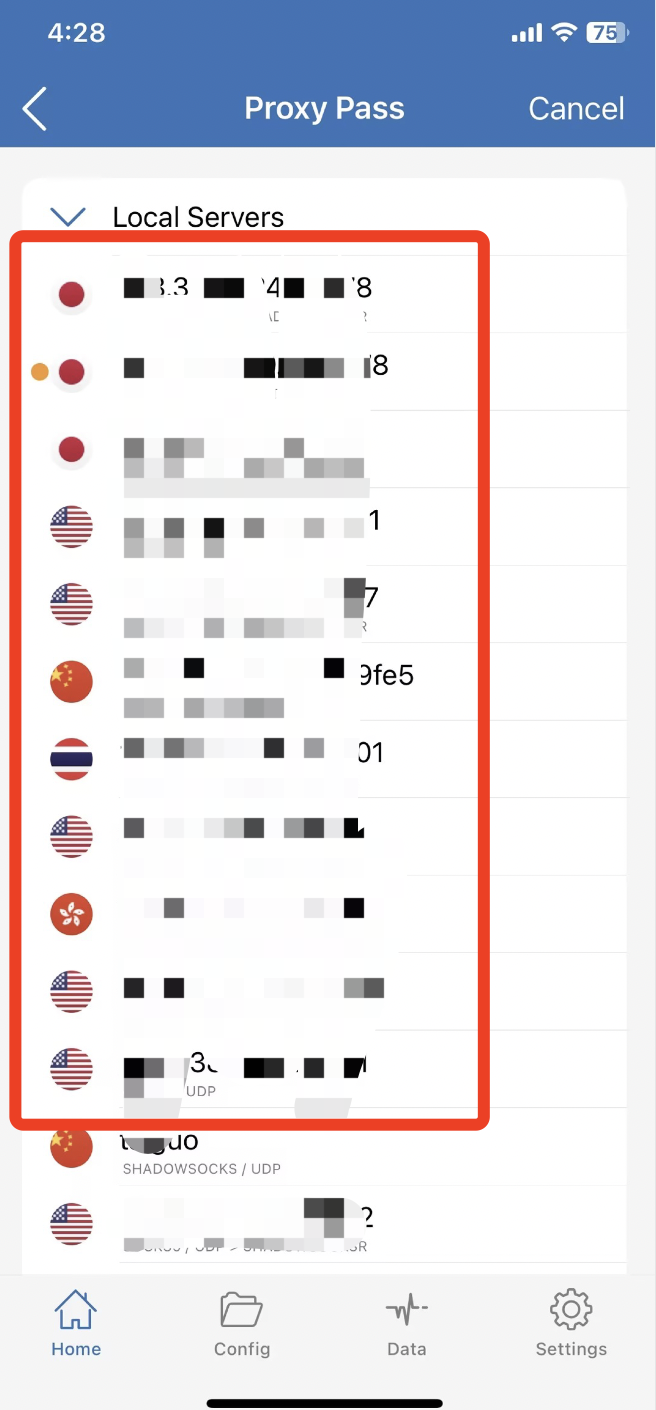
2. According to the purchase of residential IP information one by one corresponding to fill in, click on the proxy through, select the self-provided extranet environment (the first layer of the extranet environment needs to be self-provided)
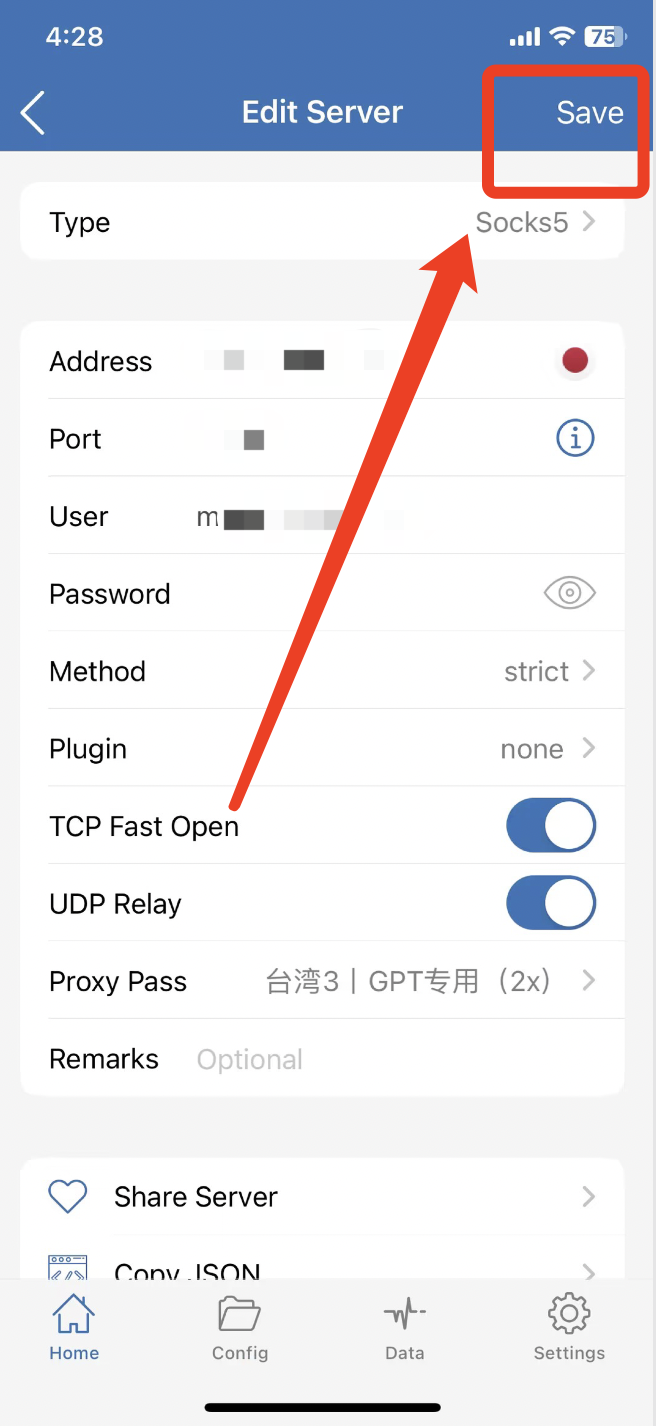
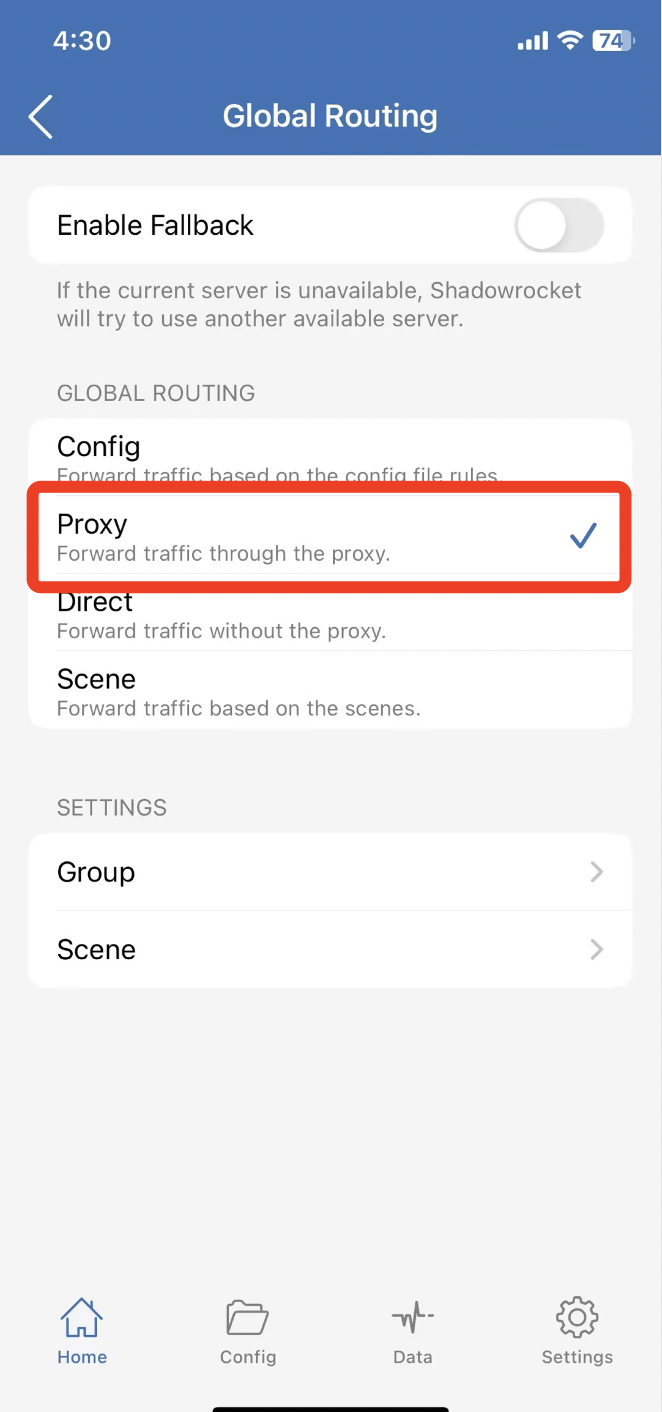
3. Click to save, in the whole domain routing here to select the proxy, after completing the opening of the connection can be used.
Step 3: Detect IP quality
PC side:
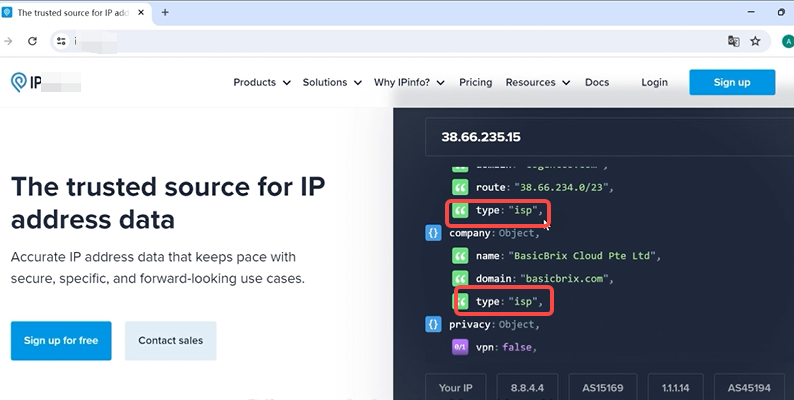
- Input the URL of detecting IP in the fingerprint browser
- After opening the URL, it will automatically display all the information of the IP currently used, you can see that most of the types are dual-ISPs, proper native residential IPs
iOS, Android side
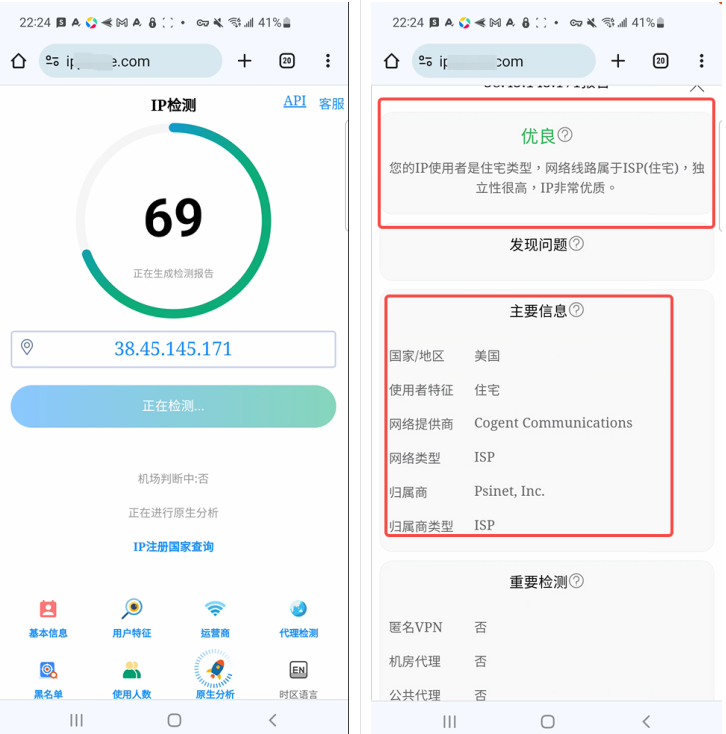
- In browser Enter the URL of the IP checker and repeat the above steps
After completing all the steps, you can start running your tiktok account😊