Evaluating Proxy Service Providers: A Developer's Look at Types, Features, and Use Cases
Evaluating Proxy Service Providers: A Developer's Look at Types, Features, and Use Cases
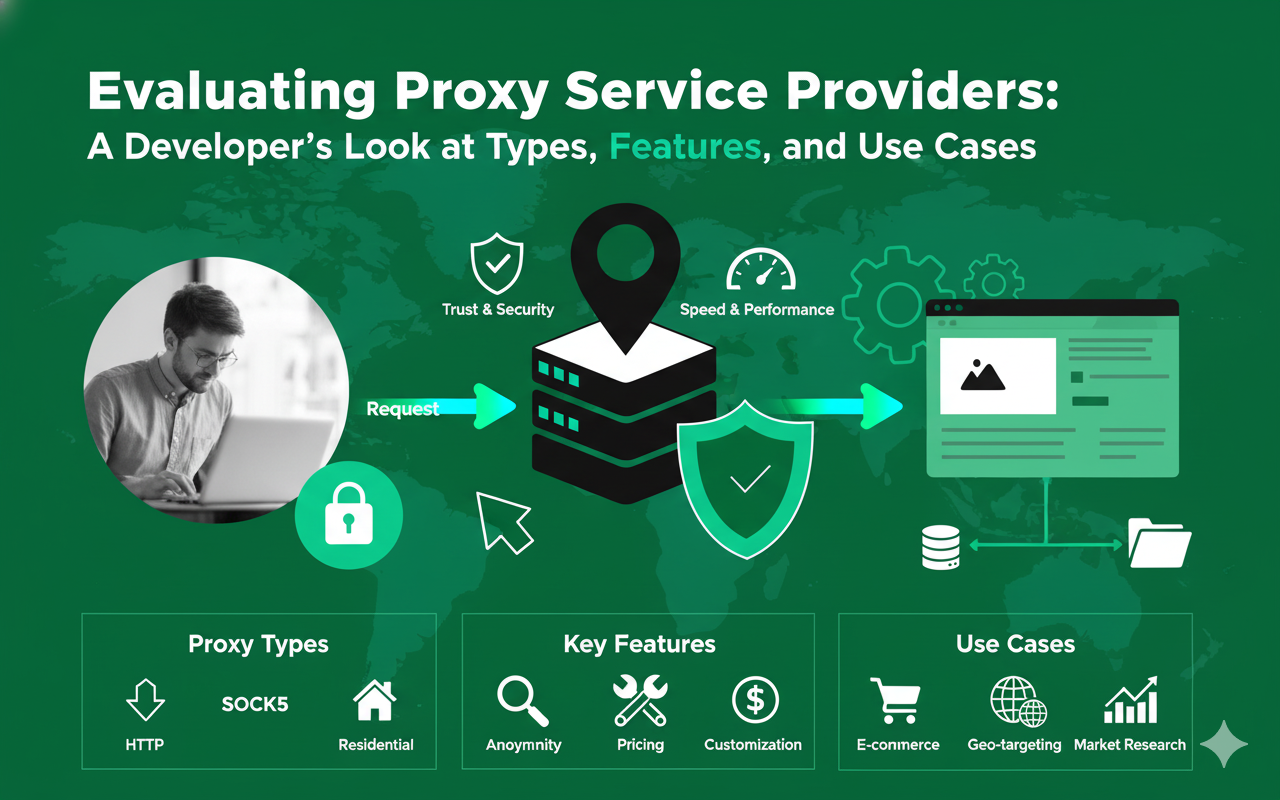
Choosing the right proxy service providers is a critical first step for any project involving large-scale public data collection, market research, or application testing. The wrong choice can lead to high block rates, slow request times, and complex integration headaches. This article provides a practical, developer-first look at how to evaluate different types of proxies and providers to find the best fit for your stack.
We'll focus on the technical differences between proxy types, the features that actually improve web data collection, and how to configure web scraping proxies for reliability.
Try LycheeIP's rotating residential proxies
What is a proxy service provider?
A proxy service provider is a company that manages a network of intermediary servers, known as proxies, which route your internet traffic on your behalf. Instead of your application connecting directly to a target website (Client $\rightarrow$ Target), the request is sent through the provider's infrastructure (Client $\rightarrow$ Proxy $\rightarrow$ Target). This process masks your server's original IP address, replacing it with the IP of the proxy server.
This core function is essential for accessing geo-restricted content, managing multiple accounts, and gathering public data without being rate-limited or blocked based on your IP.
Core proxy types defined: Residential, ISP, Datacenter, and Mobile
Not all proxies are created equal. Proxy service providers typically offer four main types:
- Residential Proxies: These are IP addresses assigned by Internet Service Providers (ISPs) to real homeowner devices. Residential proxy providers route traffic through these devices, making requests appear as if they are coming from a genuine, organic user. This makes residential proxies highly effective against strict anti-bot systems.
- ISP Proxies: These are static IP addresses hosted in datacenters but officially registered under an ISP. ISP proxy providers market these as a hybrid, offering the speed of a datacenter with the higher authority of an ISP-owned IP. They are excellent for tasks requiring a stable, long-term static IP.
- Datacenter Proxies: These are the most common and cost-effective proxies. They are generated in bulk and hosted in data centers. While fast and cheap, they are also the easiest for websites to detect and block, as their IP ranges are well-known.
- Mobile Proxies: These use IP addresses assigned by mobile carriers (like 3G/4G/5G networks). They are highly trusted by target sites, especially for mobile-first applications, but are often the most expensive option.
How proxies enable access to public data and web data
For data engineers and growth teams, proxies are the key to unlocking web data at scale. Modern websites, especially e-commerce and social media platforms, use sophisticated, often AI-powered, systems to detect and block automated scraping.
By rotating through thousands of different residential proxies, a scraper can mimic the behavior of many individual users, avoiding IP-based bans. This allows for the collection of vital public data like product pricing, user reviews, stock levels, and search engine rankings. Proxies also enable access to geo-specific web data, such as testing localized ads using US proxies or checking content availability from different countries.
Which proxy types match common web data workloads?
The best proxy type depends entirely on your target's sensitivity and your need for session persistence. Matching the proxy to the job is the most important decision you'll make when selecting from proxy service providers.
Use cases for residential proxies (e.g., price monitoring, ad verification)
You should use residential proxies when your target website is sensitive to automation and actively blocks datacenter IPs. Their "real user" identity is their main advantage.
- Price Monitoring: Scraping product pages on major e-commerce sites.
- Ad Verification: Checking that digital ads are being displayed correctly in different geographic locations (e.g., using US proxies to check US campaigns).
- SERP Scraping: Gathering search engine results, which are often personalized and protected by AI-powered CAPTCHAs.
- Social Media: Collecting public data from social platforms that have strong anti-bot measures.
Reputable residential proxy providers ensure their IP pools are ethically sourced and well-maintained.
Use cases for ISP and static proxies (e.g., account management)
You should use static proxies, particularly from ISP proxy providers, when you need a stable, long-term identity that doesn't change.
- Account Management: Securely logging into and managing multiple social media or e-commerce seller accounts.
- Checkout Testing: Running quality assurance tests on a shopping cart flow, which requires a consistent session from start to finish.
- Accessing IP-Whitelisted Resources: Using a dedicated static IP to access a partner's API or a secure internal dashboard.
Using static vs rotating proxies for these tasks is critical; rotation would break the session and force logouts.
Use cases for datacenter and mobile proxies
- Datacenter Proxies: These are the workhorses for high-volume, low-sensitivity tasks. Use them for general site crawling, API testing from different IPs, or scraping targets that have minimal protections. They are the most common type of web scraping proxies for bulk collection.
- Mobile Proxies: These are a specialized tool for tasks where a mobile identity is mandatory. This includes app-only platforms, mobile ad verification, or testing site rendering on specific carrier networks.
Try LycheeIP's rotating residential proxies
How do residential, ISP, and datacenter proxies compare?
You can break down the primary differences between proxy types by their identity, performance, cost, and ideal use case.
| Proxy Type | IP Identity | Typical Speed | Cost | Common Use Cases |
| Residential Proxies | Real user device IPs | Variable (Good) | High (Per-GB) | Price monitoring, ad verification, sensitive targets |
| ISP Proxies | Datacenter-hosted, ISP-registered | Very Fast | High (Per-IP) | Account management, checkout testing, stable sessions |
| Datacenter Proxies | Data center servers | Fastest | Low (Per-IP/Port) | Bulk scraping, non-sensitive targets, speed-critical tasks |
| Mobile Proxies | Mobile carrier (4G/5G) | Variable (Slow-Good) | Very High | App-only platforms, mobile ad testing, video data |
How do you effectively test and evaluate a proxy service provider?
You must run a practical test with your specific targets and stack to truly evaluate any proxy service provider.
Setting up a benchmark for your workload
First, define your success criteria. Identify 3-5 target URLs that represent your typical workload (e.g., a search results page, a product page, an API endpoint). Create a simple script (like the Python Requests proxy script below) to send a statistically significant number of requests (e.g., 1,000-10,000) through the provider's proxy gateway.
Key metrics to track: Success rate, latency, and block types
When testing residential proxy providers or ISP proxy providers, ignore marketing claims and focus on these three metrics:
- Success Rate: What percentage of your requests return a valid 200 OK status? This is the single most important metric. A rate below 95% often indicates a poor or overused IP pool.
- Average Latency: How long does the request take, from start to finish? High latency can slow down your data collection pipeline, even if the success rate is good.
- Block Types: When you do fail, how do you fail? Are you getting 403 Forbidden errors, 429 Too Many Requests, or 503 Service Unavailable? Are you being redirected to CAPTCHA pages? This log will tell you what kind of anti-bot systems you're triggering.
What pricing models do proxy service providers offer?
Pricing among proxy service providers has standardized around two primary models, which are directly related to the proxy type.
Per-GB (Pay-as-you-go) vs. Per-IP (Subscription)
- Per-GB: This is the standard model for rotating residential proxies and mobile proxies. You pay for the amount of data (bandwidth) you consume. This is ideal for scraping heavy content like images or video data, as well as for users who have inconsistent traffic needs.
- Per-IP/Per-Port: This is the standard model for datacenter and ISP proxy providers. You pay a flat monthly fee for access to a specific number of IPs or ports. This is predictable and cost-effective for high-request, low-bandwidth tasks.
Understanding free trials vs. paid tests
Be cautious with "free trials" from proxy service providers. They are often extremely limited and may use a lower-quality, shared pool of IPs, which won't reflect real-world performance. A better option is a paid trial (e.g., "Buy 1GB to test") or a money-back guarantee. This ensures you are testing the same premium IP pool that paying customers use.
Which features really matter for developer teams?
A provider's dashboard and feature set can either simplify your life or add unnecessary complexity. As a developer-first company, LycheeIP believes in simplicity, reliability, and control.
API simplicity and integration
Your proxy service provider should be an invisible part of your stack. The best providers offer a clean, well-documented API for managing your services. You should be able to programmatically retrieve your proxy lists, change rotation settings, and monitor usage without ever needing to log into a UI. Avoid providers that lock you into complex, proprietary "unblocker" software when a simple, well-maintained proxy gateway is all you need.
Granular rotation controls vs. static sessions
A critical feature is the ability to control your session. Look for a provider that lets you easily switch between:
- High Rotation: Getting a new IP address for every single request. This is ideal for non-session-based scraping.
- Sticky Sessions: Keeping the same IP for a set duration (e.g., 1, 10, or 30 minutes). This is the balance needed for navigating multi-step forms or pagination, allowing you to choose between static vs rotating proxies on the fly.
Geographic targeting (e.g., US proxies)
For many public data projects, location is everything. Your provider must offer easy-to-use geo-targeting. You should be able to request an IP from a specific country, state, or even city just by changing a parameter in your proxy username. This is essential for testing localized content, verifying ads, or scraping data that changes by region, such as needing specific US proxies for pricing. Many residential proxy providers offer robust US proxies at the city level.
The role of AI-powered routing
Some providers offer AI-powered routing, which claims to automatically select the best IP for your target to reduce blocks. This can be helpful, but it can also be a black box. A more transparent approach, often preferred by developers, is to have a clean, high-success-rate pool of residential proxies combined with simple, rules-based rotation. However, AI-powered systems are becoming more common for automatic CAPTCHA solving and advanced header management.
Try LycheeIP's rotating residential proxies
How do you use a Python Requests proxy for web scraping?
You can easily configure a Python Requests proxy in your web scraping proxies scripts. The requests library natively supports proxy use.
Basic Python Requests proxy configuration
To set up a Python Requests proxy, you just need to define a proxies dictionary with your provider's gateway address, port, and credentials.
Python
import requests
# Your proxy credentials
proxy_user = "YOUR_USERNAME"
proxy_pass = "YOUR_PASSWORD"
proxy_host = "gw.your-provider.com"
proxy_port = "8000"
# Format for the requests library
proxy_url = f"http://{proxy_user}:{proxy_pass}@{proxy_host}:{proxy_port}"
proxies = {
"http": proxy_url,
"https": proxy_url
}
target_url = "https://httpbin.org/ip"
try:
# Pass the proxies dict to your request
response = requests.get(target_url, proxies=proxies, timeout=10)
print(response.text)
except requests.RequestException as e:
print(f"An error occurred: {e}")
This simple Python Requests proxy example will route your request through the provider.
Adding retries and timeouts for robust web scraping proxies
A professional web scraping proxies script must handle failure. Real-world proxies (especially residential proxies) can sometimes fail or be slow. Always use timeout and configure retries, preferably with a session object.
Python
import requests
from requests.adapters import HTTPAdapter
from requests.packages.urllib3.util.retry import Retry
# --- Proxy setup (same as above) ---
proxy_url = "http://USER:PASS@gw.your-provider.com:8000"
proxies = { "http": proxy_url, "httpsS": proxy_url }
# --- Setup Session with Retries ---
session = requests.Session()
session.proxies.update(proxies)
# Define retry strategy
# Total retries, backoff factor, and status codes to retry on
retry_strategy = Retry(
total=3,
status_forcelist=[429, 500, 502, 503, 504],
backoff_factor=1
)
adapter = HTTPAdapter(max_retries=retry_strategy)
session.mount("http://", adapter)
session.mount("https://", adapter)
target_url = "https://httpbin.org/ip"
try:
# Use the session object
response = session.get(target_url, timeout=15)
response.raise_for_status() # Raise an error for bad status codes
print(response.text)
except requests.RequestException as e:
print(f"Failed to retrieve data: {e}")
This more robust Python Requests proxy setup will automatically retry on common server/proxy errors, making your scraper far more reliable.
When should you use static vs rotating proxies?
Your choice between static vs rotating proxies depends entirely on your session requirements.
Why static proxies are for stable sessions
You should use static proxies (like those from ISP proxy providers) for any task that would be broken by an IP change.
- Managing a social media profile
- Completing a multi-page checkout process
- Accessing an IP-whitelisted dashboard
- Testing authenticated user flows
In these cases, a rotating IP would log you out or invalidate your session.
Why rotating proxies are for scalable collection
You should use rotating proxies (like residential proxies) for any task that involves high-volume, anonymous data collection.
- Scraping thousands of product pages
- Gathering search engine results
- Monitoring prices across hundreds of competitors
Here, each request is independent. Rotating IPs prevents the target from building a behavior profile on any single IP and blocking it. The debate of static vs rotating proxies is less about which is "better" and more about which is right for the specific job.
Try LycheeIP's rotating residential proxies
Which proxy protocols should you choose?
While proxy service providers may offer several protocols, your choice will almost always be HTTP(S) or SOCKS5.
HTTP(S) vs. SOCKS5
- HTTP(S): This is the most common protocol, designed specifically for web traffic. It "understands" HTTP requests and is perfect for 99% of web data and public data collection tasks. All web scraping proxies support this.
- SOCKS5: This is a lower-level, more general-purpose protocol. It simply passes traffic without trying to interpret it. This makes it more versatile for applications other than web scraping, such as connecting to a game server, an FTP server, or a database.
For web scraping, stick with HTTP(S) unless you have a specific, non-HTTP application.
The niche role of UDP for video data
Some providers support the UDP protocol, often with mobile or residential proxies. UDP is a connectionless protocol used for real-time applications where speed is more important than perfect accuracy. Its primary use case in the proxy world is for testing or streaming video data or for specific gaming applications that rely on UDP.
What are the legal and ethical considerations for using proxies?
Using proxies is legal, but how you use them is subject to legal and ethical scrutiny.
Respecting Terms of Service and data privacy
As a user of proxies, you are responsible for your activity. You must comply with:
- Target Website Terms of Service (ToS): Many sites explicitly forbid scraping in their ToS.
- Data Privacy Laws: Regulations like the GDPR and CCPA govern how you can collect and handle personally identifiable information (PII). Never scrape non-public or private user data.
- Rate Limits: Be a "good citizen" by scraping at a reasonable, non-disruptive rate. Don't overload a website's servers.
Why reputable providers matter for compliance
A trustworthy proxy service provider is a key part of your compliance strategy. Reputable residential proxy providers will be transparent about how they source their IPs (e.g., through SDKs with explicit user consent) and will have a strict Acceptable Use Policy (AUP). They will vet their customers (often via KYC - Know Your Customer) to prevent malicious actors from using their network for cybercrime.
Avoid "free" or suspiciously cheap proxy service providers, as they may be operating unethically, logging your data, or even injecting malware.
Comparison/Table (if used):
| Proxy Type | IP Identity | Typical Speed | Cost | Common Use Cases |
| Residential Proxies | Real user device IPs | Variable (Good) | High (Per-GB) | Price monitoring, ad verification, sensitive targets |
| ISP Proxies | Datacenter-hosted, ISP-registered | Very Fast | High (Per-IP) | Account management, checkout testing, stable sessions |
| Datacenter Proxies | Data center servers | Fastest | Low (Per-IP/Port) | Bulk scraping, non-sensitive targets, speed-critical tasks |
| Mobile Proxies | Mobile carrier (4G/5G) | Variable (Slow-Good) | Very High | App-only platforms, mobile ad testing, video data |
Try LycheeIP's rotating residential proxies
Frequently Asked Questions:
1. What is the difference between a proxy service and a VPN?
A proxy server typically handles traffic on a per-application basis (like your web browser or script), while a VPN (Virtual Private Network) captures and routes all internet traffic from your entire device. Proxies are for scalable data collection; VPNs are for personal privacy and security.
2. Are free proxy service providers safe to use?
It is strongly discouraged. Free proxy service providers often finance their operations by logging your traffic, selling your bandwidth, or even injecting malicious ads or scripts into your requests. Always use a reputable, paid proxy service provider for serious work.
3. How do residential proxy providers get their IPs?
Reputable residential proxy providers source their IPs ethically, typically through SDKs in partner applications. Users of these apps give explicit consent to have their device's IP and idle resources used as a proxy in exchange for a free or ad-free app experience.
4. Can I be blocked even when using residential proxies?
Yes. While residential proxies are highly effective, they are not a magic bullet. Sophisticated AI-powered anti-bot systems can still detect non-human behavior (like scraping too fast), JavaScript fingerprint inconsistencies, or bad request headers.
5. What are ISP proxy providers best for?
ISP proxy providers are best for tasks that require a single, static, and highly trusted IP address for a long duration. Their primary use cases are managing secure accounts, testing payment gateways, and accessing IP-whitelisted resources without the risk of an IP change.
6. Does using a Python Requests proxy slow down my script?
Yes, any Python Requests proxy setup will add some latency because your request has to make an extra "hop" through the proxy server. This added latency is usually minimal with high-quality datacenter or ISP proxies but can be more noticeable with residential proxies.