
Advanced IP Scanner: Safe Downloads, Core Features, and Threat Detection
Advanced IP Scanner: Safe Downloads, Core Features, and Threat Detection
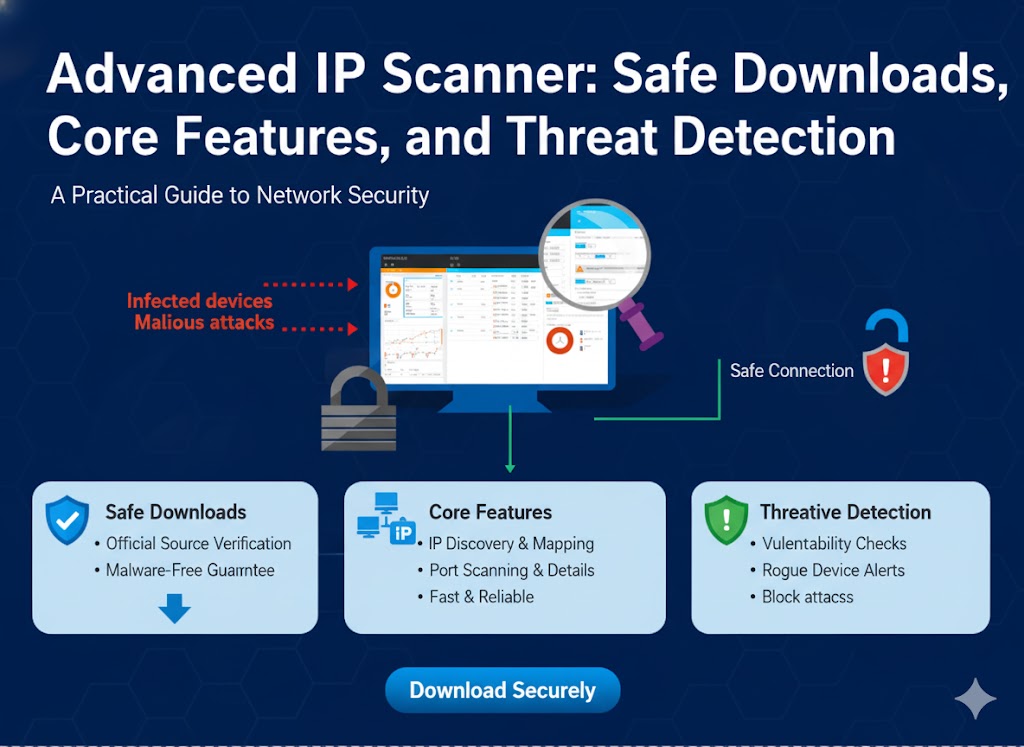
An advanced ip scanner is a software utility designed to find and identify devices connected to a local network. For IT administrators, security teams, and even data engineers, it's a foundational tool for mapping a network, troubleshooting connectivity, and performing basic asset inventory.
However, its popularity has also made it a prime target for threat actors, who use malicious Google Ads to distribute fake versions. This article covers the legitimate features of an advanced ip scanner, how to download it safely, and how security teams can detect its malicious use for internal port scans using tools like Chronicle and YARA-L.
What Is an Advanced IP Scanner?
An advanced ip scanner is a utility that systematically sweeps a range of IP addresses to discover active hosts on a local area network (LAN). It simplifies network management by providing a quick, readable list of all connected devices, from servers and workstations to printers and mobile phones.
Understanding the Basics of Network Scanning
At its core, network scanning is the process of probing a network to see what's online. Think of it as taking attendance in a large classroom. The scanner "calls out" to each possible IP address (or "seat") in a defined range. Devices that are online "answer back," allowing the scanner to mark them as present. This process is fundamental for any advance ip discovery and network mapping.
How Device Discovery and Port Scanning Work
Device discovery typically uses protocols like ARP (Address Resolution Protocol) on a local network or ICMP (Ping) requests. Once a device is found, the advanced ip scanner often performs port scanning.
Port scanning is the next step: checking which "doors" (ports) are open on a device. An open port, like port 80 (HTTP) or 22 (SSH), indicates a specific service is running and listening for connections. This helps an administrator quickly see that a machine is not just on, but is also running a web server or allowing remote access. This advance ip technique is crucial for troubleshooting.
Which Features of Advanced IP Scanner Are Most Important?
The most important features are its ability to rapidly scan IP ranges, provide access to shared resources, and initiate remote control actions. This combination makes it a go-to tool for day-to-day IT tasks.
Core Functions: Scanning, Exporting, and Remote Actions
While many tools perform network scanning, Advanced IP Scanner is popular on Windows for its simple graphical interface that integrates several key actions:
· Fast Scanning: It quickly sweeps a specified IP range.
· Device Identification: It attempts to retrieve the hostname, MAC address, and network card manufacturer for each device.
· Resource Access: It provides one-click access to shared folders, HTTP, and FTP services on discovered devices.
· Remote Power Control: It includes Wake-on-LAN (WOL) and remote shutdown capabilities, allowing admins to manage machines without being physically present.
· Results Export: You can export the scan results to formats like CSV, which is essential for creating inventory lists or security reports.
Understanding Radmin Integration
A key feature is its deep integration with Radmin, a separate remote-control software from the same developer (Famatech). If Radmin Server is running on a scanned machine, the scanner provides a one-click option to connect and take full control, streamlining help desk and administration workflows.
Manage your IP footprint with LycheeIP's proxies
How Can You Download Advanced IP Scanner Safely?
You can download Advanced IP Scanner safely by navigating directly to the official vendor's website and verifying the installer before running it. Because of its popularity, threat actors frequently impersonate the tool.
A Checklist for Verifying the Official Installer
Before you run any downloaded utility, follow this simple checklist:
1. Go Direct: Type the official vendor's URL directly into your browser. Do not rely on search engine ads.
2. Avoid Mirrors: Only download from the primary source. Avoid third-party download sites or "mirror" links.
3. Check the Ad Source: If you did click a link, be suspicious. Check your browser's history or developer tools for the referer header. A long, convoluted redirect chain originating from a Google Ads link is a major red flag.
4. Verify Signature: After downloading, right-click the .exe file, go to "Properties," and check the "Digital Signatures" tab. A legitimate file will be signed by the verified publisher (e.g., "Famatech"). If this is missing or invalid, delete the file.
Why Malvertising and Referer Headers Are Red Flags
Malvertising (malicious advertising) is the primary vector threat actors use to distribute fake tools. They buy Google Ads slots for keywords like "advanced ip scanner" or "advance ip tool."
When an unsuspecting user clicks the ad, they are redirected, often through several sites, to a clone of the real download page. The referer header in your browser's request logs can sometimes expose this malicious chain. The fake installer looks identical but contains malware, such as a Cobalt Strike beacon, giving threat actors a foothold in your network. Checking the referer header is a key forensic step if you suspect a bad download.
Threat actors exploit "advanced ip scanner" in Google Ads because they know IT staff and developers are their ideal targets—users with high levels of system access who search for these tools and may click the top ad result in a hurry.
The Mechanics of Malicious Ad Redirects
These threat actors set up sophisticated campaigns. They use cloaking to show a benign page to Google's crawlers but redirect real users (especially those matching an IT-related profile) to their malicious site. The referer header might be manipulated or obscured during this process to hide the ad network's involvement. The goal is to trick a privileged user into compromising their own machine.
How Recent Campaigns Target IT Professionals
Security firms like Huntress and Trustwave have documented multiple campaigns where threat actors use malicious Google Ads to distribute fake installers for Advanced IP Scanner, Putty, and other IT tools. Once executed, the malware begins reconnaissance, often starting with internal port scans to map the victim's network from the inside. This is why vigilance against malicious Google Ads is so critical for security.
How Can Security Teams Detect Malicious Internal Port Scans?
Security teams can detect malicious internal port scans by using a SIEM (Security Information and Event Management) platform like Google's Chronicle to ingest and analyze network flow logs, then writing detection rules in YARA-L to flag suspicious patterns.
Using Chronicle and YARA-L for Detection
A legitimate admin might run a network scanning tool. A threat actor will run one. The key is to tell them apart.
In Google's Chronicle, you can use the YARA-L detection language to write rules that look for the behavior of a scan. A malicious internal port scans often looks different from a benign one.
For example, a YARA-L rule in Chronicle could look for:
· A single source IP (the compromised workstation) attempting to connect to a high number of distinct destination IPs on the internal network (e.g., > 100) in a short window (e.g., < 5 minutes).
· A single source IP attempting to connect to a high number of distinct ports across many hosts (e.g., scanning for ports 22, 80, 445, 3389).
· Correlating this network activity with a recent process execution event for advanced_ip_scanner.exe running from a user's Downloads folder, rather than a protected Program Files directory.
Writing these advance ip detection rules in YARA-L transforms raw logs in Chronicle into high-fidelity alerts for your security operations center (SOC). This helps detect internal port scans regardless of what tool is used.
How Canary Tokens Can Act as Tripwires
Another effective technique is using canary tokens. A canary token is a digital tripwire. A security team can create a fake, dormant network share (a "canary share").
This share is not used by any legitimate process. You then configure an alert to trigger the instant anything accesses it. When threat actors run internal port scans or network scanning tools, the scanner will discover and touch this share, instantly alerting the blue team to the unauthorized activity.
Manage your IP footprint with LycheeIP's proxies
What Are the Best Settings for Safe and Accurate Port Scanning?
The best settings for safe port scanning involve balancing speed, accuracy, and stealth to avoid disrupting services or triggering security alerts.
Balancing Speed, Stealth, and Accuracy
For routine inventory, faster scanning with higher thread counts is usually fine on a robust internal network. However, for more sensitive advance ip discovery or testing, consider these adjustments:
· Threads: Lower the number of concurrent scan threads. High-speed port scanning can overwhelm fragile devices like printers or IoT sensors.
· Timeouts: Increase the timeout value. A slow or flaky device might be missed if the scanner gives up too quickly.
· Scan Type: Use "stealthier" scan types (like TCP SYN scans, though this is more an Nmap feature) if you are trying to avoid detection. For simple discovery, a standard TCP connect scan is fine.
· Timing: Run scans outside of business hours to minimize any potential performance impact on production systems.
How Does Advanced IP Scanner Compare to Nmap or Angry IP Scanner?
Advanced IP Scanner is a simple, fast GUI tool for Windows-based network scanning, whereas Nmap is a powerful, cross-platform command-line tool for deep security auditing, and Angry IP Scanner is a very fast, lightweight, cross-platform scanner.
A Comparison of Use Cases, Platforms, and Depth
Choosing the right tool depends on your goal. This table breaks down the most common advanced ip scanner tools.
| Feature | Advanced IP Scanner | Nmap (Zenmap) | Angry IP Scanner |
| Best For | Quick inventory & remote admin | Deep security audits, scriptable scanning | The fastest discovery of live hosts |
| Platform | Windows only | Cross-platform (Win, macOS, Linux) | Cross-platform (Win, macOS, Linux) |
| Interface | GUI (Graphical User Interface) | CLI (Command-line) / Optional GUI | GUI |
| Key Features | Radmin/WOL integration, share access | OS/service version detection, NSE scripts | Extremely fast, lightweight, extensible |
| Stealth | Low | High (many scan types) | Low |
| Learning Curve | Very Easy | Steep | Easy |
When Should Web Scraping or SMM Teams Use Network Scanning?
Web scraping and SMM (Social Media Management) teams typically use network scanning concepts differently: not for internal discovery, but to check the status and quality of their external proxy IP addresses.
Internal Asset Checks vs. External Proxy Management
A tool like advanced ip scanner is built for internal port scans—finding devices on your office or data center LAN.
Web scraping, SMM, and advance ip marketing teams have the opposite challenge. They don't care about their internal network; they care about how the outside world sees their outbound IP address. Their success depends on managing hundreds or thousands of IP addresses to perform data collection without being blocked.
This is where a developer-first proxy infrastructure provider like LycheeIP becomes essential. Instead of scanning your own LAN, you use LycheeIP's vast, clean pools of residential and datacenter proxies to route your requests. Your "scanning" is external:
· Web Scraping: Teams check proxy health and response times, not by port scanning, but by making real web requests to target sites.
· SMM Agencies: Agencies use rotating proxies to manage multiple client accounts from different geographic locations, ensuring each account appears as a unique, legitimate user.
· Ad Verification: Growth teams check Google Ads placements or competitor ads from different IPs to validate advance ip geo-targeting.
While an advanced ip scanner maps your inside world, a robust proxy network from LycheeIP manages your outward appearance.
How Do You Fix Common Issues with Advanced IP Scanner?
You can fix most common issues, like a stale cache or "dead" devices still appearing, by deleting the tool's configuration files and re-running the scan with administrative privileges.
Clearing the Cache and Troubleshooting
If the scanner shows outdated information, it may be reading from a local cache. Close the program, navigate to its data folder (often in %APPDATA%), and delete the configuration or cache files.
Also, ensure:
· You are running the tool as an administrator.
· Your local Windows Firewall is not blocking the tool's outbound requests.
· You have selected the correct network adapter (e.g., "Wi-Fi" vs. "Ethernet") to scan.
What Policies Make Port Scanning Ethical and Legal?
Policies that make port scanning ethical and legal require explicit, written authorization from the network owner before any scan begins.
Authorization, Scope, and Documentation Essentials
Never run a network scanning or port scanning tool on a network you do not own or have permission to scan. This is a foundational rule of cybersecurity and data ethics.
A good policy includes:
· Authorization: Written permission from the system owner.
· Scope: A clearly defined list of IP ranges that are approved for scanning.
· Timing: An agreed-upon time window for the scan to minimize disruption.
· Documentation: Saving the scan results and a log of the activity for auditing purposes.
Comparison/Table
| Feature | Advanced IP Scanner | Nmap (Zenmap) | Angry IP Scanner |
| Best For | Quick inventory & remote admin | Deep security audits, scriptable scanning | The fastest discovery of live hosts |
| Platform | Windows only | Cross-platform (Win, macOS, Linux) | Cross-platform (Win, macOS, Linux) |
| Interface | GUI (Graphical User Interface) | CLI (Command-line) / Optional GUI | GUI |
| Key Features | Radmin/WOL integration, share access | OS/service version detection, NSE scripts | Extremely fast, lightweight, extensible |
| Stealth | Low | High (many scan types) | Low |
| Learning Curve | Very Easy | Steep | Easy |
Manage your IP footprint with LycheeIP's proxies
Frequently Asked Questions:
1. What is an advanced IP scanner used for?
An advanced ip scanner is primarily used by network administrators to discover and inventory devices on a local network. It identifies active IPs, hostnames, MAC addresses, and open ports, and can be used for basic troubleshooting and remote management.
2. Is Advanced IP Scanner safe to download and use?
The official tool from the vendor (Famatech) is safe. However, threat actors frequently create malicious Google Ads that link to fake download sites. Always download directly from the official vendor website and verify the file's digital signature.
3. What is the difference between network scanning and port scanning?
Network scanning is the process of finding live hosts on a network (e.g., "Who is here?"). Port scanning is the next step, checking which services (ports) are open on a specific host (e.g., "What can this device do?").
4. How can Chronicle detect internal port scans?
Chronicle ingests network logs (like firewall or Zeek logs) and allows you to write detection rules using YARA-L. A rule can flag the behavior of internal port scans, such as one IP address trying to connect to hundreds of other internal IPs or ports in a very short time.
5. Why would a security team use YARA-L?
Security teams use YARA-L within platforms like Chronicle to create flexible, high-fidelity detection rules. Instead of just looking for a specific virus signature, YARA-L can describe attacker patterns (like internal port scans) that are difficult to detect with traditional methods.
6. Can I use an advanced ip scanner on a network I don't own?
No. Running any network scanning or port scanning tool on a network without explicit, written permission from the owner is illegal in many jurisdictions and a violation of ethical guidelines.
